Rave is gone from the App Store, and millions of users are now looking for a replacement.
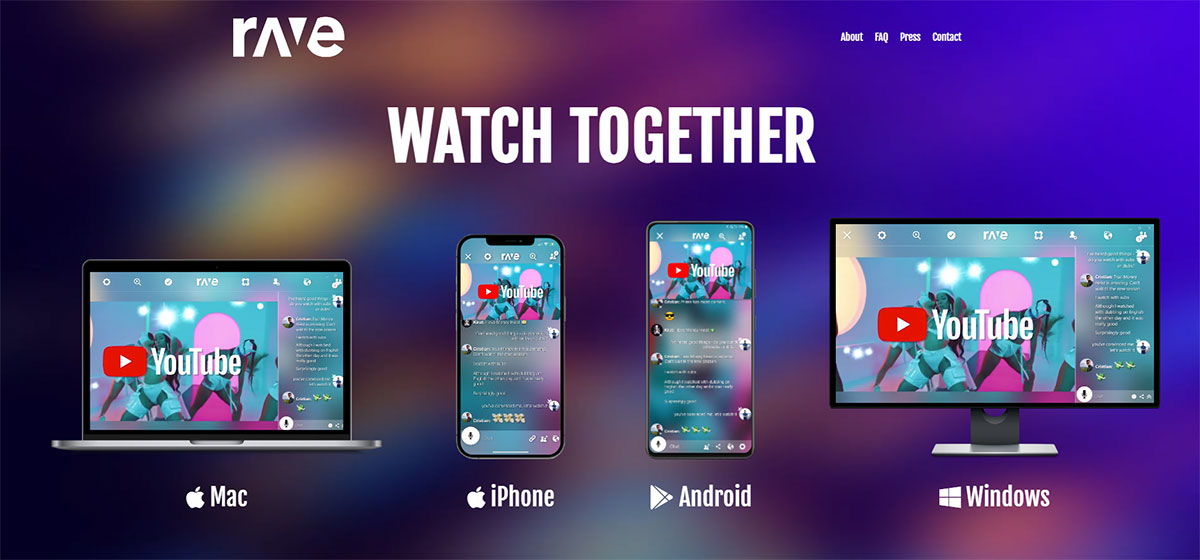
For years, Rave was the go-to watch party app for synchronized streaming across Netflix, YouTube, Disney+, and Amazon Prime Video. It let long-distance friends and couples watch together in real time, with voice chat included for free.
Now that it’s been pulled from both iOS and Android platforms, the need for a solid alternative is real.
The good news: the co-watching space has grown. There are now several strong options for remote movie nights, whether you need a browser-based tool, a no-install room link, or full video chat during playback.
This guide covers the 10 best apps like Rave, what each one does well, where it falls short, and which fits your specific setup.
Apps Like Rave
Teleparty
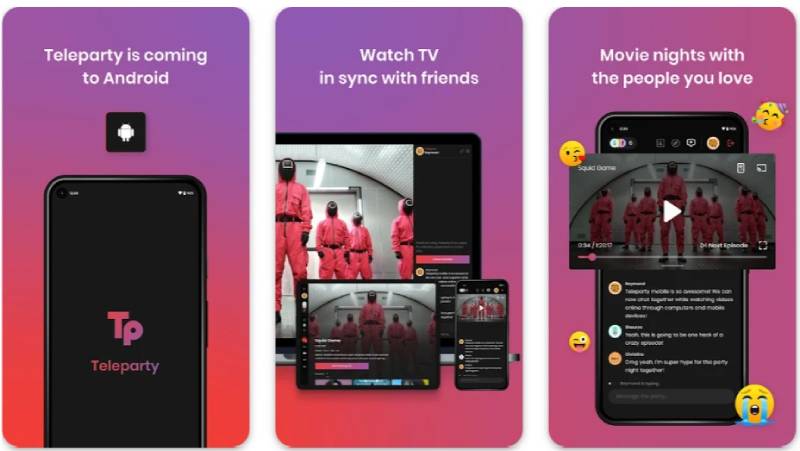
Teleparty is a browser extension that syncs video playback across major streaming platforms for remote group viewing. It works on Chrome and Edge, supports text chat for free users, and adds voice and video chat for Premium subscribers. Over 10 million users rely on it for virtual movie nights.
What Does Teleparty Do?
Teleparty syncs video playback across Netflix, YouTube, Disney+, Hulu, HBO Max, and Amazon Prime Video for multiple users watching remotely at the same time.
How Is Teleparty Similar to Rave?
Both apps sync video playback in real time and include group chat. Both support the same major streaming services. Both target people doing long distance watch parties with friends or partners.
How Is Teleparty Different from Rave?
- Teleparty is a browser extension, not a standalone mobile app
- Voice and video chat require a paid Premium plan; Rave includes voice chat for free
- Free plan limits group size to 10 people
Who Is Teleparty Best For?
Desktop users who want a quick, no-setup co-watching tool for Netflix or YouTube and don’t need mobile support.
Key Features of Teleparty
- Platform support: Netflix, YouTube, Disney+, Hulu, HBO Max, Amazon Prime (free); Crunchyroll, Paramount+, ESPN+ (Premium)
- Chat: Real-time text chat (free), voice and video chat (Premium only)
- HD playback: Auto-adjusts quality based on each user’s connection
- Mobile app: Available on Android (beta) and iOS, limited features vs. extension
Pricing
- Free plan: Yes – basic sync, text chat, up to 10 participants
- Paid plans: $3.99/month (billed annually) or $6.59/month
- Free trial: Yes – 7 days (annual plan only)
Watch2Gether

Watch2Gether is a web-based co-watching platform that lets groups sync video from YouTube, Vimeo, Twitch, SoundCloud, and more inside shared virtual rooms. No account is needed to start or join a room. It’s one of the older players in the synchronized streaming space, running since before most alternatives existed.
What Does Watch2Gether Do?
Watch2Gether lets users create or join virtual rooms where everyone watches or listens to the same content simultaneously, with real-time text chat and optional webcam support.
How Is Watch2Gether Similar to Rave?
Both offer synchronized video playback with group chat. Both support YouTube and other streaming services. Both are free to use at a basic level and work across platforms without requiring app installs.
How Is Watch2Gether Different from Rave?
- Watch2Gether is web-only, while Rave has dedicated iOS and Android apps
- Free rooms show banner ads; Rave’s free tier is ad-light by comparison
- Netflix and Amazon Prime require a browser extension (W2gSync) to sync on Watch2Gether
Who Is Watch2Gether Best For?
Groups who primarily watch YouTube, Vimeo, or Twitch together and want a no-account, browser-based option without installing anything.
Key Features of Watch2Gether
- No account required: Create a room and share the link instantly
- Playlist support: Queue multiple videos for uninterrupted sessions
- Webcam support: Optional video chat during playback
- W2gSync extension: Syncs Netflix and Amazon Prime via browser add-on
Pricing
- Free plan: Yes – unlimited rooms, banner ads present
- Paid plans: PLUS at $2.90/month (annual); PRO at $7.90/month (annual)
- Free trial: Yes – 1 month
Kosmi

Kosmi is a free, browser-based virtual hangout platform. It combines synchronized video watching, multiplayer games, screen sharing, and video chat – all in one room, no downloads required. It’s probably the closest thing to a true all-in-one alternative for people who want more than just synced playback.
What Does Kosmi Do?
Kosmi creates virtual rooms where users can watch Netflix, YouTube, Disney+, Hulu, HBO Max, or Amazon Prime together, play browser-based games, and video chat simultaneously.
How Is Kosmi Similar to Rave?
Both support synchronized streaming from major services. Both include real-time chat during playback. Both work on mobile and desktop without per-user subscription requirements.
How Is Kosmi Different from Rave?
| Feature | Kosmi | Rave |
| Platform | Web browser (+ optional apps) | iOS and Android apps |
| Games built-in | Yes – poker, drawing, retro games | No |
| Extension required | No | No |
Who Is Kosmi Best For?
Friend groups who want to mix watching and gaming in one session without juggling multiple apps.
Key Features of Kosmi
- No sign-up needed: Join any room via link instantly
- Built-in games: Poker, cards, drawing games, retro multiplayer titles
- Video chat: Built into every room, no extra app needed
- Screen sharing: Available alongside video content without separate tools
Pricing
- Free plan: Yes – full core features including watch parties, games, video chat
- Paid plans: Premium available for additional customization (price not publicly listed)
- Free trial: Free tier is robust; no trial needed
Kast
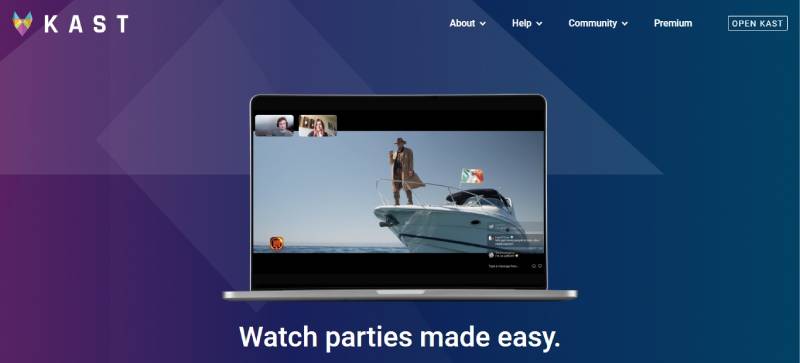
Kast positions itself as a virtual living room. Up to 20 people can share their screen or camera simultaneously, with up to 100 additional viewers joining the party. It’s more creator-facing than most watch party apps – content creators use it to host live fan watch parties and community events.
What Does Kast Do?
Kast lets users host watch parties via screen sharing or its built-in Kast TV library, with real-time voice, video, and text chat for groups of up to 120 people total.
How Is Kast Similar to Rave?
Both support real-time group watching with chat. Both offer free tiers with core features. Both work on iOS, Android, and desktop for cross-platform co-watching sessions.
How Is Kast Different from Rave?
- Kast uses screen sharing as its primary method; Rave syncs playback directly
- Kast supports up to 120 total participants per session vs. Rave’s smaller group focus
- Kast TV offers a curated content library streamable without screen sharing (Premium)
Who Is Kast Best For?
Content creators and community managers who want to host large-scale fan watch parties with live interaction.
Key Features of Kast
- Capacity: 20 sharers + 100 viewers per party
- Kast TV: Cloud-based content library for Premium users (no screen share needed)
- HD streaming: Premium only; standard quality on free tier
- Animated reactions: Premium feature for chat engagement
Pricing
- Free plan: Yes – screen sharing, voice and text chat, standard quality
- Paid plans: $6.49/month or $59.99/year
- Free trial: No
Scener
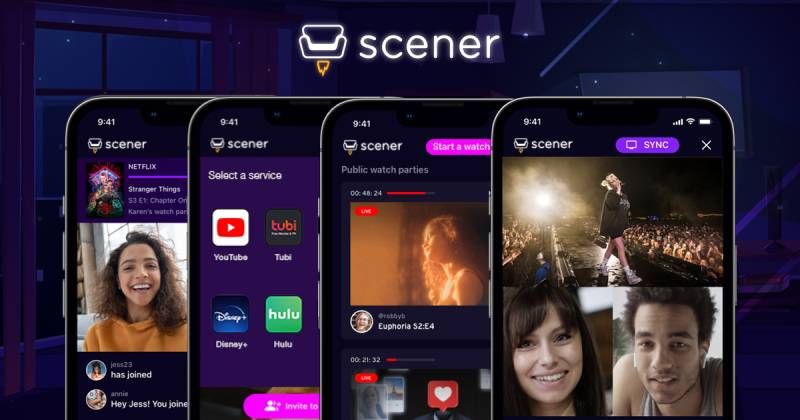
Scener is a Chrome extension built for public and private watch parties. It’s one of the few platforms that supports large-scale “theater” mode, where one host streams to an unlimited audience. It’s popular with film communities and streaming service promotions – several studios have used it for official premiere watch events.
What Does Scener Do?
Scener syncs streaming content from Netflix, Disney+, HBO Max, Hulu, YouTube, and others, with a chat sidebar and optional video chat for groups up to 10 (private room) or unlimited (theater mode).
How Is Scener Similar to Rave?
Both sync playback across major platforms with group chat. Both target the same virtual movie night use case. Both offer free access for basic synchronized viewing.
How Is Scener Different from Rave?
- Scener is desktop-only for hosting; mobile users can only view, not host
- Theater mode supports unlimited viewers, far beyond Rave’s session limits
- Video and audio chat are locked behind a Premium subscription
Who Is Scener Best For?
Desktop users who want to host small private watch parties or large public viewing events for fan communities.
Key Features of Scener
- Theater mode: Unlimited viewers in public watch parties
- Private room: Up to 10 participants with shared viewing
- Multi-platform support: Netflix, Disney+, HBO Max, Hulu, YouTube, Shudder, and more
- Video chat: Premium only
Pricing
- Free plan: Yes – synchronized viewing, text chat
- Paid plans: Scener Premium (price varies; month-to-month, cancellable anytime)
- Free trial: Not publicly confirmed
Metastream

Metastream is an open-source browser extension for synchronized video watching. It’s the most technically transparent option on this list. If you’ve ever wanted to actually inspect how a watch party tool works under the hood, this is the one.
What Does Metastream Do?
Metastream syncs video playback across web-based video players so groups can watch the same content simultaneously via a shared session link in the browser.
How Is Metastream Similar to Rave?
Both sync video across streaming platforms in real time. Both are free to use. Both support YouTube and other web-based video sources for group co-watching sessions.
How Is Metastream Different from Rave?
| Feature | Metastream | Rave |
| Source code | Open source (GitHub) | Closed source |
| Platform | Browser extension only | iOS and Android apps |
| Voice/video chat | No built-in chat | Yes, included |
Who Is Metastream Best For?
Tech-savvy users who want a lightweight, privacy-conscious, open-source co-watching tool without accounts or subscriptions.
Key Features of Metastream
- Open source: Full code available on GitHub
- No account required: Session-based, no sign-up
- Supports any web video: Works wherever a video player exists in the browser
Pricing
- Free plan: Yes – fully free, no paid tier
- Paid plans: None
- Free trial: N/A
Hyperbeam

Hyperbeam takes a different approach from most watch party apps. Instead of syncing playback across individual devices, it runs a shared virtual browser that everyone controls together. Think of it as one browser, multiple people, same session. It’s particularly good for watching content that isn’t well-supported by other sync tools.
What Does Hyperbeam Do?
Hyperbeam provides a shared cloud-based browser environment where all participants view and interact with the same browser session in real time, enabling synchronized viewing of virtually any web-based content.
How Is Hyperbeam Similar to Rave?
Both enable synchronized remote viewing with chat support. Both work without requiring all users to have their own streaming subscriptions for certain content. Both serve the long-distance watch party use case.
How Is Hyperbeam Different from Rave?
- Hyperbeam uses a shared virtual browser rather than playback syncing across separate devices
- Free sessions have a 3-hour limit with a short cooldown between uses
- Better for niche or unsupported streaming sites that other tools can’t sync
Who Is Hyperbeam Best For?
Users who want to watch content from platforms not supported by standard sync extensions, or who prefer a shared-screen experience over per-device playback.
Key Features of Hyperbeam
- Shared virtual browser: One session everyone can see and control
- Broad content support: Works with almost any web-based video source
- Built-in voice chat: Available within rooms
- Free session limit: 3 hours per session, 10-minute cooldown after
Pricing
- Free plan: Yes – 3-hour sessions
- Paid plans: Premium available for unlimited session duration
- Free trial: Free tier functions as a trial
Discord (Screen Share)

Discord wasn’t built as a watch party app. But millions of people use it for exactly that. The screen sharing feature inside voice channels is reliable, works on any content, and already lives inside the app most gaming communities use daily. It’s tricky with DRM-protected content like Netflix, though – that’s where it falls short compared to dedicated sync tools.
What Does Discord Do for Watch Parties?
Discord lets users share their screen inside voice channels, broadcasting any desktop content to everyone present in the channel, with voice and text chat running simultaneously.
How Is Discord Similar to Rave?
Both support real-time group viewing with voice chat. Both are free at a core level. Both work across desktop and mobile platforms for remote co-watching sessions.
How Is Discord Different from Rave?
- Discord streams one person’s screen; Rave syncs playback on each user’s own device
- DRM-protected content (Netflix, Disney+) often shows a black screen on Discord
- Discord free limits stream quality to 720p/30fps; Nitro unlocks 1080p/60fps
Who Is Discord Best For?
Gaming communities and friend groups who already use Discord daily and want to add watch sessions without switching apps.
Key Features of Discord (Watch Party Use)
- Screen share: Works for YouTube, Twitch, local files, and non-DRM content
- Voice channels: Persistent rooms, no call to start
- Stream quality: 720p/30fps free; 1080p/60fps with Nitro
- Group size: Up to 25 video viewers per channel (free)
Pricing
- Free plan: Yes – screen sharing, voice chat, text chat
- Paid plans: Nitro at $9.99/month or $99.99/year
- Free trial: No
Apple SharePlay

SharePlay is Apple’s native co-watching feature, built directly into FaceTime. It arrived with iOS 15.1 and has become the default option for iPhone and iPad users. No extra apps, no browser extensions. Just start a FaceTime call and hit play. The limitation is real: it’s Apple-only, and Netflix still doesn’t support it.
What Does Apple SharePlay Do?
SharePlay syncs playback of supported streaming apps across all participants in a FaceTime call, with shared controls so anyone can pause, skip, or rewind for the group.
How Is SharePlay Similar to Rave?
Both sync playback in real time during a group session. Both support Disney+, Hulu, and Apple TV+. Both handle the long-distance watch party use case without requiring third-party browser extensions.
How Is SharePlay Different from Rave?
| Feature | SharePlay | Rave |
| Platform | Apple devices only (iOS 15.1+) | iOS and Android |
| Netflix support | No | Yes |
| Group size | Up to 32 people (FaceTime limit) | Smaller group focus |
Who Is SharePlay Best For?
iPhone and iPad users who want the smoothest possible co-watching experience with Apple TV+, Disney+, or Hulu and already use FaceTime regularly.
Key Features of SharePlay
- No setup required: Built into FaceTime, available on iOS 15.1+
- Shared controls: Any participant can pause, play, or skip
- Supported services: Apple TV+, Disney+, Hulu, Paramount+, HBO Max (no Netflix)
- Group size: Up to 32 FaceTime participants
Pricing
- Free plan: Yes – completely free, built into Apple devices
- Paid plans: None for SharePlay itself
- Free trial: N/A
Hulu Watch Party

Hulu Watch Party is one of the last surviving native watch party features from a major streaming service. Most platforms killed theirs – Amazon shut down its Watch Party feature, Disney+ dropped GroupWatch. Hulu kept it. That alone makes it worth mentioning, even with its limitations.
What Does Hulu Watch Party Do?
Hulu Watch Party lets up to 8 users with active Hulu subscriptions watch Hulu’s on-demand catalog together in a synchronized session directly inside the Hulu web player, with a group chat sidebar.
How Is Hulu Watch Party Similar to Rave?
Both sync playback in real time with a group chat alongside the video. Both are free to use within their respective platforms. Both handle the remote watch party use case for separated friends and families.
How Is Hulu Watch Party Different from Rave?
- Hulu Watch Party is Hulu-only; Rave supports Netflix, YouTube, Amazon, and more
- Limited to 8 participants maximum
- Desktop and browser only – no mobile support for hosting
Who Is Hulu Watch Party Best For?
Hulu subscribers who want a zero-setup co-watching option without installing any third-party tools or extensions.
Key Features of Hulu Watch Party
- Built-in feature: No extension or app needed
- Capacity: Up to 8 simultaneous viewers
- Content: Hulu on-demand only (no live TV)
- Chat: Real-time text chat alongside playback
Pricing
- Free plan: Included with any Hulu subscription
- Paid plans: N/A (requires active Hulu subscription for all participants)
- Free trial: Subject to Hulu’s current trial offers
What Is Rave and What Does It Do?
Rave was a free mobile app for iOS and Android that let users watch Netflix, YouTube, Disney+, Amazon Prime Video, and HBO Max together in synchronized sessions with voice and text chat built in.
It stood out for two reasons: cross-platform support (Android and iOS users could join the same session) and a unique feature called RaveDJ, which let users create mashups from YouTube and SoundCloud content directly inside the app.
Rave also supported Google Drive video playback, which allowed groups to watch privately uploaded files together. No other major watch party app offered this combination out of the box.
As of August 2025, Rave Media Inc. pulled all its apps from the Apple App Store. The app was later flagged and removed from Google Play as well. Users who already had it installed may still have access, but new downloads are no longer possible on either platform.
That removal is the direct reason search interest in co-watching alternatives has grown sharply. The Diffusion Group found that 25 million U.S. adults co-watched an online TV show or movie during the pandemic period, with 60% of adult SVOD viewers now aware of co-watching features.
| Feature | Rave (at peak) | Status Now |
| Netflix sync | Yes | Still active (Android/Windows); Unavailable on iOS |
| YouTube sync | Yes | Still active (Android/Windows); Unavailable on iOS |
| Voice chat | Yes (free) | Still active (Android/Windows); Unavailable on iOS |
| RaveDJ mashup tool | Yes | Still active on web and supported platforms |
| Google Drive video | Yes | Still active (Android/Windows); Unavailable on iOS |
What Features Should a Watch Party App Have?
Not all co-watching apps solve the same problem. The right choice depends on your group’s devices, streaming services, and how interactive you want the session to be.
Approximately 14 million U.S. couples are currently in long-distance relationships, according to 2024 data, and shared streaming has become one of the most common ways to stay connected. Knowing what to look for saves time.
Synchronized Playback Accuracy
Sync quality matters more than any other feature. A half-second delay between participants breaks the shared experience entirely.
Playback sync varies significantly across app types. API-based sync tools (like Teleparty and Scener) lock into the streaming service’s own player, keeping everyone frame-accurate. Virtual browser tools (like Kosmi and Hyperbeam) run a single shared browser instance, so the sync is structural rather than dependent on each user’s device.
Chat Type and Communication
Three levels exist: text-only, voice, and video. Most apps offer text chat for free. Voice and video are usually paywalled.
- Text chat: Teleparty (free), Watch2Gether (free), Scener (free)
- Voice chat: Rave (was free), Kast (free tier), Kosmi (free)
- Video chat: Kosmi (free), Teleparty (Premium only), Scener (Premium only)
Research from 2023 found 88% of long-distance couples use video calls regularly, and those who video call at least 3 times per week report 23% higher relationship satisfaction (Lasting survey). Apps with built-in video chat remove the need to run a separate FaceTime or Zoom call alongside the stream.
Platform and Device Compatibility
This is the feature most people overlook until their Android friend can’t join the iOS-only session.
Key question: does everyone in your group use the same devices and operating systems?
- Apple-only groups: SharePlay is zero-setup and fully free
- Mixed iOS and Android: Teleparty (browser), Kosmi (browser), Watch2Gether (browser)
- Desktop-only sessions: Scener, Metastream, Watch2Gether all work without mobile apps
No-Account Access and Ease of Setup
Some apps require every participant to create an account. Others generate a shareable room link with no sign-up required.
The faster someone can join, the more likely the session actually happens. Watch2Gether, Kosmi, and Metastream all allow instant link-based joining with no account needed. Teleparty requires a Google account. Scener requires account creation for hosting.
How Do Watch Party Apps Sync Video Playback?
Three distinct methods exist. Each has clear trade-offs around content support, stream quality, and setup complexity. Understanding them explains why some apps work with Netflix and others don’t.
Direct Playback Sync
Method: Each user streams content on their own device. The app syncs the playback state (play, pause, seek position) across all participants via an API or browser extension.
- Works with DRM-protected content: Netflix, Disney+, Hulu, HBO Max
- Requires each participant to have their own active streaming subscription
- Examples: Teleparty, Scener, Apple SharePlay
Teleparty, for instance, reached over 10 million users using this exact method. The extension hooks into the streaming site’s player and broadcasts timestamp data to all connected participants.
Virtual Browser Sharing
One cloud-based browser instance runs on a remote server. All participants see and interact with the same browser session in real time.
Key advantage: only the host needs a streaming subscription. Everyone else views through the shared session.
Hyperbeam and Kosmi both use this approach. It handles content from virtually any website, not just the platforms that sync tools officially support. The trade-off is latency: a remote browser adds a processing step that API-based sync avoids.
Screen Sharing
The host shares their desktop or browser tab. Everyone else watches the shared feed. Voice chat runs alongside in the same platform.
| Method | DRM content | Own subscription needed | Examples |
| Direct playback sync | Yes | Everyone | Teleparty, Scener, SharePlay |
| Virtual browser | Yes (host only) | Host only | Kosmi, Hyperbeam |
| Screen sharing | Often blocked | Host only | Discord, Kast |
Screen sharing triggers DRM black screens on Netflix, Disney+, and most major streaming services. The platform detects screen capture and blocks the video layer while audio continues. Discord’s screen share is the most common place users encounter this. The fix is to use a sync-based tool or virtual browser instead.
Which App Is Best for Watching Netflix Together?
Netflix has never built its own co-watching feature. Amazon discontinued Watch Party in April 2024. Disney+ dropped GroupWatch. That leaves third-party tools as the only options for synchronized Netflix viewing.
Over 83% of U.S. internet households subscribe to at least one streaming service, according to industry research, and Netflix remains the most widely held. The demand for Netflix co-watching tools is high and growing.
| App | Netflix Support | Mobile Support | Free Tier |
| Teleparty | Yes | Android (Beta), iOS (Limited) | Yes |
| Kosmi | Yes (Virtual browser) | Browser on mobile | Yes, fully free |
| Hyperbeam | Yes (Virtual browser) | Browser on mobile | Yes (3-hour limit) |
| Apple SharePlay | No | iPhone, iPad, Mac | Yes |
| Scener | Yes | View only, no hosting | Yes (Text chat only) |
Teleparty is the most direct Netflix sync tool. It works as a Chrome or Edge extension, requires each participant to have their own Netflix account, and keeps everyone in frame-accurate sync with a shared chat sidebar.
Kosmi and Hyperbeam work differently: the host streams Netflix inside a shared virtual browser, so only one Netflix account is technically used. This is the go-to option for groups where not everyone has their own subscription. Well, worth knowing that this sits in a legal gray area depending on Netflix’s current terms.
Apple SharePlay does not support Netflix. Full stop. iPhone users who want Netflix co-watching need to use Teleparty or Kosmi.
Which Watch Party App Works Without an Extension or Download?
The fastest co-watching sessions happen when the invite link is the only thing participants need to click. No extension install prompt, no app store detour, no account creation wall.
54% of people who had never co-watched said they would consider it, according to The Diffusion Group. Friction at the join step is the most common reason that number stays potential rather than actual.
Browser-Only Tools (Zero Install)
No download, no extension, no account required:
- Kosmi: full watch parties, games, video chat, all in a browser tab
- Watch2Gether: YouTube, Vimeo, Twitch sync with shared playlist, browser only
- Metastream: open-source, session-based, browser extension optional for some sites
Kosmi is the strongest option here. It handles Netflix, YouTube, Disney+, and more through its virtual browser, requires no account to join a room, and includes video chat by default. The whole setup takes under a minute.
Apps That Require Extensions
Teleparty requires a Chrome or Edge extension installed on every participant’s browser. Scener also requires the Chrome extension for hosting. Watch2Gether requires the W2gSync extension specifically for Netflix and Amazon Prime sync.
For Apple ecosystem groups: SharePlay requires no install at all. It is built into FaceTime on iOS 15.1 and later. Start a FaceTime call, open a supported streaming app, and playback syncs automatically across all participants’ Apple devices.
How Do Free and Paid Watch Party Apps Compare?
Most watch party apps follow the same pattern: a functional free tier with text chat and basic sync, plus a paid plan that unlocks video chat, HD quality, or larger group sizes.
The exception is Kosmi, which keeps all core features completely free with no paid tier required. Metastream and Apple SharePlay are also entirely free.
| App | Free Tier | Paid Plan | Key Free Restriction |
| Teleparty | Yes | $3.99/mo (Premium) | Text chat only; Video/Voice calls require Premium. |
| Closet | Yes | $6.49/mo (Base) | Standard quality and includes ads. |
| Watch2Gether | Yes | $2.90/mo (PLUS) | Persistent banner ads in rooms. |
| Hyperbeam | Yes | Paid for unlimited | 3-hour session limit on virtual browser. |
| Kosmi | Yes (Fully Free) | Optional customization | None on core features; paid for custom visual themes. |
Best value for couples: Kosmi or Apple SharePlay. Zero cost, video chat included, no participant caps on core use.
Best value for larger groups: Kast’s free tier allows up to 120 people per session (20 sharers plus 100 viewers). No other free tier comes close for scale.
Best value for creator communities: Scener’s theater mode supports unlimited viewers in public watch parties at no cost. Scener was used by studios for official premiere events, which shows the platform’s capacity at the high end.
Paid plans are worth it mainly for one reason: video chat during playback. If your group wants to see each other’s reactions while watching, the free text-only tier of Teleparty or Scener won’t satisfy that need. Upgrading Teleparty to Premium ($3.99/month billed annually) is the cheapest path to voice and video chat with Netflix support intact.
FAQ on Apps Like Rave
What happened to the Rave app?
Rave Media Inc. pulled all its apps from the Apple App Store in August 2025. The app was later removed from Google Play as well. New downloads are no longer possible on either platform. Users who had it installed may still have access, but the app receives no updates.
What is the best free alternative to Rave?
Kosmi is the strongest free replacement. It supports Netflix, YouTube, Disney+, and more, includes built-in video chat, requires no account to join, and locks no core features behind a paywall.
Can I watch Netflix with friends without a Chrome extension?
Yes. Kosmi and Hyperbeam both use a virtual browser, so no extension is needed. Apple users can also use SharePlay via FaceTime, though SharePlay does not support Netflix.
What app syncs video playback across Netflix and YouTube?
Teleparty syncs Netflix, YouTube, Disney+, Hulu, HBO Max, and Amazon Prime Video. It works as a Chrome or Edge extension. The free tier covers all those platforms with text chat included.
Do watch party apps work on mobile?
It depends on the app. Teleparty has an Android app (beta) and a limited iOS app. Kosmi and Watch2Gether work in mobile browsers. Apple SharePlay is the smoothest mobile option, but only for Apple devices.
Does Discord work for watching Netflix together?
Not reliably. Netflix uses DRM protection that causes a black screen when shared via Discord. For Netflix co-watching, sync-based tools like Teleparty or virtual browser tools like Kosmi are the practical alternatives.
What watch party app works for long-distance couples?
Kosmi and Rave alternatives like Teleparty are popular choices. Kosmi includes video chat at no cost, making it well-suited for couples who want to see each other’s reactions while watching.
Is there a watch party app that needs no sign-up?
Yes. Kosmi, Watch2Gether, and Metastream all allow instant room creation and link-based joining with no account required. These are the fastest options when you want to start a session without any setup friction.
Which app supports the most streaming platforms?
Teleparty covers Netflix, YouTube, Disney+, Hulu, HBO Max, and Amazon Prime on its free tier, plus Crunchyroll, Paramount+, and ESPN+ on Premium. Kosmi supports virtually any web-based streaming service through its virtual browser.
Are watch party apps legal?
Sync-based tools like Teleparty and Scener are legal. Each user streams from their own subscription, which stays within standard platform terms. Virtual browser tools sit in a grayer area depending on the platform’s current terms of service.
Conclusion
This conclusion is for an article presenting apps like Rave as viable replacements for a platform that no longer exists on major app stores.
The synchronized streaming space has real options. Teleparty handles platform coverage well. Kosmi wins on zero-cost accessibility. Scener suits public watch events. Kast scales for larger groups.
Your choice comes down to three things: which streaming services your group uses, whether everyone needs mobile access, and how much interaction you want during playback.
None of these co-watching platforms require a paid plan to get started. Most support group video sync across Netflix, YouTube, and Disney+ at no cost.
Pick one, share the link, and start the session. The virtual movie night does not need to wait.

- Notepad++ Android Options: Apps That Come Close - October 21, 2026
- Data Management Services: A Practical Guide for Growing Companies - October 21, 2026
- MongoDB Cheat Sheet - October 20, 2026