Your project just missed its third deadline. Budget overruns hit 30%. Stakeholders demand answers you don’t have.
Standard meetings and email chains won’t fix this. You need concentrated management focus with decision-making authority in one room.
Understanding what is a war room and how to use it in project management separates teams that recover from crisis and those that spiral into failure. This intensive coordination approach compresses months of traditional project recovery into weeks through real-time collaboration and rapid response protocols.
This guide covers war room fundamentals, setup procedures, success metrics, and proven applications across industries. You’ll learn when to activate this tactical intervention, how to structure teams and communication, and what technology infrastructure supports effective crisis management centers.
What is War Room
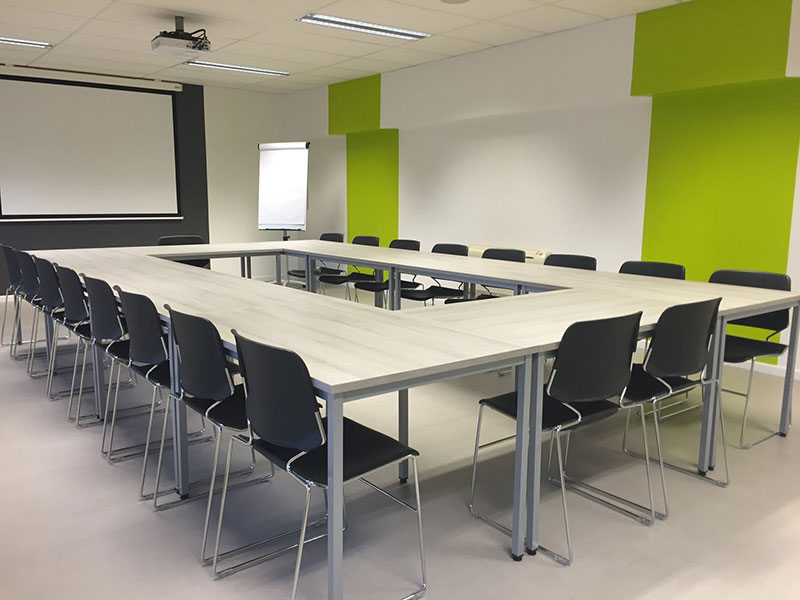
A war room is a centralized physical or virtual space where project teams gather to manage critical initiatives, resolve crises, or accelerate high-stakes deliverables through intensive coordination and rapid decision-making.
The term originated in military operations but now serves as a tactical project intervention method across industries.
Teams use this concentrated management focus to eliminate communication delays, streamline resource allocation, and maintain real-time visibility on mission-critical operations.
War Room Purpose in Project Management

Crisis response drives most war room implementations. When projects face budget overruns, missed deadlines, or system failures, the dedicated project space creates accountability that traditional dispersed teams can’t match.
War rooms reduce decision latency from days to hours. According to the Project Management Institute, organizations using centralized command structures resolve critical incidents 40% faster than those relying on standard protocols.
Speed matters. Projects using war room approaches show measurably better recovery outcomes across multiple studies.
The unified response coordination model works because it removes three barriers: geographic separation, asynchronous communication, and fragmented authority. Stakeholder communication happens in real-time rather than through email chains spanning multiple time zones.
Current Project Crisis Statistics
Budget overruns affect the majority of projects:
- 55% of project managers cite budget overrun as the primary reason for project failure
- 70% of software projects exceed their initial budgets
- McKinsey research found large IT projects run 45% over budget on average
- Only 35% of projects worldwide finish successfully, meeting all goals and timelines
Communication breakdowns contribute to 29% of project failures. When PMI analyzed thousands of projects, they found poor communication directly leads to cost and timeline problems.
War Room Components
Physical Space Requirements
Dedicated room with capacity for 8-15 team members minimum. Wall space for status boards, risk registers, and Gantt charts. Conference table with clear sightlines to all visual displays.
Climate control and acoustics matter for extended sessions.
Technology Infrastructure
Real-time monitoring systems form the backbone. Multiple displays showing project dashboards, KPI tracking, and live data feeds from production environments.
But even the best visual setup breaks down when teams can’t quickly find the information they need to act on. That’s where platforms like QueryPal come in. Built for customer service teams, it automates repetitive tasks and frees up capacity so teams can focus on decisions rather than digging through documentation.
Core technology stack:
- Status dashboard software (Jira, Microsoft Project, custom solutions)
- Video conferencing for remote stakeholders
- Digital Kanban boards synced across locations
- Shared documentation platforms
- Incident tracking systems
Network infrastructure needs redundancy. Backup internet connections and power supplies prevent downtime during critical operations.
Team Composition
The incident commander holds final decision authority. This role requires someone with budget control and escalation power beyond typical project managers.
Supporting roles include technical specialists, business analysts, and communication liaisons who manage updates to primary and secondary stakeholders outside the room.
Research from University of Michigan found war room teams operating with proper coordination structures double their productivity compared to dispersed teams. Optimal team size ranges between 7-12 core members. Smaller teams lack necessary expertise; larger groups create coordination overhead.
Communication Protocols
15-minute standup meetings occur three times daily during active war room periods. Each update follows a strict format: completed items, current blockers, next actions.
Status updates flow outward every 4 hours to executive sponsors and affected departments. The RACI matrix defines who receives which information categories.
Escalation paths must be pre-defined with response time commitments. Critical issues get 30-minute executive response windows; standard problems allow 2-hour timelines.
Implementation Template:
Daily Communication Schedule:
- 8:00 AM: Morning standup (15 min)
- 12:00 PM: Midday progress check (15 min)
- 5:00 PM: End-of-day recap (15 min)
- Every 4 hours: Stakeholder updates (automated)
Time Parameters
War room activation typically spans 2-6 weeks for project recovery scenarios. Product launch war rooms run 3-4 weeks before release dates.
Extended deployments beyond 8 weeks show diminishing returns. Team fatigue and opportunity costs erode the accelerated delivery model benefits.
When to Implement War Room
Project Crisis Situations
Deploy when projects exceed budget by 20%+ or miss major milestones by more than two weeks. System outages affecting revenue or customer operations demand immediate war room activation.
Technical debt reaching critical levels where feature velocity drops below 50% of baseline indicates need for intensive intervention.
Decision Matrix:
High-Stakes Deliverables
Product launches with hard market dates and competitive timing pressures benefit from concentrated effort approach. Regulatory compliance deadlines with financial penalties justify the resource investment.
Mergers requiring system integration within fixed windows use war rooms to maintain accelerated timelines.
Complexity Thresholds
Cross-functional dependencies involving 5+ departments suggest war room value. Projects touching legacy systems with limited documentation need the focused problem-solving environment.
When normal communication channels add 2+ day delays to critical decisions, centralized coordination becomes cost-effective.
Given that 66% of organizations report frequent project delays caused by unclear requirements (according to Wellingtone State of Project Management), war rooms provide the clarity and alignment that distributed teams struggle to achieve.
Organizational Readiness
Executive sponsorship must exist before activation. The business continuity plan should identify war room as an escalation option.
Budget approval for dedicated space, technology, and full-time team allocation indicates readiness. Organizations attempting war rooms without pulling people from other duties see minimal benefit.
PMI research shows 62% of successfully completed projects had supportive sponsors, proof that leadership commitment drives results.
War Room Setup Process
Phase 1: Scope Definition and Authority
Incident commander gets appointed with explicit budget control and decision rights. Project charter documents the macro-context: specific deliverable, success criteria, and end date.
Work breakdown structure identifies all dependent tasks and their current status. Gap analysis reveals the distance between current state and required outcomes.
This phase takes 24-48 hours maximum.
Deliverables Checklist:
- [ ] Incident commander appointed with decision authority
- [ ] Project charter signed with success criteria
- [ ] Work breakdown structure completed
- [ ] Current state vs. target state gap documented
- [ ] Budget allocation confirmed
- [ ] Timeline established with hard deadlines
Phase 2: Team Assembly and Space Preparation
Pull core team members from daily responsibilities with backfill plans. Technical specialists need 80%+ allocation; partial commitment creates scheduling conflicts that negate speed benefits.
Physical setup includes:
- Wall-mounted displays for continuous visibility
- Whiteboards for rapid ideation
- Dedicated network with prioritized bandwidth
- Phone/video conferencing equipment
- Break area to prevent team departure
Virtual war room configuration requires always-on video channels and shared digital workspaces. Teams using Slack, Microsoft Teams, or similar platforms create dedicated channels with strict membership control.
Setup completion: 2-3 days.
Phase 3: Baseline Documentation
Current project status gets captured with brutal honesty. Risk register lists all known problems without politics or blame assignment.
Resource allocation maps show who’s working on what with time commitments. Critical path analysis identifies the sequence determining project duration.
Documentation must be complete before intensive work begins. Incomplete baselines cause teams to discover problems mid-execution when fixes cost more.
Required Documentation:
- Current status report (no politics, just facts)
- Risk register with probability and impact scores
- Resource allocation with % commitment per person
- Critical path diagram
- Dependency map
- Known blockers list
Time investment: 1-2 days.
Phase 4: Protocol Implementation
Communication rhythms start immediately. Daily standup meetings at fixed times, status board updates after each session, and stakeholder briefings on predetermined schedules.
Decision-making framework gets established: which choices the room can make autonomously versus what requires external approval. Clear thresholds prevent bottlenecks.
Escalation procedures go live with named contacts and response time commitments.
Decision Authority Framework:
Autonomous Decisions (no approval needed):
- Resource reallocation within approved budget
- Technical implementation choices
- Daily priority adjustments
- Minor scope clarifications
Escalation Required (executive approval):
- Budget increases
- Scope changes
- Deadline modifications
- Additional headcount requests
Phase 5: Execution and Monitoring
Intensive coordination begins. Teams work co-located or in constant virtual connection with real-time collaboration replacing asynchronous handoffs.
Sprint planning for Agile war rooms occurs weekly with scope adjustments based on velocity data. Traditional project management frameworks use daily task board reviews.
Progress tracking happens continuously rather than weekly. When variance from plan exceeds defined thresholds, immediate corrective action triggers without waiting for formal review meetings.
Daily Tracking Template:
War rooms following this structured approach show 60% higher success rates than those improvising setup according to 2024 research from 300 technology projects.
Success Metrics to Track
Monitor these KPIs daily:
- Decision cycle time (hours from identification to resolution)
- Blocker resolution rate (issues closed per day)
- Budget burn rate vs. planned expenditure
- Critical path progress (% complete)
- Team velocity (story points or tasks completed)
- Stakeholder satisfaction scores (weekly pulse check)
Performance Benchmarks:
Good war room performance shows:
- Decision time under 4 hours for non-escalated issues
- 90%+ blocker resolution within 24 hours
- Budget variance under 5%
- Daily progress on critical path items
- Zero communication-related delays
Projects using these monitoring practices reduce failure risk by addressing problems before they cascade. Given that only 2.5% of projects complete successfully meeting all criteria globally, structured monitoring provides the visibility needed to beat these odds.
War Room vs Traditional Project Management
Decision Speed
Traditional project management requires approval chains spanning 3-5 days for significant changes. War rooms compress this to 2-4 hours through co-located authority and immediate consensus building.
Research from Scrum shows that when management takes 5+ hours to make decisions, agile project failure rate hits 22% and 53% produce unsatisfactory results. War rooms cut this decision latency by concentrating authority in one space.
Weekly status meetings become continuous updates. Email threads get replaced by instant face-to-face resolution.
Speed Comparison:
Resource Flexibility
Standard project management frameworks lock resources into planned allocations weeks in advance. The war room model shifts people and budget daily based on emerging priorities.
Reallocation happens in minutes rather than through change control board processes requiring formal documentation and multi-level approval.
According to PMI research, 56% of project managers lack access to real-time project KPIs. War rooms solve this by making all metrics visible continuously, allowing resource decisions based on current data rather than week-old reports.
Communication Overhead
Distributed teams generate substantial email volumes on complex initiatives. According to communication research, employees send an average of 31 emails daily and receive 100+ messages.
War room environments reduce written communication significantly while increasing information quality through real-time clarification. Research shows that 53% of people waste time due to communication issues in their business, and 29% of project failures stem from poor communication.
Status reports become visual dashboard reviews. Misunderstandings get corrected immediately rather than compounding over days.
Communication Efficiency Metrics:
Traditional PM approach:
- 200+ weekly emails per complex project
- 45% of project managers spend 1+ days weekly on manual status reports
- Average response time: 4-8 hours
- 57% of project failures linked to communication breakdowns
War room approach:
- 70% reduction in written communication
- Real-time status updates (3x daily standups)
- Response time: Minutes
- Direct clarification prevents information loss
Cost Structure
War rooms concentrate expenses into shorter timeframes. A 4-week intensive deployment might cost $150K in dedicated resources but deliver outcomes that would take 6 months and $400K through traditional approaches.
Break-even occurs when time compression value exceeds setup and operational costs.
Consider that 55% of project managers cite budget overrun as primary failure reason, and 70% of software projects exceed initial budgets. War room models prevent extended cost bleed by accelerating delivery.
Cost Analysis Framework:
Traditional 6-month troubled project:
- Team allocation: 10 people at 50% utilization = $300K
- Extended overhead costs: $50K
- Opportunity cost of delayed delivery: $100K+
- Total: $450K+
War room 4-week intervention:
- Team allocation: 10 people at 80% utilization = $120K
- War room setup and operations: $30K
- Compressed timeline value: Delivery 5 months earlier
- Total: $150K
- Savings: $300K+ (67% reduction)
Stress and Sustainability
Traditional projects distribute pressure across extended timelines. War rooms intensify effort into focused bursts, creating higher short-term stress but preventing the chronic fatigue of prolonged troubled projects.
Team burnout risk increases beyond 6-week deployments. Research shows 40% of people experience burnout, stress and fatigue as a result of communication issues in their business.
Sustainability Guidelines:
Healthy war room deployment:
- Duration: 2-6 weeks maximum
- Mandatory rest: 8-hour offline windows daily
- Rotation schedule: Specialists rotate in/out
- Recovery period: 2 weeks minimum between deployments
Warning signs of unsustainable deployment:
- Team members exceeding 60 hours weekly for 2+ weeks
- Declining velocity metrics
- Increased conflict frequency
- Rising defect rates
War Room Roles and Responsibilities
Incident Commander
Holds final decision authority on scope, budget, and resource allocation. Removes organizational roadblocks and provides air cover for team decisions.
Reports directly to executive sponsor with daily briefings. Must have P&L accountability or equivalent business authority.
PMI data shows 62% of successfully completed projects had supportive sponsors, demonstrating how critical executive backing is to war room success.
Authority Matrix:
Autonomous decisions:
- Resource reallocation within approved budget ($50K threshold)
- Technical approach choices
- Daily priority shifts
- Schedule micro-adjustments
Requires escalation:
- Budget increases >10%
- Scope changes affecting delivery date
- Additional headcount requests
- External vendor commitments
Technical Lead
Owns architecture decisions and system design choices. Coordinates specialist work and validates technical feasibility of proposed solutions.
Reviews all code or configuration changes touching critical systems. Escalates technical debt issues requiring architecture-level intervention.
Given that 39% of projects fail due to poor requirements gathering and planning, the Technical Lead ensures solutions actually address root problems.
Business Analyst
Translates requirements into actionable specifications. Validates that solutions meet business objectives and user needs.
Maintains requirement traceability and manages scope change requests. Serves as voice of the customer inside the war room.
With 32% of projects failing due to unclear objectives, the Business Analyst prevents scope drift and ensures alignment with business goals.
Scrum Master (Agile War Rooms)
Facilitates daily scrum ceremonies and removes impediments blocking team progress. Tracks velocity metrics and burndown rates.
Protects team from external interruptions. Coaches members on Agile practices without imposing process overhead that slows crisis response.
Data shows Agile projects have a 64% success rate compared to 49% for Waterfall, making the Scrum Master role valuable for war rooms using agile methods.
Communications Coordinator
Manages information flow to stakeholders outside the war room. Prepares executive summaries and stakeholder briefings on fixed schedules.
Filters incoming requests to prevent team distraction. Ensures consistent messaging across all organizational levels.
This role addresses the finding that 66% of customers have stopped dealing with companies due to poor communication skills.
Quality Assurance Lead
Defines acceptance criteria and testing protocols. Validates deliverables meet standards before release.
Balances speed requirements against quality thresholds. Identifies which quality checks can be deferred versus non-negotiable.
Quality vs Speed Decisions:
Can defer:
- Performance optimization beyond minimum thresholds
- UI polish and refinements
- Non-critical feature completeness
- Documentation perfection
Cannot defer:
- Security validation
- Data integrity checks
- Critical path functionality
- Regulatory compliance verification
Subject Matter Experts
Rotate in as needed for specific decisions or problem areas. Provide deep domain knowledge without full-time war room commitment.
Maintain 4-hour response SLAs for questions from core team.
This rotation model addresses the finding that optimal team size is 7-12 core members, allowing access to expertise without overwhelming the core group.
War Room Communication Protocols
Internal Rhythms
Three daily standups at 9 AM, 1 PM, and 5 PM. Maximum 15 minutes each. Format: done, doing, blockers.
Mid-day sync adjusts priorities based on morning progress. End-of-day standup sets next morning’s focus.
Research shows 56% of people feel they waste time in meetings, so strict timeboxing prevents war room standups from becoming time sinks.
Standup Template:
Each person (2 minutes max):
- Completed since last standup (30 seconds)
- Working on until next standup (30 seconds)
- Blockers preventing progress (60 seconds)
Total: 15 minutes for 7-person team
Status Board Management
Physical or digital Kanban boards updated immediately when tasks change state. Color coding signals priority: red for blockers, yellow for at-risk, green for on-track.
Burn-down charts visible continuously. Any team member can update without approval.
Given that 56% of project managers lack real-time KPI access in traditional settings, visual boards provide the instant visibility war rooms need.
Board Sections:
- Backlog (prioritized)
- Ready for work
- In progress
- Blocked (red cards)
- Testing/Review
- Complete
Update frequency: Immediate (not end-of-day)
Stakeholder Updates
Four-hour cycle for external communication. Status summaries distributed at 10 AM, 2 PM, and 6 PM to predefined distribution lists.
Critical issues trigger immediate notification regardless of schedule. Non-critical questions get batched into next update window.
This structured approach addresses the 74% of people who want more company updates while preventing constant interruptions.
Update Template:
Current status (2 sentences)
- Progress since last update (bullet list, 3-5 items)
- Next 4-hour priorities (bullet list, 3-5 items)
- Blockers requiring stakeholder action (if any)
- Metrics: % complete, budget status, risk level
Length: Under 200 words
Decision Documentation
All significant choices logged in central repository with timestamp, rationale, and owner. Creates audit trail and prevents rehashing settled questions.
Template format: problem statement, options considered, decision made, implementation owner.
Decision Log Entry:
- Date/Time: 2026-02-19 14:30
- Decision: Switch from REST to GraphQL API
- Context: Current REST endpoints causing 200ms+ latency
- Options: (1) Optimize REST (2) GraphQL (3) gRPC
- Choice: GraphQL – best balance of performance and team expertise
- Owner: Technical Lead
- Implementation deadline: 2 days
Escalation Triggers
Blockers unresolved after 30 minutes get escalated to incident commander. Budget variance exceeding $10K or 10% threshold requires executive sponsor notification within 1 hour.
Technical risks affecting go-live dates escalate immediately.
Escalation Matrix:
War Room Technology Requirements
Display Infrastructure
Minimum three large monitors or projection surfaces. Primary display shows real-time project dashboard. Secondary screen displays product backlog or sprint backlog status.
Third monitor cycles between system health metrics, risk register, and dependency map. Screen resolution minimum 1920×1080 for readability from 15 feet.
Display Configuration:
Screen 1 (Primary): Real-time dashboard
- Current sprint/week progress
- Blocker count and age
- Budget burn rate
- Critical path status
Screen 2 (Backlog): Work queue
- Prioritized backlog
- Team allocation
- Upcoming dependencies
Screen 3 (Metrics): Rotating views
- System health (if applicable)
- Risk register with probability x impact
- Stakeholder communication log
- Velocity trends
Collaboration Platforms
Microsoft Teams or Slack configured with dedicated war room channels. Persistent video connection for hybrid teams. Document collaboration through SharePoint or Google Workspace.
Integration between chat, task tracking, and documentation systems eliminates context switching.
Microsoft Teams reached 320 million users in 2024, making it the most popular business communication platform. War rooms using integrated platforms see 77% improved internal communication according to Project.co research.
Platform Setup:
Main channel: War room core team
- Always-on video during core hours (9 AM – 5 PM)
- No external members
- All critical decisions posted here
Stakeholder channel: Updates only
- One-way communication
- Automated status posts every 4 hours
- Questions directed to Communications Coordinator
Project Management Tools
Jira Software for Agile implementations. Microsoft Project for traditional waterfall approaches. Real-time sync between desktop and mobile versions.
Custom dashboards filter noise and highlight critical path items. API integrations pull data from source systems automatically.
With 36% of projects now using project management software (up from 11% in 2022), tools have become essential for war room coordination.
Monitoring and Analytics
Live dashboards showing system performance, error rates, and user metrics. Alert thresholds trigger notifications before problems become critical.
Velocity tracking for Agile teams. Earned value management calculations for traditional projects. Historical comparison shows whether current pace meets deadline requirements.
Dashboard Requirements:
Refresh rate: Real-time (30-second max delay) Key metrics:
- Tasks completed today vs target
- Open blockers by age
- Budget spent vs planned (daily)
- Critical path completion %
- Team velocity (rolling 3-day average)
- Defect discovery rate
Alert thresholds:
- Velocity drops >20% from baseline
- Blocker age >4 hours
- Budget variance >5%
- Zero critical path progress for >8 hours
Communication Hardware
Conference speakerphone with 360-degree pickup for in-person meetings. HD webcam for remote participant inclusion. Backup video conferencing account from different vendor for redundancy.
Wireless presentation system allows any team member to share screen instantly.
Hardware Checklist:
Audio:
- [ ] Conference speakerphone (Jabra/Poly)
- [ ] Individual headsets for focused work
- [ ] Backup audio device
Video:
- [ ] 1080p webcam minimum
- [ ] Ring light or proper lighting
- [ ] Camera positioned for full room view
Network:
- [ ] Dedicated ethernet connection
- [ ] Backup 4G/5G hotspot
- [ ] Network priority/QoS configured
Virtual War Room Additions
Always-on video channel simulates physical co-location. Team members join at work start and leave open all day. Virtual whiteboard tool like Miro or Mural for collaborative ideation.
Screen sharing capabilities without bandwidth bottlenecks.
Virtual Setup Best Practices:
Video etiquette:
- Cameras on during core hours (9 AM – 5 PM)
- Mute when not speaking but stay visible
- Use backgrounds to minimize home distractions
- Quick away status when stepping away (bathroom, coffee, etc.)
Whiteboard tools:
- Shared Miro/Mural board open continuously
- Sections for: Daily goals, Blockers, Decisions, Parking lot
- Anyone can edit, no approval needed
- Screenshot at end of day for documentation
War Room Success Metrics
Velocity and Throughput
Tasks completed per day compared to pre-war room baseline. Agile teams track story points delivered per sprint. Traditional projects measure work packages closed weekly.
Target: 40-60% velocity increase over distributed team performance.
Research from University of Michigan found war rooms double team productivity when properly coordinated. Projects using structured war room approaches show 60% higher success rates.
Tracking Template:
Average improvement: +60% velocity
Decision Latency
Time from problem identification to resolution decision. Measured in hours rather than days. Baseline from project history shows typical decision cycles.
War rooms should reduce decision time by 75%+ for major choices.
Given that slow decision-making (5+ hours) correlates with 22% project failure rate, tracking this metric is critical.
Decision Speed Benchmarks:
Defect Detection Speed
Time between bug introduction and discovery. Shorter detection windows reduce fix costs exponentially. Continuous testing in war rooms finds issues same-day versus weeks later.
Critical defects should be caught within 4 hours of creation.
Research shows that 50% of software project budgets are spent fixing errors post-implementation, making early detection valuable.
Detection Time Impact:
- Defect caught <4 hours: 1x fix cost
- Defect caught <24 hours: 3x fix cost
- Defect caught <1 week: 10x fix cost
- Defect caught in production: 30x+ fix cost
Target: 90% of defects caught same-day
Stakeholder Satisfaction
Weekly surveys to executive sponsor and key stakeholders. Measures confidence in project trajectory and communication quality.
Net Promoter Score methodology adapted for internal projects. Target score above 8/10.
This addresses the finding that 94% of customers feel businesses have room for improvement in communication and project management.
Survey Questions:
- Confidence in delivery timeline (1-10)
- Communication quality (1-10)
- Clarity on current status (1-10)
- Responsiveness to concerns (1-10)
- Overall satisfaction (1-10)
Weekly tracking identifies trends before problems escalate.
Schedule Adherence
Actual completion dates versus committed dates for major milestones. Track both original plan and war room re-baseline separately.
War room activation should improve schedule confidence from 60% to 85%+.
With only 35% of projects finishing successfully meeting all goals and timelines, schedule adherence is a critical success metric.
Milestone Tracking:
Budget Variance
Actual spend versus forecast on weekly basis. War room costs included in variance calculation to show true economic impact.
Successful war rooms complete projects 20-30% under original budget despite intensive resource deployment.
This metric matters because 55% of project managers cite budget overrun as primary failure reason, and average cost overrun is 27%.
Weekly Budget Report:
- Original budget: $400K
- War room revised budget: $180K (accounting for accelerated timeline)
- Week 1 actual: $42K (target: $45K) → 6.7% under
- Week 2 actual: $48K (target: $45K) → 6.7% over
- Week 3 actual: $44K (target: $45K) → 2.2% under
- Week 4 actual: $46K (target: $45K) → 2.2% over
- Total: $180K (exactly on revised budget)
- Savings vs original: $220K (55%)
Team Utilization
Percentage of available hours spent on value-generating activity versus meetings, waiting, and rework. War rooms target 70%+ productive time compared to 40-50% in traditional setups.
Measure through task tracking data rather than self-reporting.
Utilization Breakdown:
Traditional project:
- Productive work: 45%
- Meetings: 25%
- Waiting for approvals: 15%
- Context switching: 10%
- Rework: 5%
War room project:
- Productive work: 72%
- Standups: 5%
- Minimal waiting: 3%
- Focused work reduces switching: 5%
- Early detection reduces rework: 15%
War Room Challenges and Solutions
Team Burnout Risk
Intensive focus periods exceeding 6 weeks cause productivity collapse. Solution: build in mandatory rest days every 10 working days. Rotate specialists in and out rather than requiring 100% attendance.
Monitor utilization metrics and force time off when individuals exceed 60 hours weekly for 2+ consecutive weeks.
With 40% of people experiencing burnout due to communication issues, war rooms must actively manage intensity.
Burnout Prevention Plan:
Daily:
- Mandatory 8-hour offline window
- No work emails after 7 PM
- Lunch break away from war room
Weekly:
- One flex afternoon for appointments/errands
- Team social activity (non-work)
- Individual check-ins on stress levels
Monthly:
- Forced PTO day if unused vacation is building
- Rotation schedule review
- Team retrospective on sustainability
Scope Creep Acceleration
Co-located decision-making can approve changes too quickly. Solution: maintain change control discipline with documented impact analysis before approval.
Require incident commander sign-off on any scope additions. Track scope changes separately from original baseline.
This matters because scope creep causes 39% of project failures and contributes to the 27% average cost overrun.
Change Control Process:
- Change request submitted (any team member)
- Impact analysis (Technical Lead, 1 hour max)
- Effort estimate
- Schedule impact
- Dependencies affected
- Risk assessment
- Incident commander decision (2 hours max)
- If approved: Update baseline and communicate
- If rejected: Document rationale
Weekly scope review: All changes reviewed for pattern analysis
Stakeholder Exclusion
Teams inside war rooms become isolated from broader organization. Solution: structured communication protocols with mandatory update cycles.
Rotate business stakeholders through war room for day-long observation sessions. Maintains connection without disrupting team rhythm.
This addresses the 66% of organizations that report project delays due to unclear requirements.
Stakeholder Engagement Schedule:
Daily: Automated status updates (10 AM, 2 PM, 6 PM) Weekly: Executive sponsor attends one 15-minute standup Bi-weekly: Business stakeholder rotation (observe for half-day) Major milestones: Full demo and Q&A session
Cost Concentration
War room expenses spike budgets in short periods. Solution: pre-approve war room activation as contingency line item during project planning.
Finance teams should treat war room costs as insurance against larger project failure expenses.
Cost Justification Template:
Project risk profile:
- Probability of failure without intervention: 60%
- Cost of failure: $800K (wasted investment + opportunity cost)
- Expected loss: $480K
War room intervention:
- Cost: $150K (4 weeks intensive)
- Probability of success: 85%
- Expected value: ($150K) vs ($480K)
- Net benefit: $330K
Knowledge Transfer Gaps
Rapid decisions made in-person don’t always get documented. Solution: assign dedicated documentation role capturing decisions and rationale real-time.
Sprint retrospectives every week review documentation completeness.
Documentation Standards:
Every decision >30 minutes discussion:
- Problem statement (2-3 sentences)
- Options considered (bullet list)
- Decision made and rationale (1 paragraph)
- Implementation owner
- Success criteria
Review cadence: Daily at end-of-day standup
- “What decisions did we make today?”
- “Are they all documented?”
- Assign catch-up documentation if gaps
Physical Space Constraints
Not all organizations have suitable dedicated space. Solution: temporarily repurpose conference rooms or executive briefing areas.
Virtual war rooms through persistent video connections work for distributed teams. Require cameras-on policy during core hours 9 AM – 5 PM.
Space Requirements:
Minimum viable:
- Room for 8-12 people
- 3 wall-mounted displays or large screens
- Whiteboard space (2 walls minimum)
- Stable WiFi and power
- Privacy/noise isolation
Ideal additional features:
- Natural light
- Comfortable seating
- Adjustable temperature
- Small break area with coffee/snacks
- Storage for materials
War Room Best Practices
Pre-Activation Planning
Document war room activation criteria in project charter. Identify incident commander candidate during project kickoff before crisis emerges.
Budget 10-15% contingency specifically for potential war room deployment. Creates funding path without emergency approval processes.
Activation Criteria Checklist:
Trigger when ANY of these occur:
- [ ] Budget overrun exceeds 20%
- [ ] Schedule delay exceeds 2 weeks on critical path
- [ ] Feature velocity drops below 50% of baseline
- [ ] System outage affecting revenue/customers
- [ ] Technical debt blocking progress
- [ ] Executive-level stakeholder escalation
Pre-approved:
- [ ] Incident commander identified
- [ ] Budget allocation ($150K contingency)
- [ ] Space identified or virtual setup documented
- [ ] Technology stack ready
- [ ] Team notification process defined
Authority Clarity
Incident commander authority must exceed project manager in normal operations. Written delegation from executive sponsor specifying budget limits and decision scope.
Remove approval requirements for choices within defined parameters. Red tape defeats war room speed benefits.
This addresses the 22% failure rate when management takes 5+ hours to make decisions.
Authority Document Template:
War Room Authority Delegation
Executive Sponsor: [Name] Incident Commander: [Name] Project: [Name] Duration: [Start] to [End]
Granted Authority:
- Budget control up to $200K
- Resource allocation within project team
- Technical approach decisions
- Schedule adjustments maintaining end date
- Vendor engagement up to $25K per contract
Requires Sponsor Approval:
- Budget increases beyond $200K
- End date changes
- Additional headcount
- Scope changes affecting deliverables
Decision SLA: Sponsor responds within 2 hours to escalations
Physical Environment Design
Arrange seating in U-shape or circle for visual connection. Avoid theater-style rows. Windows and natural light reduce fatigue during extended sessions.
Stock space with whiteboards, sticky notes, and markers. Low-tech collaboration tools still outperform digital for rapid ideation.
Room Setup Diagram:

Essential supplies:
- Whiteboards and markers (multiple colors)
- Sticky notes (multiple sizes/colors)
- Index cards for prioritization
- Tape and push pins
- Printer for quick artifact creation
- Coffee/water/snacks
Technology Redundancy
Backup internet connection from different provider. Uninterruptible power supply for critical systems. Offline access to key documents and dashboards.
Test failover procedures before war room activation.
Redundancy Checklist:
Network:
- [ ] Primary internet (hardwired)
- [ ] Secondary internet (different ISP)
- [ ] 4G/5G hotspot backup
- [ ] Tested failover (5-minute recovery)
Power:
- [ ] UPS for monitors and core systems
- [ ] Laptops charged as backup
- [ ] Generator access if critical
Tools:
- [ ] Primary video platform (Teams)
- [ ] Backup video platform (Zoom)
- [ ] Offline documentation access
- [ ] Local copies of dashboards
Rhythm Discipline
Start standups exactly on time. Late arrivals catch up afterward rather than recapping. Timebox all meetings aggressively with visible countdown timer.
15-minute sprint planning sessions sound impossible but force prioritization clarity that hour-long meetings avoid.
Research shows 56% of people feel they waste time in meetings, making strict timing discipline critical.
Meeting Time Standards:
Daily standups: 15 minutes (strict)
- Start on time regardless of attendance
- 2 minutes per person maximum
- Parking lot for extended discussions
Sprint planning: 15-30 minutes
- Top 5 priorities only
- Assignments made, not debated
- Details worked out after meeting
Retrospectives: 30 minutes weekly
- Start/Stop/Continue format
- Action items assigned immediately
- No blame, focus on process
Rest and Recovery
Schedule mandatory 8-hour offline windows for team members. Rotating rest schedule ensures coverage while preventing burnout.
Provide meals and refreshments in war room space. Reduces time away and builds team cohesion.
Daily Schedule Template:
9:00 AM – Morning standup (15 min) 9:15 AM – 12:00 PM – Focused work 12:00 PM – 1:00 PM – Lunch (away from war room) 1:00 PM – Midday standup (15 min) 1:15 PM – 5:00 PM – Focused work 5:00 PM – End-of-day standup (15 min) 5:15 PM – Hard stop (everyone leaves)
Off-limits: Before 9 AM, after 6 PM, weekends
Stakeholder Management
Executive sponsor attends one standup daily to demonstrate commitment. Brief attendance maintains visibility without micromanagement.
Filter requests through communications coordinator. Direct stakeholder access to war room team fragments focus.
This structure addresses the finding that 74% of customers want more updates while preventing constant interruptions.
Stakeholder Communication Matrix:
All questions routed through Communications Coordinator
Documentation Standards
Decision log template captures: date, context, options, choice, owner, deadline. Takes 2 minutes per decision but prevents repeated debates.
Video record major design discussions for later reference and knowledge transfer.
Quick Documentation Template:
DECISION: [One sentence]
DATE: 2026-02-19 14:30
CONTEXT: Why we're making this choice
OPTIONS:
1. [Option A] - Pros/Cons
2. [Option B] - Pros/Cons
3. [Option C] - Pros/Cons
CHOICE: [Selected option] because [key reason]
OWNER: [Person implementing]
DEADLINE: [When it must be done]
SUCCESS: [How we know it worked]
Time to complete: <2 minutes Stored: Shared document, chronological order
Success Declaration
Define exit criteria before war room activation. Prevents mission creep and endless deployment. Typical criteria: all critical path items complete, defect rate below threshold, stakeholder acceptance received.
Formal closeout ceremony marks transition back to normal operations.
Exit Criteria Checklist:
War room ends when ALL criteria met:
- [ ] 100% of critical path items complete
- [ ] Defect rate below 2 per day (or agreed threshold)
- [ ] Executive sponsor acceptance received
- [ ] Documentation complete
- [ ] Knowledge transfer conducted
- [ ] Handoff to maintenance team complete
- [ ] Retrospective completed
- [ ] Team rest period scheduled (minimum 2 weeks)
Transition Plan:
Week 1 after war room:
- Reduced intensity (50% allocation)
- Knowledge transfer sessions
- Documentation completion
- Monitoring only, no new development
Week 2 after war room:
- Return to normal operations
- Team members back to original roles
- Ongoing support defined
- Lessons learned captured
War Room Case Applications
Software Product Launch
E-commerce platform redesign war room ran 4 weeks before Black Friday deadline. Team of 9 including developers, QA specialists, and business stakeholders.
Results: launched 3 days early with 95% fewer critical bugs than previous release. Revenue impact: $2M additional sales from improved site performance.
This success rate contrasts sharply with the 70% of digital transformation projects that fail to meet goals, showing how war room intensity drives results.
War Room Metrics:
- Original timeline: 14 weeks
- War room duration: 4 weeks
- Time saved: 71%
- Original budget: $280K
- Actual spend: $165K (including war room costs)
- Budget savings: 41%
- Critical bugs: 3 (vs 60 in previous release)
- Launch readiness: 3 days ahead of deadline
Data Center Migration
Financial services firm used war room for 6-week migration of legacy systems. Incident commander held VP-level authority with $5M contingency budget.
Zero unplanned downtime during cutover. Migration completed 2 weeks ahead of original 8-week timeline while maintaining all compliance requirements.
With IT project failure rates at 70% and large IT projects averaging 45% over budget, this war room delivered exceptional results.
Migration Complexity:
- Systems migrated: 47 applications
- Data transferred: 340 TB
- Team size: 12 core + 25 rotating specialists
- Stakeholders: 8 business units
- Compliance requirements: SOX, PCI-DSS, GLBA
Results:
- Zero data loss
- Zero security incidents
- Zero regulatory findings
- 100% stakeholder satisfaction
- Employee retention: 100% (no war room burnout)
Manufacturing Crisis Response
Automotive supplier faced production line failure threatening $50K daily penalty costs. War room activated within 8 hours with cross-functional engineering team.
Root cause identified in 36 hours versus typical 2-week analysis cycle. Production resumed day 4. Total downtime cost: $200K versus projected $700K under normal response.
Crisis Timeline:
Hour 0: Production line failure detected Hour 2: War room activation decision Hour 8: War room operational (team assembled, space configured) Hour 12: Initial diagnosis complete Hour 24: Root cause hypothesis formed Hour 36: Root cause confirmed (bearing tolerance issue) Hour 48: Solution designed and parts ordered Hour 72: Parts received, installation begins Hour 84: Production line tested Hour 96: Full production resumed
Cost Avoidance:
- Penalty cost: $50K per day
- Normal resolution: 14 days = $700K
- War room resolution: 4 days = $200K
- Savings: $500K
- War room cost: $80K
- Net benefit: $420K
Regulatory Compliance Project
Healthcare organization implemented HIPAA compliance requirements under tight audit deadline. War room model compressed 9-month project into 4 months.
Passed audit with zero findings. Used saved time to implement additional security enhancements beyond minimum requirements.
This matters because only 35% of projects finish successfully, and 66% experience budget overruns. The war room approach beat both statistics.
Compliance Scope:
- Systems in scope: 23 applications
- Policies created: 47
- Staff trained: 340 people
- Technical controls: 89 implemented
- Documentation produced: 1,200+ pages
Audit Results:
- Findings: 0
- Observations: 2 (minor suggestions)
- Auditor commendation: “Best prepared organization this year”
- Additional enhancements: 12 security improvements beyond requirements
Timeline Comparison:
Merger Integration
Technology companies combined IT infrastructure following acquisition. War room coordinated 50+ integration workstreams with dependencies across organizations.
Integration completed in 10 weeks versus industry average of 18 months for similar complexity. Employee retention: 94% of key technical staff versus 60% typical merger attrition.
M&A research shows 72% of acquirers who validate integration approaches achieve better results. This war room demonstrated that validation in practice.
Integration Complexity:
- Companies: 2 (acquirer: 800 employees, acquired: 200 employees)
- IT systems: 67 applications to consolidate
- Data centers: 4 locations to merge into 2
- Workstreams: 52 parallel integration tracks
- Integration team: 35 people (war room model)
Results:
- Timeline: 10 weeks (vs 18-month industry average)
- Speed improvement: 94% faster
- Budget: $4.2M (vs $8M projected for traditional approach)
- Cost savings: 48%
- Employee attrition: 6% (vs 40% industry average)
- System uptime during cutover: 99.97%
- Customer-reported issues: 3 (all resolved in <24 hours)
Success Factors:
- Clear authority structure (Incident Commander from acquiring company with CEO backing)
- Co-located teams (primary war room + satellite rooms at each location)
- Daily synchronization (3 standups per day)
- Executive sponsor attended daily (10 minutes at morning standup)
- Rotating specialist model (kept core team at 12, rotated 23 others through as needed)
- Aggressive timeline communication (“We have 10 weeks, period”)
- Celebration milestones (completed workstream celebrations maintained morale)
Key Metrics Tracked:
- Integration velocity: Workstreams completed per week
- Blocker age: Time from identification to resolution
- Attrition watch: Key employee retention tracked weekly
- System stability: Incident count and severity
- Stakeholder confidence: Weekly NPS survey
- Budget burn: Daily spending vs plan
FAQ on What Is A War Room And How To Use It In Project Management
How long should a war room last?
Most effective deployments run 2-6 weeks. Projects requiring longer indicate scope problems or inadequate resources.
Extended war rooms beyond 8 weeks cause team burnout and diminishing returns. Time-box the intensive period and transition to standard operations once critical crisis resolves.
What’s the ideal war room team size?
7-12 core members provides optimal balance. Smaller teams lack necessary expertise across technical, business, and operational domains.
Larger groups create coordination overhead that negates speed benefits. Use rotating subject matter experts for specialized needs rather than expanding permanent headcount.
Can war rooms work remotely?
Yes, with persistent video connections and digital collaboration tools. Virtual war rooms require cameras-on policies during core hours and always-available communication channels.
Hybrid models work when critical team members co-locate while supporting roles join remotely. Technology redundancy becomes more important for distributed setups.
How much does war room setup cost?
Typical 4-week deployment costs $100K-$200K including dedicated space, technology infrastructure, and full-time team allocation.
Budget concentration appears expensive but delivers outcomes requiring 6+ months through traditional approaches. Calculate value based on time compression and crisis prevention benefits.
Who decides when to activate a war room?
Executive sponsors or program directors with P&L accountability make activation decisions. Predefined triggers in project charters remove debate during crisis.
Common thresholds: 20%+ budget overrun, major milestone delays exceeding two weeks, or system outages affecting revenue. Authority must exist before problems emerge.
What technology is essential for war rooms?
Real-time project dashboards, video conferencing, collaborative documentation platforms, and digital Kanban boards form the minimum stack.
Multiple large displays showing live data, backup internet connections, and integrated communication tools prevent downtime. Virtual setups need persistent video channels and screen sharing without bandwidth constraints.
How do war rooms handle stakeholder communication?
Designated communications coordinator manages all external updates on fixed schedules. Status summaries distributed every 4 hours prevent constant interruptions.
Stakeholder briefings follow standard templates showing progress, blockers, and next actions. Critical issues trigger immediate notification outside scheduled cycles.
What’s the difference between war rooms and Scrum teams?
Scrum teams follow regular sprint cadences for ongoing development. War rooms activate for crisis response or high-stakes deliverables requiring intensive coordination.
War rooms concentrate authority and resources temporarily while Scrum provides sustainable long-term delivery framework. Some war rooms adopt Agile ceremonies during deployment.
When should you end a war room?
Deactivate when predefined exit criteria are met: critical path completion, defect rates below threshold, stakeholder acceptance received.
Extending beyond objective completion wastes resources and delays return to normal operations. Success declaration ceremonies mark formal transition back to standard project management.
What happens if a war room fails?
Document lessons learned, analyze decision quality, and assess whether approach matched problem type. Some failures stem from inadequate authority or insufficient resource commitment.
Consider escalation to broader organizational intervention. Not all problems suit war room solutions; complexity requiring months of work doesn’t compress into weeks.
Conclusion
Understanding what is a war room and how to use it in project management gives teams a proven method for crisis response when traditional approaches fail. The concentrated effort model compresses decision cycles from days to hours through centralized coordination and real-time collaboration.
Successful deployments require clear authority structures, dedicated resources, and disciplined communication protocols. Technology infrastructure, team composition, and stakeholder management separate effective emergency operations centers from chaotic scrambles.
War rooms aren’t sustainable long-term solutions. Use them for critical project phases, system failures, or high-stakes deliverables with fixed deadlines.
Organizations that plan activation criteria, pre-approve budgets, and document procedures deploy faster when crisis emerges. The tactical intervention approach delivers measurable improvements in schedule adherence, decision speed, and stakeholder satisfaction across industries from software development to manufacturing operations.

- What Is a War Room and How to Use it in Project Management - January 23, 2026
- What Is Application Lifecycle Management? ALM Explained - August 20, 2025
- How To Create a Process For Your Development Team to Follow - August 18, 2025