

A list of objects comes back from an API or a database query, and a few lines later the code needs to find one of them by ID. You can scan the list every time. It works, but each lookup walks the list from the start. Converting the list to a Map once gets you constant-time lookup afterward, and Kotlin’s standard library has extension functions for this, so there’s no loop to write by hand.
Android engineers use this constantly, and so do backend developers. The functions involved are associate, associateBy, associateWith, toMap and groupBy. All of them read the same source list, but each one returns a differently shaped map.
associateWith is the newest of the group. JetBrains’ official Kotlin API documentation lists it as added to the standard library in version 1.3. Version 1.4 extended it to primitive arrays such as IntArray.
What Is List to Map Conversion in Kotlin

You start with elements in index order. You end up with entries you look up by key, where each key points to either the original element or a value derived from it.
Kotlin does this in the standard library. You don’t need a manual loop or an extra dependency. The functions are associate, associateBy, associateWith, toMap and groupBy, and the main difference between them is the shape of the map you get back.
Most bugs in this conversion come from choosing the wrong one. That happens well before any duplicate key or null value shows up.
It’s also not the same thing as copying a list. A copy has the same shape as the original. A conversion replaces index-based access with key-based lookup.
How Do associate, associateBy, and associateWith Differ

All of them build a Map from a List. What changes is where the key comes from and where the value comes from.
associate leaves both up to you. Your lambda returns a complete key-value pair for every element.
The other two only take over one side. associateBy computes the key and keeps the element as the value. associateWith does the reverse.
| Function | Key comes from | Value comes from |
|---|---|---|
| associate | your lambda | your lambda |
| associateBy | your selector | the original element |
| associateWith | the original element | your selector |
associate function
associate takes one lambda, and that lambda has to return a Pair for each element.
It’s an ordinary Kotlin lambda function. If its return type isn’t Pair<K, V>, the compiler rejects it.
You get full control over the key and the value from a single lambda instead of two selectors. The downside is readability. For simple cases, associate { it.id to it } takes a second longer to parse than the associateBy version, and I’d rather not spend that second when associateBy does the same job.
Use it when both the key and the value have to be computed, not just copied from the element.
associateBy function
This is the one you’ll use most. It keys a list of objects by one of their own properties. Your selector supplies the key, and the element itself stays as the value, unchanged.
The example in Kotlin’s documentation takes a list of Kotlin data classes representing scientists and keys them by last name.
If two elements produce the same key, the later one in iteration order wins. The earlier one is gone from the result, and nothing tells you.
associateWith function
associateWith is associateBy flipped. The element becomes the key and your selector produces the value.
It fits whenever you want to pair each item with something computed from it, like words mapped to their lengths, or a list of files mapped to their sizes on disk.
Duplicate elements work the same way as in the rest of this family. The last occurrence stays.
How Does toMap Convert a List of Pairs

toMap expects the pairing to be done already. If your list holds Pair or Map.Entry elements, it collects them into a Map, and you don’t pass a key selector or a value selector.
It accepts these input shapes:
- List<Pair<K, V>>
- List<Map.Entry<K, V>>
Call it on a list of plain objects, say User instances, and it won’t compile. toMap has no selector argument to fall back on.
The usual workaround maps each element to a Pair first and then calls toMap on the result. zip().toMap() is the same idea for the case where two separate lists need merging, one with keys and the other with values.
In real codebases toMap shows up less often than associate. Source lists usually start out as plain objects rather than pairs, so associate or associateBy match the starting shape better.
How Does groupBy Differ From the associate Functions

groupBy returns Map<K, List<V>>, not Map<K, V>, and that return type decides when you should use it.
If a key repeats, associateBy keeps only the last element. groupBy keeps every element and puts them in a list under that key.
| Function | Return shape | Repeated keys |
|---|---|---|
| associateBy | Map<K, V> | last one kept, rest dropped |
| groupBy | Map<K, List<V>> | all kept, collected into a list |
Nothing gets lost with groupBy. Every element that shares a key ends up in that key’s list.
It isn’t limited to lists, either. Kotlin also defines groupBy for Kotlin arrays, so you can group an IntArray or a CharArray the same way.
There’s also groupingBy, a lazy variant. It’s the better choice when the next step is counting or folding and you don’t need the full lists of grouped values. Adding eachCount() after groupingBy is the common shortcut for counting occurrences without building those intermediate lists.
What Happens With Duplicate Keys and Null Values

All the associate-family functions handle duplicate keys the same way. The element that comes last in iteration order wins, and the earlier one gets overwritten with no warning.
Kotlin’s standard library documentation says this directly for associateBy: if any two elements return the same key, the last one gets added to the map.
Duplicate Keys
Take a five-item list where two elements share a key. The resulting map has four entries, or fewer if more keys collide.
Nothing is thrown and nothing is logged, and the compiler has no way to know about it at build time.
This is the most common reason a map comes back smaller than expected. Usually nobody notices until a lookup returns the wrong value in production, and then you spend an afternoon figuring out why.
groupBy avoids this completely because it keeps every element in a list instead of overwriting. That’s why the two functions solve different problems.
Null Keys and Null Values
A null key is allowed, but only one. A second null key just overwrites the first, so a map built by these functions can hold at most one null-keyed entry.
Null values have no such limit. Several entries can each hold null without conflicting, according to Kotlin’s standard library source for its map implementations.
The trouble with nulls rarely appears during the conversion. It appears later, when something calls map[key]!! and gets a NullPointerException for a key that exists but maps to null.
A safer read uses the Kotlin elvis operator to supply a fallback: map[key] ?: default. That way the code doesn’t assume every key resolves to a real value.
In practice, null keys are rare. Most conversions key on IDs, names or enum values, and those are only nullable when the source data itself is incomplete.
Is the Resulting Map Mutable or Immutable
By default, you get a read-only Map from associate, associateBy, associateWith, toMap and groupBy. You can’t modify it after the call returns.
Internally, these functions build the result with LinkedHashMap, one of the concrete types behind Kotlin’s maps. According to the official Kotlin documentation, it has been in the standard library since version 1.0 of the language.
LinkedHashMap also affects ordering. It keeps insertion order, so the map iterates in the same order as the source list. People tend to rely on that without realizing it.
If you need to edit the result, call toMutableMap(). It copies the read-only map into a new MutableMap and leaves the original as it was.
| Aspect | Immutable result (default) | Mutable result (toMutableMap) |
|---|---|---|
| Pros | Safe to share across threads, no accidental edits | Can add, remove, or update entries after conversion |
| Cons | Needs a full copy to change anything | Extra allocation for the copy, plus thread-safety becomes the caller’s job |
Most conversions never need the mutable version. The map is built to be read, so the read-only default covers the usual case.
What Is the Performance Cost of Converting a List to a Map
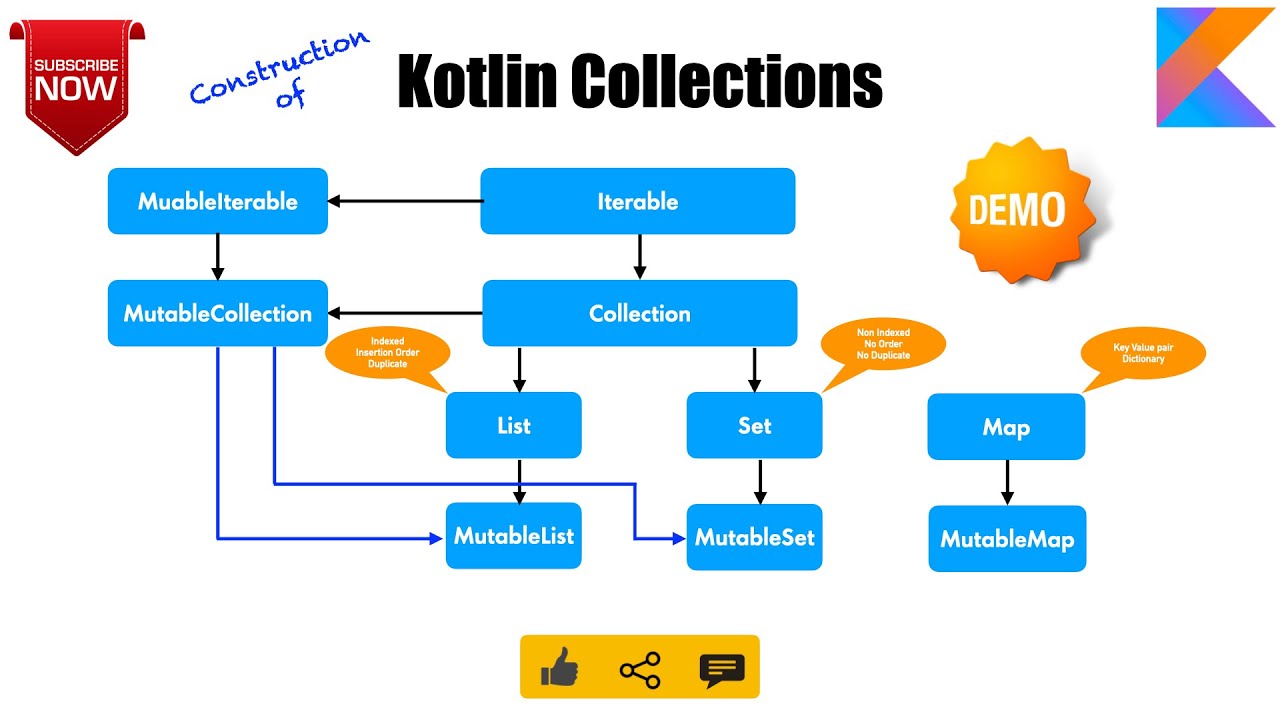
It’s linear, O(n), where n is the number of elements in the source list. Every function here makes one pass and does one insertion per element.
Most of the cost is in the insertions, not the pass itself.
Oracle’s official Java SE documentation says HashMap-based get and put run in constant time on average. The same Java SE specification sets the default load factor for a hash-based map at 0.75. When a map crosses that threshold it rehashes, which Kotlin’s own standard library source describes as a relatively expensive operation that temporarily impacts performance.
That’s why Kotlin’s associate and associateBy size their internal LinkedHashMap from the source list’s length before inserting anything. With the map sized up front, it rehashes less often during the conversion.
Once a list gets into the thousands of elements, that pre-sizing matters more than whether you picked associate or associateBy. Both do the same work per element.
groupBy costs a little more than associateBy on the same input, because it allocates a new List for every key.
I’d only switch to a Sequence when the list is large and several operations run before the map gets built. For a single conversion step, List and Sequence cost about the same, and the Sequence version is harder to read.
How Does Kotlin’s List to Map Conversion Compare to Java’s Collectors.toMap

In Java Streams, the closest thing to Kotlin’s associate is Collectors.toMap. The two don’t agree on what counts as an error, though.
Kotlin overwrites a duplicate key without saying anything. Java throws an exception.
| Behavior | Kotlin (associate) | Java (Collectors.toMap) |
|---|---|---|
| Duplicate keys | last one silently wins | throws IllegalStateException by default |
| Null values | allowed freely | throws NullPointerException |
| Default map type | LinkedHashMap, order preserved | HashMap, order not guaranteed |
By default, a duplicate key crashes the Java version. Collectors.toMap only accepts two elements with the same key if you pass a third argument, a merge function.
If you leave that argument out, Java throws java.lang.IllegalStateException as soon as a duplicate key shows up. The java.util.stream.Collectors specification documents this. Kotlin never throws in this situation.
Null values differ too. If the value mapper returns null, Collectors.toMap throws a NullPointerException. That’s because the collector calls HashMap.merge() internally, and merge() rejects null, which the OpenJDK issue tracker confirms.
Ordering is different as well. Collectors.toMap uses a plain HashMap by default, so iteration order isn’t guaranteed unless you use the four-argument overload with a map factory such as LinkedHashMap::new.
Mobile teams compare these two languages all the time, and this is one of the clearer differences between Kotlin and Java. Kotlin’s collection functions choose forgiving defaults, while Java’s streams fail loudly. Personally I think Java has a point on duplicates.
Which Function Should Be Used to Convert a List to a Map
Start with the keys. If they can repeat and you need every match, use groupBy. If the keys are unique, the choice depends on whether the value should be the whole element, one field of it, or something you compute.
| Function | Best for | Duplicate keys |
|---|---|---|
| associate | computing both key and value | last one wins |
| associateBy | keying objects by one property | last one wins |
| associateWith | pairing elements with a computed value | last one wins |
| toMap | a list that is already Pair or Map.Entry | last one wins |
| groupBy | keys that repeat and need every match kept | all kept, in a list |
- Unique keys and you want the whole element as the value: associateBy.
- If the element should be the key and you’re computing the value, use associateWith.
- associate when both sides need computing.
- Keys repeat and nothing should be dropped? That’s groupBy.
The most common mistake here is using associateBy when the keys aren’t actually unique. The map comes back shorter than the list, and nothing in the code shows why.
If you still mix up the five names, keeping a Kotlin cheat sheet open next to the editor speeds this up.
When Does List to Map Conversion Not Work
toMap refuses to compile when the source list holds anything other than Pair or Map.Entry elements. At least you find out before the code ever runs.
associateBy fails silently, which is worse. If the selected key isn’t unique, you get a smaller map than expected and no warning at all.
Thread choice is the other place this goes wrong, mainly in Android development, where the main thread has a hard limit for responding to input. Google’s Android performance documentation sets that limit at 5 seconds before the system shows an Application Not Responding dialog. It lists a long calculation on the main thread as one of the documented causes.
A list-to-map conversion rarely gets near that limit by itself. It can if the list runs into the hundreds of thousands of elements, or if the key selector does heavy work for each element.
The fix is to move the conversion off the main thread with a coroutine or a background executor. Trying to make the conversion itself faster usually isn’t worth it.
Keep in mind that none of these functions validate input beyond what the type system enforces. If two different objects claim the same ID, the list converts without complaint every time.
How Do You Convert a List of Objects Into a Map Keyed by a Property
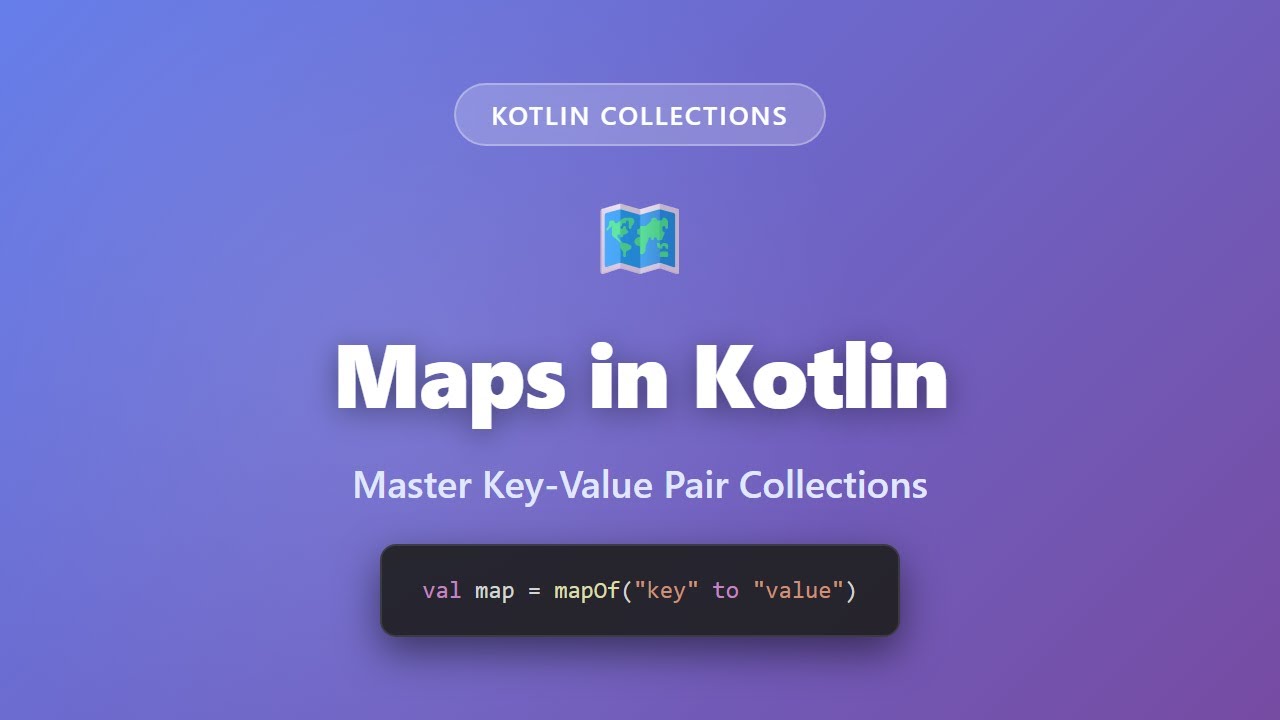
This is how the conversion usually looks in real code: a list of objects keyed by one of their fields, most often an ID.
- Start with a List of a single object type, each instance holding the property that will become the key
- Call associateBy on that list, passing a selector lambda that returns the property to key on
- Confirm the selected property is actually unique across the list before relying on the result
- Read the map back with square-bracket access instead of looping through the original list to find a match
The selector is usually an id field, a name or an enum value, whatever the rest of the code already treats as a unique identifier.
For example, you fetch a list of User objects from an API and associate them by id. From then on, any part of the code can look up a user without scanning the list again.
If the object itself should be the key rather than one of its properties, associateWith fits better. It depends on which side of the pair holds the whole object.
There’s also a common variant with associate instead of associateBy. You use it when the value shouldn’t be the full object, only a trimmed-down version, such as a DTO built from a handful of its fields.
How Do You Build a Map From Two Separate Lists
If one list holds keys and the other holds values, call zip() and then toMap().
zip() pairs up the elements at the same index in both lists, and toMap() collects those pairs into a map.
The risk is a size mismatch. When the lists have different lengths, zip() stops at the end of the shorter one and silently drops the rest of the longer one.
Kotlin’s documentation confirms that the list returned by zip() has the length of the shortest collection, and that behavior hasn’t changed since the first stable release.
So a four-item keys list zipped with a three-item values list gives you a three-entry map. Nothing flags the missing key.
If you only have one list and still need a computed key, indices.associateWith or withIndex() does the job without a second list.
Check that both lists are the same size before zipping. You’ll catch the problem much earlier than you would by debugging a map that’s mysteriously short.
FAQ on List To Map In Kotlin
What is the difference between a List and a Map in Kotlin before conversion?
To find something in a List, you scan from position zero, since elements are stored in index order. In a Map, you look it up directly by key.
The conversion gives up sequential access in exchange for constant-time retrieval.
Does the resulting map preserve insertion order?
Yes, by default. associate, associateBy, associateWith, toMap and groupBy all build on LinkedHashMap, so entries come out in the same order as the source list.
Sorting or filtering the result afterward can change that order.
Should associateBy or groupBy be used when keys are not unique?
Use groupBy. For a repeated key, associateBy keeps only the last element and drops the others without any warning.
groupBy puts every matching element in a list under that key, so nothing from the source goes missing.
Is toMap or associate better for a list that is already made of Pair objects?
toMap reads more clearly here. The pairing is already done, so no selector lambda is needed.
associate works too, but you’d have to write a pointless identity lambda to satisfy its signature.
How do you convert a list to a map using the list index as the key?
Use withIndex() to pair every element with its position, then turn that into an index-keyed map with associate or associateBy.
The usual form is list.withIndex().associateBy({ it.index }, { it.value }). It’s useful for ordered lookups where the position means something.
How do you sort or reorder the resulting map?
You build a new map, because these functions return a Map rather than a MutableMap.
To sort by key, use toSortedMap(). To sort by value, use entries.sortedBy { it.value }.toMap(). Both give you a fresh map in the new order.
Does list-to-map conversion behave differently on Android?
No. Android uses the same Kotlin standard library as any other JVM target, so the functions and their behavior are identical on Android.
The one Android-specific concern is which thread runs the conversion.
What Should You Check Before Shipping List to Map in Kotlin?
First, confirm the key selector really produces unique keys. If it doesn’t, switch to groupBy. Then check that the map’s mutability matches how the result gets used. On Android, make sure any large conversion runs off the main thread.
Correctness comes first. A map that holds the wrong value under a key does more damage than one that took a few milliseconds longer to build.
Running the conversion in a coroutine costs one dispatcher hop. That’s a fair exchange for a UI thread that doesn’t freeze on a large dataset.
This advice holds for Kotlin 2.4.20, the current stable release as of September 2026. If a persistent map type is added to the standard library later, that would reset the math. For now, most Android codebases already use Kotlin coroutines to move this work off the main thread.
This growing ecosystem is one reason companies increasingly look for Kotlin developers for hire who can build scalable Android, backend, and multiplatform applications efficiently.

- Application Performance Monitoring Beyond the Code: Why Infrastructure Matters - October 26, 2026
- How to Share GitHub Repository Access With Collaborators - October 25, 2026
- Streamlining Client Projects: Modern Cloud ERP Solutions - October 25, 2026


