

React ships without a router. That catches people off guard coming from Angular or Vue, where routing arrives in the box. In React you pick a library, and for most teams that library is React Router, maintained by the remix-run organization.
It comes in three flavors now, declarative, data, and framework, all from the same react-router package on npm. Which one fits depends on whether you want loaders, actions, and server rendering, or just links that swap part of the page without a reload.
One thing to check if you are still on v6. The changelog documents a security fix in 6.30.3, shipped January 7, 2026, adding validation for redirect locations to close an open-redirect vulnerability. That version is the floor for the v6 line.
What Is React Router?

Think of it as the layer that decides which components render for a given URL. Click a link, the address bar changes, and the matching chunk of your tree swaps out. The page itself never reloads.
The react-router package pulls roughly 48 million weekly downloads on npm as of August 2026 (npm registry data via Socket.dev), which puts it near the top of the React ecosystem by install count.
Underneath, it matches the current URL against your route definitions and renders whatever wins, usually a stack of nested components rather than a single one. Browser history keeps working, so back and forward behave like they do on any normal site. In data and framework mode it also loads and submits data tied to a specific route.
React.js itself ships no router of any kind, which is the whole reason a library like this exists.
It runs wherever React runs, too. Ionic’s React integration wraps React Router to power in-app navigation on mobile builds, which is a decent signal that the core is not web-only.
What Are the Routing Modes in React Router?
Declarative came first. Data mode arrived with the Remix merge, and framework mode wraps that in a Vite plugin. They all sit on the same package and share the same hooks underneath, so moving between them is a refactor rather than a rewrite.
| Mode | Setup | Key APIs | Best For |
|---|---|---|---|
| Declarative | JSX only, no config object | BrowserRouter, Routes, Route | Small apps, quick prototypes |
| Data | Config array, no build plugin | createBrowserRouter, loader, action | Apps needing data loading without SSR |
| Framework | Vite plugin, file-based routes | route modules, server rendering | Production apps needing SSR or file routing |
Declarative Mode
Wrap the app in BrowserRouter, list your paths with Routes and Route, done. There are no data APIs here at all, so fetching is on you, whether that means useEffect or a query library or something you wrote yourself.
Still the fastest way to add routing to a small app or a component demo. I would argue it stays underrated for internal tools that will never need server rendering.
Data Mode
createBrowserRouter is the entry point here, and it reads a configuration array instead of JSX. That array is where loaders and actions attach.
A loader runs before the route renders and hands its result straight to the component. An action fires on form submission and drives mutations. Fetchers cover the in-between case, inline updates that should not touch the URL at all.
The react-router-dom package still exists, but only as a re-export of react-router, which keeps old v6 imports compiling while you migrate.
Framework Mode
Framework mode is data mode plus a Vite plugin, and the plugin is what brings file-based routes and server-side rendering.
Route modules get typed automatically from your route tree. Code splitting happens per route without configuration. Pages that do not need a live server can be pre-rendered. Close to what Next.js offers, minus the requirement to adopt Next.js.
One developer documented cutting a Remix project’s dependency count from 16 packages to 3 after moving it to framework mode, since packages like @remix-run/node and @remix-run/react all collapse into the single react-router package (KahWee Teng, 2025).
If you run TypeScript across the whole app, that generated typing is the part that will sell you. Writing loader return types by hand gets old fast.
How Does React Router Match URLs to Components?
Routes form a tree. The URL picks a branch, and that branch renders from the outermost layout inward, down to the specific page.
No server is involved in declarative or data mode. This is front-end development in the plainest sense, with all the matching happening in the browser.
Route Matching and Nested Layouts with Outlet
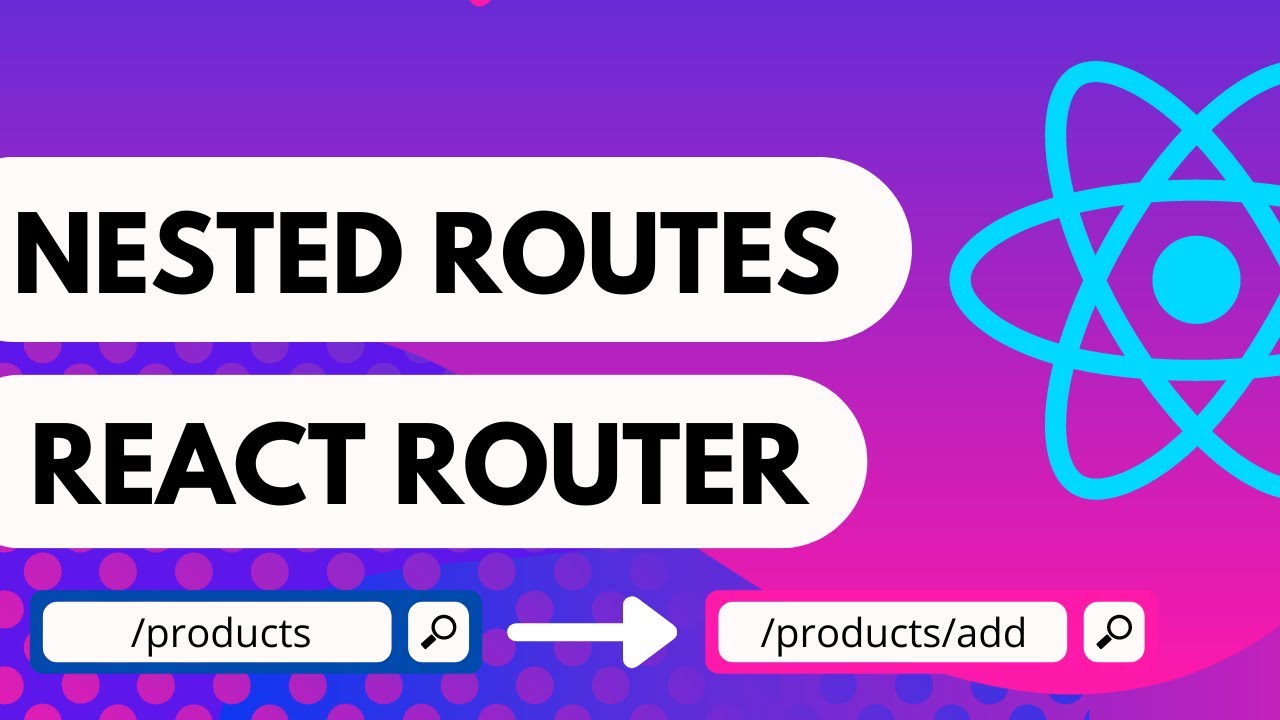
Outlet is the hole in a parent route where its matched child renders.
A layout route draws its own markup, drops an Outlet somewhere in the middle, and whatever child matched the deeper part of the URL fills it. Nest as deep as the tree needs.
Forget the Outlet and the child renders nowhere. No error, no warning, just a blank spot where content should be. Took me longer than I would like to admit the first time.
Dynamic Segments, Splat Routes, and Index Routes
| Pattern | Syntax | Matches |
|---|---|---|
| Dynamic segment | :id | One URL piece, read via useParams |
| Splat route | * | Everything left in the URL, read via params["*"] |
| Index route | index: true | The parent path exactly, with no extra segment |
Ranking matters when two patterns could both claim the same URL. React Router scores static segments higher than dynamic ones, so a fixed path like /settings wins over a catch-all sitting right next to it.
How Do You Navigate and Read Route Data with Hooks?
Everything the router knows comes out through hooks. Same rules as any other React hook, top level, consistent call order, nothing exotic.
No wrapper component needed either. Mount a router somewhere above and the hooks work.
Reading the URL (useParams, useLocation, useSearchParams)

useParams gives you dynamic segment values, so the id in /products/:id. useLocation returns the current path, the search string, and any state attached to the navigation. useSearchParams reads and updates query string values, and it behaves a lot like useState except the URL is the store.
None of them fetch anything on their own. They read what the URL already contains.
Changing the URL (useNavigate, Link, NavLink)

Linkrenders an anchor and intercepts the click so nothing reloadsNavLinkis the same thing with an active class or style when its path matchesuseNavigatefires from code, which is what you want after a form submits or a timer runs out
Reach for useNavigate when there is no anchor to click, a redirect after successful login being the obvious case.
Anything a person should see and click gets a Link or NavLink, partly because that hands them a real href to right-click, middle-click, or open in a new tab. Breaking that is one of my pet peeves with single-page apps.
How Do Loaders and Actions Load and Submit Data?
Two functions live on the route definition itself in data and framework mode, loader and action. Both run outside the component, which is exactly what lets React Router fetch data before anything paints.
Loader Functions and useLoaderData
The loader attaches to the route, not the component. Most of the time it is a plain call against your REST API that happens before the route component exists.
- Runs on the server in framework mode, in the browser in data mode
- Its return value comes back through
useLoaderDatainside the component - Re-runs on its own after a related action finishes, so nobody writes refetch logic
React Router’s 7.15.0 release reported roughly a 10 to 15 percent improvement in server-side request handling performance after caching the flattened route table (React Router changelog, May 2026).
Action Functions, Form, and useFetcher
An action runs when a Form on that route submits. Creates, updates, deletes, all of it.
Form is a drop-in for the HTML form tag that posts to the matching route’s action with no manual fetch code anywhere. And useFetcher handles the updates that should not change the URL at all, a like button, an inline edit, a toggle.
Teams that pulled in Redux mainly to cache page data usually find this trio deletes that layer outright. One more entry in the long-running React context versus Redux debate, though not the angle people usually argue about.
Which Routing Mode Should You Choose?
App size matters less here than whether you need data loading and server rendering. A large client-only dashboard can sit in data mode indefinitely.
Declarative mode is the cheapest thing to add to an app you already have, and you learn almost nothing new. The catch is that data fetching stays entirely yours.
Data mode hands you loaders, actions, and fetchers without adopting a build plugin. It stays a client-only bundle, so nothing renders on a server.
Framework mode is the heaviest lift. You take on the Vite plugin and its file conventions, and there is more to learn before the first page works. What comes back is file-based routes, server rendering, and typed route modules with no assembly.
Bundle weight rarely decides this.
The full package ships as one bundle regardless of mode, at roughly 186 KB minified and 59 KB gzipped (react-router package analysis, 2026).
React’s own share kept climbing too, from 39 percent to 44 percent of developers in Stack Overflow’s 2025 Developer Survey. Whichever mode you land on, it sits inside a growing pile of production codebases.
SaasRock, an open source SaaS boilerplate, moved its entire production codebase to framework mode in 2024 and treated the jump as a full replatform rather than a small dependency bump. That framing is probably the right one.
Teams chasing faster initial paint tend to end up on framework mode’s server rendering, which overlaps with the rest of React performance optimization work more than people expect.
And because the project follows semantic versioning, a move from v7 to v8 signals breaking changes worth scheduling, not a patch you apply on a Friday afternoon.
Loader vs useEffect: When to Use Each for Data Fetching
Route data belongs in a loader when the component has nothing useful to show without it. useEffect keeps its place for anything tied to the browser rather than the route.
| Aspect | Loader | useEffect |
|---|---|---|
| Timing | Runs before the component paints | Runs after the component mounts |
| Revalidation | Automatic, after a matching action | Manual, you write the refetch logic |
| Best fit | Data the page cannot render without | Client-only data like local storage or a subscription |
A loader is API integration moved earlier in the render cycle. Nothing more complicated than that. The payoff is that the browser never shows an empty state while a request is in flight.
Running both patterns on the same route is a reliable way to fetch twice, once from the loader and once from an effect nobody remembered to delete.
Rule of thumb, if the data has to exist for the page to make sense, use a loader. If it only matters after the user does something in the browser, useEffect is fine and always was.
How Does React Router Compare to Next.js and TanStack Router?
The three differ mostly in how much of the stack they expect to own. Next.js takes routing, bundling, image handling, and a set of deployment conventions built around Vercel. TanStack Router bets almost everything on compile-time type safety. React Router sits between them and lets you pick a mode.
Star counts, for whatever they are worth:
- React Router: roughly 56,000 GitHub stars
- Next.js: roughly 141,000 GitHub stars
- TanStack Router: roughly 14,600 GitHub stars
Those reflect current GitHub repository data as of September 2026. Popularity does not settle a technical choice. It tells you how easy answers will be to find.
React Router vs Next.js
Next.js owns the whole stack. Routing, bundling, images, deployment conventions shaped around Vercel.
React Router’s framework mode closes most of the gap on server rendering and file-based routes without asking you to learn App Router conventions. Teams shopping for Next.js alternatives often land here for exactly that reason, since it drops into a Vite setup they already run instead of replacing the whole build pipeline.
Shopify built Hydrogen, its headless commerce framework, directly on React Router v7 rather than Next.js, pointing at the streaming server rendering model as the deciding factor. That is a production vote, not a benchmark.
React Router vs TanStack Router
TanStack Router generates types from your route tree before you have written a single loader, and the inference goes further than what framework mode does through file conventions. Query strings are structured, validated state there by default, where React Router leaves that validation to you.
The install base is where React Router wins, and that matters for hiring and for finding a Stack Overflow answer at 11pm, not for either tool’s technical ceiling.
How Do You Install and Set Up React Router?

Two paths. Scaffold a framework mode project, or install the library into something you already have. Both end up on the same react-router package underneath.
Minimum versions are node@22.22, react@19.2.7, and vite@7 for framework mode, per React Router’s official installation docs.
Scaffolding a Framework Mode Project
- Run
npx create-react-router@latest my-appin a terminal - Change into the new directory with
cd my-app - Install dependencies with
npm i - Start the dev server with
npm run dev - Open
localhost:5173and confirm the default route renders
The scaffold ships with a working loader, an error boundary, and a single index route. Enough to confirm the whole chain works before you start adding real pages.
Adding React Router to an Existing Vite Project
Skip the scaffold if you already have a Vite project and only want declarative or data mode. Install the package, wrap the app in a router component by hand, and you are routing.
npm i react-router pulls in everything declarative and data mode need. No separate react-router-dom install, not anymore.
Starting completely from zero? Get React itself working first, installing React on its own, before layering a router on top. Debugging both at once is miserable.
Once the dev server renders what you expect, the next real milestone is app deployment to a hosting platform.
How Do You Set Up Protected Routes?

The check has to run before the page renders. Where it lives depends on the mode.
In declarative mode a wrapper component reads auth state and renders either the page or a redirect. In data and framework mode a loader checks the session and throws a redirect before the component mounts at all.
The loader version is better, and the reason is visible to users. A wrapper component renders once before it redirects, which produces a flash of the protected page. A loader redirect happens before that markup exists, so there is nothing to flash.
The check itself barely changes between modes. Read a stored token, confirm it is still valid, send the user to a login route when it is not, the same token-based authentication flow running in most single-page apps.
How Do You Handle a 404 Page or Catch-All Route?

A splat route at the end of the route tree catches any URL that matched nothing else. The syntax is a single asterisk, and whatever was left over shows up in params["*"] inside the matching component.
- Give it a real component, styled like an actual 404 page instead of a blank screen
- In framework mode, return a real 404 status code from that route
- Say enough in the message that a user can tell a bad link from a page that moved
Only framework mode can send back an actual HTTP 404. Declarative and data mode have no server in the loop to set that status on, so the page looks like a 404 while the response says 200.
Route ranking applies here like everywhere else in the tree, so a specific path always outranks the splat regardless of where it sits in your file or config. What actually bites people is which parent route the splat nests under. Put it under the wrong layout and it only ever catches URLs inside that one layout, missing everything else on the site.
Migrating from React Router v6 to v7 or v8
Nobody has had to rewrite from scratch across these major versions. Future flags let a v6 app opt into the next major’s behavior one setting at a time, months before the actual upgrade.
What Changes from v6 to v7
react-router-dom and the various @remix-run packages fold into the single react-router package. Loaders, actions, and framework mode arrive for anyone who was never using Remix.
There is an official codemod, and it handles most of the mechanical code refactoring, rewriting imports and swapping json() calls for Response.json.
TypeScript annotations on loaders are usually what is left over. The generated types differ from what v6 projects wrote by hand, so plan on a manual pass there.
What Changes from v7 to v8
Version 8 is mostly a stabilization release. APIs that shipped behind an unstable_ prefix lose it, so unstable_passThroughRequests becomes v8_passThroughRequests, and unstable_url becomes a plain url property on loader and action arguments.
React Router 8.0.0 published on June 17, 2026, following 7.15.0 in May 2026, which began that stabilization work explicitly in preparation for the jump (React Router changelog, 2026).
Run the test suite right after either jump. This is the exact scenario regression testing exists for.
When React Router Breaks or Does Not Apply
Some projects do not need a client-side router. Some React Router problems do not look like bugs at first. Both are worth knowing before you commit to a mode.
When Framework Mode Is Overkill
A fully static marketing site with no logged-in state gains very little from framework mode’s server rendering, because there is nothing dynamic to render on the server in the first place.
Internal admin tools are the other case. No public search visibility to protect, traffic that is low and predictable and already authenticated, and a route count small enough that declarative mode handles it without ceremony. The SEO and streaming benefits framework mode was built for simply do not apply.
It is also a web-specific tool built around the Vite plugin, so a React Native codebase gets nothing from it. When software portability across native mobile matters more than server rendering, the declarative and data mode APIs are what actually run there.
Common Mistakes That Break Routing
Calling useNavigate or rendering a Link with no BrowserRouter or createBrowserRouter anywhere above it throws immediately. Everyone hits this in the first hour.
A loader that throws without an ErrorBoundary on that route crashes the nearest parent boundary instead, taking down more of the UI than the actual bug warranted.
And then there is storing the current path in useState and syncing it by hand. It works until somebody presses the back button, and then it quietly does not.
Read the URL through the hooks React Router already provides, and let the route tree stay the single source of truth for what is on screen.
FAQ on React Router Tutorial
What Is the Difference Between react-router and react-router-dom?
react-router-dom was the browser-specific package, paired separately with react-router-native for mobile projects. Version 7 folded both into one universal react-router package, and react-router-dom survives as a thin shim that re-exports react-router so old imports keep compiling.
What Is the Difference Between an Index Route and a Nested Route?
An index route renders at its parent’s exact path, filling the parent’s Outlet with no extra URL segment added. A nested route brings its own segment, something like /dashboard/settings, and shows up only once that fuller path matches.
How Does React Router Handle Browser History and the Back Button?
BrowserRouter wraps the native History API, so back and forward presses read from the same stack as any other site. useLocation and useNavigate read from and push to that stack directly, keeping React state synced without a manual popstate listener.
Is React Router Still Worth Learning With Next.js So Popular?
Yes. Next.js solves routing inside Next.js, and that is the extent of it. React Router runs in Vite apps, admin tools, and commerce platforms like Shopify Hydrogen. Loaders, actions, and nested routes are concepts that carry over directly to any React project, Next.js included.
What Common Errors Happen With useNavigate, useParams, or useSearchParams?
useParams always returns strings, so a numeric id needs manual parsing before any math or comparison behaves. And useSearchParams updated on every keystroke without debouncing gives you a re-render plus a new history entry per character typed, which turns the back button into a replay of the user’s typing.
What Should You Build First With React Router?
Start declarative on something small. Add a loader the first time a screen genuinely cannot render without data. Save framework mode for the point where server rendering actually earns its cost.
- Declarative mode first, for basic navigation
- Data mode second, once a page needs a loader
- Framework mode last, when server rendering earns its cost
That order does mean redoing some wiring later, since framework mode’s file-based routes replace the createBrowserRouter config from data mode. A cost worth paying next to learning three APIs at once.
With 44 percent of developers building on React (Stack Overflow, 2025) and react-router pulling roughly 48 million weekly installs, the router already sits inside a large share of that React install base whether or not anyone picked it deliberately.
Once protected routes and loaders work, the next step is picking from the available React testing libraries to cover that data-fetching layer with real tests.

- How to Run a React App in VS Code Step by Step - October 23, 2026
- Transactional or marketing email: which messages your app should send itself - October 23, 2026
- How Software Teams Write SOPs for Releases and Deployments - October 22, 2026


