A Google Play account suspended notice can stop your app business cold, often with little warning and no clear explanation.
In 2024, Google banned over 158,000 developer accounts and blocked 2.36 million policy-violating apps from the Play Store.
Some of those suspensions hit legitimate developers who missed a metadata update or used a non-compliant third-party SDK.
This guide covers everything you need to know: what triggers a developer account suspension, how the enforcement email works, what your appeal options are, and how to recover access, whether you are a developer or a consumer.
What Is a Google Play Account Suspension?
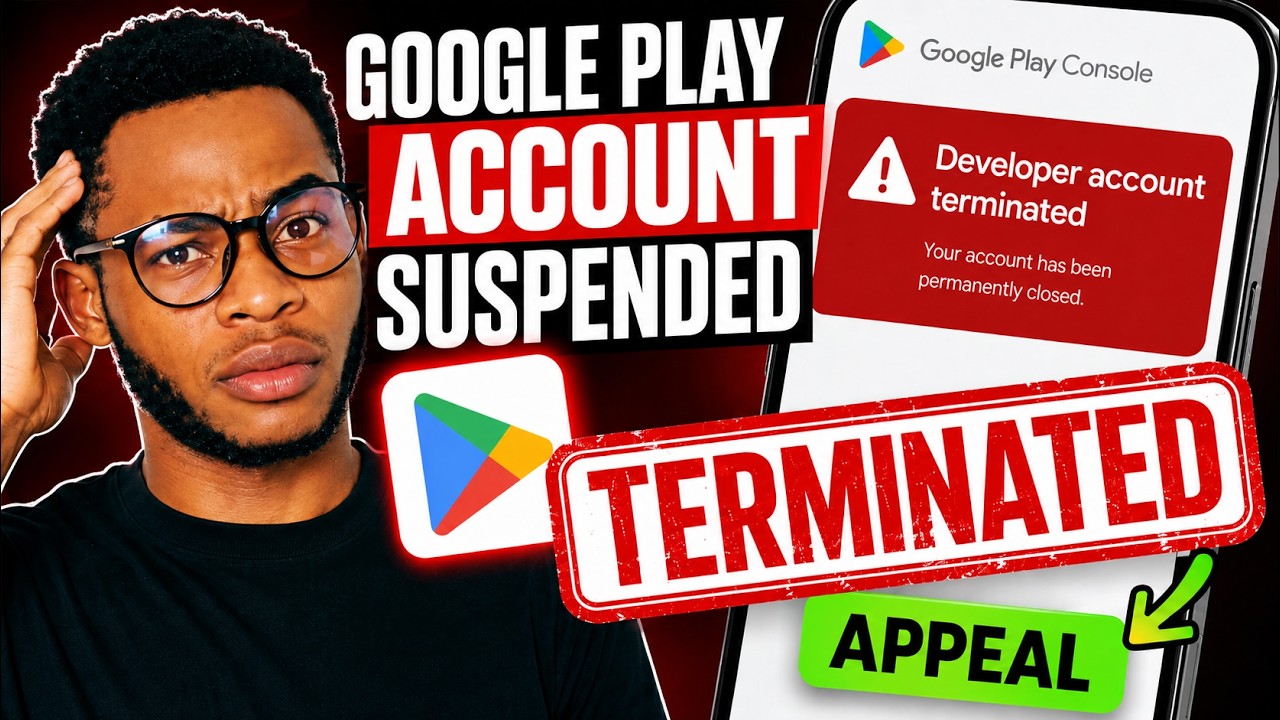
A Google Play account suspension is a formal enforcement action by Google that removes a developer’s or consumer’s access to specific Play Store functions, either temporarily or permanently.
It is not the same as an app removal or a full Google account ban. Those 3 outcomes carry very different consequences.
Developer Account Suspension vs. Consumer Account Suspension
Developer suspensions block publishing rights, app visibility, and revenue processing. The Play Console account usually stays accessible, but all active apps come down immediately.
Consumer suspensions are handled through Google Payments and restrict the ability to purchase, download, or access previously bought content.
| Suspension Type | Who It Affects | Primary Trigger | Revenue Impact |
|---|---|---|---|
| Developer account | App publishers and developers | Policy violations, malware, or repeated non-compliance | Payouts are held immediately |
| Consumer account | Regular Google Play users | Payment fraud, chargebacks, or suspicious activity | New purchases are blocked |
App Suspension vs. Full Account Suspension
App suspensions count as strikes against your developer account’s standing. They do not immediately suspend the account itself.
Full developer account suspension, and eventual termination, follows repeated strikes or a single egregious violation. Once an account is terminated, all apps across the catalog are removed and any new accounts you attempt to register are closed without a refund of the $25 developer registration fee (Google Play Developer Policy Center).
Key distinction: an app removal forfeits users, statistics, and ratings permanently. A compliant update after a removal restores most of that data. A suspension does not offer that path until the appeal is resolved.
Why Does Google Suspend Google Play Accounts?
Google suspended 158,000 developer accounts in 2024 for attempting to publish harmful or policy-violating apps, up from 333,000 total bans across the prior 3 years combined (Google Android Security Report, 2025).
Over 92% of those enforcement decisions were AI-assisted, which means the speed of detection has increased significantly since 2022.
Policy Violations That Trigger Developer Suspensions
The Google Play Developer Policy Center organizes violations into these core categories:
- Spam and minimum functionality: cloned apps, low-value content, keyword stuffing in metadata
- Malware and deceptive behavior: apps that harvest credentials, intercept messages, or impersonate other publishers
- Privacy violations: collecting sensitive data without disclosure or requesting unnecessary permissions
- Intellectual property infringement: unauthorized use of trademarks, copyrighted assets, or brand identifiers
- Misleading store listing: screenshots showing features not in the app, false claims like “AI-powered” without AI functionality
In 2023, Google rejected or remediated almost 200,000 app submissions for improper use of sensitive permissions alone, including background location and SMS access (Google Security Blog, 2024).
Payment and Fraud Reasons for Consumer Account Suspensions
Chargeback abuse: repeated disputes on legitimate purchases trigger automatic flags in Google Payments.
Invalid payment method: expired cards or billing mismatches left unresolved for extended periods lead to account holds.
Fraudulent activity signals: multiple accounts sharing payment credentials, or suspicious purchase patterns, can result in Play Store access being restricted without advance notice.
How Google’s Automated Enforcement System Works
Google runs over 10,000 safety checks on each app before and after release. Automated systems flag violations first; human reviewers, now AI-assisted in over 92% of cases, then confirm the action (Google Play 2024 Safety Report).
Third-party SDK behavior is included in this review. If an SDK in your app collects data beyond what your privacy policy discloses, the app is treated as non-compliant even if your own code is clean.
What Does the Google Play Suspension Email Say?
Google sends the developer account suspension notice to the registered developer email address. The subject line typically includes the phrase “Your developer account has been suspended” or “Action required regarding your app.”
Read it immediately. Google is not required to send a warning before suspension, and the enforcement email is the primary record of what triggered the action.
What the Suspension Notice Includes
Policy citation: the specific section of the Google Play Developer Program Policy that was violated.
Scope: whether the action targets a single app or the entire developer account.
Appeal instructions: a link or path to the Google Play Console appeal form, with language noting you have 1 appeal per enforcement action.
What the email does not include: the exact automated flag that triggered the review, the name of the reviewer, or a detailed breakdown of every violation across your catalog. Google’s enforcement team notes that removal or suspension emails may not list every policy issue present.
What to Do If You Cannot Find the Suspension Email
Check spam and junk folders first. Enforcement emails from Google Play can route there depending on your mail provider.
Log into Play Console directly and navigate to the “Policy status” section. The suspension reason and policy citation appear there regardless of whether the email was received.
Google only responds to appeals submitted in Chinese, English, Japanese, or Korean. If your account email is set to a different language, the enforcement message may arrive in that language but the appeal must be submitted in one of those 4.
How Long Does a Google Play Account Suspension Last?
There is no fixed public timeline. Google does not publish a standard suspension duration. The length depends entirely on the violation type, the appeal outcome, and whether the account accumulates additional strikes during the review period.
| Situation | Typical Duration | Path to Resolution |
|---|---|---|
| App suspension (first offense) | Indefinite until successfully appealed | Fix the policy violation and submit an appeal |
| Developer account termination | Usually permanent | One appeal opportunity; reversals are uncommon |
| Consumer account issue (payment-related) | Typically 3–7 business days after the issue is resolved | Resolve the payment problem and contact support if needed |
| Egregious violation (malware, fraud, etc.) | Permanent | No reinstatement is generally available |
App Suspension Duration
App suspensions stay active until you resolve the violation and your appeal is reviewed. Google typically acknowledges appeals within 2-3 business days, though developer community reports show actual reinstatement decisions can take 7-14 days.
During that window, the suspended app stays off the Play Store, in-app purchases stop processing, and your developer account trust score drops. A clean compliance record of 12-18 months after any suspension is generally needed before Google’s system restores account standing (Real Money Studios, 2025).
Account Termination Duration
Termination is effectively permanent. Any new developer account you create while under termination gets closed immediately, with no refund of the registration fee.
Google’s enforcement explicitly extends to related accounts. If Google identifies that a new account shares device identifiers, payment info, or contact details with a terminated account, that new account gets terminated as well.
How to Check the Status of a Suspended Google Play Account
Log into your Play Console and look at the account status banner at the top of the dashboard. It will show one of 3 states: active, suspended, or terminated.
The “Policy status” page inside Play Console provides a more detailed breakdown, listing which apps are flagged, which policy sections are cited, and whether an appeal window is still open.
Developer Account Status Indicators
Play Console uses these labels:
- Suspended: specific apps or publishing rights removed, account login retained
- Terminated: full account closed, all apps removed from the Play Store
- Under Review: enforcement action pending, some functions may be restricted while review completes
- Warning: violation flagged but no removal yet, time-limited window to fix the issue
Finding the Specific Policy Violation Cited
The Policy status page in Play Console shows the exact Developer Program Policy section linked to each enforcement action. Cross-reference that section number with the Google Play Developer Policy Center for the full policy language.
This step matters before submitting any appeal. Appeals that address the wrong policy section or that dispute the violation without acknowledging it are almost always rejected on the first review.
Checking Consumer Account Suspension Status
Consumer suspensions do not appear in Play Console. Go to Google Payments (payments.google.com) and check the account status and payment method status there.
If Google Payments shows no issue but Play Store access is still restricted, contact Google Play support directly through the Help Center, as the suspension may be tied to a separate terms of service flag on the Google account level.
Can You Appeal a Google Play Account Suspension?
Yes, for most suspension types. Google allows 1 appeal per enforcement action for developer account suspensions and individual app suspensions.
Accounts terminated for “egregious” violations, including malware distribution, fraud, or repeated prior terminations, are not eligible for appeal. Google will state this explicitly in the termination email.
How to Submit an Appeal in Google Play Console
Log into Play Console, navigate to the suspended app or account status page, and click the appeal link within the enforcement notice.
The appeal form allows up to 1,000 characters. That is not a lot. Use it carefully.
- Do not fill it with general frustration or claims that the suspension was unfair
- State the exact policy cited, confirm you understand the violation, and describe what you changed
- Attach screenshots, updated privacy policy URLs, or compliance documentation where relevant
Google Play support responds to appeals in Chinese, English, Japanese, and Korean only.
What to Write in Your Appeal (and What Not To Write)
The appeal reviewers are human. That matters because tone and specificity affect outcomes more than length does.
Effective appeal structure:
- Acknowledge the specific policy section cited
- Describe the exact change you made to come into compliance
- Provide verifiable evidence (live URL of updated privacy policy, screenshots of removed content)
Common mistakes that get appeals rejected:
- Disputing the suspension without addressing the violation
- Submitting before making any changes to the app or account
- Using emotional or confrontational language
- Sending multiple follow-up messages before the review window closes (this can result in losing email support eligibility)
Appeal Eligibility: Suspensions vs. Terminations
Every standard suspension allows 1 appeal. Standard terminations allow 1 appeal. Terminations labeled “high risk or abuse” by Google’s system may receive a second review if escalated, but Google has confirmed in writing that it will not share the specific reasons behind high-risk determinations (Google Play enforcement response, August 2024).
In practice, this means some terminations cannot be meaningfully appealed because the developer does not have access to the reasoning behind the decision.
What Happens to Your Apps and Revenue During a Suspension?
When a developer account is suspended, all apps in the catalog are removed from the Play Store immediately. Users cannot find or download them. Existing installs stay on devices, but app store listings go dark.
In-app purchases, subscriptions, and billing features stop working the moment the suspension goes into effect.
Impact on App Visibility and User Data
Once an app is suspended (not merely removed), the developer permanently forfeits user statistics, ratings, and reviews tied to that app. This is different from a standard removal, where that data is retained if a compliant update is submitted.
Google Play Protect notifies existing users that a suspended app has been removed from the Play Store and gives them the option to uninstall it from their device.
Impact on Revenue and Payouts
Pending payouts: held by Google during the suspension period. Release depends on appeal outcome.
Active subscriptions: canceled on suspension. Future billing cycles will not process.
Past subscriptions: not refunded to users automatically, but Google may issue refunds depending on the nature of the violation.
Developers who had AdMob integrated into suspended apps also lose ad revenue. AdMob suspends ad serving separately and requires its own appeal submission to restore, independent of the Play Console appeal process.
Can You Still Access Play Console During a Suspension?
Usually yes. Play Console login access is typically retained even during a developer account suspension.
What you cannot do during suspension: publish new apps, push updates to existing apps, access in-app purchase metrics for suspended apps, or generate new release builds for suspended packages.
Termination is different. A terminated account loses Play Console access entirely, and all associated apps are removed from the developer’s catalog view as well as from the Play Store.
How to Fix a Suspended Google Play Developer Account
Fix the violation first. Submit the appeal second. Reversing that order is the single most common reason appeals fail.
In late 2024, Google introduced machine learning checks that cross-reference data safety forms against actual app behavior at runtime (Idea2App, 2025). That means surface-level fixes are not enough.
Fixing Privacy Policy Violations
Google requires your privacy policy to be hosted on a publicly accessible, non-geofenced URL with no PDF format and no login wall.
Steps to fix it:
- Host the policy on a live HTTPS URL that loads without authentication
- Update the Data Safety form in Play Console to match what the policy actually states
- Audit every third-party SDK for data collection behavior and add those disclosures
A 60% rejection rate for apps stems from privacy policy issues alone, according to Moldstud Research (2025). Getting this page right before the appeal matters more than the appeal text itself.
Fixing Metadata and Misleading Content Violations
What triggers this violation: screenshots showing features not in the app, claiming “AI-powered” without AI functionality, keyword stuffing in the title or description.
How to fix it: audit every field in the Play Store listing against the actual app experience. Remove any feature claim that a reviewer cannot verify by opening the app.
Take and timestamp new screenshots after the update. Include those screenshots in your appeal as evidence that the listing now accurately reflects what the app does.
Fixing Spam and Repetitive App Violations
Google’s spam policy flags apps that replicate existing apps with minimal differentiation, use misleading developer names, or flood the store with variants of the same core product.
There is no partial fix here. Either the app has genuine unique value or it does not.
If the flagged app is genuinely distinct, document that distinction specifically in the appeal: different target audience, different functionality, different underlying codebase. Vague claims of uniqueness get rejected.
How to Recover a Suspended Google Play Consumer Account
Consumer Play Store suspensions route through Google Payments, not the Play Console. The recovery path is different from a developer account suspension.
Go to payments.google.com and check for alerts in the top right corner. Most consumer suspensions show a verification or payment flag there before any other action is needed.
Resolving Payment Issues
Google Payments suspensions tied to billing typically fall into 3 categories:
- Expired card: remove the old card and add the updated details in the Google Pay app
- Unverified identity: submit the account verification form linked in the suspension alert; allow 48 hours for response (Google Payments Help Center)
- Outstanding balance: pay the overdue amount via wire transfer; note that checks take longer to process and will not lift the suspension until the payment clears at Google’s bank
Recovering Purchased Apps and Content
Apps already installed before suspension stay on the device. They continue to function for offline features but lose access to any content or functionality that requires active Google Play billing verification.
After account restoration: in-app purchases resume automatically. Subscription billing restarts on the next renewal date, not retroactively.
If the consumer account is permanently disabled rather than suspended, Google Takeout allows data export before access is fully revoked. Run a Takeout export as soon as the termination notice arrives, not after.
Family Group Account Suspensions
A suspended family manager account removes purchase access for all members in the Google Play Family Library group.
Family members keep access to previously downloaded content and apps. New purchases, subscription renewals, and family payment sharing all stop until the manager account is restored.
Resolving the manager account’s payment or verification issue restores family group access automatically, with no separate steps needed for individual members.
What Happens If Your Google Play Appeal Is Rejected?
A rejected appeal on a standard suspension does not always mean permanent termination. It means that specific appeal was denied.
As of October 2025, Google introduced a formal 180-day appeal window for account terminations, stating that most developers whose suspensions are reversed submit their appeal well within that window (Google Play Policy Update, October 2025).
Escalation Options After a Rejected Appeal
Play Console Community: Google Product Experts in the official forum cannot override enforcement decisions but can identify whether the appeal addressed the correct policy section.
Google Support ticket: available for some account types through the Help page inside Play Console. Not guaranteed to produce a different outcome, but creates a documented escalation trail.
Legal notice: for EU-based developers, Google is required under the Digital Markets Act to offer mediation for disputes. This applies to app store access decisions and is a formal channel, not just a support ticket.
What Not to Do After a Rejection
Do not create a new developer account while the terminated account is active. Google explicitly states that any new account opened under a terminated identity gets closed without a refund of the $25 registration fee.
Do not share device identifiers, payment credentials, or contact information between a new account and a terminated one. Google’s enforcement spans multiple account registrations and can identify these links.
Alternative App Distribution After Rejection
| Platform | Android Support | Key Difference from Play Store |
|---|---|---|
| Amazon Appstore | Yes, on Fire devices and many Android devices | Requires separate app submission and follows its own review policies |
| Samsung Galaxy Store | Primarily Samsung devices | Smaller audience reach with separate policy enforcement |
| Direct APK distribution | All Android devices | No app store review process; users must enable sideloading to install apps |
As of October 2025, following the Epic v. Google antitrust ruling, US Play Store developers can also link users directly to external download sources and payment platforms without violating Play Store billing policies (Google Play Policy Update, October 2025).
How to Prevent a Google Play Account Suspension
Most suspensions are preventable. Google publishes its enforcement categories, updates its policy deadlines page with at least 30 days’ notice, and provides the Pre-Launch Report inside Play Console for exactly this purpose.
Google’s 2024 safety report confirmed that developers who integrate SDK transparency and run pre-launch compliance checks face significantly lower enforcement action rates compared to those who do not (Google Android Security Report, 2025).
App Metadata Compliance Checklist
Run this before every submission:
- App title contains no competitor brand names or keyword-stuffed phrases
- Description matches the actual in-app experience with no feature claims that are not live
- Screenshots show the current production version, not design mockups
- Category selection matches the app’s primary function
- Content rating questionnaire reflects only the app’s own content, not ad content
As of July 2025, Google added a Content Rating clarification: the questionnaire considers only app content, not ads or user agreements. Miscategorizing age ratings based on ad content is now an explicit violation trigger (Google Play Policy Update, July 2025).
Privacy Policy Requirements for Google Play Apps
Required elements for every app that collects any user data:
- Live HTTPS URL, publicly accessible with no geofencing or login requirement
- Disclosure of every SDK that collects data, not just first-party data collection
- Account deletion option if the app allows account creation (required since December 2023)
- Separate disclosures for any AI-generated content or automated decision-making
For Android development teams working across multiple app categories, building privacy compliance into the early stages of the software development process is more reliable than adding it at submission. Retroactive compliance audits are where errors get missed.
Research from Usercentrics (2026) shows that 40% of players will uninstall a mobile game if they have data privacy concerns. Compliance and user trust move together.
How Does Google Play Account Suspension Affect Your Google Account?
A Google Play developer account suspension does not automatically suspend the linked personal Google account. The 2 systems operate independently in most enforcement scenarios.
But there are cross-service risks. Google has confirmed that enforcement for severe violations, including fraud and malware distribution, can span multiple account registrations and related Google services (Google Play Enforcement Policy).
Developer Suspension vs. Full Google Account Termination
These are distinct outcomes with very different consequences:
| Action | Play Store Access | Gmail / Drive / Other Google Services | Google Takeout Available |
|---|---|---|---|
| Developer account suspended | Publishing privileges removed | Unaffected | Yes |
| Developer account terminated | All published apps removed from Google Play | Usually unaffected | Yes |
| Full Google account disabled | Access fully removed | All Google services suspended | Available only during a limited recovery window |
Google Workspace Accounts and Play Suspension
Google Workspace accounts have enforcement separate from personal Google accounts.
A Play developer suspension on a personal Gmail account does not propagate to a Workspace organization account. But if the Workspace account itself is suspended for billing or policy reasons, all services tied to that domain go offline, including any Play Console access linked to it.
Workspace subscriptions suspended for more than 60 days risk cancellation, and associated user data may be permanently lost (Google Workspace Help Center).
Data Export Before Access Is Lost
Run a Google Takeout export immediately on receiving any termination notice. Takeout covers Gmail, Drive, Photos, Play data, and app purchase history.
Do not wait to see if the appeal succeeds before exporting. Access windows after termination notices can close faster than appeal review timelines. The mobile application development community consistently flags this as the most regretted delay in post-termination recovery.
FAQ on Google Play Account Being Suspended
Can a suspended Google Play developer account be reinstated?
Yes, in most cases. Submit one appeal through the Play Console appeal form, address the exact policy cited, and provide evidence of compliance changes. Accounts terminated for egregious violations like malware distribution are generally not eligible for reinstatement.
How long does a Google Play account suspension last?
There is no fixed timeline. App suspensions stay active until the appeal is resolved, which typically takes 7 to 14 days. Permanent terminations have no automatic reinstatement window unless an appeal is filed within 180 days.
Does a Google Play developer suspension affect my Google account?
Not directly. A Play developer account suspension does not disable Gmail, Drive, or other Google services. However, a full Google account termination removes Play Store access entirely along with all linked services.
What triggers a Google Play account suspension?
Common triggers include policy violations like misleading metadata, privacy policy non-compliance, malware, impersonation, and spam. Repeated app rejections or removals accumulate as strikes and can lead to full developer account suspension or termination.
Can I create a new Google Play developer account after suspension?
No. Creating a new account while your existing account is suspended or terminated violates Google’s policies. Any new account linked to the same identity, device, or payment method gets closed immediately, with no refund of the $25 registration fee.
What should I include in a Google Play suspension appeal?
Acknowledge the specific policy section cited, describe exactly what you changed to fix the violation, and attach evidence like updated privacy policy URLs or screenshots. Keep it factual. Appeals have a 1,000-character limit and you get one submission.
How do I check why my Google Play account was suspended?
Check the enforcement email sent to your registered developer address. If you missed it, log into Play Console and open the Policy Status page. It shows the specific Developer Program Policy section cited against your account or app.
What happens to my apps when my Google Play account is suspended?
All apps are removed from the Play Store immediately. In-app purchases and subscriptions stop processing. Existing installs stay on user devices, but users lose access to billing features and may receive a Google Play Protect notification prompting removal.
Can Google Play suspend my account without warning?
Yes. Google is not required to issue a warning before suspension. A warning email indicates the account is close to suspension but is not guaranteed. Enforcement can follow directly after an automated policy flag or human review.
What are the alternatives if my Google Play appeal is rejected?
Distribute through the Amazon Appstore, Samsung Galaxy Store, or directly via APK. EU-based developers can request formal mediation under the Digital Markets Act. In the US, Android development teams can also link users to external download sources and payment platforms since October 2025.
Conclusion
This conclusion is for an article presenting what every developer and Play Store user needs to know about a Google Play account suspended situation, from the first enforcement email to the final appeal decision.
Most developer account suspensions come down to fixable violations: a broken privacy policy URL, a non-compliant third-party SDK, or misleading store listing metadata.
Address the exact policy section cited. Fix it before you appeal. One submission is all you get.
For consumer accounts, the path runs through Google Payments, not Play Console. Resolve the payment flag, verify your identity, and access restores quickly in most cases.
Prevention is faster than recovery. Review the Google Play Developer Policy Center monthly and run the Pre-Launch Report before every submission.

- Application Performance Monitoring Beyond the Code: Why Infrastructure Matters - October 26, 2026
- How to Share GitHub Repository Access With Collaborators - October 25, 2026
- Streamlining Client Projects: Modern Cloud ERP Solutions - October 25, 2026