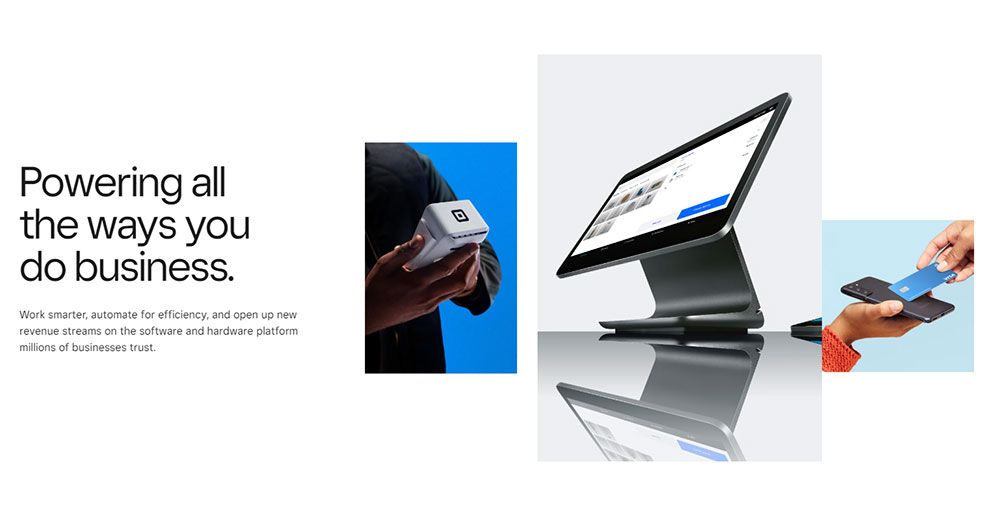
Square works great until it doesn’t.
For millions of small businesses, it’s the default starting point for mobile payment processing and point of sale. But flat-rate fees, limited inventory tools, and a one-size-fits-all approach push a lot of merchants to look elsewhere as they grow.
The good news: there are solid apps like Square that handle payments, POS, and business management just as well, and in some cases better, depending on your volume, industry, or budget.
This guide covers the top alternatives, from Helcim and Stripe to Shopify POS and Toast, breaking down what each one does differently so you can find the right fit without the guesswork.
Apps Like Square
PayPal
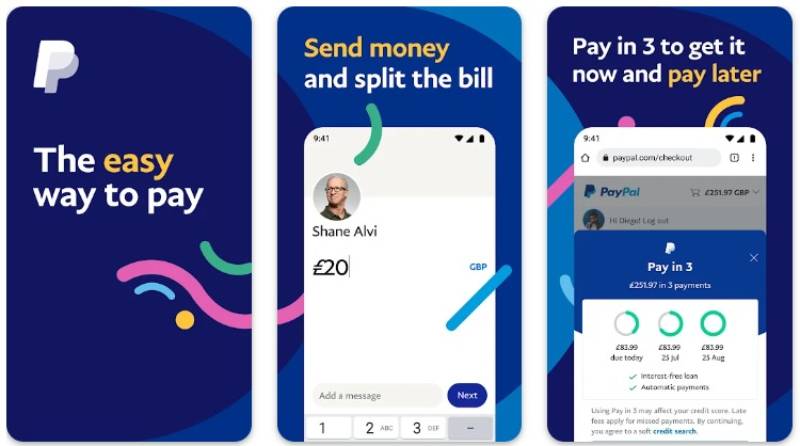
PayPal is a payment processing app that lets small businesses accept cards, digital wallets, and PayPal payments both online and in person. It covers more ground than Square on the buyer trust side, especially for e-commerce, and runs on iOS and Android.
What Does PayPal Do?
PayPal lets users send and receive payments across 200+ countries using cards, bank transfers, and digital wallets, with both online checkout and in-person POS tools through PayPal Zettle.
How Is PayPal Similar to Square?
- Both offer free POS software with no monthly fee
- Flat-rate pricing, no long-term contracts
- Supports contactless payment, chip, and swipe via a mobile card reader
How Is PayPal Different from Square?
In-person rate is 2.29% + $0.09 vs. Square’s 2.6% + $0.15, making it cheaper for high-volume face-to-face sellers. Online rates are higher than Square’s, though. PayPal also has more aggressive hold and freeze policies, which frustrates some merchants.
Who Is PayPal Best For?
Small businesses that already use PayPal for online sales and want a single ecosystem for both digital and in-person payments, especially those with international customers.
Key Features
- In-person rate: 2.29% + $0.09 per transaction
- Card reader: Zettle reader starts at $29 for first device
- Platforms: iOS, Android, Web
- Extras: Invoicing, recurring payments, Buy Now Pay Later (BNPL)
Pricing
- Free plan: Yes, no monthly fee
- Paid plans: N/A for basic processing
- Free trial: N/A
Stripe

Stripe is a developer-focused payment platform that lets businesses build custom online and in-person checkout flows at scale. It supports over 135 currencies and is built for teams that want full control over the payment experience, not just a plug-and-play POS app.
What Does Stripe Do?
Stripe processes payments online and in person using APIs, SDKs, and pre-certified card readers, letting developers integrate credit card processing directly into websites, apps, or custom POS workflows.
How Is Stripe Similar to Square?
| Feature | Stripe | Square |
| Monthly fee | $0 | $0 |
| In-person rate | 2.7% + $0.05 | 2.6% + $0.15 |
| Contracts | None | None |
| Digital wallet support | Yes | Yes |
How Is Stripe Different from Square?
Stripe is not a ready-made POS system. Setup typically requires coding or developer knowledge. Square works out of the box in minutes. Stripe is far stronger for recurring billing, subscription management, and custom checkout flows, which Square handles in a more limited way.
Who Is Stripe Best For?
Online-first businesses with developer resources that want to customize payment flows, run subscriptions, or expand internationally across multiple currencies.
Key Features
- Online rate: 2.9% + $0.30 per transaction
- In-person rate: 2.7% + $0.05 via Stripe Terminal
- Currencies: 135+
- Subscriptions: Built-in recurring billing tools
Pricing
- Free plan: Yes, pay-as-you-go with no monthly fee
- Paid plans: Custom enterprise pricing available
- Free trial: No, but test mode is available
Clover

Clover is a merchant POS platform built for retail and food service businesses that want premium hardware with a customizable app ecosystem. It goes deeper than Square on hardware options and integrations, and runs on iOS and Android via its proprietary devices.
What Does Clover Do?
Clover combines POS hardware, payment processing, and a marketplace of add-on apps to let businesses manage sales, inventory, loyalty programs, and online reputation in one system.
How Is Clover Similar to Square?
Both offer flat-rate in-person transaction fees (2.6% + $0.10 for Clover Go), mobile card readers for on-the-go sales, and support for contactless payment methods including Apple Pay and Google Pay. Neither locks you into a payment processor by default on basic hardware.
How Is Clover Different from Square?
Hardware costs are significantly higher, from $49 for Clover Go up to $4,000 for full counter setups. Pricing and contract terms vary widely depending on the reseller you buy from. Clover’s app marketplace allows much deeper customization than Square, including Yelp integration for review management.
Who Is Clover Best For?
Retail stores, restaurants, and service businesses that want polished, scalable hardware and are willing to pay more for an extensible platform with a large app ecosystem.
Key Features
- In-person rate (Clover Go): 2.6% + $0.10
- Hardware range: Clover Go ($49) to full counter stations ($4,000+)
- App market: 300+ integrations including Yelp, QuickBooks, Shopify
- Security: PCI PTS-certified hardware
Pricing
- Free plan: No
- Paid plans: Vary by reseller; software from ~$14.95/month
- Free trial: No
Shopify POS
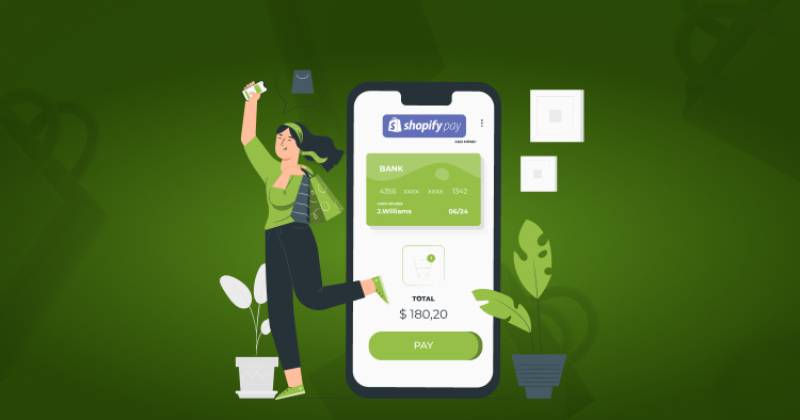
Shopify POS is a retail and omnichannel payment app for businesses that sell both online and in person. It connects directly to Shopify’s e-commerce platform with a single shared inventory, customer, and order database. Available on iOS and Android.
What Does Shopify POS Do?
Shopify POS lets merchants ring up in-store sales, accept contactless payments, and sync every transaction with their online Shopify store in real time, without any separate reconciliation.
How Is Shopify POS Similar to Square?
- Both offer free POS software tiers with no mandatory monthly fee to start
- Flat-rate in-person processing (2.6% + $0.10 on Basic Shopify)
- Mobile card reader available for on-the-go sales
How Is Shopify POS Different from Square?
Shopify requires a Shopify subscription ($39+/month) to use POS meaningfully. The payoff: true omnichannel, where online and in-store inventory updates are instant and shared. Square’s online store is a separate product. For multi-location retail, Shopify’s unified catalog is significantly more reliable than Square’s.
Who Is Shopify POS Best For?
E-commerce-first businesses that also sell in person and need a single source of truth for inventory, orders, and customer data across all channels.
Key Features
- In-person rate: From 2.6% + $0.10 (Basic Shopify)
- Plans: POS Lite included with Shopify plans from $39/month; POS Pro at $89/month per location
- Inventory sync: Real-time across all online and physical locations
- Hardware: Card readers, stands, barcode scanners, receipt printers
Pricing
- Free plan: No (Shopify subscription required)
- Paid plans: From $39/month (Basic) + $89/month per location for POS Pro
- Free trial: Yes, 3 days
Toast POS

Toast POS is a restaurant-specific point of sale system used by over 140,000 food businesses across the US. It handles everything from kitchen display systems to tableside ordering and online delivery integrations. iOS and Android support via proprietary hardware.
What Does Toast POS Do?
Toast manages the full restaurant operation, including menu management, order routing to kitchen displays, staff scheduling, online ordering, and payment processing, all in one platform built specifically for food service.
How Is Toast POS Similar to Square?
Both offer a free Starter plan with no monthly software fee. Both support contactless payments, offline mode, and multi-location management. Square for Restaurants covers the basics; Toast covers everything beyond that.
How Is Toast POS Different from Square?
| Feature | Toast | Square |
| Industry focus | Restaurant-exclusive: Deep features for full-service, FSR, and multi-location. | General purpose: Flexible for retail, service, and quick-service food. |
| Hardware | Proprietary & Durable: Android-based, spill-resistant, and IP-rated for kitchens. | Flexible: Standard iPads/iPhones or Square’s sleek, consumer-grade hardware. |
| In-person rate | 2.49% + $0.15 (Standard)
3.09% – 3.69% + $0.15 (Pay-as-you-go) | 2.6% + $0.15 (Free plan)
2.5% + $0.15 (Plus) / 2.4% + $0.15 (Premium) |
| Online order rate | 3.50% + $0.15 | 3.3% + $0.30 (Free plan)
2.9% + $0.30 (Plus / Premium plans) |
| Contracts | 2–3 year terms (Standard with early termination fees). | Month-to-month (Cancel anytime without penalty). |
Who Is Toast POS Best For?
Full-service restaurants, cafes, and food trucks that need kitchen display systems, tableside ordering, and integrated delivery tools that Square’s restaurant add-on can not fully replicate.
Key Features
- In-person rate: 2.49% + $0.15 (on $69/month plan)
- Free plan: Starter Kit with $0/month, higher processing rate of 3.09%
- Integrations: Grubhub, DoorDash, Uber Eats, OpenTable
- 24/7 support: Included on all plans
Pricing
- Free plan: Yes, Starter Kit at $0/month (higher processing fees apply)
- Paid plans: From $69/month
- Free trial: No
Helcim
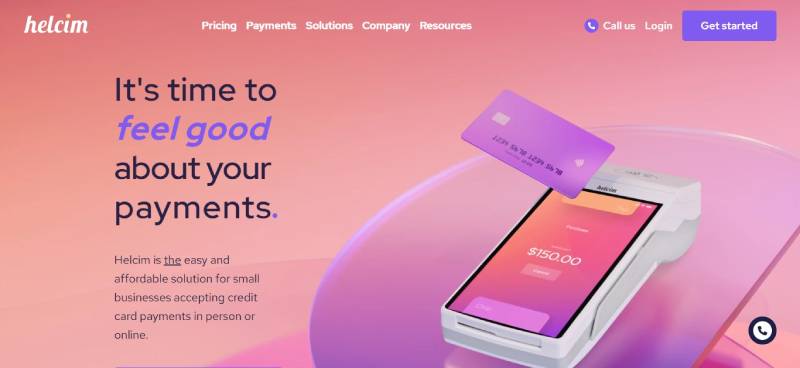
Helcim is a merchant account provider that uses interchange-plus pricing instead of flat-rate fees. It is available in the US and Canada, and covers POS, invoicing, online payments, and recurring billing with no monthly fee. Runs on iOS, Android, and desktop.
What Does Helcim Do?
Helcim processes in-person and online payments with transparent interchange-plus pricing, automatically lowering rates as monthly transaction volume grows past defined thresholds.
How Is Helcim Similar to Square?
Both have no monthly fee and no long-term contracts. Both include free POS software, inventory tracking, and customer management tools. The card reader hardware connects to smartphones for mobile payment acceptance.
How Is Helcim Different from Square?
This is the key difference: interchange-plus pricing. A business processing $50,000+/month saves measurably over Square’s flat rate. Helcim also issues dedicated merchant accounts, which reduces the risk of sudden fund holds that are more common with payment aggregators like Square. Healthcare businesses benefit from Helcim’s willingness to sign business associate agreements.
Who Is Helcim Best For?
Small to mid-sized businesses processing over $10,000/month that want lower long-term processing costs and the stability of a dedicated merchant account over a payment aggregator.
Key Features
- Pricing model: Interchange-plus with automatic volume discounts
- Hardware: Helcim Card Reader and Smart Terminal (with built-in receipt printer)
- Includes: POS, invoicing, online checkout, virtual terminal, recurring billing
- Surcharging: Built-in at no extra software cost
Pricing
- Free plan: Yes, no monthly fee
- Paid plans: Pay-as-you-go only (no subscription required)
- Free trial: No
SumUp
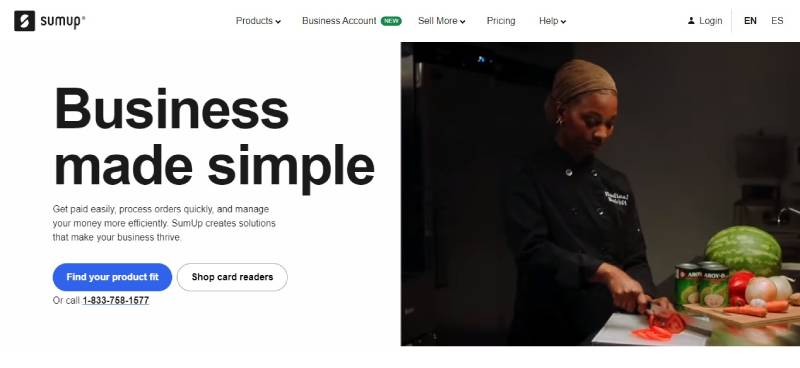
SumUp is a mobile card reader app aimed at solo sellers, freelancers, and micro-businesses that want the simplest possible setup with no recurring fees. Available in 30+ countries, on iOS and Android.
What Does SumUp Do?
SumUp lets users accept chip, swipe, and contactless card payments through a compact Bluetooth reader paired with its free mobile app, with no monthly fees and no minimum transaction volume.
How Is SumUp Similar to Square?
- Both have no monthly fee on the base plan
- Both offer a compact mobile card reader for on-the-go sales
- Simple flat-rate pricing with no contract
- Free app with sales tracking and basic inventory
How Is SumUp Different from Square?
SumUp’s feature set is much thinner. It does not have Square’s ecosystem of payroll, marketing, appointments, or online store tools. The SumUp Plus reader costs $39, and the base transaction rate is 2.75% flat with no per-transaction fixed fee, which benefits sellers with smaller average ticket sizes.
Who Is SumUp Best For?
Sole traders, market vendors, and very small businesses that only need basic card acceptance and want the lowest possible hardware cost with zero monthly commitment.
Key Features
- Transaction rate: 2.75% flat, no per-transaction fee
- Reader cost: SumUp Plus at $39
- SumUp Solo: Standalone device with SIM card and free mobile data included
- Payouts: Next business day for SumUp Business Account holders
Pricing
- Free plan: Yes, no monthly fee
- Paid plans: SumUp One subscription available for volume discounts
- Free trial: No
Lightspeed
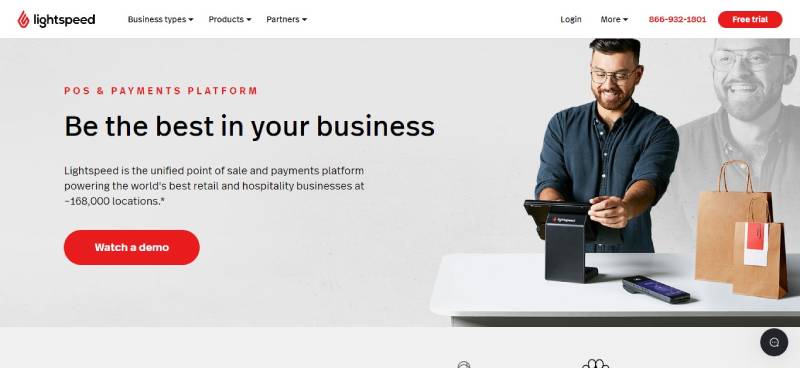
Lightspeed is a premium cloud-based POS platform for retailers and hospitality businesses managing multiple locations, large inventories, or complex operations. It costs more than Square but offers reporting and inventory depth that Square simply cannot match. Available on iOS, Android, and desktop.
What Does Lightspeed Do?
Lightspeed manages multi-location retail and restaurant operations with centralized inventory, purchase order management, matrix inventory (size/color), advanced analytics, and integrated payment processing.
How Is Lightspeed Similar to Square?
Both are cloud-based POS systems that accept contactless payments and support mobile sales via tablet. Both integrate with e-commerce platforms and include customer management features.
How Is Lightspeed Different from Square?
Lightspeed starts at $89/month, with no free plan. In return you get serial number tracking, vendor catalogs, purchase orders, and role-based access control across locations. Square offers none of those natively. Lightspeed’s in-person processing rate is 1.5%, which is notably lower for high-volume merchants, translating to roughly $6,000/year in savings on $600K in annual sales (CheckThat.ai, 2026).
Who Is Lightspeed Best For?
Multi-location retailers with large SKU catalogs or restaurants that have outgrown Square’s inventory tools and need centralized data management across stores.
Key Features
- In-person rate: 1.5% (Lightspeed Payments)
- Plans: Basic at $89/month, Standard at $149/month, Advanced at $239/month
- Inventory: Matrix inventory, serial number tracking, purchase orders
- Free trial: 14 days
Pricing
- Free plan: No
- Paid plans: From $89/month per location
- Free trial: Yes, 14 days
Zettle by PayPal

Zettle by PayPal is a compact in-person POS app for businesses already inside the PayPal ecosystem. It keeps online and in-store payments under one login, with low-cost hardware and competitive flat-rate fees. Runs on iOS and Android.
What Does Zettle by PayPal Do?
Zettle lets merchants accept chip, tap, and QR payments in person while syncing transactions with their broader PayPal account, including invoicing, subscription management, and online checkout.
How Is Zettle by PayPal Similar to Square?
- Both include a free POS app with no monthly fee
- Both support NFC, chip, and swipe payments via a Bluetooth reader
- Both offer basic inventory management and sales reporting
How Is Zettle by PayPal Different from Square?
Zettle’s in-person rate of 2.29% + $0.09 beats Square’s 2.6% + $0.15. But its feature set is thinner. No advanced inventory tools, no payroll, no built-in appointment booking. It also lacks Square’s offline-mode reliability and has no equivalent to Square’s free online store. It is best used as an extension of PayPal, not a standalone retail system.
Who Is Zettle by PayPal Best For?
Freelancers and small merchants who already invoice or sell online with PayPal and want a simple, low-cost way to take in-person card payments without switching platforms.
Key Features
- In-person rate: 2.29% + $0.09 per transaction
- Reader cost: $29 for first device, $79 for each additional
- Zettle Terminal: Standalone device at $199, no phone required
- Extras: Invoicing, tips, taxes, QR code payments
Pricing
- Free plan: Yes, no monthly fee
- Paid plans: Some tools require PayPal subscription tiers
- Free trial: No
Stax Pay

Stax Pay is a subscription-based payment platform that uses wholesale interchange-plus pricing instead of flat-rate fees. It targets businesses processing $8,000+/month where subscription costs are quickly offset by lower per-transaction rates. Available on iOS, Android, and desktop.
What Does Stax Pay Do?
Stax processes in-person and online payments at near-wholesale interchange rates, with a flat monthly subscription fee replacing the traditional percentage markup used by processors like Square and PayPal.
How Is Stax Pay Similar to Square?
Both support mobile and in-person card acceptance, invoicing, and recurring billing. Both offer real-time sales dashboards and customer management tools. Neither requires a long-term contract.
How Is Stax Pay Different from Square?
Stax charges a monthly fee starting around $99/month, which Square does not. In return, the per-transaction markup drops significantly. For a business doing $15,000/month, the effective rate savings can outpace the subscription cost within the first few months. Stax also integrates directly with Clover hardware, which gives merchants more hardware flexibility than Square allows.
Who Is Stax Pay Best For?
Growing small businesses processing over $8,000/month that want to reduce effective processing rates and are willing to pay a monthly subscription to do it.
Key Features
- Pricing model: Subscription + wholesale interchange-plus rates
- Dashboard: Real-time sales, customer activity, and payment insights
- Integrations: QuickBooks, Clover, Shopify, WooCommerce, Stripe
- Supported payments: In-person, online, invoicing, recurring billing, ACH
Pricing
- Free plan: No
- Paid plans: From ~$99/month
- Free trial: No (demo available)
What Makes Square the Benchmark for Small Business Payment Apps?
Square holds over 27% of the US POS systems market, making it the single largest provider by merchant count (6sense, 2024).
That dominance comes from a specific formula: free POS software, a free card reader, flat-rate pricing at 2.6% + $0.15 per in-person transaction, and zero monthly fees. No contracts, no setup costs.
The full Square ecosystem goes well beyond basic payment processing.
- Free online store included on all plans
- Built-in invoicing, appointments, and payroll tools
- Inventory tracking and customer management
- Offline mode for in-person sales without internet
In 2024, Square processed $228 billion in gross payment volume across 5.2 billion individual sales (CoinLaw, 2026).
But flat-rate pricing has a ceiling. At higher monthly volumes, the 2.6% rate starts costing more than interchange-plus alternatives. Businesses processing over $10,000 to $20,000 per month regularly find better effective rates elsewhere.
Square also runs as a payment aggregator, not a dedicated merchant account. That means faster signup but a higher risk of account holds or unexpected fund freezes during disputes.
Three common reasons businesses look for alternatives:
- Monthly volume exceeds $15,000 and flat-rate fees stack up
- Operations span multiple locations with complex inventory needs
- Industry-specific tools (restaurant, retail, healthcare) outpace what Square offers
According to the Federal Reserve’s 2024 Small Business Credit Survey, 80% of small businesses report payment-related challenges, with processing fees cited as the most common issue.
Which Apps Like Square Have Lower Processing Fees?
Processing fees are the largest ongoing cost in any payment setup. A 0.3% rate difference on $200,000 in annual sales equals $600 per year in savings. At $500,000 in sales, that gap is $1,500.
| Processor | In-Person Rate | Monthly Fee | Pricing Model |
| Square | 2.6% + $0.15 | $0 | Flat rate |
| Helcim | Interchange + 0.15%–0.5% | $0 | Interchange-plus |
| PayPal Zettle | 2.29% + $0.09 | $0 | Flat rate |
| Stax Pay | Interchange + flat markup | ~$99 | Subscription |
| SumUp | 2.75% flat | $0 | Flat rate |
Helcim: Interchange-Plus With Automatic Volume Discounts
Helcim is the most cost-effective option for businesses that process consistent monthly volume.
Unlike Square, it passes the actual interchange cost directly to the merchant with a small markup, and automatically reduces that markup as your volume grows past $50,000/month. No negotiation needed.
Key difference from Square: Helcim issues dedicated merchant accounts. That eliminates the fund-hold risk that comes with Square’s aggregated model, making it particularly useful for healthcare businesses and regulated industries that need a signed business associate agreement.
Interchange-plus providers like Helcim can reduce effective processing costs by roughly 25% compared to flat-rate processors, according to Helcim’s own pricing analysis.
PayPal Zettle: Cheaper In-Person Rate, Thinner Feature Set
In-person rate of 2.29% + $0.09 beats Square’s 2.6% + $0.15 on face-to-face sales.
That gap is meaningful for high-volume face-to-face sellers. A business running $20,000/month in card-present sales saves roughly $500 annually by switching from Square to Zettle on in-person transactions alone.
The tradeoff is a much thinner ecosystem. Zettle has no payroll, no appointment booking, and limited inventory tools. It works best as an extension of an existing PayPal account, not as a standalone business platform.
Online transaction rates are higher than Square’s, so businesses with significant e-commerce volume should run both rate sets before switching.
Stax Pay: Subscription Model for Higher-Volume Sellers
Stax replaces the percentage markup entirely with a flat monthly subscription (~$99/month) plus near-wholesale interchange rates.
The math only works above a certain volume. At $8,000 to $10,000/month in card sales, the subscription cost is typically offset by the lower per-transaction rate. Below that, you pay more than with Square.
Practical advantage: Stax integrates directly with Clover hardware, giving merchants more device flexibility than Square’s closed ecosystem allows. It also connects with QuickBooks, Shopify, and WooCommerce, keeping accounting and e-commerce in sync without additional middleware.
SumUp: Lowest Barrier to Entry
SumUp charges 2.75% flat with no fixed per-transaction fee, which makes it the better option for sellers with very small average ticket sizes.
A coffee shop averaging $5 transactions pays less effective rate with SumUp than with Square’s 2.6% + $0.15 structure, where the $0.15 fixed component represents 3% of a $5 sale on its own.
Hardware starts at $39 for the SumUp Plus reader. The SumUp Solo goes standalone with a built-in SIM card and free mobile data, no phone required. Feature depth is minimal by design.
Which Square Alternatives Are Built for Specific Industries?
Square is a generalist tool. It covers most use cases at a basic level, but it was never designed to run a full-service restaurant or manage a multi-location retail chain with complex inventory.
According to 6sense market data, Toast holds nearly 24% of the US POS market, almost entirely within food service. That concentration signals how strongly industry-focused platforms outperform generalists in their vertical.
What Is the Best Square Alternative for Restaurants?
Toast POS is used by over 164,000 restaurant locations across the US (Toast, 2025).
It is purpose-built for food service: spill-resistant hardware, kitchen display systems, tableside ordering, and direct integrations with Grubhub, DoorDash, and Uber Eats. Square’s restaurant add-on covers basic ordering. Toast handles the entire back-of-house operation.
Key Toast advantages over Square for restaurants:
- 24/7 phone support on all plans, including the free Starter Kit
- Kitchen display systems and mobile order-and-pay via QR code
- Tableside ordering with handheld devices
- Online ordering without third-party commission fees
Toast restaurants are 12% less likely to close in their first year compared to the US restaurant average (Toast internal data, 2023).
The real cost caveat: Toast requires 2-3 year contracts on most plans and locks you into its own payment processor. Online order rates at 3.50% + $0.15 are meaningfully higher than Square’s 2.9% + $0.30. Run the numbers on your online order volume before committing.
What Is the Best Square Alternative for Retail Stores?
Lightspeed holds roughly 7-8% of the US POS market, concentrated among retailers who need more than Square’s basic stock tools (6sense, 2024).
Matrix inventory (size/color combinations), serial number tracking, purchase order management, and vendor catalogs are standard in Lightspeed. Square offers none of those natively. For a clothing boutique managing 500+ SKUs across multiple colorways and sizes, the difference is practical, not theoretical.
Lightspeed vs. Square for retail:
- In-person processing rate: 1.5% (Lightspeed) vs. 2.6% + $0.15 (Square)
- Multi-location inventory: centralized in Lightspeed, siloed in Square
- Monthly cost: from $89/month (Lightspeed) vs. $0 (Square)
A multi-location retailer processing $600,000 annually saves roughly $6,600 per year on Lightspeed’s 1.5% rate vs. Square’s 2.6% + $0.15, easily covering the software subscription (CheckThat.ai analysis, 2026).
What Is the Best Square Alternative for Online and In-Person Sellers?
Shopify POS is the right answer here. It connects your online store and physical checkout to a single product catalog with real-time inventory sync.
Square’s online store and in-store POS are separate products that sync imperfectly. Shopify’s architecture is unified from the start: one catalog, one inventory count, one customer record across all sales channels.
The practical advantage: A customer buys online, picks up in-store, and returns at a different location. Shopify handles all three without manual reconciliation. Square requires workarounds for each step.
The rise of omnichannel retail strategies led 63% of small businesses to integrate POS systems with e-commerce platforms in 2024 (Market Reports World, 2024). Shopify is built specifically for that integration.
Shopify POS Lite is included with all Shopify plans starting at $39/month. The POS Pro upgrade adds unlimited registers, staff roles, and in-store analytics at $89/month per location.
How Do Square Alternatives Handle Payment Hardware?
Hardware costs are often the hidden switching cost nobody calculates upfront. A POS terminal that works with your current processor may not work with the next one.
| Provider | Entry Hardware | Ecosystem | Processor Flexibility |
| Square | Free reader (new accounts) / $49 Tap & Chip | Closed (Highly integrated) | Square only |
| Clover | $49 (Clover Go) to $2,000+ (Station) | Semi-open (App market) | Varies by reseller (Fiserv-based) |
| Sum Up | $39 (SumUp Plus) | Open (Niche/Lightweight) | SumUp only |
| Stripe Terminal | $59 (BBPOS) / $249 (S710 Smart) | Open API (Developer-first) | Stripe only (Vault & Forward API avail.) |
| Hello | $99 (Card Reader) / $329 (Smart) | Open (App-based) | Helcim only (No monthly fees) |
Square’s hardware runs on a closed system. The free card reader, Tap and Chip Reader ($49), Terminal ($299), and Register ($799) all work exclusively with Square processing. Switching your payment processor means starting over on hardware.
Clover offers the widest hardware range, from the $49 Clover Go mobile reader to full countertop setups over $4,000. The tricky part: Clover is sold through resellers, and pricing plus contract terms vary by reseller. Two businesses can have very different Clover deals. Buy directly from Clover to get standard rates and avoid markup.
Stripe Terminal starts at $59 for a BBPOS reader and supports multiple certified devices. The requirement is developer knowledge: Stripe Terminal is not a plug-and-play POS. It is a payment integration tool that requires coding to connect to your checkout workflow.
Helcim’s Smart Terminal is notable for including a built-in receipt printer, which eliminates a separate purchase most other setups require. It also supports Tap to Pay on compatible Android and iOS devices.
SumUp Solo stands apart: it has a built-in SIM card and includes free mobile data. No phone, no Wi-Fi, no extra data plan needed. For food trucks, market vendors, and fieldwork, that is a meaningful operational advantage.
In 2024, 48% of small retailers used standalone payment terminals as their primary hardware, up from previous years, driven by affordability and setup simplicity (Clearly Payments, 2025).
What Should You Check Before Switching from Square to Another Payment App?
Switching payment processors involves more than comparing transaction rates. The contracts, data, and hardware all affect total cost.
73% of small business owners reported seeing an increase in credit card processing fees in 2025, according to Piggy Bank POS data. That pressure is real, but switching without checking these four areas first often creates new problems.
Monthly Volume and Pricing Model Fit
Flat-rate vs. interchange-plus breakeven math:
- Under $5,000/month: Square or SumUp, flat-rate simplicity wins
- $8,000-$15,000/month: Stax subscription starts paying off
- $15,000+/month: Helcim interchange-plus typically beats flat-rate by measurable margin
Run your actual monthly volume through both rate structures before deciding. The difference between a 2.6% flat rate and a 1.8% effective interchange-plus rate on $200,000 in annual card sales is $1,600 per year.
Merchant Account Type
Square, PayPal, and Stripe operate as payment aggregators. They group merchants under one large account, which makes signup fast but creates shared risk.
Aggregated model risks: account holds, fund freezes during disputes, and higher chance of sudden termination are all more common with aggregators.
Helcim and some Clover resellers issue dedicated merchant accounts. You have your own account with the acquiring bank, which means more control over disputes and lower risk of unexpected holds.
Contract Terms and Exit Costs
Square is month-to-month with no termination fee. That is genuinely uncommon.
Toast requires 2-3 year contracts with early termination fees on most plans. Clover contract terms vary by reseller and can include multi-year commitments with penalties. Always request the full contract before signing, not just the monthly pricing page.
Data Portability and Integration Fit
Before switching, confirm you can export your full transaction history, customer records, and inventory data in a standard format.
Integration checklist before switching:
- Accounting software (QuickBooks, Xero) connection confirmed
- E-commerce platform (Shopify, WooCommerce) integration verified
- Payroll tool compatibility checked
- Loyalty and CRM data migration plan in place
Cloud-based POS systems, now used by over 60% of retailers, make data export easier than legacy hardware systems (Clearly Payments, 2025). But confirm your new platform can actually import what your current one exports, especially for inventory records with custom SKU structures.
If your current POS uses a closed system like Square or Clover, switching to a new processor requires switching the entire POS. Open-system POS setups connected through a payment gateway let you change processors without changing hardware.
FAQ on Apps Like Square
What is the best free alternative to Square?
Helcim and PayPal Zettle are the strongest free options. Both have no monthly fee and include a free POS app. Helcim adds interchange-plus pricing, which saves money at higher volumes compared to Square’s flat-rate structure.
Which apps like Square have lower transaction fees?
PayPal Zettle charges 2.29% + $0.09 per in-person transaction, beating Square’s 2.6% + $0.15. Helcim’s interchange-plus model goes lower still for businesses processing over $10,000 monthly. Stax Pay is cheapest at high volume.
Is Stripe a good Square alternative for small businesses?
Stripe suits online-first businesses with developer resources. It is not a plug-and-play POS. For simple in-person card acceptance, Square is faster to set up. Stripe becomes better when you need custom checkout flows or subscription billing.
What is the best Square alternative for restaurants?
Toast POS is purpose-built for food service. It includes kitchen display systems, tableside ordering, and integrations with DoorDash and Grubhub. Over 164,000 restaurant locations use it. Square’s restaurant features are basic by comparison.
What Square alternative works best for retail stores?
Lightspeed is the strongest option for retail. It supports matrix inventory, purchase orders, and multi-location management that Square lacks. Shopify POS works better for merchants who also sell online and need unified inventory across channels.
Can I accept credit cards without Square?
Yes. SumUp, Clover, Helcim, and PayPal Zettle all let you accept contactless payments, chip, and swipe without Square. Most require only a mobile card reader and a free app to get started.
Which apps like Square have no monthly fee?
Square, Helcim, PayPal Zettle, SumUp, and Stripe all charge no monthly fee on their base plans. You pay only per transaction. Stax and Lightspeed require monthly subscriptions but offer lower processing rates in return.
Is Shopify POS better than Square?
For omnichannel sellers, yes. Shopify POS syncs online and in-store inventory in real time, which Square handles imperfectly. Square is simpler and cheaper to start. Shopify requires a paid subscription but offers stronger e-commerce integration.
What is the cheapest mobile card reader alternative to Square?
SumUp Plus costs $39 and charges 2.75% flat with no fixed fee per transaction. PayPal Zettle’s first reader is $29. Both are cheaper than Square’s Tap and Chip Reader at $49, with competitive processing rates.
Which Square alternative is best for high-volume businesses?
Helcim automatically reduces rates as monthly volume grows past $50,000. Stax Pay’s subscription model cuts per-transaction costs significantly above $8,000 monthly. Both outperform Square’s flat-rate pricing once volume justifies the switch.
Conclusion
This conclusion is for an article presenting apps like Square, and the core takeaway is simple: no single payment processing app fits every business.
If processing fees are your main concern, Helcim or Stax Pay will outperform Square’s flat-rate model once your monthly card volume grows past a certain threshold.
Restaurants get more from Toast. Multi-location retailers get more from Lightspeed. Omnichannel sellers get more from Shopify POS.
For very small businesses, SumUp and PayPal Zettle offer low-cost mobile card reader setups with no monthly commitment.
The right merchant services app depends on your transaction volume, industry, and how much you rely on integrations with tools like QuickBooks or WooCommerce.
Pick the one that fits your actual operations, not just the one with the most name recognition.

- How Software Teams Write SOPs for Releases and Deployments - October 22, 2026
- Notepad++ Android Options: Apps That Come Close - October 21, 2026
- Data Management Services: A Practical Guide for Growing Companies - October 21, 2026