MovieBox stopped working. Again.
If you’ve been hunting for apps like MovieBox that actually stream movies and TV shows without a subscription, you already know the frustration – broken links, sudden shutdowns, sketchy APK mirrors.
The free streaming landscape has changed a lot. Legal ad-supported platforms like Tubi and Pluto TV now carry 50,000+ titles at no cost, while unofficial options like Stremio, Nova TV, and CloudStream offer deeper libraries for users willing to go further.
This guide covers 10 real alternatives – broken down by legal status, platform support, and what each one actually delivers so you can pick the right fit fast.
Apps Like MovieBox
MovieBox stops working. Again. Broken links, sudden shutdowns, sketchy APK mirrors – anyone who’s tried free movie streaming on mobile knows the cycle. The good news: there are solid alternatives that actually deliver. Some are fully legal. Others operate in a gray zone. All of them are worth knowing about.
Americans now spend an average of $61/month on streaming subscriptions, according to a 2025 Deloitte survey. That’s exactly why free streaming apps without subscription fees keep growing in demand.
Below are 10 apps like MovieBox, broken down so you can find the right fit fast.
Cinema HD
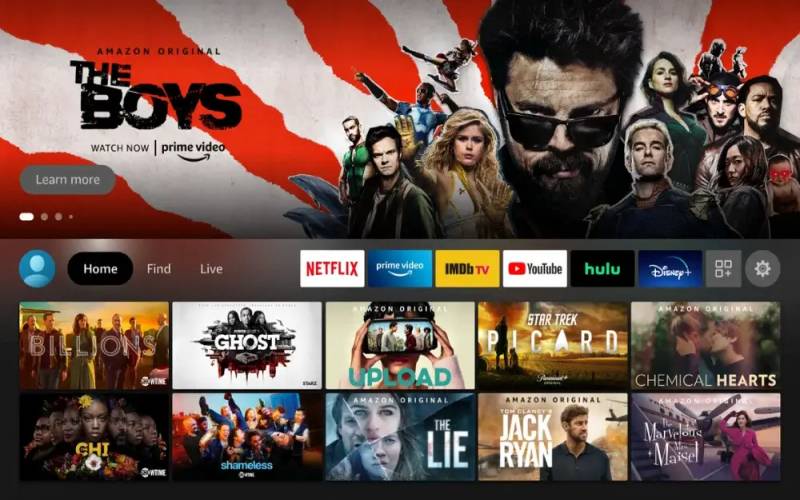
Cinema HD is a third-party streaming app that lets users watch HD movies and TV shows for free, no account required. It targets cord-cutters who want broad content access without monthly fees, and supports Android, Firestick, and Android TV via APK sideloading.
What Does Cinema HD Do?
Cinema HD aggregates streaming links from across the web, organizing them into a Netflix-style interface where users pick a title and choose from multiple source links in SD, 1080p, or 4K. It also integrates with Real-Debrid for faster, buffer-free playback.
How Is Cinema HD Similar to MovieBox?
- Both offer free movie and TV show streaming with no subscription
- Both require APK sideloading – not available on official app stores
- Both target users who want on-demand content without paid platforms
How Is Cinema HD Different from MovieBox?
Cinema HD supports Real-Debrid and Trakt integration, which MovieBox does not. It also offers offline downloads and a release calendar. Worth noting: Cinema HD’s original APK stopped working in early 2026, pushing users toward newer forks like Cinema HQ.
Who Is Cinema HD Best For?
Android and Firestick users who are comfortable with sideloading APKs and want HD streaming without paying – and who don’t mind the legal gray zone. You can also explore other apps similar to Cinema HD if you want more alternatives in this category.
Key Features of Cinema HD
- Video quality: SD, 1080p FHD, and 4K options
- Offline downloads: Save content for later, no internet needed
- Real-Debrid support: Faster streams, less buffering
- Trakt integration: Track watch history across devices
- Subtitle support: Multiple languages, adjustable style and color
Pricing
- Free plan: Yes – full access, ad-supported
- Paid plans: None (MOD APK removes ads – use with caution)
- Free trial: N/A
Tubi

Tubi is a legal, ad-supported streaming app that gives users access to 50,000+ on-demand titles for free, with no account required to start watching. It’s owned by Fox Corporation and supports every major platform.
What Does Tubi Do?
Tubi streams movies and TV shows legally through an ad-supported model, pulling content from studio partnerships with major distributors. No subscription, no credit card – just install and watch.
How Is Tubi Similar to MovieBox?
Both are free, require no subscription, and offer on-demand movie and TV streaming. Tubi also doesn’t require account creation to access most content, just like MovieBox’s frictionless setup.
How Is Tubi Different from MovieBox?
| Feature | Tubi | MovieBox (Pro/Blue) |
| Legal Status | Fully legal (Licensed) | Illegal/Piracy (Unlicensed) |
| Content Library | 50,000+ titles (On-demand + Live) | High-volume (Includes new releases) |
| Platform Availability | All major platforms (TV, Web, Mobile) | Android (Sideload), iOS (TestFlight/IPA) |
| Ad Experience | ~4–8 mins of ads per hour | Varies; often heavy or requires “Pro” paywall |
| Security Risk | Safe (Official App Stores) | High (Malware/Phishing risks) |
| Regulatory Status | Compliant with global IT rules | Banned/Blocked in several regions (2025/2026) |
Who Is Tubi Best For?
Anyone who wants free movie streaming without legal risk or APK installs. Tubi reported 80 million monthly active users in 2025 – it’s not a niche app anymore.
Key Features of Tubi
- Library size: 50,000+ titles including movies and TV series
- Ad load: ~4-5 minutes per hour (much less than broadcast TV)
- No sign-up required to start watching
- Platforms: Roku, Fire TV, Apple TV, iOS, Android, web, smart TVs
Pricing
- Free plan: Yes – full library, ad-supported
- Paid plans: None
- Free trial: N/A
Pluto TV

Pluto TV is a free, ad-supported streaming service owned by Paramount Global that combines 250+ live linear channels with an on-demand library of movies and shows. It’s built for users who miss the feel of channel surfing.
What Does Pluto TV Do?
Pluto TV delivers both live TV channels and on-demand content completely free, funded by advertising. Think of it as free cable – genre channels, news, dedicated show marathons, all without a bill.
How Is Pluto TV Similar to MovieBox?
Both are free, no-subscription platforms for watching movies and TV shows on mobile and TV devices. Neither requires a paid account to access the core content library.
How Is Pluto TV Different from MovieBox?
Pluto TV is fully legal and available on every major app store. Its live channel format is something MovieBox doesn’t offer at all. Pluto TV also carries news channels including CNN and NBC News.
Who Is Pluto TV Best For?
Users who want the cable TV experience without paying for it – and who enjoy browsing live channels rather than searching a catalog. Also suits users on Tubi-like free streaming platforms looking for a live TV option alongside on-demand.
Key Features of Pluto TV
- Live channels: 250+ channels by genre, news, sports, entertainment
- On-demand library: Movies and TV series, no account needed
- No sign-up required
- Platforms: iOS, Android, Roku, Fire TV, Apple TV, Samsung TV, web
Pricing
- Free plan: Yes – all content, ad-supported
- Paid plans: None
- Free trial: N/A
Stremio

Stremio is an open-source media center app that aggregates content through community-built add-ons, giving users access to movies, TV shows, live TV, and anime from dozens of sources in one interface.
What Does Stremio Do?
Stremio itself hosts no content. It acts as a hub where users install add-ons – some official, some community-built – that pull in streams from across the web. The result is a highly flexible content discovery platform.
How Is Stremio Similar to MovieBox?
- Free to use with no subscription required
- Supports mobile streaming on Android and iOS
- Wide content library including latest releases
How Is Stremio Different from MovieBox?
Stremio has a proper desktop client for Windows, macOS, and Linux, which MovieBox lacks. It also integrates with Real-Debrid, Trakt, and DLNA casting. Content quality and availability depend entirely on which add-ons you install – there’s a learning curve.
Who Is Stremio Best For?
Tech-comfortable users who want a customizable, cross-platform streaming setup without paying subscriptions. Stremio particularly shines for international content that mainstream platforms don’t license in your country.
Key Features of Stremio
- Add-on ecosystem: Community and official add-ons for content access
- Platforms: Windows, macOS, Linux, Android, iOS, Android TV
- Real-Debrid support: Buffer-free HD streaming
- Trakt sync: Watch history across devices
- Chromecast and DLNA: Cast to TV
Pricing
- Free plan: Yes – full add-on ecosystem, no limits
- Paid plans: None
- Free trial: N/A
Plex

Plex is a media server and free streaming platform that does two things at once: organizes your personal media library and offers 50,000+ free on-demand titles plus 893 live TV channels in the US.
What Does Plex Do?
Plex runs as a media server on your home computer or NAS device, making your personal collection of movies, music, and photos accessible from any device. On top of that, it offers a free ad-supported streaming catalog – no personal server required to use that part.
How Is Plex Similar to MovieBox?
Free streaming with no subscription is the main overlap. Both offer on-demand movie and TV access without paying monthly fees, and both work on mobile devices.
How Is Plex Different from MovieBox?
| Feature | Plex | MovieBox |
| Personal media server | Yes | No |
| Legal status | Fully legal | Unofficial / Gray zone |
| Live TV channels (US) | 600+ channels | None |
| Premium tier | Plex Pass $6.99/mo | None |
Who Is Plex Best For?
Users with a personal media library who also want free streaming in one app. Also suits households that want a long-term, stable platform – unlike many unofficial apps that disappear without warning.
Key Features of Plex
- Free streaming library: 50,000+ on-demand titles worldwide
- Live TV: 893 free channels (US)
- Personal media server: Stream your own files from anywhere
- Plex Pass: $4.99/month – adds offline sync, DVR, hardware transcoding
- Platforms: iOS, Android, Apple TV, Roku, Fire TV, Chromecast, smart TVs
Pricing
- Free plan: Yes – full free streaming catalog, ad-supported
- Paid plans: Plex Pass at $4.99/month, $39.99/year, or $119.99 lifetime
- Free trial: No
Kodi

Kodi is a free, open-source media player that works as a full home theater system, running on virtually every platform. It’s been around since 2003 and has one of the largest add-on communities in the streaming space.
What Does Kodi Do?
Kodi plays local media files and, through community add-ons, streams content from across the internet. It supports movies, TV shows, live TV, music, and even sports. The app itself is legal – what matters is which add-ons you install.
How Is Kodi Similar to MovieBox?
Both offer free access to movies and TV content without subscriptions. Both rely on third-party sources for streams rather than hosting content themselves.
How Is Kodi Different from MovieBox?
Kodi requires more setup than MovieBox. You need to install repositories, configure add-ons, and occasionally troubleshoot. But it runs on Windows, macOS, Linux, Android, iOS, Raspberry Pi, and Firestick – far broader platform support than MovieBox.
Who Is Kodi Best For?
Tech-comfortable users who want maximum flexibility and don’t mind spending 30-60 minutes on initial setup. Kodi suits dedicated home theater builds more than casual mobile viewing.
Key Features of Kodi
- Platform coverage: Windows, macOS, Linux, Android, iOS, Raspberry Pi, Firestick
- Add-on library: Thousands of official and community add-ons
- Local media playback: Full support for personal media libraries
- Live TV support: Via IPTV add-ons and PVR backends
Pricing
- Free plan: Yes – fully free and open-source
- Paid plans: None
- Free trial: N/A
Nova TV

Nova TV is a free third-party streaming APK for Android and Firestick that provides a clean, organized interface for watching HD movies and TV shows without registration or subscriptions.
What Does Nova TV Do?
Nova TV aggregates streaming links from multiple sources and presents them in a polished, easy-to-navigate layout. Users pick a title, choose a stream source, and start watching – similar to Cinema HD but often more stable in 2026.
How Is Nova TV Similar to MovieBox?
- Free, no-subscription streaming via APK sideloading
- No account required to access content
- Focused on mobile-first Android experience
How Is Nova TV Different from MovieBox?
Nova TV is more actively maintained in 2026 than many older unofficial apps. It supports Real-Debrid integration for higher-quality streams and includes a Trakt sync option that MovieBox lacks entirely.
Who Is Nova TV Best For?
Android and Firestick users who found MovieBox unreliable and want a more stable unofficial alternative with better link quality. Best paired with a VPN and a Real-Debrid subscription.
Key Features of Nova TV
- Video quality: HD and 4K streams available
- Real-Debrid support: Premium link quality
- Trakt integration: Cross-device watch tracking
- No sign-up required
- Platforms: Android, Firestick (APK sideload)
Pricing
- Free plan: Yes – fully free
- Paid plans: None
- Free trial: N/A
Popcorn Time
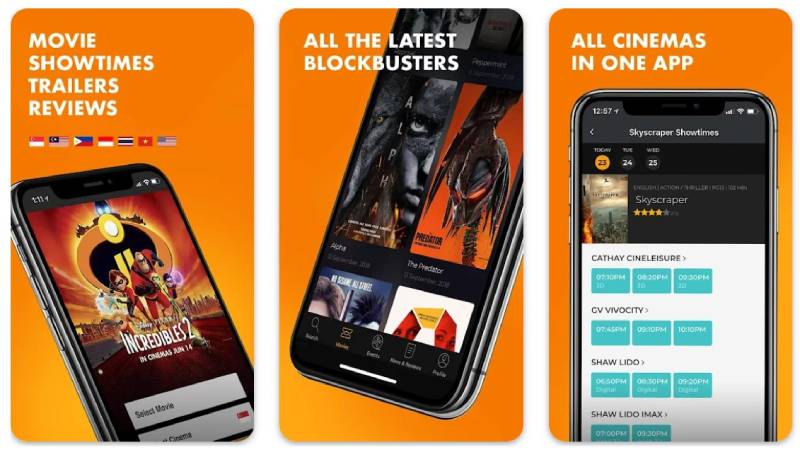
Popcorn Time is an open-source media application that originally streamed content via BitTorrent with a Netflix-style interface. As of 2026, it’s rebuilding as a legal content platform while older torrent-based forks still circulate.
What Does Popcorn Time Do?
The original Popcorn Time used torrent technology to start playback before a full download completed – smooth streaming powered by peer-to-peer. The current rebuild aims for legal content sources, though the torrent-based version (v6.2.2) is still available for Windows, Mac, Linux, and Android.
How Is Popcorn Time Similar to MovieBox?
Free, no-subscription access to movies and TV shows is the core overlap. Both offer content that paid platforms charge for, and both have faced legal challenges over the years.
How Is Popcorn Time Different from MovieBox?
Popcorn Time uses BitTorrent protocol for streaming, which exposes your IP address to peers – a privacy risk MovieBox doesn’t have. It also has desktop support (Windows, Mac, Linux) that MovieBox never offered. A VPN is strongly recommended with any torrent-based version.
Who Is Popcorn Time Best For?
Desktop users on Windows, macOS, or Linux who want a simple, one-click movie streaming setup and don’t mind using a VPN. Not ideal for strict legal compliance or iOS users, since the iOS version no longer functions in 2026.
Key Features of Popcorn Time
- Platforms: Windows, macOS, Linux, Android (no iOS in 2026)
- Subtitle support: Drag-and-drop .srt files
- Watch party: Synchronized viewing with others
- Content: Movies and TV shows via torrent sources
Pricing
- Free plan: Yes – fully free and open-source
- Paid plans: None
- Free trial: N/A
CloudStream

CloudStream is an open-source Android streaming app that uses a repository-based system to access movies, TV shows, anime, and live IPTV channels. It’s built for Android specifically and works on Firestick and Android TV boxes.
What Does CloudStream Do?
CloudStream lets users install extensions (repositories) that pull in content from various online sources – similar to how Kodi add-ons work, but simpler to set up. Built-in Chromecast and DLNA support means you can cast directly to your TV.
How Is CloudStream Similar to MovieBox?
- Free, APK-based installation on Android devices
- No account or subscription required
- Access to movies, TV shows, and anime in one app
How Is CloudStream Different from MovieBox?
CloudStream is fully open-source on GitHub, which means anyone can audit the code – a significant trust advantage over closed APKs like MovieBox. It also supports anime libraries more thoroughly than MovieBox, and includes live IPTV access.
Who Is CloudStream Best For?
Android users who want a MovieBox replacement with more transparency, open-source code, and anime support. Privacy-conscious users who want to verify what they’re installing will appreciate the GitHub-hosted codebase.
Key Features of CloudStream
- Open-source: Code publicly available on GitHub
- Repository system: Install extensions to add content sources
- Content types: Movies, TV shows, anime, live IPTV
- Casting: Chromecast and DLNA support built in
- Trakt integration: Watch tracking across sessions
Pricing
- Free plan: Yes – completely free
- Paid plans: None
- Free trial: N/A
BeeTV
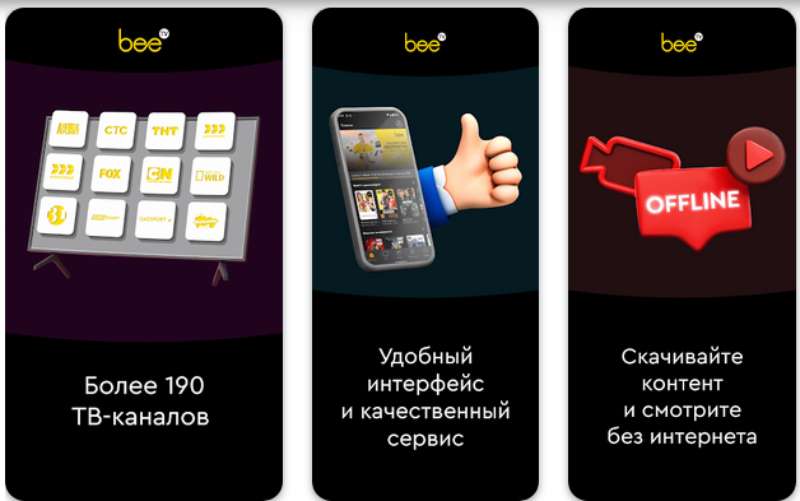
BeeTV is a free Android streaming APK that aggregates HD movie and TV show links into a clean, minimal interface with no sign-up required. It’s a popular choice among Firestick users looking for a simple MovieBox replacement.
What Does BeeTV Do?
BeeTV pulls streaming links from multiple online sources and presents them in a fast, easy-to-use layout. Users can browse by genre, search by title, and filter by content type. No account. No subscription. Works out of the box after APK installation.
How Is BeeTV Similar to MovieBox?
Both are free APK-based apps with nearly identical target audiences: users who want HD movie streaming without subscriptions and don’t want to configure anything complex. Similar interface philosophy – install, browse, watch.
How Is BeeTV Different from MovieBox?
BeeTV has a more active development cycle than MovieBox and tends to maintain working streams more consistently. However, BeeTV has no Real-Debrid or Trakt integration, keeping it simpler but less powerful than Cinema HD or Stremio for advanced users.
Who Is BeeTV Best For?
Casual users on Firestick or Android who want the simplest possible MovieBox replacement with minimal setup. You can find more options like it when looking at apps in the same category as BeeTV.
Key Features of BeeTV
- Interface: Clean, minimal, fast to navigate
- Video quality: HD streams from multiple sources
- No account required
- Platforms: Android, Firestick (APK sideload)
- Content: Movies and TV shows, genre filtering
Pricing
- Free plan: Yes – fully free
- Paid plans: None
- Free trial: N/A
Which App Should You Actually Use?
Depends on what matters most to you. Here’s the short version:
| App | Legal? | Best For | Setup Level |
| Tubi | Yes | Largest free legal library | None |
| Pluto TV | Yes | Live channels + on-demand | None |
| Plex | Yes | Personal library + free streaming | Low – Medium |
| Stremio | Depends on add-ons | Power users, international content | Medium |
| Kodi | Depends on add-ons | Home theater setups | High |
| Cinema HD | No | Firestick / Android HD streaming | Low |
| Nova TV | No | Stable unofficial APK option | Low |
| BeeTV | No | Simple Firestick streaming | Low |
| CloudStream | No | Anime + open-source transparency | Medium |
| Popcorn Time | No | Desktop torrent streaming | Low |
If legal risk is a concern, start with Tubi or Pluto TV. Both are free, fully licensed, and available on every device without APK installs. The free streaming landscape has improved a lot – you don’t need unofficial apps to get good content anymore.
For users who want the MovieBox experience specifically – APK-based, broad library, no account – Nova TV and BeeTV are the most stable options right now in 2026. Just use a VPN.
What Makes a MovieBox Alternative Worth Using?
U.S. streaming subscribers now pay an average of $69/month across four paid services, up 13% year-over-year, according to Deloitte’s 2025 Digital Media Trends report.
That’s the context. Free alternatives aren’t niche anymore – they’re a direct response to a real cost problem.
Not all free streaming apps deliver the same experience. The ones worth using share a specific set of attributes that separate them from apps that break every two weeks.
| Attribute | Why It Matters | Legal vs. Unofficial |
| Legal status | Affects long-term reliability | Licensed FAST vs. APK sideloads |
| Platform coverage | iOS, Android, Firestick, TV | Legal apps cover all; APKs mostly Android |
| Content library | Breadth and freshness | FAST services: 50,000+ titles with stable links |
| Setup friction | Time to first stream | Legal: install and watch; APK: sideload required |
MovieBox keeps losing users for three specific reasons: recurring broken links, APK instability after Android updates, and no iOS support.
The alternatives below are split by type. Know which category fits your situation before picking one.
Two categories to choose from:
- Free and unofficial: APK-based apps that replicate MovieBox most closely, but operate in a legal gray zone and require sideloading
- Free and legal: Ad-supported streaming platforms (FAST services) that are fully licensed, available on every app store, and built for long-term use
47% of consumers say they pay too much for their current streaming services, according to Deloitte.
That frustration is exactly why this category exists.
Which Free Streaming Apps Work on Android and Firestick Without a Subscription?
These are the APK-based apps that most closely replicate MovieBox. All require sideloading on Android or Firestick. None are available on the official Google Play Store or Apple App Store.
Google’s Play Protect flagged nearly 13 million malicious sideloaded apps in 2024, according to Google security data. Sideloading from untrusted sources carries real risk – download only from verified sources and use a VPN.
Cinema HD
Cinema HD aggregates streaming links from multiple sources into a clean interface. It was one of the most-used unofficial streaming APKs before its original version stopped functioning in early 2026.
Current status: The original APK is no longer working as of early 2026. Cinema HQ is the closest active fork, with regular developer updates and a maintained changelog.
- Video quality: SD, 1080p FHD, and 4K
- Real-Debrid integration for buffer-free streams
- Trakt sync for cross-device watch history
- Offline downloads via the “Watch Later” feature
Best for: Android and Firestick users already familiar with Real-Debrid who want maximum stream quality.
Nova TV
More actively maintained in 2026 than most MovieBox-era APKs. Nova TV uses a similar link-aggregation model with a cleaner interface and faster source selection.
Real-Debrid support is included. Trakt integration is available. No account required to start watching.
- Platforms: Android, Firestick (APK sideload)
- HD and 4K streams from multiple providers
- No sign-up required
Users who switched from Cinema HD after its 2026 shutdown report Nova TV as the most stable direct replacement.
BeeTV
BeeTV is the simplest option in this category. Install it, browse, pick a title, watch.
No Real-Debrid integration. No Trakt. No setup beyond the APK install. That simplicity is the product.
Tradeoff: Stream quality depends entirely on free sources. Links break more often than with Real-Debrid-enabled apps. Works well enough for casual viewing; not ideal for consistent 1080p streams.
Best for: Firestick users who want the closest thing to plug-and-play free movie streaming on Android TV. You can also look at other apps like BeeTV if you want more options in this style.
CloudStream
Open-source on GitHub. That’s the main reason it belongs on this list alongside the closed APKs above.
Zimperium data shows users who sideload apps are 80% more likely to have malware on their devices. CloudStream’s public codebase gives privacy-conscious users a way to verify exactly what they’re installing.
- Repository system: install extensions to add content sources (movies, TV, anime, live IPTV)
- Chromecast and DLNA casting built in
- Trakt integration included
- Requires Android 5.0 minimum; works on Android TV and Firestick
Best for: Android users who want MovieBox-style access with open-source transparency and stronger anime library support. Also check out apps like Mobdro if live TV access is a priority alongside on-demand content.
Which Free Streaming Apps Are Legal and Require No Subscription?
Free ad-supported streaming (FAST) has moved from niche to mainstream. Total hours watched across major FAST services grew 43% year-over-year, according to Comscore’s 2025 State of Streaming report.
More than two-thirds of Gen Z and millennial consumers now subscribe to at least one FAST service, per Deloitte’s 2025 Digital Media Trends report.
Tubi
Tubi reached 97 million monthly active users in 2024, with viewers streaming over 10 billion hours during the year, according to Nielsen data.
That makes it one of the largest streaming services in the U.S. by active users – not just among free platforms, among all platforms.
- Library: 50,000+ titles including movies, TV series, and anime
- Ad load: roughly 4-5 minutes per hour (standard broadcast TV runs 15-20 minutes)
- No account required to start watching
- Platforms: Roku, Fire TV, Apple TV, iOS, Android, Samsung TV, web
Owned by Fox Corporation. Content library refreshed regularly with older studio titles, cult favorites, and international films that have cycled off paid platforms.
Best for: Users who want the largest free legal content library with zero setup and no legal risk.
Pluto TV
Built for channel surfing. Pluto TV’s live channel format is what separates it from every other app on this list.
Owned by Paramount Global. Offers 250+ live linear channels organized by genre: true crime, comedy, news, sports, kids, dedicated show marathon channels (Yellowstone, Doctor Who), and more. Also includes an on-demand library.
FAST platforms collectively captured 5.7% of all U.S. TV viewing in May 2025, more than any individual broadcast network, according to Nielsen Gauge data.
- No account required
- Live news channels including CNN and NBC News
- Platforms: iOS, Android, Roku, Fire TV, Apple TV, Samsung TV, web
Best for: Users who miss the experience of flipping through cable channels and want free live TV alongside on-demand movies. Also pairs well with other Tubi-like ad-supported platforms to cover different content strengths.
Plex
Plex does two things at once: it streams your personal media library from a home server, and it offers a free ad-supported catalog of 50,000+ titles plus 893 live TV channels in the U.S.
Key difference from every other app here: The personal media server capability. Plex turns a home computer or NAS device into a Netflix-style interface for your own files, accessible from any device anywhere.
Plex Pass ($4.99/month or $119.99 lifetime) adds hardware-accelerated 4K transcoding, offline sync, and live TV DVR. The free tier covers the full streaming catalog and basic server access.
- Free library: 50,000+ on-demand titles, 893 live channels (US)
- Platforms: iOS, Android, Apple TV, Roku, Fire TV, Chromecast, smart TVs, gaming consoles
- Ad-supported free tier; ads do not disappear with Plex Pass
Best for: Users with a personal media collection who want one app for both their own files and a large free streaming catalog.
Which Apps Support Both Free Streaming and Add-On Content Sources?
These are the media center apps: Stremio, Kodi, and Popcorn Time. Each runs legally as a platform but accesses content through third-party add-ons or torrents. What you watch determines the legal status – the app itself does not.
66% of U.S. TV viewers now use FAST services monthly, up from just 18% in 2021, according to Cloudwards research. The audience for free streaming has grown across every format.
Stremio
Stremio is the easiest entry point in this category. No server setup. No repository configuration. Install the app, add a few official or community add-ons, and start watching.
What makes it genuinely different from the APK apps above: cross-platform desktop support. Stremio runs on Windows, macOS, Linux, Android, iOS, and Android TV from a single account with synced watch history.
- Real-Debrid integration: buffer-free HD and 4K streams
- Trakt sync across all devices
- Chromecast and DLNA casting built in
- Free with no subscription or premium tier
Legal add-ons cover Tubi, Pluto TV, and other licensed sources. Community add-ons reach content outside mainstream catalogs – older cult films, foreign-language cinema, fan-subtitled anime.
Kodi
Open-source since 2003. Runs on more platforms than any other app on this list.
Supported platforms: Windows, macOS, Linux, Android, iOS, Raspberry Pi, Firestick, Android TV boxes.
The trade-off is setup time. Kodi requires installing repositories, configuring add-ons, and occasionally troubleshooting broken sources. The reward is a fully customizable home theater system with local media playback, live TV via IPTV add-ons, and thousands of official and community add-ons.
Best for dedicated home theater builds rather than casual mobile viewing. Not the right choice for users who want something working in under five minutes.
Popcorn Time
Popcorn Time launched in 2014 as a BitTorrent-powered streaming app with a Netflix-style interface. As of 2026, the project has rebuilt itself as a legal content platform. Older torrent-based forks still circulate, but the official project has moved away from that model.
Desktop-first platform. Runs on Windows, macOS, Linux, and Android. The iOS version no longer works in 2026 – it cannot fetch torrent data despite being installable via AltStore.
- Drag-and-drop .srt subtitle support
- Watch party feature for synchronized viewing with others
- Torrent-based versions: VPN strongly recommended to protect IP address
Best for: Desktop users on Windows or macOS who want a simple streaming setup and are comfortable managing a VPN. Poor fit for mobile-first or iOS users.
How Do MovieBox Alternatives Compare Across Platforms and Pricing?
Streaming costs climbed from an average of $61 to $69/month in a single year, a 13% increase, according to Deloitte’s 2025 Digital Media Trends report.
All 10 apps below are free. The differences are legal status, platform coverage, and how much setup you’re willing to do.
| App | Legal? | iOS Support | Sideload Required | Best For |
| Tubi | Yes | Yes | No | Largest free legal library |
| Pluto TV | Yes | Yes | No | Live channels + on-demand |
| Plex | Yes | Yes | No | Personal library + free streaming |
| Stremio | Add-on dependent | Yes | No | Power users, cross-platform |
| Kodi | Add-on dependent | Yes (limited) | No | Home theater builds |
| Cinema HD / HQ | No | No | Yes | Firestick / Android HD |
| Nova TV | No | No | Yes | Stable 2026 APK option |
| BeeTV | No | No | Yes | Simple Firestick streaming |
| CloudStream | No | No | Yes | Open-source + anime |
| Popcorn Time | No (torrent forks) | No | No (desktop) | Desktop torrent streaming |
Recommended starting point by user type:
- Casual viewer on any device: Tubi or Pluto TV – no setup, fully legal, works on every platform including iOS
- Cord-cutter with personal media: Plex – combines personal library management with a large free catalog
- Power user wanting maximum content access: Stremio with Real-Debrid – cross-platform, add-on-driven, free
- Firestick/Android user who wants MovieBox specifically: Nova TV or BeeTV – both are actively maintained in 2026, use a VPN
- Privacy-conscious Android user: CloudStream – open-source, auditable codebase, no closed APK risks
Google’s own analysis found over 50 times more malware in internet-sideloaded apps compared to Play Store apps, according to security research compiled by Trio.so.
If legal risk or device security is a concern, start with Tubi or Pluto TV. Both are fully licensed, available everywhere without sideloading, and have content libraries large enough that most users won’t feel the difference.
FAQ on Apps Like MovieBox
What are the best apps like MovieBox for Android?
Nova TV, BeeTV, and CloudStream are the most stable options in 2026. For fully legal free streaming on Android, Tubi and Pluto TV work without APK sideloading and carry 50,000+ titles between them.
Is there a MovieBox alternative that works on iPhone?
Yes. Tubi, Pluto TV, Plex, and Stremio all have official iOS apps. Unofficial APK-based apps like Nova TV and BeeTV do not support iPhone, since iOS blocks sideloading outside the EU.
Are apps like MovieBox legal?
It depends on the app. Tubi, Pluto TV, and Plex are fully legal ad-supported platforms. APK apps like Cinema HD and BeeTV operate in a legal gray zone, pulling links from unlicensed sources.
Does MovieBox still work in 2026?
MovieBox Pro still functions for browsing, but streaming reliability has dropped significantly. Most users looking for a working free movie streaming app without subscription fees have moved to Nova TV or Tubi.
What is the safest free movie streaming app?
Tubi and Pluto TV are the safest options. Both are fully licensed, available on official app stores, and require no APK sideloading. Google’s data shows sideloaded apps carry 50x more malware risk than Play Store apps.
What app is most similar to MovieBox?
Nova TV comes closest. It uses the same link-aggregation model, requires APK sideloading on Android or Firestick, needs no account, and supports Real-Debrid for higher-quality HD streams than MovieBox ever offered.
Can I use apps like MovieBox on Firestick?
Yes. BeeTV, Nova TV, CloudStream, and Stremio all work on Firestick. Tubi and Pluto TV are available directly from the Amazon Appstore, requiring no sideloading at all.
Do free movie streaming apps require an account?
Most do not. Tubi, Pluto TV, BeeTV, and Nova TV all stream without registration. Plex and Stremio offer optional accounts that enable watch history sync and personalized recommendations across devices.
What is the difference between Stremio and Kodi?
Stremio requires minimal setup and works across all platforms including iOS. Kodi is more powerful but needs manual repository and add-on configuration. Stremio suits casual users; Kodi suits dedicated home theater builds.
Are there free movie apps that work without downloading anything?
Yes. Tubi and Pluto TV stream directly through browsers on desktop with no download needed. Plex also offers browser-based streaming from its free on-demand catalog without installing any software.
Conclusion
This conclusion is for an article presenting the best apps like MovieBox – and the core takeaway is simple: you have real options across every category.
Legal platforms like Tubi and Pluto TV cover most casual viewing needs with zero setup, no subscription, and libraries large enough to replace a paid service entirely.
For users who want deeper access, Stremio with Real-Debrid and CloudStream deliver HD on-demand streaming without monthly fees.
Firestick and Android users chasing the closest MovieBox replacement will find Nova TV and BeeTV the most stable unofficial alternatives in 2026.
Whatever your setup – mobile, smart TV, or desktop – free movie streaming without a subscription is more reliable now than it has ever been.
Pick one, test it, and stop settling for broken links.

- How to Run a React App in VS Code Step by Step - October 23, 2026
- Transactional or marketing email: which messages your app should send itself - October 23, 2026
- How Software Teams Write SOPs for Releases and Deployments - October 22, 2026