BeeTV stops working at the worst possible moment. Dead links, intrusive ads, or an Amazon block on your Firestick — and suddenly your free streaming setup is broken.
Finding reliable apps like BeeTV is harder than it looks. Most lists recycle the same names without telling you what actually works in 2025, which ones support Real-Debrid, or whether they’ll get flagged on your device.
This guide covers 10 free streaming apps tested across Android, Firestick, and Android TV. Some are third-party APKs that match BeeTV’s feature set. Others are fully legal, no-sideload platforms with massive content libraries.
By the end, you’ll know exactly which app fits your setup — whether you want HD movie streaming without a subscription, a cord-cutting replacement for cable, or a legal Tubi-style alternative with zero installation friction.
Apps Like BeeTV
BeeTV has built a loyal following for free, on-demand movie and TV show streaming on Android and Firestick. But dead links, heavy ads, and inconsistent updates push a lot of users to look elsewhere.
Below are 10 free streaming apps that match or beat what BeeTV offers, whether you want a third-party APK or a fully legal option.
| App | Type | Best For | Real-Debrid |
| Cinema HD | Third-party APK | Large library, stable links | Yes |
| New TV | Third-party APK | Ad-free, clean UI | Yes |
| CyberFlix TV | Third-party APK | Multiple link sources | Yes |
| Stremio | Legal + add-ons | Cross-device sync | Yes |
| Pipes | Legal AVOD | No sideloading needed | No |
| TeaTV | Third-party APK | Desktop + mobile users | Yes |
| HDO Box | Third-party APK | Beginners, simple setup | No |
| FilmPlus | Third-party APK | International content | Yes |
| Kodi | Open-source | Power users, customization | Yes |
| Pluto TV | Legal AVOD | Live TV + on-demand | No |
Cinema HD
Cinema HD is a third-party free streaming APK that aggregates movie and TV show links from online sources for Android, Firestick, and Android TV users.
It has one of the biggest catalogs among unofficial streaming apps and gets updated regularly, with version 4.0.0 landing in January 2026.
What Does Cinema HD Do?
Cinema HD lets users stream and download movies and TV shows across Android devices and Firestick by pulling links from multiple online sources. No account or subscription needed.
How Is Cinema HD Similar to BeeTV?
- Both are free, sideloaded APKs for Android and Firestick
- Both support Real-Debrid and Trakt.tv integration
- Both offer HD and 1080p streams with no login required
How Is Cinema HD Different from BeeTV?
Catalog size: Cinema HD’s library is larger and more frequently refreshed than BeeTV’s.
It also supports external players like MX Player and VLC, and includes a built-in TV calendar for tracking upcoming episodes. BeeTV doesn’t offer a calendar feature.
Who Is Cinema HD Best For?
Cinema HD suits cord-cutters on Android or Firestick who want a large, regularly updated content library with Real-Debrid support and no subscription fees.
Key Features of Cinema HD
- Streaming quality: SD, 1080p FHD, and 4K on select titles
- Offline downloads: Save content directly to device for later
- External player support: MX Player, VLC, CSPlayer
- TV calendar: Tracks upcoming episode and movie release dates via Trakt
Pricing
- Free plan: Yes, fully free
- Paid plans: None
- Free trial: N/A
Nova TV
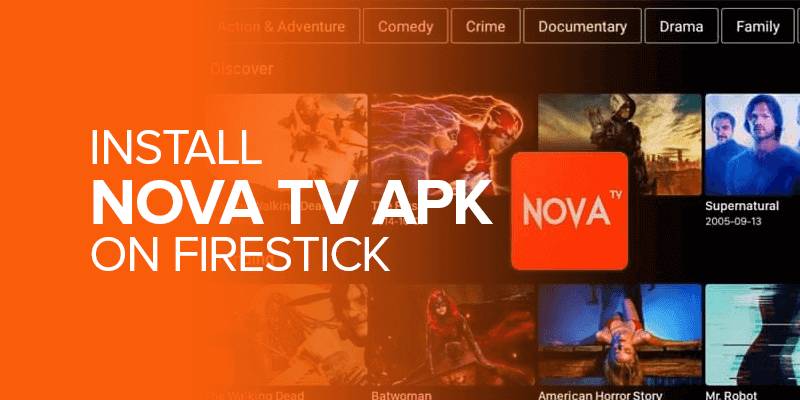
Nova TV is a free movie streaming APK for Android and Firestick with a Netflix-style interface, completely ad-free out of the box. Most recent version is 2.4.1, released March 2026.
What Does Nova TV Do?
Nova TV works as a content search engine, crawling the web for movie and TV show links and organizing them in a clean, browsable interface. No hosting, no account needed.
How Is Nova TV Similar to BeeTV?
Both apps are sideloaded APKs that scrape streaming links, support Real-Debrid for higher-quality sources, and run on Android, Firestick, and Android TV without a subscription.
How Is Nova TV Different from BeeTV?
- Ad-free by default (BeeTV runs ads)
- Netflix-inspired UI with Trending, Popular, and Top Rated sections on the home screen
- Includes a TV Calendar feature for tracking new episodes
- Supports Chromecast for casting to a TV
Who Is Nova TV Best For?
Nova TV suits users who want a polished, ad-free free streaming app on Android or Firestick and don’t mind sideloading an APK.
Key Features of Nova TV
- Streaming quality: Up to 4K on select titles
- Ad experience: Fully ad-free (official version)
- Integrations: Real-Debrid, Premiumize, AllDebrid, Trakt
- Device support: Android, Firestick, Android TV, Nvidia Shield
Pricing
- Free plan: Yes, fully free
- Paid plans: None
- Free trial: N/A
CyberFlix TV
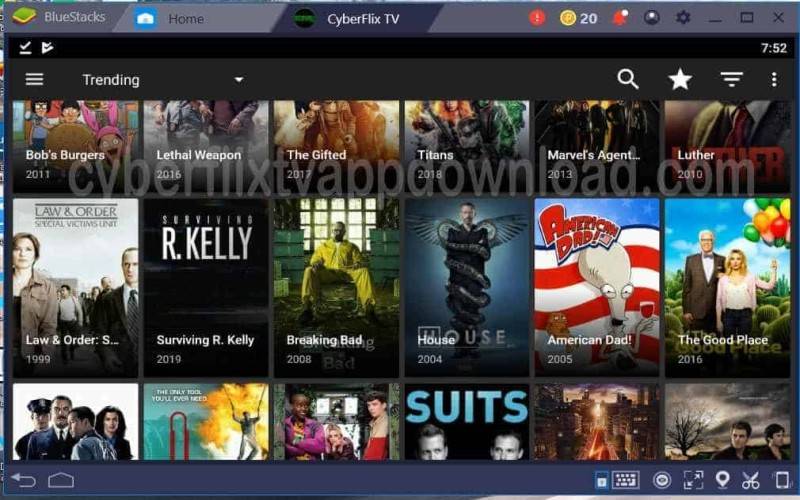
CyberFlix TV is one of the longest-running BeeTV alternatives in the cord-cutting space, built on a Terrarium TV foundation with consistent updates since.
What Does CyberFlix TV Do?
CyberFlix TV aggregates streaming links from multiple online sources for movies and TV shows, giving users several link options per title to reduce dead links. It supports over 200 subtitle languages.
How Is CyberFlix TV Similar to BeeTV?
Same use case: free, ad-supported, sideloaded APK for Android and Firestick. Both support Real-Debrid and Trakt and require no registration to use.
How Is CyberFlix TV Different from BeeTV?
Multiple link sources per title give CyberFlix an advantage when individual links die. It also has an integrated media player so you don’t need MX Player or VLC installed separately.
The interface is a bit more feature-dense than BeeTV, which some users love and others find cluttered.
Who Is CyberFlix TV Best For?
CyberFlix suits users who want more backup link options per title and don’t mind a slightly busier interface to get them.
Key Features of CyberFlix TV
- Link variety: Multiple streaming sources per title
- Subtitle support: 200+ languages
- Built-in player: No need for external media apps
- Integrations: Real-Debrid and Trakt
Pricing
- Free plan: Yes, fully free
- Paid plans: None
- Free trial: N/A
Stremio

Stremio is a legal media center app that uses community add-ons to pull in movies, TV shows, and live TV. Think of it as a cleaner, more stable version of Kodi with automatic syncing built in.
Search trends through late 2024 show Stremio searches closing in on Kodi’s volume, which says a lot about where cord-cutters are shifting, according to TROYPOINT.
What Does Stremio Do?
Stremio aggregates content from official streaming services and community add-ons into one interface, available on Windows, Mac, Linux, Android, Android TV, and LG TV.
How Is Stremio Similar to BeeTV?
| Feature | Stremio | BeeTV |
| Free to use | Yes | Yes |
| Real-Debrid support | Yes (via add-ons) | Yes (built-in setting) |
| Movies + TV shows | Yes | Yes |
| No subscription | Yes | Yes |
How Is Stremio Different from BeeTV?
Cross-device sync is the big one. Login once and your watch history, library, and settings carry across every device automatically. BeeTV doesn’t offer this.
Stremio also runs add-ons in the cloud rather than on-device, which means fewer crashes and no broken repositories. Setup takes about 3 minutes.
Who Is Stremio Best For?
Stremio suits users who stream across multiple devices and want everything synced without reconfiguring the app each time.
Key Features of Stremio
- Add-on system: Cloud-based, auto-updating, centralized
- Sync: Library and progress sync across all devices
- Platforms: Windows, Mac, Linux, Android, Android TV, LG TV
- 4K HDR: Supported via compatible add-ons
Pricing
- Free plan: Yes, fully free
- Paid plans: None
- Free trial: N/A
Tubi

Tubi is the most mainstream option on this list. It hit 100 million monthly active users in May 2025, according to Fox Corporation, streaming over 1 billion hours that month alone.
Unlike every other app here, you can install it directly from the Google Play Store or Amazon App Store. No sideloading, no APK, no VPN needed. If you want to learn more about apps in this legal streaming category, check out this guide on apps like Tubi for similar options.
What Does Tubi Do?
Tubi is a free, ad-supported streaming service owned by Fox Corporation. It offers nearly 300,000 movies and TV episodes plus 400 original titles, with no subscription or login required to watch.
How Is Tubi Similar to BeeTV?
Both are completely free. No subscription, no hidden fees. Tubi covers a huge range of movies and TV shows, and it works on the same devices as BeeTV, including Android and Firestick.
How Is Tubi Different from BeeTV?
Legality: Tubi is 100% legal. BeeTV operates in a gray area. Tubi runs ads (like TV), while BeeTV runs interruptive pop-up ads. Tubi also has 400+ original shows not available anywhere else.
Over 67% of Tubi’s audience are cord-cutters or cord-nevers, per the March 2025 MRI Cord Evolution Study, meaning this audience overlaps heavily with BeeTV’s user base.
Who Is Tubi Best For?
Tubi suits users who want a massive free content library without sideloading APKs, worrying about copyright, or needing a VPN.
Key Features of Tubi
- Content library: ~300,000 movies and TV episodes
- Originals: 400+ Tubi Original titles
- Device support: iOS, Android, Firestick, Roku, web, smart TVs
- Account: Optional, not required to watch
Pricing
- Free plan: Yes, ad-supported
- Paid plans: None
- Free trial: N/A
TeaTV
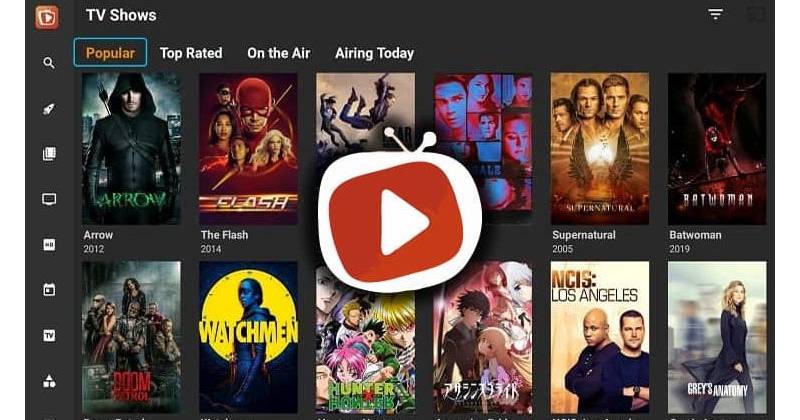
TeaTV stands out from most BeeTV alternatives for one reason: it has native desktop apps for both Windows and Mac. No emulator needed. That’s actually rare in this category.
What Does TeaTV Do?
TeaTV pulls HD and 1080p streaming links for movies and TV shows and presents them in a clean, browse-and-play interface. Library updates run daily. The app also has a TV calendar for tracking upcoming episodes.
How Is TeaTV Similar to BeeTV?
Same core model: free, sideloaded APK, no account required, Real-Debrid and Trakt support, and HD streaming on Android and Firestick. Comparable content library size.
How Is TeaTV Different from BeeTV?
- Native Windows and Mac apps (BeeTV is Android/Firestick only)
- Lightweight design that runs well on older devices and slower connections
- Auto-resolves links to find the best quality for your connection speed
- Chromecast support for TV casting
Who Is TeaTV Best For?
TeaTV suits users who switch between PC and mobile or TV and want one app that works natively on all of them without emulators.
Key Features of TeaTV
- Platforms: Windows, Mac, Android, Firestick, Android TV
- Streaming quality: 720p and 1080p, with 4K on select titles via debrid
- TV Calendar: Tracks upcoming episode drops
- Integrations: Real-Debrid, Trakt, Chromecast
Pricing
- Free plan: Yes, fully free
- Paid plans: None
- Free trial: N/A
HDO Box
HDO Box is the easiest app on this list to get running. Install the APK, open it, and start watching. No accounts, no add-ons, no setup needed at all.
What Does HDO Box Do?
HDO Box delivers free on-demand movies and TV shows with a clean, organized interface. It automatically switches servers when a link fails, which cuts down on the “nothing’s loading” frustration.
How Is HDO Box Similar to BeeTV?
Zero setup is the thing they share. Both apps are sideloaded, require no registration, and give instant access to a large free content library on Android and Firestick.
How Is HDO Box Different from BeeTV?
HDO Box has automatic server switching, so dead links resolve themselves without you hunting for alternatives manually. The interface is also more organized, with Trending, Popular, and genre-based browsing built in from the start.
It does not support Real-Debrid, which is a trade-off worth knowing upfront.
Who Is HDO Box Best For?
HDO Box suits beginner streamers or anyone who wants the fastest path from download to watching, with no configuration involved.
Key Features of HDO Box
- Auto server switching: Finds working links automatically
- Interface: Genre sections, Trending, and Favorites
- Subtitle support: Yes, multi-language
- Setup time: Under 2 minutes, no account needed
Pricing
- Free plan: Yes, fully free
- Paid plans: None
- Free trial: N/A
FilmPlus
FilmPlus started as a Terrarium TV fork and has grown into a solid standalone option, particularly for users who want international content. Bollywood, Korean dramas, European films, all in one place.
What Does FilmPlus Do?
FilmPlus aggregates free movie and TV show links across multiple languages and regions, with built-in subtitle support and optional Real-Debrid integration for higher-quality streams.
How Is FilmPlus Similar to BeeTV?
| Feature | FilmPlus | BeeTV |
| Free to use | Yes | Yes |
| Real-Debrid | Yes | Yes |
| Offline downloads | Yes | Yes |
| No login needed | Yes | Yes |
How Is FilmPlus Different from BeeTV?
International content depth is where FilmPlus pulls ahead. It covers titles from India, Korea, Europe, and Latin America that BeeTV’s library doesn’t consistently include.
FilmPlus also runs minimal ads compared to BeeTV, and it supports iOS, which almost no other unofficial streaming app does.
Who Is FilmPlus Best For?
FilmPlus suits viewers who watch non-English content regularly and want subtitle support baked in rather than bolted on.
Key Features of FilmPlus
- Language coverage: Multi-language library including Bollywood, Korean, European titles
- Ads: Minimal, nearly ad-free
- Platforms: Android, Firestick, iOS
- Advanced filtering: Sort by genre, year, language, popularity
Pricing
- Free plan: Yes, fully free
- Paid plans: None
- Free trial: N/A
Kodi

Kodi has been around since 2002 (originally XBMC) and has the largest community of any media center app. Version 21.3 Omega dropped in December 2025.
It’s the most powerful option on this list and also the most work to set up. Worth it if you want total control. Not worth it if you just want to hit play fast.
What Does Kodi Do?
Kodi is a free, open-source media center that plays local files out of the box and becomes a full streaming platform once you install add-ons for movies, TV shows, and live TV.
How Is Kodi Similar to BeeTV?
Both give access to free movies and TV shows on Android and Firestick. Both support Real-Debrid via compatible add-ons. Both are free with no subscription required.
How Is Kodi Different from BeeTV?
Setup takes 10 to 15 minutes versus BeeTV’s near-instant start. Kodi requires you to add repositories and install add-ons manually. When a repo goes offline, every add-on it hosts breaks.
The upside: Kodi runs on nearly everything, including local media files, music, live TV, and sports. BeeTV does none of that.
Who Is Kodi Best For?
Kodi suits power users who want a fully customizable media center and don’t mind spending time on setup and maintenance to get it right.
Key Features of Kodi
- Add-on system: Hundreds of community add-ons for every content type
- Local media: Plays files from hard drives, NAS, USB
- Platform support: Android, Firestick, Windows, Mac, Linux, iOS, Raspberry Pi
- Customization: Skins, layouts, keymaps, fully adjustable
Pricing
- Free plan: Yes, fully free and open source
- Paid plans: None
- Free trial: N/A
Pluto TV

Pluto TV is the cable TV replacement on this list. It’s not an on-demand-first app. It’s built around live channels you browse like regular TV, with on-demand content as a secondary feature.
If you miss having something to just put on without choosing, Pluto TV delivers that. No decisions needed.
What Does Pluto TV Do?
Pluto TV provides hundreds of free live TV channels organized by genre (news, comedy, sports, drama, kids) plus an on-demand library of movies and TV shows, all ad-supported and free.
How Is Pluto TV Similar to BeeTV?
Both are completely free, require no subscription, and work on Android, Firestick, smart TVs, and mobile. Both support cord-cutting as a cable replacement.
How Is Pluto TV Different from BeeTV?
- Legal, no sideloading required (available on official app stores)
- Live channel experience, not just on-demand
- No Real-Debrid integration or scraped links
- Content library is licensed and smaller than BeeTV’s aggregated options
Who Is Pluto TV Best For?
Pluto TV suits users who want a legal, install-and-go option that replicates the casual TV viewing experience without a cable subscription.
Key Features of Pluto TV
- Live channels: 300+ organized by genre
- On-demand: Movies and TV shows included
- Device support: iOS, Android, Firestick, Roku, smart TVs, web
- Account: Optional, not required
Pricing
- Free plan: Yes, ad-supported
- Paid plans: None
- Free trial: N/A
What Is BeeTV and Why Do Users Look for Alternatives?
BeeTV is a free, sideloaded APK for Android and Firestick that aggregates streaming links from online sources, giving users access to movies and TV shows with no subscription, no login, and no payment.
It doesn’t host content. It works as a crawler, pulling links already available online and presenting them in a browsable interface. That distinction matters for how you think about its legality and reliability.
The appeal is clear. Real-Debrid and Trakt.tv integration put BeeTV closer to a power-user tool than a basic free app. Pair it with a debrid service and you get fast, high-quality links at 1080p with minimal buffering.
But the problems are real too. Dead links, heavy pop-up ads, and inconsistent update cycles frustrate regular users. Amazon began blocking certain piracy-linked APKs on Fire TV in mid-2025, confirmed by AFTVnews, making BeeTV harder to run on newer Firestick models.
Two types of users are searching for alternatives. The first wants the same APK experience but more reliable, with fewer dead links and less ad interruption. The second wants to walk away from gray-area apps entirely and use something legal, with no sideloading required.
Cord-cutting is the broader context. Over 77.2 million U.S. households had abandoned cable TV by 2025, according to eMarketer projections via Adwave. That audience is actively looking for free ways to watch, which drives the demand for both BeeTV and its alternatives.
| User Type | Main Problem with BeeTV | What They Need |
| APK power user | Dead links, heavy ads | More reliable third-party APK |
| Firestick user | Amazon blocking APK | Sideload-friendly or store app |
| Legal-first viewer | Gray-area copyright risk | Legal AVOD platform |
| Casual streamer | Complex setup | Simple, no-config free app |
What Makes a Good BeeTV Alternative?
Not every free streaming app is a real replacement. A genuine BeeTV alternative has to match or beat it on the attributes that made people use BeeTV in the first place.
The global AVOD market hit $54.14 billion in 2025 and is projected to reach $218.31 billion by 2033, according to SNS Insider. That growth means more competition, better apps, and more options for users who want free content without paying for it.
Here’s what separates real alternatives from apps that just look similar:
- Content library size and update frequency – how often new titles arrive matters more than raw catalog numbers
- Streaming quality range – 720p baseline, 1080p as standard, 4K available via debrid service
- Real-Debrid and Trakt support – these two integrations define the power-user tier of free streaming apps
- Device compatibility – Android, Firestick, Android TV, and ideally desktop
- Ad experience – the difference between manageable ads and app-crashing pop-ups is significant
Legal vs. third-party is a real choice with different trade-offs. Third-party APKs typically have larger libraries and Real-Debrid support. Legal platforms like Tubi and Pluto TV have zero copyright risk, no sideloading, and are available on official app stores.
Third-Party APKs vs. Legal Streaming Apps
Third-party APKs scrape links from online sources and operate in a legal gray area. The app itself isn’t illegal in most regions. What you stream through it may be.
68% of viewers in December 2025 said they would “rather save money” watching ad-supported content than pay more to avoid ads, according to Hub Entertainment Research. Legal AVOD platforms meet that demand without any copyright risk.
| Factor | Third-Party APK | Legal AVOD Platform |
| Installation | Sideload required | Official app stores |
| Content library | Large, scraping-based | Licensed, curated |
| Real-Debrid support | Yes (most apps) | No |
| Legal risk | Gray area | None |
| VPN recommended | Yes | No |
A VPN is strongly recommended for any APK-based streaming. It masks your IP from your ISP and reduces exposure if a streaming link turns out to serve copyrighted content.
How Do the Top Free Streaming Apps Compare to BeeTV?
The free streaming apps space ranges from polished legal platforms with 300,000+ titles to lightweight APKs that scrape links in real time. Each option fits a different type of user.
58% of U.S. consumers now use free streaming services, up 15% from 2024, according to All About Cookies research. The audience for free, no-subscription streaming is large and growing fast.
| App | Type | Real-Debrid | Offline Downloads | Ad Experience |
| Cinema HD | APK (Discontinued) | Yes | Yes | Moderate ads |
| Nova TV | APK | Yes | Yes | Ad-free |
| CyberFlix TV | APK | Yes | No | Ad-free option |
| Stremio | Aggregator (Legal) | Yes (Add-ons) | No | Ad-free |
| Tubi | Legal AVOD | No | No | Ad-supported |
| TeaTV | APK | Yes | Yes | Light ads |
| HDO Box | APK | No | No | Light ads |
| FilmPlus | APK | Yes | Yes | Nearly ad-free |
| Kodi | Open-source (Legal) | Yes (Add-ons) | Yes | Ad-free |
| Pluto TV | Legal AVOD | No | No | Ad-supported |
A few standouts are worth calling out directly before you go deeper into individual apps.
Nova TV is the only APK on this list that is fully ad-free by default, without needing a VPN ad-blocker. That alone separates it from most BeeTV alternatives.
Tubi hit 100 million monthly active users in May 2025 (Fox Corporation), making it the largest legal free streaming platform by user count. It carries nearly 300,000 movies and TV episodes.
TeaTV is the only APK with native Windows and Mac apps. No emulator needed. That matters if you stream on a computer as well as a TV device.
Kodi is the most customizable option but requires the most setup. It runs on nearly every platform, supports local media files, and handles live TV and music through add-ons.
Stremio’s cross-device sync is a real differentiator. Log in once and your library, watch history, and settings follow you to every device automatically, something BeeTV doesn’t offer at all.
Is BeeTV Legal, and Are Its Alternatives Safe to Use?
BeeTV itself is not a movie-hosting website. The app is a link aggregator. Legality depends on what those links connect to and where you live.
The app’s legal status is a gray area. The content it frequently links to is copyrighted. Streaming that content without authorization is illegal in most countries, even if watching (rather than downloading) is treated less strictly in some jurisdictions.
Modded APKs are the bigger safety concern. Official BeeTV from a trusted source carries low malware risk. Fake versions and modded builds found on random sites frequently contain spyware. Cinema HD modded versions have been flagged for this repeatedly by the cord-cutting community on Reddit and TROYPOINT forums.
The safest approach: use official APK builds only, verify via VirusTotal before installing, and always use a VPN while streaming from any third-party app.
Legal alternatives carry zero of these risks. Tubi, Pluto TV, and Stremio are all available on official app stores, carry licensed content, and require no VPN.
What the Legal Alternatives Offer That APKs Do Not
No sideloading, no unknown permissions, no risk of a fake APK variant with embedded malware.
Tubi generated $900 million in ad revenue in 2023 and is backed by Fox Corporation. Pluto TV is owned by Paramount. These platforms are not going offline overnight the way BeeTV or Cinema HD might.
- Available on Google Play Store, Amazon App Store, Apple App Store
- Content is licensed – no copyright exposure for viewers
- Consistent updates via official store channels
- No VPN required for normal use
If the primary reason you’re using BeeTV is cost (no subscription), legal AVOD platforms solve the same problem with none of the risk.
Which BeeTV Alternative Works Best on Firestick?
Firestick is the device where BeeTV has always been most popular. It’s also the device where things have gotten complicated.
Amazon began blocking certain streaming APKs on Fire TV in mid-2025 following a software update, confirmed by AFTVnews and reported by XDA Developers. The message users saw: “App installation blocked – this app provides access to unlicensed content.”
In late 2025, Amazon launched Vega OS on the new Fire TV Stick Select model. Vega OS devices cannot sideload APKs at all. No method works, including Downloader, ADB, or Apps2Fire.
Before you try anything: check your Firestick model. Go to Settings, then My Fire TV, then About. If it shows Fire OS 7 or Fire OS 8, you can sideload. If it shows Vega OS, you cannot.
Apps Confirmed Working on Firestick (2026)
Nova TV v2.4.1 (March 2026), TeaTV, Stremio, Tubi, and Pluto TV are all currently functional on Android-based Fire TV devices.
Tubi and Pluto TV are the only two options available directly from the Amazon App Store, requiring zero sideloading. Everything else requires using the Downloader app (Downloader by AFTVnews) with developer options enabled.
Sideloading steps for Android-based Firestick:
- Go to Settings, My Fire TV, Developer Options
- Enable Install Unknown Apps and toggle on Downloader
- Open Downloader, enter the APK URL or Downloader code
- Install and launch the app
For APK users on Firestick, pairing any of the above apps with a Real-Debrid account consistently delivers buffer-free 1080p streams, which free links often can’t match on a TV device.
No-Sideload Options for Firestick
Tubi: search for it on the Amazon App Store and install like any other app. No codes, no developer options, no APKs.
Pluto TV is available the same way, and adds 300+ live channels in a cable-style format. Both are fully legal and work on all Fire TV models including Vega OS devices.
What Are the Best Free Streaming Apps for Users Who Don’t Want to Sideload?
Not everyone wants to deal with APK files, developer options, and VPN setups just to watch a movie. Fair. There are strong legal options that require nothing beyond a standard app install.
The FAST (free ad-supported streaming TV) market was valued at $12.26 billion in 2025 and is projected to reach $27.14 billion by 2030, according to Mordor Intelligence. Investment in these platforms is accelerating, which means better content libraries and more originals over time.
Tubi
The biggest legal free streaming platform available. Nearly 300,000 titles, 400+ originals, and 100 million monthly active users as of May 2025 (Fox Corporation).
No account required to watch. Available on iOS, Android, Firestick, Roku, Apple TV, smart TVs, and web. Over 67% of Tubi’s audience are cord-cutters or cord-nevers, per the March 2025 MRI Cord Evolution Study, making it one of the most relevant platforms for the same audience that uses BeeTV.
For more platforms in this legal free streaming category, the guide on apps like Tubi covers strong alternatives.
Pluto TV
Best for: users who want to just turn something on without choosing.
Pluto TV delivers 300+ live channels organized by genre, news, sports, comedy, kids, and drama, plus an on-demand library. It’s the closest thing to regular cable TV without paying for cable.
Owned by Paramount, available on all major platforms. No account needed. The live channel experience is what separates it from every other app on this list.
Stremio
Stremio sits between the legal and APK worlds. The app itself is fully legal and available on official stores for Android, Android TV, Windows, Mac, and Linux.
With community add-ons installed, Stremio can match or exceed what third-party APKs offer, including Real-Debrid support and 4K HDR streaming. TROYPOINT data from late 2024 shows Stremio search volume approaching Kodi’s, a sign of how fast its user base is growing among cord-cutters switching away from unstable APKs.
Plex
Plex offers a free tier with ad-supported on-demand movies and TV shows, plus the ability to build and sync a local media library across devices. Two things in one app.
Available on iOS, Android, Firestick, Roku, Apple TV, Chromecast, web, and smart TVs. No sideloading. The local media server feature is something none of the other options here offer.
| Platform | Content Type | Account Needed | Sideload Required |
| Pipes | On-demand, ~300K titles | Optional | No |
| Pluto TV | Live TV + on-demand | Optional | No |
| Stremio | Add-on based, extensive | Yes (free) | No |
| Plex | On-demand + local media | Yes (free) | No |
The trade-off is clear: legal platforms have smaller libraries than what a well-configured APK like Cinema HD or Nova TV can pull. But the content on Tubi and Pluto TV is licensed, consistent, and available without any setup friction.
For viewers who just want to watch without worrying about blocked apps, malware risks, or Amazon’s anti-piracy systems, these four platforms are the right call. And if you also use apps like apps like Mobdro for live streaming, Pluto TV covers similar ground entirely legally.
FAQ on Apps Like BeeTV
What are the best apps like BeeTV for Android?
Cinema HD, Nova TV, and CyberFlix TV are the strongest BeeTV alternatives for Android. All three support Real-Debrid integration, stream in 1080p, and require no account. TeaTV also works well and adds native desktop support.
Are apps like BeeTV legal to use?
Most third-party streaming APKs operate in a legal gray area. The apps themselves aren’t illegal, but the content they link to often is. Legal alternatives like Tubi and Pluto TV carry no copyright risk and don’t require sideloading.
Do BeeTV alternatives work on Firestick?
Nova TV, TeaTV, Stremio, Tubi, and Pluto TV all work on Firestick. Tubi and Pluto TV install directly from the Amazon App Store. Others require sideloading via the Downloader app with developer options enabled.
What is the best free streaming app without a subscription?
Tubi is the largest legal option, with nearly 300,000 titles and no subscription needed. For unofficial streaming, Cinema HD and Nova TV offer the biggest libraries. All three are completely free.
Which BeeTV alternative supports Real-Debrid?
Cinema HD, Nova TV, CyberFlix TV, TeaTV, FilmPlus, and Stremio all support Real-Debrid. Pairing any of these with a debrid service delivers fast, buffer-free 1080p streams with far fewer dead links than free sources.
Is Stremio a good replacement for BeeTV?
Yes, especially for multi-device users. Stremio syncs your library and watch history across all devices automatically. With community add-ons installed, it matches BeeTV’s content access while offering a cleaner, more stable experience.
Can I use BeeTV alternatives on a PC or Mac?
TeaTV has native Windows and Mac apps, no emulator needed. Stremio also runs on Windows, Mac, and Linux. Kodi supports all desktop platforms and handles local media files alongside online streaming through add-ons.
What free streaming app has the most movies?
Tubi leads legal platforms with nearly 300,000 movies and TV episodes. Among APKs, Cinema HD pulls from multiple online sources, giving access to a larger and more current catalog than most unofficial apps.
Do I need a VPN for BeeTV alternatives?
A VPN is strongly recommended for any third-party APK streaming. It masks your activity from your ISP and reduces exposure to copyright monitoring. Legal options like Tubi and Pluto TV don’t require a VPN at all.
What is the easiest BeeTV alternative to set up?
HDO Box is the simplest. Install the APK, open it, start watching. No accounts, no add-ons, no configuration. Tubi is even easier since it’s available directly from official app stores with zero sideloading required.
Conclusion
This conclusion is for an article presenting the strongest free streaming apps available as BeeTV alternatives in 2025, covering everything from sideloaded APKs to fully legal, no-setup platforms.
If you want the closest match to BeeTV’s feature set, Nova TV and Cinema HD are the most reliable picks, both offering Trakt integration, offline downloads, and 1080p quality without a subscription.
For zero installation friction, Tubi and Pluto TV solve the same cord-cutting problem legally, with no APK file, no VPN, and no risk of Amazon blocking your device.
Power users who stream across multiple devices should look at Stremio first. The cross-device sync alone makes it worth the switch from any unstable third-party APK.
The right app depends on your device, your tolerance for setup, and how much the gray-area legal question matters to you.

- How to Run a React App in VS Code Step by Step - October 23, 2026
- Transactional or marketing email: which messages your app should send itself - October 23, 2026
- How Software Teams Write SOPs for Releases and Deployments - October 22, 2026