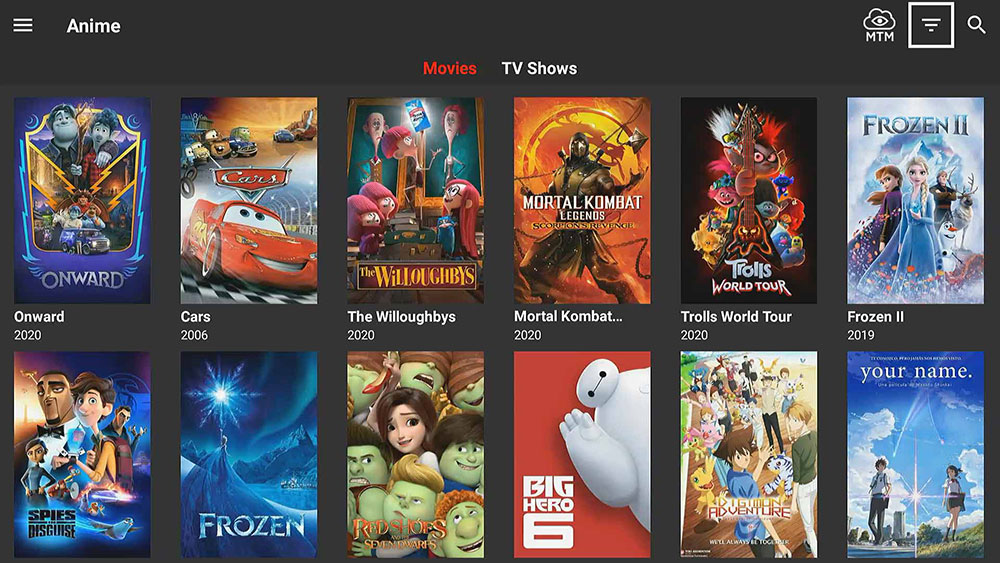
Mobdro is gone, and it is not coming back.
The app was shut down in 2021 after legal action by the Premier League and Europol. Millions of cord cutters who relied on it for free live TV streaming across 30+ countries were left without a replacement overnight.
Finding a real substitute is harder than it looks. Most lists recycle the same names without telling you what actually works in 2025, which apps are legal, and which ones put your device at risk.
This guide covers the best apps like Mobdro available right now, including free IPTV apps, ad-supported streaming platforms, and open-source media players across Android, Firestick, iOS, and PC.
You will know exactly which app fits your device, your content needs, and your risk tolerance before you install anything.
Apps Like Mobdro
Mobdro was shut down after its developer faced legal action from European authorities over pirate streaming. It is not coming back. These 10 free and low-cost streaming apps fill the gap across Android, Firestick, iOS, and PC.
Pluto TV
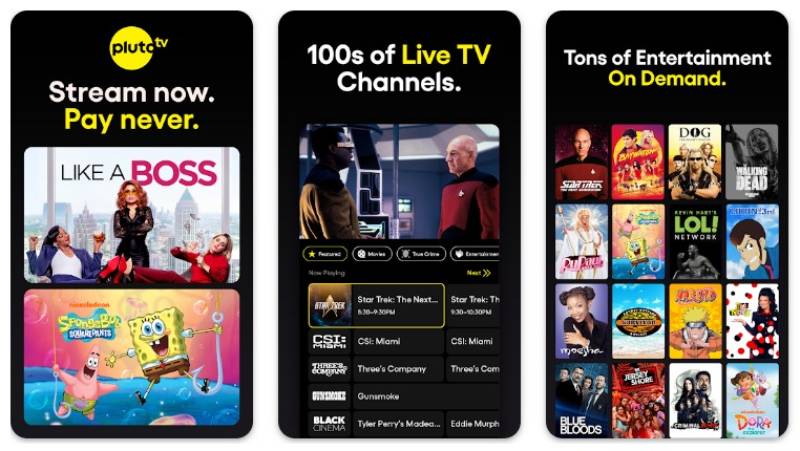
Pluto TV is a free, ad-supported streaming service owned by Paramount Global that delivers live TV channels and on-demand content to cord cutters. It works like traditional cable but runs entirely over the internet, with no subscription or sign-up required.
What Does Pluto TV Do?
Pluto TV lets users watch 425+ live channels and a large on-demand library across Android, iOS, Firestick, Roku, smart TVs, and the web.
How Is Pluto TV Similar to Mobdro?
- Both offer free live TV streaming with no paid subscription
- Same TV guide-style layout for browsing channels
- Both cover news, sports, entertainment, and movies in one app
How Is Pluto TV Different from Mobdro?
Legal status: Pluto TV is fully licensed and available on all official app stores. Mobdro was a third-party APK that aggregated unlicensed streams.
Pluto TV is US-centric (though accessible with a VPN), while Mobdro pulled global channels freely. Ad breaks on Pluto TV are frequent since it is advertiser-supported.
Who Is Pluto TV Best For?
Cord cutters who want a legal, no-cost live TV experience with mainstream channels like CNN, MTV, and Comedy Central.
Key Features of Pluto TV
- Live channels: 425+ channels as of January 2026
- On-demand library: 100,000+ hours of content
- Platforms: Android, iOS, Firestick, Roku, web, smart TVs
- Account required: No
Pricing
- Free plan: Yes, fully free with ads
- Paid plans: None
- Free trial: N/A
Pluto TV hit 80 million monthly active users as of Q1 2025, according to Paramount Global.
Tubi

Tubi is a free streaming service owned by Fox Corporation that focuses heavily on on-demand movies and TV shows, with 260+ live channels added more recently. Over 95% of viewing on Tubi is on-demand, which sets it apart from most other free live TV apps.
What Does Tubi Do?
Tubi gives users access to 300,000+ movies and TV episodes plus 260 live channels, all free and ad-supported, across Android, iOS, smart TVs, Firestick, Roku, and the web.
How Is Tubi Similar to Mobdro?
| Shared attribute | Detail |
| Free streaming | No subscription, no credit card |
| Multi-platform | Android, iOS, Firestick, Roku, web |
| Live + on-demand | Both content types in one app |
How Is Tubi Different from Mobdro?
Tubi is a legal, ad-supported platform with licensed content. Mobdro pulled unlicensed streams from across the internet.
Tubi’s on-demand catalog is significantly larger (300,000+ titles vs. Mobdro’s curated live streams). Live channel count on Tubi is smaller compared to what Mobdro offered.
Who Is Tubi Best For?
Viewers who want the largest free movie and TV library available without paying, and who are fine watching ads in exchange.
Key Features of Tubi
- On-demand library: 300,000+ titles
- Live channels: 260+
- Tubi Originals: 400+ exclusive titles
- Account required: No (optional for syncing)
Pricing
- Free plan: Yes, fully free with ads
- Paid plans: None
- Free trial: N/A
Tubi crossed 100 million monthly active users in May 2025 and reached 2.2% of total U.S. TV viewing minutes, according to Nielsen data.
If you also want a broader look at free streaming platforms similar to Tubi, there are several worth checking out beyond what is listed here.
Plex

Plex is a media server and free streaming platform that does two things most Mobdro alternatives do not: it manages your personal media library and streams free ad-supported content in one app.
What Does Plex Do?
Plex lets users organize local media files on a home server, then streams that content across any device alongside 80+ free live channels and an on-demand library via partnerships with Crackle, Lionsgate, and MGM.
How Is Plex Similar to Mobdro?
Both offer free live TV channels without a subscription. Plex supports Android, iOS, Firestick, Roku, and smart TVs, same multi-platform support Mobdro had.
How Is Plex Different from Mobdro?
Plex requires setting up a media server, which adds complexity Mobdro never had. Advanced features (live TV with DVR, offline sync, hardware transcoding) require Plex Pass at $4.99/month.
Free live channel count (80+) is much lower than Mobdro’s global stream aggregation. But Plex’s content is all licensed and reliable.
Who Is Plex Best For?
Users who want free streaming and a personal media server in one app, especially those with a local movie collection they want to access across devices.
Key Features of Plex
- Free live TV: 80+ ad-supported channels
- Media server: Organizes local files with automatic metadata and artwork
- Plex Pass: Adds DVR, offline sync, hardware transcoding ($4.99/month or $119.99 lifetime)
- Platforms: Android, iOS, Windows, macOS, Firestick, Roku, smart TVs
Pricing
- Free plan: Yes, includes free live TV and on-demand content
- Paid plans: Plex Pass from $4.99/month or $119.99 lifetime
- Free trial: No
Kodi

Kodi is a free, open-source media player with a massive add-on ecosystem. It is the most customizable option on this list and the closest in spirit to what Mobdro was: an aggregator that pulls content from multiple sources into one interface.
What Does Kodi Do?
Kodi lets users play local media files and install add-ons that stream live TV, movies, sports, and international channels from across the internet, all through a single customizable interface available on Android, Windows, macOS, iOS, and Firestick.
How Is Kodi Similar to Mobdro?
Both aggregate live TV streams from multiple sources into one app. Kodi add-ons cover sports, news, and entertainment globally, the same type of content Mobdro was known for. Neither requires a subscription for the core experience.
How Is Kodi Different from Mobdro?
Kodi has no built-in content. Everything depends on add-ons you install yourself, which takes more setup than Mobdro’s plug-and-play experience.
Some add-ons sit in a legal gray area. Kodi itself is fully legal, but certain third-party add-ons are not. Mobdro aggregated streams automatically with zero setup needed.
Who Is Kodi Best For?
Tech-comfortable users who want full control over their streaming sources, custom IPTV playlists, and a home theater setup that handles both local files and live internet TV.
Key Features of Kodi
- Add-ons: Thousands of community and official add-ons for live TV, sports, and movies
- IPTV support: Built-in IPTV client for M3U playlists
- Platforms: Android, Firestick, Windows, macOS, iOS, Raspberry Pi
- Cost: Completely free and open source
Pricing
- Free plan: Yes, fully free
- Paid plans: None (some add-ons may require separate subscriptions)
- Free trial: N/A
Xumo TV (Xumo Play)

Xumo Play is a free, ad-supported streaming app backed by Comcast and Charter Communications. It offers 350+ live channels and 70,000+ on-demand titles with no account or subscription needed.
What Does Xumo Play Do?
Xumo Play streams live TV and on-demand movies and shows for free across Android, iOS, Firestick, Roku, and smart TVs, with a channel guide layout familiar to anyone who has used traditional cable.
How Is Xumo Play Similar to Mobdro?
- Free live TV with no account required
- Similar TV guide interface for browsing channels
- Covers news (NBC News, Bloomberg), entertainment, and sports
How Is Xumo Play Different from Mobdro?
Xumo Play is a fully licensed service available on official app stores. Its live channel count (350+) is more limited than Mobdro’s global stream aggregation, and it is primarily available in the US, Mexico, Canada, Brazil, and select European countries.
Who Is Xumo Play Best For?
US-based cord cutters who want a clean, no-signup free streaming app with a familiar TV guide experience on smart TVs or Firestick devices.
Key Features of Xumo Play
- Live channels: 350+
- On-demand: 70,000+ titles
- Account required: No
- Platforms: Android, iOS, Firestick, Roku, smart TVs
Pricing
- Free plan: Yes, ad-supported
- Paid plans: None
- Free trial: N/A
Live NetTV

Live NetTV is an unofficial IPTV app that aggregates 800+ live TV channels from around the world into one interface. It is probably the closest working replacement for what Mobdro actually was.
What Does Live NetTV Do?
Live NetTV pulls live streams from global sources covering sports, news, entertainment, kids, movies, and music, all accessible through a simple Android APK with no account needed.
How Is Live NetTV Similar to Mobdro?
Both are unofficial APK-based apps that aggregate live internet streams without a subscription. Same concept, same approach. 800+ global channels across the same content categories Mobdro covered.
How Is Live NetTV Different from Mobdro?
Live NetTV is not available on official app stores and must be sideloaded as an APK. The ad-free version uses your device’s idle resources for a proxy network (via brightdata.com), which is worth knowing before installing.
Stream quality and reliability vary by channel since it aggregates third-party sources, same tradeoff Mobdro had.
Who Is Live NetTV Best For?
Android users comfortable with sideloading APKs who want the closest free replacement to Mobdro’s live channel aggregation experience.
Key Features of Live NetTV
- Channel count: 800+
- Content types: Sports, news, entertainment, kids, movies, music, religious
- Ad-free version: Available (uses idle device resources)
- Platform: Android only (APK)
Pricing
- Free plan: Yes, with ads
- Ad-free version: Free (proxy-based)
- Free trial: N/A
AOS TV

AOS TV is a free IPTV app for Android and Firestick that offers 1,000+ live TV channels from the US, UK, India, and other countries. It is not on official app stores and requires APK installation.
What Does AOS TV Do?
AOS TV aggregates live channel streams and lets users search for any channel, then choose from multiple stream links if one is not working, reducing the dead-link frustration common to apps like this.
How Is AOS TV Similar to Mobdro?
Both are free, unofficial IPTV apps with 1,000+ channels and no account required. Same multi-source approach where you can switch stream links when one fails. Both work on Android and Firestick.
How Is AOS TV Different from Mobdro?
Multiple stream links per channel is a feature Mobdro did not have to the same extent. AOS TV requires manual APK installation and is not available on Google Play or the Amazon Store.
Who Is AOS TV Best For?
Firestick and Android TV box users who want 1,000+ live channels free and are comfortable installing APKs outside the official store.
Key Features of AOS TV
- Channel count: 1,000+
- Multiple stream links: Switch links per channel if one fails
- Platforms: Android, Firestick, Fire TV, PC
- Account required: No
Pricing
- Free plan: Yes
- Paid plans: None
- Free trial: N/A
Stremio

Stremio is a lightweight, open-source content aggregator that pulls movies, TV shows, and live streams from multiple sources into one clean interface. It works differently from most apps on this list because it relies entirely on community add-ons for content.
What Does Stremio Do?
Stremio lets users discover and stream content from official services (Netflix, Amazon) and community add-ons through a single unified interface, available on Windows, macOS, Android, iOS, and Android TV.
How Is Stremio Similar to Mobdro?
| Feature | Stremio | Mobdro |
| Content aggregation | Yes, via add-ons | Yes (Discontinued/Inactive) |
| Free to use | Yes | Yes |
| Live TV support | Yes (via add-ons) | Yes (Primary feature) |
| No subscription needed | Yes | Yes |
| Status (2026) | Active & Updated | Shut down/Defunct |
How Is Stremio Different from Mobdro?
Stremio needs add-ons installed to access most content, which takes more setup than Mobdro’s automatic stream aggregation. Live TV is not a built-in feature but add-on dependent.
Stremio is designed for desktop and mobile first, not for the TV couch experience. iOS support is limited compared to Android.
Who Is Stremio Best For?
Desktop and Android users who want a fast, clean interface that aggregates both official and community-sourced content without running a media server.
Key Features of Stremio
- Add-on ecosystem: Community add-ons activated by URL click, no code execution
- Aggregate search: Finds content across all installed sources at once
- Platforms: Windows, macOS, Linux, Android, iOS, Android TV
- Cost: Completely free
Pricing
- Free plan: Yes, fully free
- Paid plans: None
- Free trial: N/A
Cinema HD

Cinema HD is an unofficial APK app that streams free movies and TV shows in HD, with multiple stream sources per title. It was once considered one of the better Mobdro alternatives for on-demand content specifically.
Worth noting: Cinema HD has had periods of instability and may require finding a working mirror to download. If you want options in this category, checking out apps similar to Cinema HD is worth a few minutes.
What Does Cinema HD Do?
Cinema HD aggregates free movie and TV show streams from multiple sources into one app, lets users choose stream quality, and works on Android and Firestick via APK sideloading.
How Is Cinema HD Similar to Mobdro?
Both are unofficial APK apps focused on free streaming without a subscription. Both aggregate from multiple stream sources and require sideloading outside official stores.
How Is Cinema HD Different from Mobdro?
On-demand focus: Cinema HD is primarily for movies and TV shows on-demand, not live TV channels. Mobdro’s strength was live streaming. Cinema HD also includes Trakt.tv integration for tracking what you have watched.
Who Is Cinema HD Best For?
Android and Firestick users who want free HD movies and TV shows on-demand and are comfortable with APK installation and occasional stream hunting.
Key Features of Cinema HD
- Stream quality: Up to HD, multiple links per title
- Trakt.tv integration: Track viewing history
- Platforms: Android, Firestick (APK)
- Account required: No
Pricing
- Free plan: Yes
- Paid plans: None
- Free trial: N/A
Airy TV

Airy TV is a free live TV app that combines live channel streaming with on-demand movies and shows. No registration. No subscription. It is lightweight and simple, the kind of free streaming app you install and mostly forget about until you want something to watch.
What Does Airy TV Do?
Airy TV streams free live channels and on-demand content across Android and Firestick with no account needed, covering entertainment, news, and movies in one minimal interface.
How Is Airy TV Similar to Mobdro?
Both offer free live TV with zero sign-up friction. Same zero-subscription approach, same quick-access experience Mobdro was known for.
How Is Airy TV Different from Mobdro?
Airy TV has a smaller channel count than Mobdro and does not pull global streams from as many sources. It is a simpler, more stripped-down option with less content breadth but more stability than unofficial APK alternatives.
Who Is Airy TV Best For?
Users who want the simplest possible free live TV app with no setup, no account, and no clutter, especially on Android or Firestick.
Key Features of Airy TV
- Live TV: Free live channels with no registration
- On-demand: Movies and TV shows included
- Platforms: Android, Firestick
- Interface: Minimal, lightweight
Pricing
- Free plan: Yes
- Paid plans: None
- Free trial: N/A
Quick Comparison
| App | Type | Live TV | Platform | Legal |
| Pluto TV | FAST service | 425+ channels | All major | Yes |
| Tubi | AVOD service | 260+ channels | All major | Yes |
| Plex | Media server + streaming | 80+ channels | All major | Yes |
| Kodi | Media player + add-ons | Add-on dependent | All major | App: Yes; Add-ons: Vary |
| Xumo Play | FAST service | 350+ channels | All major | Yes |
| Live NetTV | Unofficial IPTV | 800+ channels | Android (APK) | Gray area |
| AOS TV | Unofficial IPTV | 1,000+ channels | Android, Firestick (APK) | Gray area |
| Stremio | Content aggregator | Add-on dependent | All major | App: Yes; Add-ons: Vary |
| Cinema HD | Unofficial on-demand | No | Android, Firestick (APK) | No |
| Airy TV | Free streaming | Yes | Android, Firestick | Mostly yes |
Why Mobdro No Longer Works
Mobdro is permanently shut down. It stopped working in March 2021 after a joint criminal investigation by the Premier League, the Alliance for Creativity and Entertainment (ACE), Spanish National Police, and Europol resulted in raids and the arrest of its developer.
The Premier League described Mobdro’s operation as “long-running and large-scale theft.” The app had illegally aggregated live TV, sports, movies, and on-demand content from around the world without any licensing agreements.
You can still download Mobdro APKs from third-party sites. Every version returns a connection error on launch. There is no workaround, no fix, and no confirmed revival.
Downloading old Mobdro APKs in 2025 or 2026 carries a separate risk. Unofficial APK files circulating after a service shutdown are frequently repackaged with malware. A 2024 study found piracy sites carry a malware risk up to 65 times higher than legitimate websites, according to Help Net Security.
Mobdro is not coming back. The search for alternatives starts here.
What Made Mobdro Different From Other Free Streaming Apps
Three attributes separated Mobdro from every other free streaming option at the time.
- Global live channel aggregation: 30+ countries, no geo-restrictions, covering sports, news, movies, tech, kids, and music in one interface
- Zero friction: No account, no sign-up, no credit card. Install and watch
- APK distribution: Outside official app stores, which enabled global access and no platform gatekeeping
The audience was almost entirely cord cutters on Android and Firestick who wanted international live TV for free. No single legal app today replicates all three attributes simultaneously.
Legal FAST services like Pluto TV and Tubi match the zero-cost model but are geo-restricted and carry far fewer international channels. Unofficial IPTV apps match the global channel scope but require sideloading and carry legal and security risks Mobdro users may not have fully considered.
Cord-cutting explains why the demand for Mobdro-style apps keeps growing. 62% of Americans had dropped traditional cable or satellite as of mid-2025, up from 34% in 2020, according to CivicScience. The average cord-cutter saves roughly $1,000 per year by canceling cable, per Ooma research.
That gap between canceled cable and limited free legal options is exactly where Mobdro lived. And it is exactly where its replacements compete today.
Which Free Streaming Apps Are Legal Replacements for Mobdro?
The FAST (free ad-supported streaming TV) market hit $9.73 billion globally in 2024 and is projected to reach $40.2 billion by 2033, according to Grand View Research. Total hours watched across major FAST services increased 43% from August 2024 to August 2025, per Comscore’s 2025 State of Streaming report.
That growth means legal free streaming has never been better. These four platforms cover the majority of what Mobdro users actually watched.
| App | Live Channels | On-Demand | Account Required | Primary Region |
| Pluto TV | 425+ | 100,000+ hrs | No | US (VPN for others) |
| Tubi | 260+ | 300,000+ titles | No | US-primary |
| Xumo Play | 350+ | 70,000+ titles | No | US, Europe |
| Plex | 80+ | Large library | No (optional) | Global |
Do These Legal Apps Stream International Channels Like Mobdro Did?
Short answer: partially.
Pluto TV operates separate regional versions for the US, Latin America, the UK, Germany, Spain, and other markets. Each version has different channels. A US viewer does not automatically get access to UK or German Pluto TV channels.
Tubi is primarily US-based but includes multicultural content, Spanish-language programming, and international film libraries. It does not offer live news from non-English markets the way Mobdro did.
Xumo Play includes channels like NBC News and Bloomberg but is officially available only in the US, Mexico, Canada, Brazil, and select European countries.
Plex is the most globally accessible of the four. Free live TV channel availability varies by region, but the personal media server function works anywhere. Live TV channel count is lower (80+) compared to Mobdro’s global aggregation.
For truly international live TV, including non-English news, sports from multiple regions, and channels outside the US market, the legal options fall short. That gap is where Live NetTV and Kodi become relevant.
Which Unofficial IPTV Apps Work Like Mobdro on Android and Firestick?
Illegal streaming now accounts for over 96% of all TV and film piracy activities globally, with pirated video content generating over 230 billion views per year, according to Panda Security’s 2025 analysis. About 9 million U.S. broadband subscribers are paying for illegal on-demand TV or IPTV services, per VdoCipher research.
That context matters before discussing these apps. They exist in large numbers. Enforcement is also increasing. BREIN identified IPTV as the audiovisual industry’s top piracy threat in 2024 and shut down 46 illegal IPTV traders in that year alone.
Three apps are the closest structural replacements for Mobdro.
Live NetTV: 800+ global channels via Android APK, free, no account. The closest match to Mobdro’s concept. An ad-free version uses your device’s idle resources through BrightData’s proxy network, which is worth understanding before you install.
AOS TV: 1,000+ channels from the US, UK, India, and other regions. Multiple stream links per channel, which means if one link fails you can switch immediately without losing the channel. Requires APK sideloading on Android and Firestick.
Kodi: Free, open-source, fully legal as a media player. Content depends entirely on the add-ons you install. The built-in IPTV client supports M3U playlists for custom channel lists. Some community add-ons pull unlicensed streams. Kodi itself is legal. What you stream through it may not be.
How to Install These Apps on Firestick Without the Amazon Store
All three require sideloading. The standard method on Firestick uses the Downloader app.
- Go to Settings, then My Fire TV, then Developer Options
- Enable “Apps from Unknown Sources”
- Install the Downloader app from the Amazon Store
- Enter the APK URL or Downloader code for the app you want
- Run the downloaded APK file to install
A VPN is strongly recommended when using unofficial IPTV apps. ISPs monitor streaming activity and can throttle connections or send infringement notices for illegal stream consumption. Nearly 72% of consumers who paid for pirate IPTV services with a credit card experienced subsequent fraudulent charges, per VdoCipher research. That stat applies to paid IPTV services, not free apps, but it illustrates the risk profile of the ecosystem these apps operate in.
How Do These Mobdro Alternatives Compare on the Attributes That Matter?
45% of U.S. internet households now use FAST services, according to Parks Associates 2025 data. The average U.S. household used 6.9 streaming services in August 2025, per Comscore. Nobody needs ten apps. Pick one or two that match what you actually watched on Mobdro.
| App | Live TV Count | On-Demand | Legal | Best For |
| Pluto TV | 425+ | Yes | Yes | Mainstream live TV, US-based |
| Tubi | 260+ | 300,000+ titles | Yes | Movies and TV on-demand |
| Xumo Play | 350+ | 70,000+ titles | Yes | No-signup live TV |
| Plex | 80+ | Yes + local files | Yes | Media library + free streaming |
| Live NetTV | 800+ | No | Gray area | Global live channels, Android |
| AOS TV | 1,000+ | No | Gray area | Firestick live TV, multi-link |
| Kodi | Add-on dependent | Add-on dependent | App: Yes | Power users, custom IPTV |
| Stremio | Add-on dependent | Add-on dependent | App: Yes | Desktop/Android aggregation |
| Cinema HD | No | Yes (movies/TV) | No | Free HD on-demand, APK |
| Airy TV | Yes | Yes | Mostly yes | Minimal live TV, no friction |
No single app wins on every attribute. The honest comparison:
- Most live channels: AOS TV (1,000+), but APK-only and legally gray
- Largest on-demand library: Tubi (300,000+ titles), fully legal
- Most stable and legal: Pluto TV or Tubi
- Best for technical users: Kodi or Stremio
- Closest to Mobdro’s actual experience: Live NetTV
For most users, Pluto TV or Tubi replaces 70-80% of what they actually watched on Mobdro. The remaining 20-30% (international channels, non-English content, niche sports) requires either Kodi with the right add-ons or an unofficial IPTV app.
What Should You Consider Before Choosing a Mobdro Alternative?
68% of viewers in December 2025 said they would “rather save money” with ads than pay more to avoid them, according to Hub Entertainment Research. That preference is why FAST services work. It is also why the unofficial IPTV market persists.
Four practical factors determine which app is the right call.
Device type comes first. Firestick users face APK sideloading requirements for unofficial apps. Android phone users have more flexibility. Smart TV users without sideloading access are limited to official app store options (Pluto TV, Tubi, Plex, Xumo Play).
Content priority narrows the list fast.
- Live international sports and news: Live NetTV or Kodi with IPTV add-ons
- Free movies on-demand: Tubi or Cinema HD
- Personal media library plus free streaming: Plex
- Simplest possible live TV, no setup: Pluto TV or Airy TV
Ad tolerance matters. All legal free apps are ad-supported. Pluto TV, Tubi, and Xumo Play all run ads. There is no legal free streaming option without them. Unofficial apps vary, but many include aggressive ad injections, and some include worse.
Legal risk is real but varies significantly. Using Pluto TV or Tubi carries zero legal risk. Using Kodi with official add-ons carries zero legal risk. Using Live NetTV or AOS TV to stream unlicensed content sits in a gray area. Paying for an illegal IPTV service is a clear violation. The Protecting Lawful Streaming Act in the U.S. classifies large-scale illegal streaming operations as a federal felony with penalties up to 10 years imprisonment for operators. End-user enforcement is less common but not absent, particularly in the UK and Europe.
Well, the thing is, most Mobdro users were not watching anything exotic. News, sports, a few entertainment channels. Pluto TV and Tubi cover that. If you were mainly watching Premier League streams on Mobdro, just know that is exactly what got Mobdro shut down in the first place.
FAQ on Apps Like Mobdro
Is Mobdro still working in 2025?
No. Mobdro was permanently shut down in March 2021 following a criminal investigation by the Premier League and Europol. Every version of the app returns a connection error on launch. There is no fix, and no revival is planned.
What is the closest free app to Mobdro?
Live NetTV is the closest structural match. It aggregates 800+ live channels from global sources with no account required, using the same APK-based approach Mobdro used. Pluto TV is the closest legal alternative.
Are apps like Mobdro legal?
It depends on the app. Pluto TV, Tubi, and Plex are fully legal. Kodi is legal as a media player. Live NetTV and AOS TV aggregate streams of varying license status, which puts them in a legal gray area.
What is the best Mobdro alternative for Firestick?
Pluto TV and Tubi are available directly from the Amazon Store with no sideloading needed. For unofficial live TV, AOS TV offers 1,000+ channels and supports multiple stream links per channel, installable via APK sideloading.
Can I watch live sports for free without Mobdro?
Yes. Tubi carries select live sports through Fox Sports partnerships, including Liga MX and CONCACAF. Pluto TV includes sports news channels. For broader free sports streaming, Kodi with the right add-ons or Live NetTV covers more ground.
Do any free streaming apps work globally like Mobdro did?
Plex works globally for personal media and free on-demand content. For live international channels, no single legal app matches Mobdro’s global reach. Live NetTV comes closest but is Android-only and requires APK installation.
Is it safe to download Mobdro APK files in 2025?
No. APK files circulating after a service shutdown are frequently repackaged with malware. A 2024 study found piracy sites carry malware risks 65 times higher than legitimate websites. Avoid any site offering Mobdro downloads.
What free streaming app has the most live TV channels?
AOS TV claims 1,000+ live channels and is the highest count among Mobdro alternatives. Among fully legal options, Pluto TV offers 425+ channels and Xumo Play offers 350+, both free and available on major platforms with no sign-up.
Do I need a VPN to use apps like Mobdro?
For legal apps like Pluto TV or Tubi, a VPN is optional but useful for bypassing geo-restrictions. For unofficial IPTV apps like Live NetTV or AOS TV, a VPN is strongly recommended since ISPs actively monitor unlicensed stream consumption.
What is the best free on-demand alternative to Mobdro?
Tubi. It carries 300,000+ movies and TV episodes at no cost, with no account required to start watching. It crossed 100 million monthly active users in May 2025, making it the largest free on-demand streaming platform available.
Conclusion
This conclusion is for an article presenting apps like Mobdro, and the core takeaway is straightforward: better options exist today than most people realize.
For cord cutters who want legal, zero-cost live TV, Pluto TV and Tubi cover the essentials well. Xumo Play and Plex fill specific gaps depending on your device and content library needs.
If international channels and free IPTV streaming matter more to you, Live NetTV and AOS TV come closest to what Mobdro delivered, with the trade-offs clearly laid out.
Kodi remains the most flexible option for anyone willing to put in setup time.
Pick based on your device, your content, and your risk tolerance. The right app is already on this list.

- Application Performance Monitoring Beyond the Code: Why Infrastructure Matters - October 26, 2026
- How to Share GitHub Repository Access With Collaborators - October 25, 2026
- Streamlining Client Projects: Modern Cloud ERP Solutions - October 25, 2026