Running short before payday is not a personal failure. It is a weekly reality for tens of millions of people.
Albert helps, but it is not the only option. There are dozens of apps like Albert that offer cash advances, budgeting tools, and early wage access, each with different fees, limits, and eligibility rules.
Some are cheaper. Some give you more money upfront. Some work without a subscription.
This guide breaks down the best Albert alternatives available right now, comparing advance limits, fee structures, delivery speed, and the financial tools each app includes beyond basic paycheck advances.
By the end, you will know exactly which app fits your situation.
Apps Like Albert
Dave
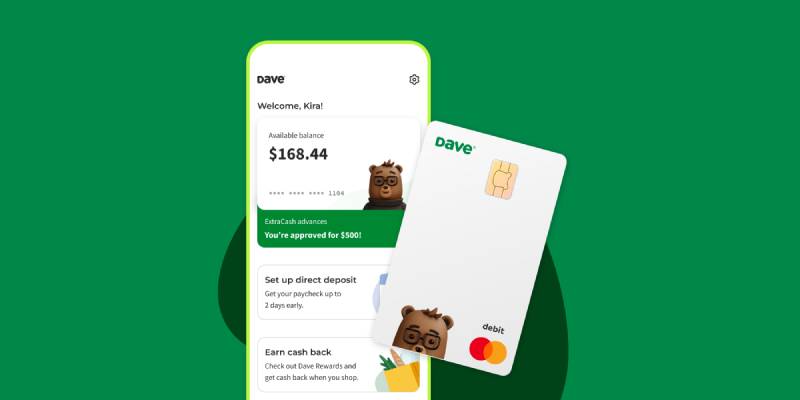
Dave is a cash advance and digital banking app that lets users borrow up to $500 between paychecks with no interest or credit check. It skips the all-in-one financial coaching angle Albert is known for and leans harder into fast, accessible advances with a side gig marketplace built in. Available on iOS and Android.
What Does Dave Do?
Dave lets users access cash advances through its ExtraCash feature, up to $500, deposited instantly into a Dave checking account or within 3 business days to an external bank.
How Is Dave Similar to Albert?
Both offer no-interest, no-credit-check paycheck advances with automatic repayment on payday. Both include budgeting tools, early direct deposit (up to 2 days), and overdraft protection for users with linked accounts.
How Is Dave Different from Albert?
Dave’s advance cap is $500 vs. Albert’s $1,000, but Dave’s average first-time advance is $160 vs. Albert’s reported $25-$50. Dave charges two mandatory fees (overdraft service fee + $1-$5/month membership) while Albert’s subscription is optional for advances. Dave also includes a side hustle marketplace; Albert does not.
Who Is Dave Best For?
Dave suits users who want straightforward same-day cash access without committing to a financial coaching subscription, especially gig workers who use the side hustle board.
Key Features of Dave
- ExtraCash advances: Up to $500, instant to Dave checking, free standard delivery in 3 days to external bank
- Early direct deposit: Paycheck up to 2 days early
- Side Hustle marketplace: Access to gig jobs and side income opportunities
- Goals savings account: Automated savings with customizable targets
Pricing
- Free plan: No (membership required for ExtraCash)
- Paid plans: Up to $5/month membership + $5-$15 overdraft service fee per advance
- Free trial: No
Brigit
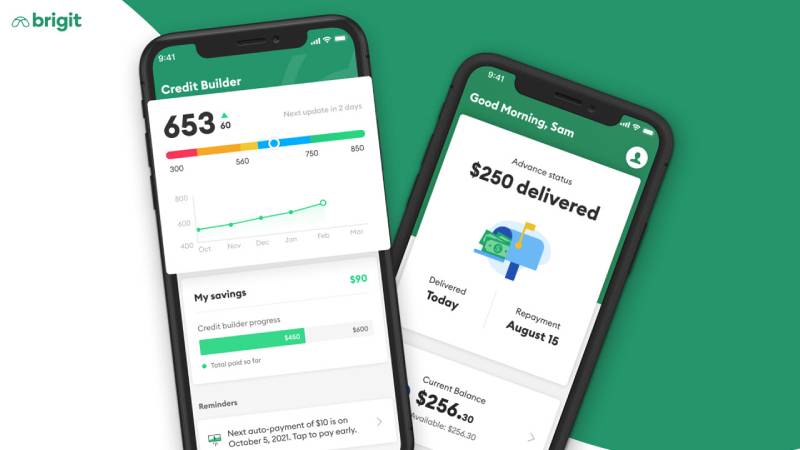
Brigit is a personal finance app focused on overdraft prevention, credit building, and small paycheck advances for everyday workers living paycheck to paycheck. It takes a more cautious, predictive approach compared to Albert’s broader financial assistant model. Available on iOS and Android.
What Does Brigit Do?
Brigit monitors your bank account in real time, predicts when your balance might drop too low, and automatically sends a cash advance to prevent overdrafts, with advances ranging from $25 to $500.
How Is Brigit Similar to Albert?
Both apps offer no-credit-check advances, automatic repayment on payday, budgeting tools, and credit monitoring. Neither charges interest or late fees. Both also serve users who need short-term financial help without going to a payday lender.
How Is Brigit Different from Albert?
Brigit’s average advance is $73 (vs. Albert’s $25-$50 first-time offer), but its maximum is $500 vs. Albert’s $1,000. Brigit charges $8.99-$14.99/month regardless of whether you use advances; Albert’s subscription is optional. Brigit includes a Credit Builder loan product; Albert offers investing tools instead.
Who Is Brigit Best For?
Brigit works best for employed users who want automatic overdraft protection and are willing to pay a monthly fee for predictable, no-surprise coverage between paychecks.
Key Features of Brigit
- Instant Cash advances: $25-$500, standard delivery in 1-3 days, express in ~20 minutes for a fee
- Auto overdraft protection: Proactive advances triggered by low balance detection
- Credit Builder loans: Available on Premium plan ($14.99/month)
- Repayment extensions: Free extensions available; repayment date flexibility with no late fees
Pricing
- Free plan: Yes (budgeting tools only, no cash advances)
- Paid plans: $8.99/month (Plus) or $14.99/month (Premium)
- Free trial: No
EarnIn
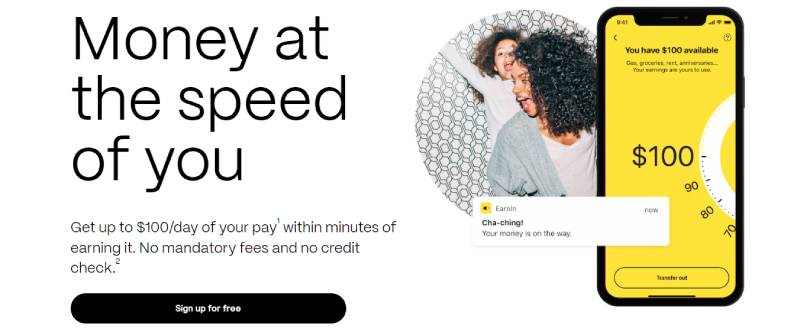
EarnIn is an earned wage access app that lets employed users draw from wages they have already worked for, up to $150/day and $1,000 per pay period. It operates on a tip-based model with no mandatory subscription fees, which separates it from most Albert alternatives. Available on iOS and Android.
What Does EarnIn Do?
EarnIn verifies employment and income, then lets users withdraw a portion of their earned wages before payday, with repayment automatically pulled from the next direct deposit.
How Is EarnIn Similar to Albert?
Both offer no-credit-check paycheck access, no interest, and automatic repayment. Both target users who need to close the gap before their next payday without traditional loans.
How Is EarnIn Different from Albert?
EarnIn’s per-pay-period cap is $1,000 (matching Albert’s max), but EarnIn charges no mandatory subscription fee while Albert may charge $14.99-$39.99/month for premium features. EarnIn requires strict employment verification and daily limits of $150; Albert does not require active employment. Instant delivery on EarnIn costs $3.99-$5.99.
Who Is EarnIn Best For?
EarnIn suits full-time employees with regular direct deposits who need access to larger amounts without paying a monthly subscription fee.
Key Features of EarnIn
- Cash Out advances: Up to $150/day, $1,000/pay period
- Lightning Speed delivery: Funds in ~30 minutes for a fee of $3.99-$5.99
- Balance Shield: Automatic transfer triggered when account balance drops below a set threshold
- Tip-based pricing: No mandatory fees; optional tips only
Pricing
- Free plan: Yes (standard transfers free)
- Paid plans: No subscription; optional tip + $3.99-$5.99 instant delivery fee
- Free trial: N/A
MoneyLion
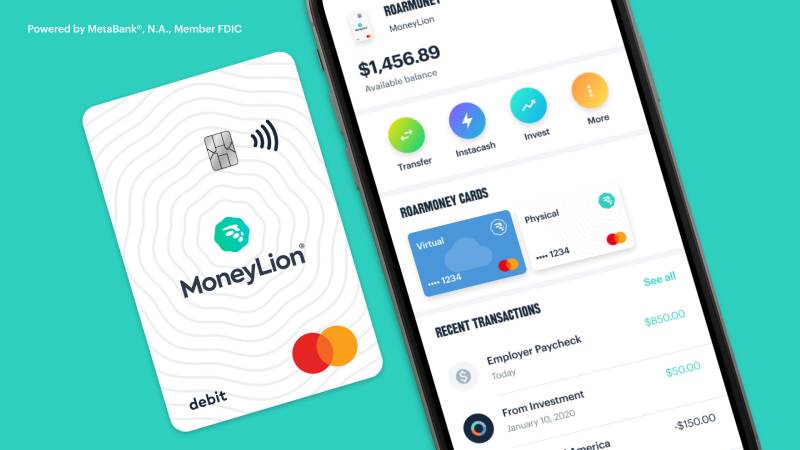
MoneyLion is a comprehensive fintech app that bundles cash advances, investing, credit building, and a RoarMoney checking account into one platform. It goes well beyond simple paycheck advances and offers one of the higher advance caps in this category. Available on iOS and Android.
What Does MoneyLion Do?
MoneyLion gives users access to up to $500 in InstaCash advances (or up to $1,000 with a RoarMoney account and active direct deposits), alongside investment accounts, credit-building loans, and financial tracking tools.
How Is MoneyLion Similar to Albert?
| Feature | MoneyLion | Albert |
| Max advance | $500 – $1,000 | Up to $1,000 |
| Credit check | None | None |
| Investing tools | Yes | Yes |
| Interest charged | No | No |
How Is MoneyLion Different from Albert?
MoneyLion caps individual disbursements at $100, so getting $500 requires multiple transfers. Albert sends the full approved amount at once. MoneyLion’s instant delivery fee ranges from $0.49 to $8.99 per transfer; Albert charges a flat $5.99-$19.99 for external transfers. MoneyLion also includes cryptocurrency trading; Albert does not.
Who Is MoneyLion Best For?
MoneyLion suits users who want a full financial platform, including investing and credit building, alongside occasional cash advances, and do not mind account setup steps before accessing higher limits.
Key Features of MoneyLion
- InstaCash: Up to $500 (or $1,000 with RoarMoney account)
- Investment accounts: Auto-invest with no minimum balance required
- Credit Builder Plus: Reports payments to all 3 credit bureaus
- Cashback rewards: Earn cash back on select purchases
Pricing
- Free plan: Yes (standard InstaCash with no subscription required)
- Paid plans: $19.99/month for Credit Builder Plus; $0.49-$8.99 turbo fee per transfer
- Free trial: No
Cleo
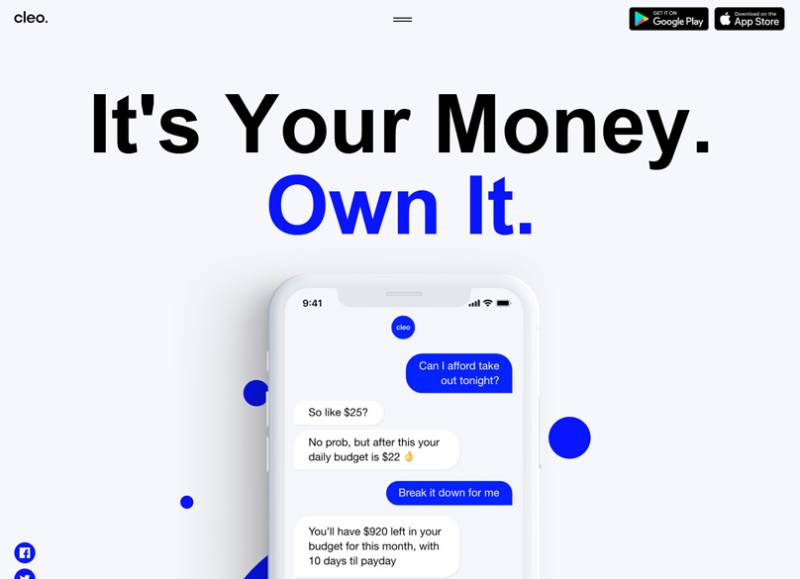
Cleo is an AI-powered budgeting and cash advance app with a conversational chatbot that tracks spending, roasts your bad habits (with your permission), and offers small advances to bridge the paycheck gap. It targets a younger demographic and takes a more personality-driven approach than most fintech apps in this space. Available on iOS and Android.
What Does Cleo Do?
Cleo connects to your bank account and uses an AI assistant to give spending breakdowns, savings nudges, and cash advances up to $250 for eligible subscribers, all through a chat-style interface.
How Is Cleo Similar to Albert?
Both use AI-driven financial coaching, offer no-credit-check advances, and include budgeting and spending tracking tools. Both charge a monthly subscription to access cash advances, and neither charges interest or late fees.
How Is Cleo Different from Albert?
Cleo’s max advance is $250 vs. Albert’s $1,000. Initial advances often start at just $20-$70. Cleo’s subscription is $5.99/month (Plus) or $14.99/month (Credit Builder) vs. Albert’s $14.99-$39.99/month. Cleo leans heavily on its chatbot personality as a core feature; Albert focuses more on savings automation and investing.
Who Is Cleo Best For?
Cleo suits younger users or first-time budgeters who want a low-cost entry point into financial coaching and small cash advances, and who respond better to conversational tools than traditional dashboards.
Key Features of Cleo
- AI chat assistant: Spending insights, roast mode, and budget coaching
- Cash advances: Up to $250 with no interest; 14-day extension available
- Savings tools: Automated savings goals and spending hacks
- Credit Builder: Available on the $14.99/month plan
Pricing
- Free plan: Yes (no cash advances on free tier)
- Paid plans: $5.99/month (Plus) or $14.99/month (Credit Builder)
- Free trial: No
Chime
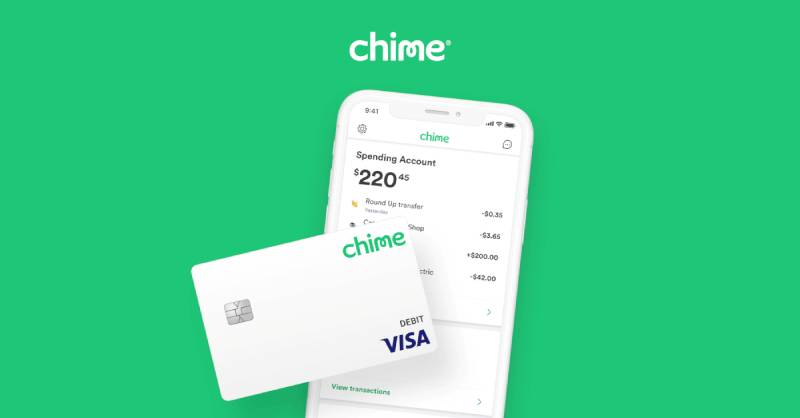
Chime is a neobank with built-in overdraft coverage and a cash advance feature called MyPay, offering up to $500 per pay period for qualifying members. It functions more as a full mobile banking alternative than a standalone cash advance tool. Available on iOS and Android.
What Does Chime Do?
Chime provides fee-free checking and savings accounts, SpotMe overdraft coverage up to $200, and MyPay cash advances up to $500, all without monthly fees, for users with qualifying direct deposits of at least $200/month.
How Is Chime Similar to Albert?
No credit check, no interest, and no late fees on both. Both offer early paycheck access (up to 2 days) and overdraft protection for linked accounts. Both target users who want a mobile-first alternative to traditional banking.
How Is Chime Different from Albert?
Chime has no monthly subscription fee at all; Albert’s optional plans start at $14.99/month. Chime’s advances require an active Chime checking account with qualifying direct deposits, while Albert lets users link an existing external bank. Chime does not offer investing or financial coaching; Albert does both.
Who Is Chime Best For?
Chime suits users who want completely fee-free banking and overdraft protection and are willing to switch their primary checking account to Chime to access those benefits.
Key Features of Chime
- MyPay cash advances: Up to $500/pay period, standard delivery free, instant for $2
- SpotMe overdraft: Fee-free overdraft up to $200
- Early direct deposit: Paycheck up to 2 days early
- No monthly fees: No subscription, no overdraft fees, no minimum balance
Pricing
- Free plan: Yes (all core features free)
- Paid plans: None; $2 optional instant transfer fee
- Free trial: N/A
Tilt (formerly Empower)

Tilt, which rebranded from Empower in August 2025, is a cash advance and financial wellness app offering up to $400 in advances with a standout feature most competitors skip: automatic reimbursement of bank overdraft fees triggered by its own repayment. Available on iOS and Android.
What Does Tilt Do?
Tilt offers cash advances from $10 to $400 with no credit check, no interest, and no tips, backed by an $8/month subscription that includes budgeting tools, credit monitoring, and auto-save features.
How Is Tilt Similar to Albert?
Both charge a monthly subscription, offer no-interest paycheck advances without credit checks, and include financial wellness tools (savings automation, spending tracking, credit monitoring). Both also offer instant delivery for a fee.
How Is Tilt Different from Albert?
- Advance limit: Tilt caps at $400 vs. Albert’s $1,000
- Average first advance: $95 (Tilt) vs. $25-$50 (Albert)
- Overdraft reimbursement: Tilt refunds bank overdraft fees its repayment causes; Albert does not
- Investing tools: Albert has them; Tilt does not
Who Is Tilt Best For?
Tilt works best for users who want a predictable flat-fee advance app with transparent average approval amounts and overdraft reimbursement protection, without needing investing features.
Key Features of Tilt
- Cash advances: $10-$400, instant to Tilt card or 1 business day to linked bank
- Overdraft reimbursement: Auto-refund if Tilt’s repayment triggers a bank overdraft fee
- AutoSave: Automated savings tool included in subscription
- Credit monitoring: Included with $8/month plan
Pricing
- Free plan: No (advances require subscription)
- Paid plans: $8/month; $1-$8 instant delivery fee
- Free trial: 14 days
Varo
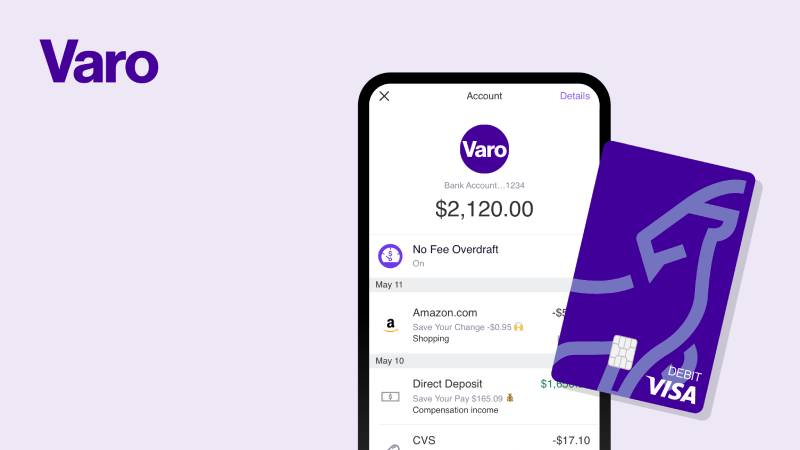
Varo is a fully chartered mobile bank, not just a fintech app, which means it operates under FDIC-insured banking regulations and offers Varo Advance as a small-dollar line of credit built directly into its checking account. It is one of the few cash advance options with no subscription fee and no instant delivery surcharge. Available on iOS and Android.
What Does Varo Do?
Varo provides a full mobile banking account with checking, high-yield savings, a secured credit card, and Varo Advance, a line of credit offering $20-$500 with instant deposit to your Varo account and no subscription or tipping pressure.
How Is Varo Similar to Albert?
Both offer instant funding with no interest, no credit check, and automatic repayment. Both also provide early paycheck access (up to 2 days) and a broader banking environment beyond just cash advances.
How Is Varo Different from Albert?
Varo charges a mandatory flat fee per advance ($1.60-$40 depending on amount) but no monthly subscription. Albert flips this: no mandatory per-advance fee, but an optional subscription for premium features. Varo requires $800+ in qualifying direct deposits to reach the $500 limit; Albert’s eligibility is based on account history, not a deposit threshold. Varo has no investing or budgeting coaching; Albert does.
Who Is Varo Best For?
Varo suits users who already use Varo as their primary bank account and want instant cash access without a subscription, and who do not mind paying a per-advance fee in exchange for transparency.
Key Features of Varo
- Varo Advance: $20-$500, instant deposit, no subscription, no instant delivery surcharge
- Repayment window: 15-30 days (you choose the date)
- High-yield savings: Competitive APY on Varo savings account
- Varo Believe Card: Secured credit card for credit building
Pricing
- Free plan: Yes (no subscription required)
- Paid plans: No monthly fee; flat advance fee of $1.60-$40 per advance
- Free trial: N/A
Klover
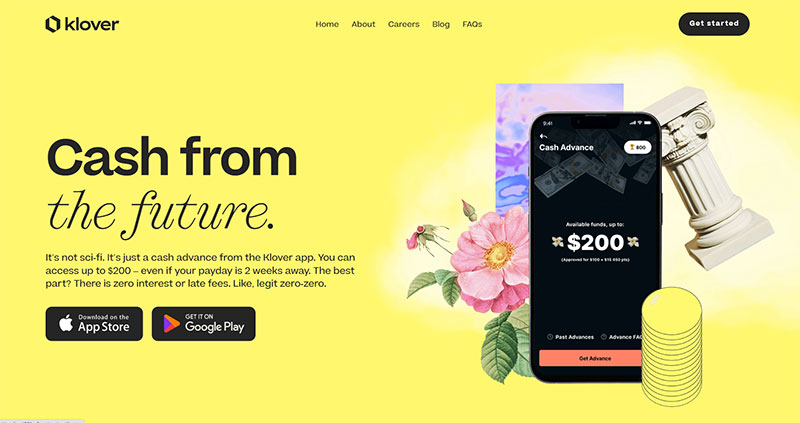
Klover is a data-sharing cash advance app that skips subscription fees entirely. Instead, it monetizes through anonymized transaction data and in-app activities like surveys and receipt scans, giving users access to small advances at no direct cost. Available on iOS and Android.
What Does Klover Do?
Klover lets users access up to $400 in cash advances with no credit check, no interest, no subscription, and no mandatory fees, in exchange for permission to analyze and share anonymized spending data.
How Is Klover Similar to Albert?
Both offer no-interest, no-credit-check advances with budgeting tools and automatic repayment on payday. Both are available on iOS and Android and target users who need short-term financial help without payday loan debt traps. If you are also looking for apps similar to Klover, there are several options worth comparing.
How Is Klover Different from Albert?
Klover’s advance limit ($400) is lower than Albert’s ($1,000), but Klover has no monthly fee while Albert’s plans run $14.99-$39.99/month. Klover’s trade-off is data sharing rather than dollars. Albert offers investing tools, financial coaching, and savings automation; Klover does not.
Who Is Klover Best For?
Klover suits users who want a completely fee-free cash advance and are comfortable with a data-sharing model in exchange for access, without needing broader financial planning tools.
Key Features of Klover
- Cash advances: Up to $400 with no subscription, no interest, no late fees
- Point boosts: Earn points through surveys, receipt scans, and daily check-ins to unlock higher limits
- Budgeting tools: Spending tracking and cash flow calendar
- No credit check: Eligibility based on bank account history only
Pricing
- Free plan: Yes (core advances free via data-sharing model)
- Paid plans: Optional express delivery fee of $1.99-$9.99
- Free trial: N/A
FloatMe
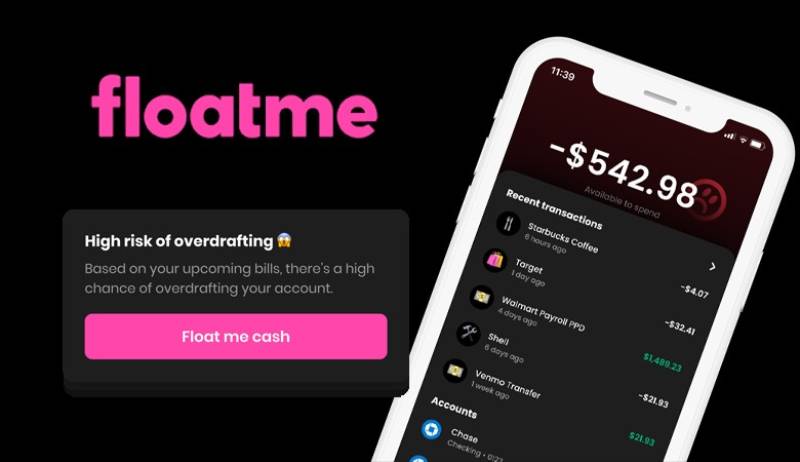
FloatMe is a small-advance mobile app built for users who need a small cash bridge before payday, not a large emergency fund. It keeps things simple and low-cost, with advances focused on covering things like gas or a grocery run rather than big bills. Available on iOS and Android.
What Does FloatMe Do?
FloatMe provides cash advances up to $100 (starting at $10-$50 for new users) with a $4.99/month subscription, no credit check, no interest, and no late fees, plus overdraft alerts and spending insights.
How Is FloatMe Similar to Albert?
Both offer no-credit-check paycheck advances with automatic repayment, overdraft alerts, and spending tracking. Neither charges interest or late fees. Both target users living paycheck to paycheck who need a short-term financial safety net.
How Is FloatMe Different from Albert?
| Feature | FloatMe | Albert |
| Max advance | $100 | $1,000 |
| Monthly fee | $4.99 | $0–$39.99 |
| Investing tools | No | Yes |
| Credit building | No | No |
FloatMe is simpler and cheaper but much more limited. It does not offer investing, financial coaching, or credit building. Albert covers far more ground for users who want a broader personal finance assistant.
Who Is FloatMe Best For?
FloatMe suits users who only need a small, occasional cash bridge of $50-$100 before payday and want the lowest-cost subscription available without extra features.
Key Features of FloatMe
- Cash advances (Floats): Up to $100, standard delivery in 1-3 days, instant for $1-$7
- Overdraft alerts: Notifications when balance drops below a set threshold
- Cash flow calendar: Visual tool for tracking upcoming income and expenses
- Spending insights: Basic transaction categorization and tracking
Pricing
- Free plan: No
- Paid plans: $4.99/month + $1-$7 instant transfer fee
- Free trial: No
What Is the Albert App and What Does It Offer?
Albert is a personal finance assistant trusted by over 15 million users, combining cash advances, automated savings, investing, budgeting, and AI-powered financial coaching in a single app. It is not a standalone paycheck advance tool. It is a full money management platform.
That distinction matters when evaluating alternatives. Most apps in this category do one thing. Albert does five.
Albert’s cash advance feature
Albert’s Instant Advance provides $25 to $1,000 with no credit check, no interest, and no late fees. No subscription is required to access it.
In practice, first-time users typically receive $25 to $50, according to LendEDU. Albert discloses that few customers qualify for the $1,000 maximum. Funds deposit instantly to an Albert Cash account at no charge, or to an external bank for a fee of $5.99 to $19.99.
Albert’s financial tools beyond cash advances
Automated savings: Smart Money analyzes income and spending, then transfers small amounts automatically to savings.
Investing: Users can buy stocks, ETFs, and managed portfolios through Albert Investments, an SEC-registered advisor.
AI financial coaching: Genius, Albert’s AI assistant, answers money questions, monitors subscriptions, and helps build a budget. The subscription unlocks High Yield Savings and priority advice.
Early direct deposit: Paycheck arrives up to 2 days early. No fee.
Albert’s fee structure and target user
Albert has no required monthly fee for basic access and cash advances. Optional subscription plans range from $14.99 to $39.99 per month for premium features like Genius coaching, High Yield Savings, and identity monitoring.
Albert suits users who want an all-in-one financial assistant, not just an emergency cash app. If the only goal is a fast advance with minimal friction, cheaper or simpler alternatives exist.
Albert is rated 4.6 stars on the App Store from over 288,000 reviews and 4.5 stars on Google Play from over 146,000 reviews, according to Tilt’s 2026 comparison data.
How Do Apps Like Albert Work?
The cash advance app market was valued at $2.1 billion in 2024 and is projected to reach $4.66 billion by 2032, according to Verified Market Research. That growth is driven by one simple fact: 65% of U.S. consumers live paycheck to paycheck, per a PYMNTS Intelligence survey of 2,986 adults in December 2024.
Understanding how these apps work makes it easier to compare them honestly.
How eligibility is assessed
No app in this category checks your credit score. That is the point.
Instead, they analyze your bank account: deposit frequency, average balance, spending patterns, and whether your income is regular. Most apps require at least 60 days of account history and three or more recurring deposits from the same source.
The amount you qualify for is based on this history. Advertised maximums rarely match first-advance amounts. EarnIn’s real first-advance average is around $150 per day. Brigit’s reported average advance is $73, despite a $500 cap.
Bank linking and repayment mechanics
Most apps connect to your bank using Plaid or a direct bank integration. This gives the app read-only access to verify income and monitor balance.
Repayment is automatic. The app deducts what you borrowed on your next payday, with no action required from you. Miss the repayment window and most apps simply pause future advances until the balance clears. No interest accrues. No collections.
Fee models across the category
| Fee Model | How it Works | Apps Using It |
| Subscription | Fixed monthly fee unlocks advances | Brigit, Tilt (formerly Empower), Albert |
| Tip-based | No required fee; optional tip per advance | EarnIn, MoneyLion |
| Per-advance Flat Fee | Fee charged per advance; no subscription | Varo, Dave |
| Data-sharing | Free access in exchange for anonymized data | Klover |
Standard delivery (1-3 business days) is typically free on all platforms. Instant delivery costs $1 to $19.99 depending on the app and advance amount. If you plan ahead by a few days, you almost never need to pay for speed.
What Makes a Good Alternative to Albert?
Americans paid $12.1 billion in overdraft and NSF fees in 2024, according to the Financial Health Network. Roughly 9% of checking accounts generated 79% of that total, per CFPB data. These are the exact users cash advance apps are built for.
Choosing the wrong app means paying avoidable fees or getting approved for too little when it matters most. Five attributes separate strong Albert alternatives from weak ones.
Realistic advance amount vs. advertised maximum
Every app advertises its ceiling. Few publish its average.
Brigit advertises $500 but reports an average advance of $73. Albert advertises $1,000 but LendEDU reports first-time offers of $25 to $50. EarnIn advertises $1,000 per pay period but caps daily withdrawals at $150. Always look for the average, not the maximum.
Total annual cost of use
A $9/month subscription sounds small. Over 12 months, that is $108 before a single instant delivery fee.
Key calculation: Add monthly fee + expected instant delivery fees + any per-advance charges. For a user who takes one advance per month with instant delivery, the real annual cost across apps varies from $0 (EarnIn, tip-free) to over $200 (Brigit Premium + express fees).
Account requirement: new vs. existing bank
Some apps require you to open their proprietary checking account before accessing advances. Dave, Chime, and MoneyLion (for higher limits) all fall into this category. Albert, EarnIn, Brigit, Tilt, and Klover all work with your existing bank account.
If switching primary banks is not an option, this filter removes several choices immediately.
Tools beyond cash advances
Albert’s advantage over simpler apps is its financial toolkit. If budgeting, investing, or credit building matters to you, not every Albert alternative delivers on that front.
- Investing: Albert, MoneyLion
- Credit building: Brigit, MoneyLion
- AI coaching: Albert (Genius), Cleo
- Overdraft reimbursement: Tilt only
FloatMe and Klover skip all of the above. They are advance-only tools. Neither is wrong. It depends on what you need.
Which App Is the Best Alternative to Albert for No Monthly Fee?
PayrollOrg’s 2024 “Getting Paid In America” survey of over 38,600 respondents found that 77% of workers would experience financial difficulty if their paycheck were delayed by one week. For that group, a $9/month subscription fee on top of an advance fee is not trivial.
Three apps offer meaningful advance access with no required subscription.
EarnIn
EarnIn runs on a tip-based model. No subscription. No mandatory fee. Standard transfers (1-3 business days) are completely free.
Users access up to $150/day and $1,000 per pay period from wages already earned. Lightning Speed delivery costs $3.99 to $5.99. EarnIn requires active employment with verifiable direct deposits, which makes it less accessible to gig workers or those with irregular income.
EarnIn holds a 4.8 App Store rating from over 385,000 reviews, making it one of the highest-rated apps in the category.
Klover
Klover’s trade-off is data, not dollars. Users share anonymized transaction data in exchange for advances up to $400 at zero cost.
Advance limits grow through in-app activities: surveys, receipt scans, and daily check-ins earn points that unlock higher tiers. Express delivery costs $1.99 to $9.99. No subscription, no tips, no per-advance charge.
Good fit for users who want truly fee-free access and are comfortable with the data-sharing model. For more alternatives with similar mechanics, see the guide to apps similar to Klover.
Chime
Chime’s MyPay feature offers up to $500 per pay period with no monthly subscription and no interest. Instant delivery costs $2. Standard delivery is free within 24 hours.
The catch: you need an active Chime checking account with at least $200/month in qualifying direct deposits. This works well for users willing to switch primary banking to Chime. It does not work for users who want to keep their existing bank. If you are already a Chime user looking for cash advance options that work with Chime, there are additional tools worth checking.
| App | Max advance | Monthly fee | Instant delivery fee | Requires new account |
| EarnIn | $1,000/period | $0 | $2.99–$3.99 | No |
| Klover | $750 | $0 | $1.99–$9.99 | No |
| Chime | $500 (MyPay) | $0 | $2.00 | Yes |
| Albert | $1,000 | $0 (Optional $19.99+) | $6.99–$19.99 | Yes (Albert Cash) |
Which Apps Like Albert Also Offer Budgeting and Financial Tools?
Not everyone searching for an Albert alternative just wants faster cash. Many users want what Albert actually delivers: a personal finance assistant that handles budgeting, saving, investing, and short-term cash in one place. For fintech companies building or improving similar products, mobile app design services can help create intuitive experiences across budgeting, payments, cash advances, and financial management.
Four apps come closest to that scope.
MoneyLion
MoneyLion goes furthest on the investment side. Its InstaCash advances reach up to $500 (or $1,000 with a RoarMoney account) alongside auto-investing, cashback rewards, and Credit Builder Plus loans reported to all three credit bureaus.
The trade-off: individual InstaCash disbursements are capped at $100, so accessing $500 requires five separate transfers. Each transfer to an external account costs $0.49 to $8.99. MoneyLion’s setup requires more steps than Albert, but for users who want investing and credit building together, it is the closest structural match. For users exploring a broader range of fintech apps, MoneyLion fits squarely in the full-platform category.
Cleo
Cleo takes a different approach. Its AI chatbot handles budgeting through conversation, not dashboards. Ask it how much you spent on food last month, and it answers. Sometimes with commentary about your choices.
Advances reach up to $250 for Plus ($5.99/month) and Credit Builder ($14.99/month) subscribers. First-advance amounts often start at $20 to $70. Cleo appeals to users under 30 who engage better with conversational tools than spreadsheet-style finance apps. For users specifically seeking an Albert-style AI financial assistant, apps like Possible Finance are also worth reviewing for their credit-focused approach.
Tilt (formerly Empower)
Tilt rebranded from Empower in August 2025. The core product stayed the same: advances up to $400, an $8/month subscription, budgeting, credit monitoring, and AutoSave.
Its standout feature has no equivalent in Albert: automatic overdraft reimbursement. If Tilt’s repayment triggers a bank overdraft fee, Tilt refunds it. According to Tilt’s published data, average first-time advances are $95 and average returning-user advances are $187, giving it more transparent expectations than most competitors.
Brigit
Brigit monitors your bank account in real time and automatically sends an advance when it detects an imminent overdraft. No manual request needed.
Advances run $25 to $500 ($8.99-$14.99/month subscription required). The Premium plan adds a Credit Builder loan and free express delivery. Brigit’s 9 million+ members and 4.8-star App Store rating indicate reliable delivery on its core promise. It does not offer investing, but for users who want budgeting tools and credit building without MoneyLion’s complexity, it is a strong fit. Users exploring the broader peer-to-peer lending space may also find value in apps like Solo Funds as a complement.
Which App Like Albert Offers the Highest Cash Advance Limit?
Advertised maximums are marketing. What matters is the realistic limit for a new user on day one.
Bank of America Institute data from 2025 shows nearly 24% of U.S. households live paycheck to paycheck. For that group, the difference between a $50 first advance and a $160 first advance is meaningful. Here is how the top-limit apps actually perform.
EarnIn: highest practical limit without a new account
EarnIn’s $150/day cap means accessing $750 in a single week requires five consecutive daily withdrawals, not one transfer. That limitation matters during an emergency. Still, the per-pay-period cap of $1,000 with no subscription fee makes it the best value for employed users with verified income.
MoneyLion: highest advertised ceiling
MoneyLion reaches $1,000 with a RoarMoney checking account and active direct deposits. Without that account, the cap is $500. The $100-per-transfer ceiling means multiple transactions to reach that total. Turbo fees of $0.49 to $8.99 apply per transfer for instant delivery, which compounds quickly on a $500 advance split across five transfers.
Dave and Varo: practical $500 options
Dave’s ExtraCash averages $160 for first-time users, per their published data, against a $500 ceiling. Instant delivery to a Dave checking account is free; external delivery costs 1.5% of the advance.
Varo Advance deposits instantly at no extra charge, but charges a flat fee per advance ranging from $1.60 to $40 depending on the amount. No subscription. No tipping pressure. Varo is ideal for existing Varo banking customers who need a transparent, predictable cost per advance. Users looking for alternatives outside the traditional cash advance model may also want to compare apps like Affirm for buy-now-pay-later options on larger purchases.
| App | Advertised max | Avg first advance | Subscription needed |
| EarnIn | $1,000/period | $150/day (standard) | No |
| MoneyLion | $1,000 (RoarMoney) | ~$73 | No (basic) |
| Albert | $1,000 | $25–$50 | No |
| Dave | $500 | ~$160 | Yes ($1/mo) |
| Varo | $500 | $20–$250 | No |
The takeaway: EarnIn delivers the highest realistic limit for the lowest cost, but only for employed users with regular direct deposits. MoneyLion matches the ceiling but fragments delivery. Albert’s $1,000 cap is real but rarely accessible on a first advance. For users who need emergency cash quickly without switching banks or paying subscriptions, EarnIn is the strongest starting point.
FAQ on Apps Like Albert
What are the best apps like Albert for cash advances?
The strongest Albert alternatives are Dave, Brigit, EarnIn, MoneyLion, and Cleo.
Each offers no-interest cash advances with no credit check. The right pick depends on your advance limit needs, whether you want budgeting tools, and how much you are willing to pay monthly.
Do apps like Albert require a credit check?
No. Every major cash advance app in this category skips the credit check entirely.
Instead, they review your bank account history, deposit frequency, and spending patterns to determine eligibility and set your advance limit.
Which app like Albert has the highest cash advance limit?
EarnIn and MoneyLion both reach $1,000 per pay period. EarnIn caps daily withdrawals at $150. MoneyLion caps individual transfers at $100 and requires a RoarMoney account for the full limit.
Are there free apps like Albert with no monthly fee?
Yes. EarnIn charges no subscription and runs on optional tips. Klover is free through a data-sharing model. Chime’s MyPay feature has no monthly fee but requires an active Chime checking account with qualifying direct deposits.
How fast do apps like Albert send money?
Standard delivery takes 1 to 3 business days and is usually free.
Instant delivery arrives in minutes but costs extra. Fees range from $1 (Chime) to $19.99 (Albert external transfer). Varo deposits instantly at no extra charge for existing Varo account holders.
What is the difference between Albert and Dave?
Albert combines cash advances with investing, savings automation, and AI coaching. Dave focuses on advances and banking, with a side hustle marketplace built in.
Dave’s average first advance is $160 vs. Albert’s $25 to $50. Dave charges two mandatory fees; Albert’s subscription is optional.
Can gig workers use apps like Albert?
Most can, yes. Albert, Brigit, Cleo, Klover, and Tilt all work with irregular income.
EarnIn is the exception. It requires verified employment with consistent direct deposits, which excludes many freelancers and gig economy workers with variable pay schedules.
Do cash advance apps like Albert affect your credit score?
Taking an advance does not. No app in this category runs a hard credit pull.
However, Albert does report activity to credit bureaus, so late repayments could indirectly affect your score. Most other apps, including Dave and EarnIn, do not report to bureaus at all.
What app is most similar to Albert’s all-in-one features?
MoneyLion comes closest. It pairs InstaCash advances with auto-investing, credit building, and cashback rewards.
Cleo matches Albert’s AI coaching angle. Neither fully replicates Albert’s combination of savings automation, investing, and human financial advice in one place.
Are apps like Albert safe to use?
Yes, when they are legitimate fintech platforms. Albert, Dave, Brigit, EarnIn, and Chime all use bank-level encryption and connect via Plaid or direct integrations.
Savings held through Albert are FDIC-insured up to $250,000 through partner banks including Coastal Community Bank and Wells Fargo.
Conclusion
This conclusion is for an article presenting apps like Albert, and the core takeaway is simple: no single app wins for everyone.
EarnIn is the strongest pick for employed users who want zero subscription fees and higher limits. Klover works for anyone comfortable with a data-sharing model. Brigit and Tilt suit users who want automatic overdraft protection built in.
If you need more than just a paycheck advance, MoneyLion and Cleo add credit building, AI coaching, and investing to the mix.
Match the app to your actual situation. Check the average first-advance amount, not the advertised maximum. Factor in the full annual cost before committing to any subscription.
The best personal finance assistant is the one you will actually use.

- How to Run a React App in VS Code Step by Step - October 23, 2026
- Transactional or marketing email: which messages your app should send itself - October 23, 2026
- How Software Teams Write SOPs for Releases and Deployments - October 22, 2026