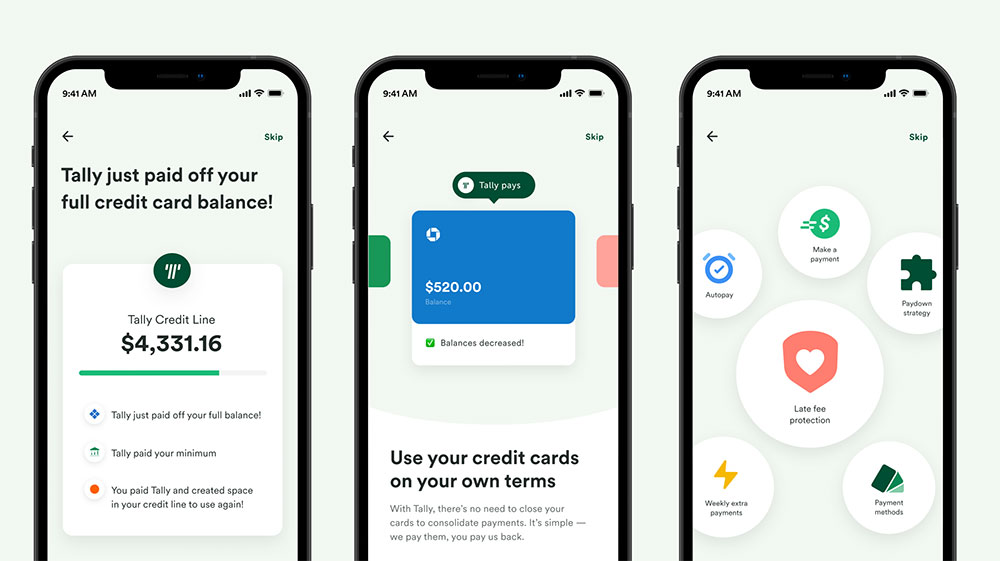
Tally is one of the most generous free form builders out there, but it is not the right fit for everyone.
Maybe you need HIPAA compliance, deeper database integrations, or forms that look like branded landing pages. Whatever the gap, there are solid apps like Tally built for exactly those needs.
This guide covers 10 alternatives across every major use case: free unlimited data collection, payment processing, workflow automation, conversational forms, and research-grade analytics.
Each option is compared directly against Tally on pricing, free plan limits, key features, and who it actually suits.
By the end, you will know exactly which no-code form builder fits your workflow, budget, and data collection goals.
Apps Like Tally
Typeform

Typeform is a conversational form builder that presents one question at a time, making it a popular online data collection tool for marketers and product teams. It differs from Tally’s document-style interface by using a guided, chat-like flow and supports web and mobile.
What Does Typeform Do?
Typeform lets users build interactive, single-question forms and surveys that run across web browsers and embed into websites or apps.
How Is Typeform Similar to Tally?
- Both are no-code form builders with conditional logic included
- Both support file uploads, payment collection, and custom branding
- Both integrate with tools like Google Sheets, Zapier, and HubSpot
How Is Typeform Different from Tally?
Typeform’s free plan caps responses at 10 per month. Tally’s free plan is unlimited. Typeform’s paid plans start at $29/month (Basic, 100 responses), while Tally Pro starts at $29/month with no response caps. Typeform also has a dedicated Growth suite starting at $199/month for lead qualification and AI features.
Who Is Typeform Best For?
Typeform suits marketing teams and solo creators who want polished, high-conversion survey forms and are willing to pay for design quality and engagement-focused features.
Key Features of Typeform
- Conversational layout: One-question-at-a-time format with logic jumps
- 300+ integrations: Google Sheets, Slack, HubSpot, Salesforce, Zapier
- AI-powered form generation: Available on Growth plans
- Video questions and answers: Available on Business and above
Pricing
- Free plan: Yes – unlimited forms, 10 responses/month
- Paid plans: Starting at $29/month (Basic, 100 responses/month)
- Free trial: No
Jotform

Jotform is a drag-and-drop form builder used by over 35 million users worldwide for data collection, payment processing, and workflow automation. It goes well beyond basic forms, covering e-signatures, approval workflows, and AI agents.
What Does Jotform Do?
Jotform lets users create and manage forms, collect payments, automate approvals, and analyze data, all without writing code. It works on web and mobile.
How Is Jotform Similar to Tally?
Both are no-code form builders with conditional logic, file upload support, and payment integrations via Stripe and PayPal. Both offer free plans and target non-technical users who need fast, flexible online form creation.
How Is Jotform Different from Tally?
- Jotform’s free plan limits you to 5 forms and 100 submissions per month
- Paid plans start at $34/month (Bronze, 25 forms, 1,000 submissions)
- Jotform includes HIPAA compliance, e-signatures, and AI chatbot builders (Gold plan and above)
Who Is Jotform Best For?
Jotform suits small to mid-sized businesses and nonprofits that need a feature-rich form builder with approval workflows, payment processing, and compliance features in one place.
Key Features of Jotform
- 10,000+ templates: Covers payment forms, registration, surveys, contracts
- 200+ integrations: Google Sheets, Salesforce, Slack, Zoom, HubSpot
- HIPAA compliance: Available on Gold and Enterprise plans
- Jotform AI Agents: Chatbot builder for automated form-based conversations
Pricing
- Free plan: Yes – 5 forms, 100 submissions/month, 100MB storage
- Paid plans: Starting at $34/month (Bronze, billed annually)
- Free trial: No (free plan available instead)
Google Forms

Google Forms is a free form builder built into every Google account. It is the default tool for anyone who needs fast internal surveys, polls, or quizzes without any setup or cost.
What Does Google Forms Do?
Google Forms lets users create unlimited forms with unlimited responses, syncing data automatically to Google Sheets for real-time analysis.
How Is Google Forms Similar to Tally?
| Feature | Google Forms | Tally |
| Free plan | Yes, unlimited | Yes, unlimited |
| No-code builder | Yes | Yes (Notion-style editor) |
| Conditional logic | Basic (section branching) | Advanced (show/hide, calculations) |
| Google Sheets sync | Native (automatic) | Native (free integration) |
How Is Google Forms Different from Tally?
Google Forms has no custom branding, no payment collection, and very limited design options. Tally supports custom domains, payment fields, and more advanced multi-step form builder logic. Google Forms suits internal use; Tally scales better for external, public-facing forms.
Who Is Google Forms Best For?
Google Forms suits individuals, educators, and teams already in the Google Workspace ecosystem who need simple, free data collection with no branding requirements.
Key Features of Google Forms
- Unlimited forms and responses: Completely free, no caps
- Google Sheets integration: Automatic, real-time sync
- Gemini AI integration: Helps generate questions
- Real-time collaboration: Works like Google Docs
Pricing
- Free plan: Yes – unlimited forms and responses
- Paid plans: None (included with Google Workspace)
- Free trial: N/A
Fillout

Fillout is a modern no-code form builder built around deep database integrations with Airtable, Notion, HubSpot, and Supabase. Teams that live in those platforms tend to find Fillout more useful than most alternatives.
What Does Fillout Do?
Fillout lets users build forms that read from and write back to connected databases in real time, supporting multi-page flows, conditional logic, file uploads, scheduling, and payment collection.
How Is Fillout Similar to Tally?
Both offer generous free plans – Fillout gives 1,000 submissions/month with unlimited forms and team seats. Both are no-code and support conditional logic, file uploads, and payment fields without needing a paid plan to get started.
How Is Fillout Different from Tally?
- Fillout connects directly to Airtable, Notion, and Supabase as live data sources
- Tally uses a Notion-style typing interface; Fillout uses drag-and-drop
- Fillout’s paid plans start at $15/month (Starter); Tally Pro starts at $29/month
Who Is Fillout Best For?
Fillout suits ops teams and developers who use Airtable or Notion as their primary data layer and need forms that connect directly to those databases without duplication.
Key Features of Fillout
- Database integrations: Airtable, Notion, Google Sheets, Supabase, SmartSuite
- 50+ field types: Includes file uploads, signatures, payment fields
- Scheduling: Native Calendly and Cal.com connections
- Advanced logic: Multi-step flows and calculations built into the editor
Pricing
- Free plan: Yes – unlimited forms, 1,000 submissions/month, unlimited team seats
- Paid plans: Starting at $15/month (Starter)
- Free trial: No (free plan available)
Paperform

Paperform is a design-forward form builder that looks more like a landing page builder than a traditional form tool. Over 500,000 small businesses use it for client intake, payments, and appointment scheduling.
What Does Paperform Do?
Paperform uses a text-based, word-processor-style editor to build forms that blend questions with images, videos, and long-form content, with native payment processing and booking support.
How Is Paperform Similar to Tally?
Both use a document-style editor (type to build), support conditional logic, accept payments via Stripe, and target non-technical users who want branded, public-facing forms without writing code.
How Is Paperform Different from Tally?
- No free plan – Paperform’s entry plan (Essentials) starts at $20/month
- Paperform includes native appointment scheduling and inventory tracking
- More design control over typography, layouts, and background images than Tally
- Supports decimal calculations, useful for pricing and measurement forms
Who Is Paperform Best For?
Paperform suits small business owners, agencies, and service providers who want forms that look like on-brand landing pages and need built-in payment or booking functionality.
Key Features of Paperform
- 500+ templates: Covers lead gen, orders, events, booking
- 22 question types with advanced conditional logic
- Native payments: Stripe and PayPal built in
- Appointment scheduling: Directly inside the form
Pricing
- Free plan: No
- Paid plans: Starting at $20/month (Essentials, 1,000 submissions/month)
- Free trial: Yes – 14 days
Microsoft Forms
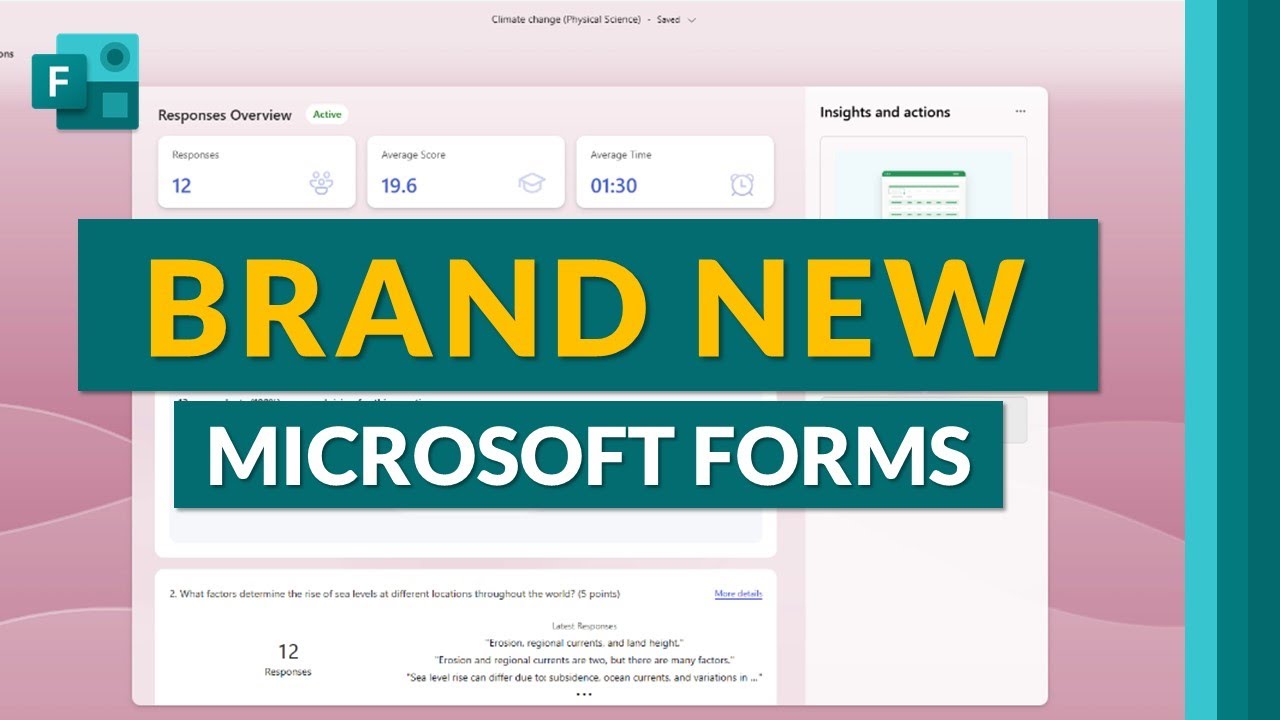
Microsoft Forms is a free survey and quiz builder included with every Microsoft 365 account. It is the go-to option for teams already running on the Microsoft stack.
What Does Microsoft Forms Do?
Microsoft Forms lets users create surveys, quizzes, and polls with automatic response collection into Excel, plus real-time results with built-in charts.
How Is Microsoft Forms Similar to Tally?
Both are free, no-code data collection tools with unlimited responses and conditional logic. Both support embedding forms into external pages and collecting responses from anonymous users.
How Is Microsoft Forms Different from Tally?
| Attribute | Microsoft Forms | Tally |
| Custom branding | Limited | Yes (Pro plan) |
| Payment collection | No | Yes |
| Design flexibility | Minimal | Moderate |
| Best ecosystem fit | Microsoft 365 | Notion, Zapier |
Who Is Microsoft Forms Best For?
Microsoft Forms suits enterprise teams and educators using Microsoft 365 who need fast, simple internal surveys without any additional subscription cost.
Key Features of Microsoft Forms
- Unlimited responses: Free with any Microsoft 365 account
- Excel integration: Automatic sync to spreadsheets
- Live quiz grading: Automatic scoring for education use
- Branching logic: Basic conditional flow by section
Pricing
- Free plan: Yes – unlimited, included with Microsoft 365
- Paid plans: None standalone (bundled with Microsoft 365 from $6/user/month)
- Free trial: N/A
Formstack

Formstack is an enterprise form and workflow platform that combines forms, document generation, and e-signatures into one suite. It targets regulated industries where compliance and workflow automation are non-negotiable.
What Does Formstack Do?
Formstack collects data through forms, auto-generates PDFs and contracts from that data, routes them for approval, and captures e-signatures, all inside one connected platform.
How Is Formstack Similar to Tally?
Both are no-code form builders with conditional logic, file uploads, Salesforce and Zapier integrations, and support for form data export via CSV and spreadsheet connectors.
How Is Formstack Different from Tally?
Formstack has no free plan. Paid plans start at $50/month, and the full suite (Forms + Documents + Sign) runs $360/month. Tally Pro is $29/month. Formstack is HIPAA-compliant and SOC 2 Type II certified. Tally is not. Formstack is built for enterprise compliance workflows; Tally is built for individual and small team productivity.
Who Is Formstack Best For?
Formstack suits mid-market and enterprise teams in healthcare, finance, or HR that need HIPAA-compliant forms with document automation and approval routing built in.
Key Features of Formstack
- 300+ templates across forms, documents, and contracts
- HIPAA and SOC 2 Type II compliance
- Native Salesforce app: Deep data mapping beyond basic sync
- Form-to-document-to-signature workflow: End-to-end automation
Pricing
- Free plan: No (3-form limit on an extremely limited free tier)
- Paid plans: Starting at $50/month (Forms only)
- Free trial: Yes – 14 days
Cognito Forms

Cognito Forms is a calculation-focused form builder known for its advanced expression engine. It handles complex pricing forms, scoring, and date-based logic that most basic builders can not replicate without custom code.
What Does Cognito Forms Do?
Cognito Forms builds forms with conditional logic, repeating sections, complex calculations, payment collection, and client portals, using a drag-and-drop editor with a visual workflow automation layer.
How Is Cognito Forms Similar to Tally?
- Both offer a free plan with meaningful features included
- Both support conditional logic, file uploads, and Stripe payments
- Both target non-developers building forms for lead capture or internal workflows
How Is Cognito Forms Different from Tally?
Cognito Forms’ calculation engine supports full mathematical formulas, decimal values, and date arithmetic. Tally’s calculation support is more basic. Cognito also includes a client portal for users to revisit and track their submissions, something Tally does not offer. Paid plans start at $15/month (Pro), cheaper than Tally Pro at $29/month.
Who Is Cognito Forms Best For?
Cognito Forms suits small businesses, nonprofits, and operations teams that need forms with complex calculations, price quoting, or approval routing without moving to enterprise-tier pricing.
Key Features of Cognito Forms
- Advanced calculator: Formulas, decimals, date math, scoring
- Client Portal: Respondents can view and update past submissions
- Workflow automation: Conditional approvals and email routing
- Repeating sections: Dynamic form fields that expand on user input
Pricing
- Free plan: Yes – unlimited forms, 500 entries/month
- Paid plans: Starting at $15/month (Pro)
- Free trial: Yes – 14 days on paid plans
SurveyMonkey
SurveyMonkey is the industry standard for research-grade surveys, with tools for statistical analysis, cross-tabulation, NPS benchmarking, and sentiment tracking that no other form builder on this list matches.
What Does SurveyMonkey Do?
SurveyMonkey lets users design, distribute, and analyze surveys, with advanced reporting tools including chart generation, A/B question testing, and a global panel for buying targeted respondents.
How Is SurveyMonkey Similar to Tally?
Both are no-code survey and form tools with conditional logic, multiple question types, and response collection dashboards. Both support Google Sheets export and embed into external websites.
How Is SurveyMonkey Different from Tally?
| Attribute | SurveyMonkey | Tally |
| Free Responses Viewable | 10 per survey | Unlimited |
| Analytics Depth | Statistical, NPS, cross-tab | Basic response view |
| Payment Collection | No | Yes |
| Starting Paid Price | $16/month | $29/month |
Who Is SurveyMonkey Best For?
SurveyMonkey suits market researchers, HR teams, and enterprise analysts who need professional-grade reporting and statistical tools, not just raw response collection.
Key Features of SurveyMonkey
- 150+ expert-built templates with pre-written, bias-tested questions
- Statistical analysis: Cross-tabulation, sentiment scoring, weighting
- Global panel: Buy targeted survey respondents by demographic
- NPS benchmarking: Compare scores against industry data
Pricing
- Free plan: Yes – unlimited surveys, 10 responses viewable per survey
- Paid plans: Starting at $16/month (individual, billed annually)
- Free trial: No
Tripetto

Tripetto is a self-hosted, logic-first form builder with a storyboard-style editor that maps form flows as a visual flowchart. It is one of the few tools that lets you store collected data entirely on your own infrastructure.
What Does Tripetto Do?
Tripetto builds conversational, multi-path forms using a flowchart editor, with three display formats (classic, chat, and card-by-card) and a self-hosting option for full data ownership.
How Is Tripetto Similar to Tally?
Both are no-code form builders with conditional logic forms, free plans, and support for embedding on external sites. Both target users who want more control than Google Forms without the complexity of enterprise tools.
How Is Tripetto Different from Tally?
- Tripetto’s logic is built visually as a flowchart; Tally’s conditional logic has no visual overview
- Tripetto supports self-hosting, bypassing their servers entirely
- Tripetto has three form layout options; Tally uses one fixed document-style layout
- Tripetto’s calculator supports advanced mathematical formulas; Tally’s is more basic
Who Is Tripetto Best For?
Tripetto suits developers, privacy-focused organizations, and teams that need complex branching logic with a clear visual map of all form paths, or require full control over where response data is stored.
Key Features of Tripetto
- Storyboard editor: Builds logic as a visual flowchart
- Three form layouts: Classic, one-by-one (Typeform-style), and chat
- Self-hosting option: Full data control, no third-party storage
- Advanced calculator: Supports formulas and complex math functions
Pricing
- Free plan: Yes – available on cloud version
- Paid plans: Available (pricing varies by cloud vs. self-hosted license)
- Free trial: Yes
What Makes Tally Different from Other Form Builders?
The online form builder market hit $4.06 billion in 2024 and is growing at 11.18% CAGR through 2031, according to Verified Market Research.
Most tools in that market compete on templates and integrations. Tally competes on a different axis: giving away everything for free.
Tally launched in 2020 as a bootstrapped, Belgium-based company, built out of frustration with expensive form builders. The co-founders Marie Martens and Filip Minev never took investor money. That shows in the product decisions.
The free plan includes unlimited forms, unlimited submissions, conditional logic, file uploads, signatures, and payment collection via Stripe. Most competitors lock at least two of those behind a paid tier.
Key differentiators at a glance:
- Notion-style block editor: type to build, no drag-and-drop required
- EU-hosted, GDPR-compliant, no cookie tracking by default
- Two-factor authentication and password protection on the free plan
- Tally Pro at $29/month removes branding and adds custom domains
Where Tally falls short: design customization is limited compared to Paperform, automation is basic compared to Jotform, and there is no HIPAA compliance on any plan.
For Notion users especially, Tally feels immediately familiar. That familiarity is part of why teams adopt it without any training overhead.
Which Apps Like Tally Are Best for Free, Unlimited Form Building?
Forrester data shows 84% of businesses have adopted no-code or low-code tools to address developer shortages. For most of those teams, the first filter when choosing a form builder is cost.
A Gartner survey found that building forms and data collection apps is the top use case for no-code platforms, cited by 58% of organizations. Free plan generosity matters a lot in that context.
| Tool | Free Responses | Forms Limit | Branding Removal | Payment on Free |
| Tally | Unlimited | Unlimited | No (Pro only) | Yes |
| Google Forms | Unlimited | Unlimited | No | No |
| Fillout | 1,000/month | Unlimited | No (Pro only) | Yes |
| Cognito Forms | 500/month | Unlimited | No (Paid only) | Yes |
| Microsoft Forms | Unlimited | Unlimited | No | No |
Google Forms
Free with any Google account. Unlimited responses, unlimited forms, no setup required.
The trade-off is real: no custom branding, no payment collection, very limited design control. Google Forms syncs directly to Google Sheets, which makes it a solid pick for internal data collection.
Best for: Teams already using Google Workspace who need fast, free internal surveys with zero configuration.
Fillout
1,000 submissions per month and unlimited team seats on the free plan, which beats most competitors at zero cost.
Fillout’s real edge is database connectivity. It connects forms directly to Airtable, Notion, Google Sheets, and Supabase, letting forms read from and write back to existing data sources in real time.
- 50+ field types including signatures, payments, and scheduling
- Paid plans from $15/month (Starter)
- No drag-and-drop: uses a click-to-add block system instead
If your workflow already lives in Airtable, Fillout is the most practical free alternative to Tally.
Cognito Forms
500 free entries per month with a calculation engine that no other free-tier form builder matches.
Cognito Forms handles decimal math, date arithmetic, and complex conditional pricing inside the form itself. It also includes a client portal where respondents can return and update past submissions.
Paid plans start at $15/month (Pro), making it cheaper than Tally Pro if you need advanced calculations and can live with the submission cap.
Microsoft Forms
Unlimited responses, unlimited forms, included with every Microsoft 365 account. Nothing to install, nothing to configure.
The limits are obvious: minimal design options, no payment collection, basic conditional logic only. But for enterprise teams running on Microsoft 365, the native Excel sync and quiz grading make it the fastest path to collecting internal data.
Best for: Organizations standardized on Microsoft 365 that need simple internal surveys without any additional subscription.
Which Tally Alternatives Support Payment Collection and Workflow Automation?
Only 40% of marketers use multi-step forms, yet their conversion rates run 86% higher than single-step equivalents, according to HubSpot data.
Tally supports Stripe payments on the free plan, which is genuinely rare. But its automation layer is thin. No approval routing, no document generation, no conditional email sequences. That gap matters as soon as a business needs forms that do more than collect data.
Tools that go further on payments and automation:
- Jotform: Stripe, PayPal, Square across paid plans; 200+ integrations; AI Agents for automated form-based workflows; HIPAA on Gold plan and above
- Paperform: Native appointment scheduling, inventory tracking, decimal calculation fields; no free plan, starts at $20/month (Essentials)
- Formstack: Full form-to-document-to-e-signature pipeline; HIPAA and SOC 2 Type II certified; starts at $50/month
- Cognito Forms: Stripe (Pro plan), PayPal and Square (Team plan); conditional pricing calculations built in; client portal for submission tracking
Jotform is used by Adobe and Red Bull for enterprise-grade data collection workflows. That kind of adoption validates its depth beyond what the pricing implies.
Formstack is the right call for healthcare and finance teams. It is not competing with Tally on price; it is competing on compliance. HIPAA, SOC 2, and a native Salesforce application put it in a different category entirely.
What Are the Best Tally Alternatives for Design-First and Conversational Forms?
Interactive survey formats outperform traditional static forms by 25 to 40% in response rates, according to Outgrow research.
Tally’s document-style layout is clean, but it only has one mode. If your forms are customer-facing and brand identity matters, or if you need higher completion rates through guided interaction, the alternatives below are worth the trade-off in cost or complexity.
| Tool | Layout Style | Free Plan | Starting Paid Price |
| Typeform | One question at a time | Yes (10 responses/month) | $29/month |
| Paperform | Landing page style | No | $20/month |
| Tripetto | Flowchart / chat / classic | Yes | Varies |
| SurveyMonkey | Standard + analytics | Yes (10 viewable) | $16/month |
Typeform
Typeform attracts 65% of Fortune 500 companies according to Jodoo data, largely because its one-question-at-a-time format drives higher engagement than standard forms.
The cost structure is the friction point. The free plan caps at 10 responses per month. Basic paid starts at $29/month with only 100 responses. Tally gives unlimited for free.
- 300+ integrations including Salesforce, HubSpot, Slack
- AI-powered form generation on Growth plans ($199/month+)
- Video questions available on Business plan and above
Worth it for marketing teams running lead capture or customer research at scale. Overkill for internal data collection.
Paperform
Over 500,000 small businesses use Paperform for forms that look like branded landing pages, not data entry screens.
The word-processor-style editor lets you mix questions with images, video, product descriptions, and pricing tables on the same page. No other tool on this list does that as cleanly.
Paperform also handles appointment booking and inventory tracking natively. For service businesses, that replaces two or three separate tools. The absence of a free plan (starts at $20/month) is the only real blocker.
Tripetto
Tripetto’s storyboard editor maps every form path as a visual flowchart. You see all conditional branches at once, which makes complex logic far easier to audit than Tally’s linear view.
Three display modes set it apart:
- Classic (standard scrolling layout)
- Card-by-card (Typeform-style, one question at a time)
- Chat (conversational, like a live support interaction)
The self-hosting option is unique on this list. Teams in regulated industries or those with strict data residency requirements can bypass Tripetto’s servers entirely and store all response data on their own infrastructure.
SurveyMonkey
SurveyMonkey generated $750 million in annual revenue by November 2024, built on a single advantage: research-grade analytics that no form builder matches.
Cross-tabulation, NPS benchmarking, sentiment analysis, statistical weighting, and a 335-million-person global panel for buying targeted respondents. These features do not exist anywhere else at a comparable price.
The trade-off is real. Design options are limited, and the free plan only lets you view 10 responses per survey. Paid plans start at $16/month. It is a research tool that happens to build forms, not a form builder that happens to analyze data.
How Do Tally Alternatives Compare on Pricing?
Almost 50% of marketers say web forms are their highest-converting lead generation tool, according to HubSpot. The cost of that tool therefore matters directly to revenue.
The pricing landscape across Tally alternatives splits into three categories: genuinely free, free with tight limits, and paid-only. Understanding which bucket a tool sits in prevents surprise upgrade pressure later.
| Tool | Free Plan | Entry Paid Price | Response Cap (Entry Paid) | Free Trial |
| Tally | Unlimited | $29/month (Pro) | Unlimited | No |
| Google Forms | Unlimited | N/A | N/A | N/A |
| Fillout | 1,000/month | $15/month | Higher limits | No |
| Typeform | 10/month | $25/month | 100/month | No |
| Jotform | 100/month | $34/month | 1,000/month | No |
| Cognito Forms | 500/month | $15/month | Higher limits | 14 days |
| Paperform | None | $20/month | 1,000/month | 14 days |
| Formstack | None (3 forms) | $50/month | Varies | 14 days |
| SurveyMonkey | 10 viewable | $16/month | Varies | No |
Hidden cost factors to check before committing:
- Branding removal: Jotform requires a paid plan; Tally requires Pro ($29/month)
- HIPAA compliance: Jotform Gold ($99/month), Formstack paid plans only
- Custom domains: Tally Pro, Typeform Plus ($59/month) and above
- Response overage fees: Typeform charges per additional response pack
At the $29/month mark, Tally Pro and Typeform Basic are the same price. Tally gives unlimited responses. Typeform Basic caps at 100 per month. For high-volume lead capture, that gap is significant.
Which App Like Tally Is Right for Your Use Case?
Gartner found that 42% of organizations use no-code platforms specifically to replace manual tools like paper forms, spreadsheets, and email. The right replacement depends on what you are replacing and what you need next.
The table below maps common scenarios to the best-fit tool based on the attributes covered throughout this article.
| Use Case | Best Tool | Why |
| Unlimited free forms, no budget | Tally or Google Forms | Tally offers a “Notion-style” builder with unlimited forms/responses and advanced logic for free. Google Forms is the gold standard for simple, rapid collection. |
| Airtable / Notion database forms | Fillout | Offers native read/write capabilities, allowing you to update existing records, handle linked records, and sync data without third-party connectors. |
| HIPAA-regulated data collection | Jotform (Gold) or Form stack | Jotform is a leader in 2026 for its specialized HIPAA-compliant servers, audit logs, and BAA (Business Associate Agreement) availability. |
| High-conversion marketing forms | Typeform | Famous for its “one-question-at-a-time” conversational UI. It consistently sees higher completion rates for lead generation and brand-focused surveys. |
| Complex pricing / calculation logic | Knowing the Forms | Features a powerful, Excel-like calculation engine that handles repeating sections, dynamic tax/discounting, and sophisticated math better than competitors. |
| Branded landing-page-style forms | Paperform | Designed like a word processor; it allows you to embed video, rich text, and images anywhere, making the form feel like a high-end landing page. |
| Research with statistical reporting | SurveyMonkey | Built for data scientists and researchers, offering NPS benchmarking, sentiment analysis, and the ability to buy targeted responses through their “Audience” panel. |
| Self-hosted, full data control | Triplet | Available as a WordPress plugin or SDK, allowing you to store all response data on your own servers rather than the builder’s cloud. |
When sticking with Tally makes the most sense:
- You use Notion and want a familiar editing experience
- You need Stripe payments without a monthly subscription
- You are an EU-based business with GDPR as a hard requirement
- Your volume is unpredictable and you cannot risk a submission cap
Switching tools has a cost. If Tally already handles your data collection, the burden of proof for switching should be high. A specific missing feature (HIPAA, database sync, branded design) is a valid reason. A vague feeling that something better exists is not.
Most teams running basic lead capture, internal surveys, or client feedback forms will not hit a real ceiling with Tally’s free plan. The alternatives here exist for teams that already have.
FAQ on Apps Like Tally
What is the best free alternative to Tally?
Google Forms offers unlimited forms and responses at zero cost. Fillout gives 1,000 submissions per month free with unlimited team seats. Both are solid no-code form builders for basic data collection without a subscription.
Which app like Tally supports HIPAA compliance?
Jotform includes HIPAA features on its Gold plan ($99/month). Formstack is SOC 2 Type II certified and HIPAA-compliant on paid tiers. Neither Tally nor its cheaper alternatives support HIPAA-compliant form building on any plan.
Does any Tally alternative offer unlimited submissions for free?
Google Forms gives truly unlimited responses with no caps. Microsoft Forms also has no submission limits on any Microsoft 365 account. Tally itself remains the only dedicated free form builder with unlimited submissions and built-in payment collection.
What is the closest app to Tally in terms of interface?
Fillout uses a similar block-based approach, though it relies on click-to-add rather than typing. Tripetto’s storyboard editor is more visual. For a Notion-like typing experience, no other form builder replicates Tally’s document-style editor as closely.
Which Tally alternative is best for conversational forms?
Typeform’s one-question-at-a-time format drives higher engagement and is used by 65% of Fortune 500 companies. Tripetto also offers a chat layout mode. Both outperform Tally for conversational form builder experiences where completion rate matters.
Can I collect payments with apps like Tally?
Yes. Jotform, Paperform, Cognito Forms, and Fillout all support Stripe payments. Jotform also accepts PayPal and Square. Tally includes Stripe payment integration on its free plan, which most alternatives only unlock on paid tiers.
What is the cheapest paid Tally alternative?
Cognito Forms Pro starts at $15/month, the lowest entry paid price on this list. Fillout’s Starter plan also runs $15/month. Both undercut Tally Pro at $29/month, though each has different feature trade-offs and submission limits.
Which app like Tally works best with Airtable or Notion?
Fillout connects directly to Airtable, Notion, Google Sheets, and Supabase as live data sources. Forms read from and write back to those databases in real time. It is the strongest option for teams using Airtable or Notion integration as their data layer.
Is there a Tally alternative with better analytics?
SurveyMonkey provides cross-tabulation, NPS benchmarking, sentiment analysis, and a 335-million-person respondent panel. No form builder on this list matches its survey analytics depth. It is a research tool first, form builder second.
Which Tally alternative is best for small businesses?
Jotform suits small businesses needing templates, payment processing, and approval workflows in one place. Paperform works well for service businesses wanting branded, design-forward forms. Both scale further than Tally for small business form builders with complex needs.
Conclusion
This conclusion is for an article presenting the strongest apps like Tally available across every major use case and budget.
No single tool wins every category. Fillout leads on database integrations, Cognito Forms on calculation logic, Formstack on enterprise compliance, and Typeform on engagement-driven lead capture.
The right pick comes down to three things: your submission volume, whether you need HIPAA-compliant data collection or payment processing, and how much design control matters for your audience.
Tally remains hard to beat for free, unlimited form building with Stripe support included. But if you have outgrown it, the alternatives in this guide cover every gap.
Start with the use case table, match your requirements, and test the free plan before committing to any paid tier.

- How to Run a React App in VS Code Step by Step - October 23, 2026
- Transactional or marketing email: which messages your app should send itself - October 23, 2026
- How Software Teams Write SOPs for Releases and Deployments - October 22, 2026