
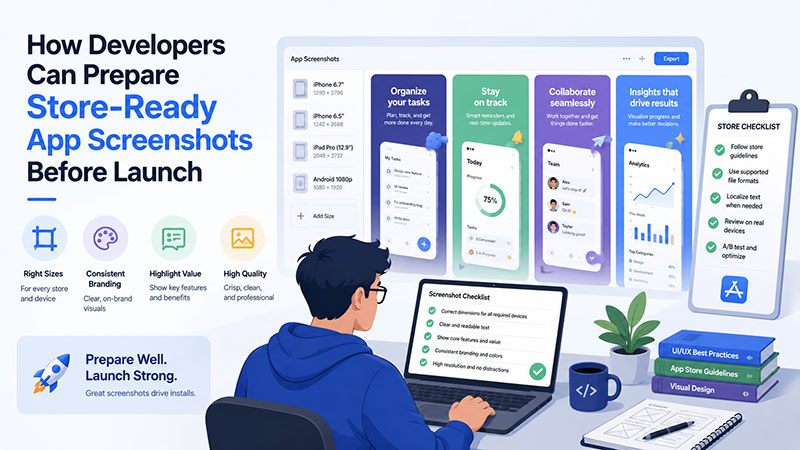
Building a mobile app is only part of getting it ready for users. Before launch, developers still need to prepare the store listing, screenshots, localized content, and upload-ready files for the App Store and Google Play.
This step is easy to leave until the end. An app can be fully built and tested, but still feel unfinished in the store if screenshots are unclear, outdated, or inconsistent. Screenshots are often one of the first things users see, so they need to explain the app quickly.
Start with the store listing
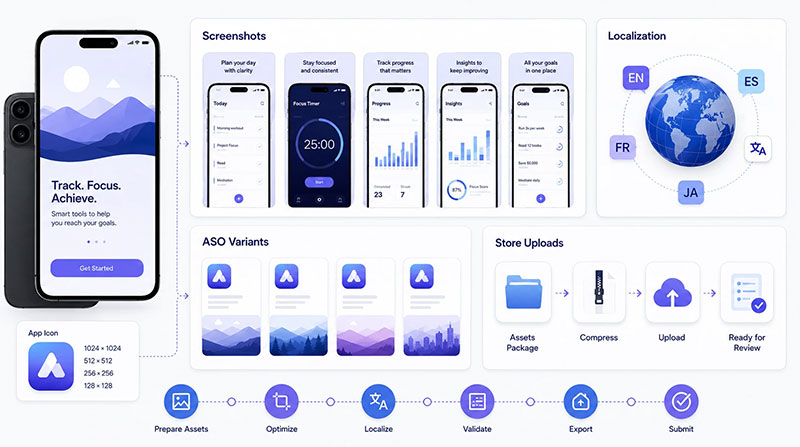
Before submission, teams should prepare the app name, description, icon, screenshots, Google Play feature graphic, privacy details, support links, and localized listing content.
Screenshots deserve special attention because they usually need real app screens from the latest product version. If the UI changes late in development, the store screenshots may need to change too.
Choose screens that explain the app fast
App store screenshots are different from internal QA screenshots. QA screenshots show how the app works. Store screenshots help users decide whether the app is worth installing.
A strong screenshot set should show what the app does, who it is for, what problem it solves, and what result the user gets. The goal is not to show every screen. The goal is to tell a clear product story.
Turn raw screens into store-ready screenshots
Raw app screens are useful source material, but they rarely do enough on their own. Store-ready screenshots usually combine real app UI with benefit-led captions, device frames, branded backgrounds, consistent typography, and the correct export sizes.
This is where production work grows quickly. A set of 10 screenshots can become hundreds of files once teams add iOS sizes, Android sizes, tablets, feature graphics, languages, ASO variants, and future updates.
Write captions around user benefits
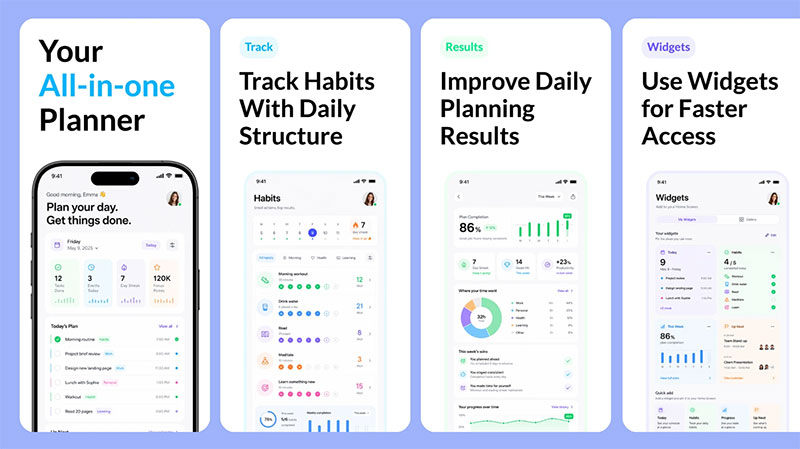
Captions should explain why a feature matters. Instead of labels like “Dashboard” or “Notifications,” use benefit-led copy such as “Track every order from one dashboard.”
Developers know the product deeply, but new users need context. Clear captions help users understand each screen without reading the full store description.
Prepare for both stores
The App Store and Google Play have different asset workflows. Developers may need phone screenshots, tablet screenshots, Google Play feature graphics, localized screenshots, high-resolution exports, and files that match the current app UI.
Localization is also important. Screenshot captions, example data, currencies, dates, and feature emphasis may need to change by market.
Use a repeatable screenshot workflow
Developers already use repeatable workflows for code, testing, builds, and releases. Store screenshots should be handled the same way.
For example, AppScreens helps app teams turn real app screens into polished App Store and Google Play screenshots from one editable project. Teams can use templates, AI-assisted captions, device frames, brand styling, localization support, ASO variants, and store-ready exports without rebuilding every file manually.
A purpose-built App Store screenshot generator can also help teams create upload-ready screenshot sets while keeping captions, device frames, localization, and store formats easier to manage.
Keep future updates in mind
Store screenshots are rarely finished after launch. A new feature, UI refresh, market expansion, or ASO test can quickly make the current screenshot set outdated.
This is another reason AppScreens fits well into the release workflow. Because projects stay editable, teams can update real app screens, adjust captions, localize new versions, and export the required assets again without starting from scratch.
Final pre-launch checklist
Before upload, check that screenshots match the latest app UI, captions are clear, text is readable, required sizes are exported, localized versions are reviewed, Google Play assets are ready, and files are organized for future updates.
Mobile app development does not end when the code is complete. By treating screenshots as part of the release workflow, developers can launch with cleaner assets, fewer manual updates, and a stronger first impression.

- How to Run a React App in VS Code Step by Step - October 23, 2026
- Transactional or marketing email: which messages your app should send itself - October 23, 2026
- How Software Teams Write SOPs for Releases and Deployments - October 22, 2026


