Cash App is good. It’s just not good at everything.
If you’ve hit a transfer limit, needed to send money abroad, or wanted more than a basic digital wallet, you already know the feeling. There are real gaps, and other mobile payment apps fill them better.
This guide covers the best apps like Cash App across every use case: splitting bills, international money transfers, online shopping, and full banking replacements.
By the end, you’ll know exactly which peer-to-peer payment app fits your situation, whether that’s Venmo, Zelle, Wise, PayPal, or something else entirely.
Apps Like Cash App
The global peer-to-peer payment market is projected to grow from $1.2 trillion in 2025 to $2.7 trillion by 2033, at a CAGR of 12% (HTF Market Intelligence). That growth has a lot of people looking beyond Cash App for better fees, broader reach, or specific features like crypto or international transfers.
Cash App works well for US and UK users. But it has limits: no true international transfers, capped unverified sending at $1,000 per 30 days, and fees for instant deposits. The alternatives below cover the gaps.
Venmo
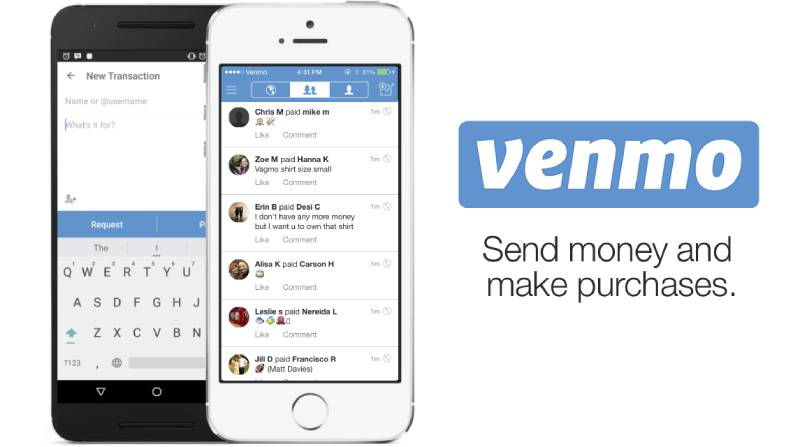
Venmo is a peer-to-peer payment app that lets users send and receive money socially, built primarily for US-based personal transactions between friends and family. It adds a social feed layer that Cash App skips, and supports both iOS and Android.
What Does Venmo Do?
Venmo lets users send and receive money using a phone number, email, or username, with a public-facing activity feed showing transaction notes (but not amounts).
How Is Venmo Similar to Cash App?
- Both are free for standard bank-funded transfers
- Both offer a debit card linked to the app balance
- Both support cryptocurrency buying and selling
- Both are US-only for core P2P features
How Is Venmo Different from Cash App?
Venmo has a social payment feed where transactions are visible by default. Cash App keeps everything private. Venmo also does not offer stock investing or a direct deposit feature as robust as Cash App’s.
Instant transfers on Venmo cost 1.75% (capped at $25). Cash App charges the same rate. Credit card sends on Venmo carry a 3% fee.
Who Is Venmo Best For?
Venmo suits US users under 35 who split bills often and want a social, low-friction mobile payment experience without investing or banking features.
Key Features of Venmo
- Social feed: Transaction notes visible to friends by default
- Venmo debit card: Spend balance anywhere Mastercard is accepted
- Business profiles: Free QR code payments for small sellers
- Crypto support: Buy and sell Bitcoin, ETH, Litecoin, Bitcoin Cash in-app
Pricing
- Free plan: Yes – unlimited P2P transfers via bank or balance
- Instant transfer fee: 1.75% (min $0.25, max $25)
- Credit card sends: 3% fee
- Free trial: N/A – free to use
PayPal
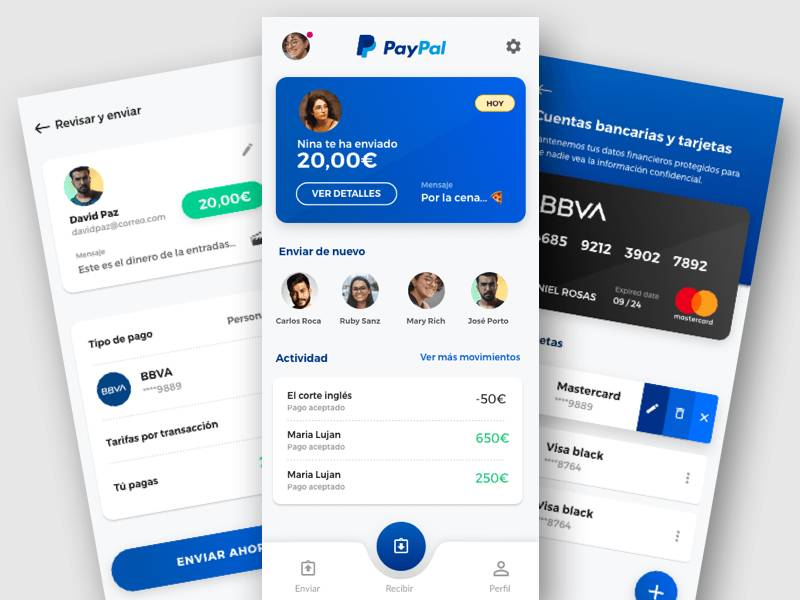
PayPal is a digital payment platform that handles personal transfers, merchant payments, and international transactions across 200+ countries. It covers far more ground than Cash App and supports both iOS and Android.
What Does PayPal Do?
PayPal lets users send money, pay merchants online, issue invoices, and buy now/pay later through a single account linked to a bank, debit, or credit card.
How Is PayPal Similar to Cash App?
Both support instant money transfers, a linked debit card, and basic crypto trading. Both are free for standard domestic transfers funded by a bank account or existing balance.
How Is PayPal Different from Cash App?
| Feature | PayPal | Cash App |
| Countries supported | 200+ | US and UK only |
| Buyer protection | Yes, up to 180 days | No |
| Stock investing | No | Yes |
| Business invoicing | Yes | No |
PayPal holds a 47.4% share of web-based payment services and over 85% of Americans have an account (Motley Fool / Axis Intelligence, 2026).
Who Is PayPal Best For?
PayPal suits anyone who shops online frequently, pays international contacts, or needs buyer protection that pure P2P apps like Cash App and Venmo cannot offer.
Key Features of PayPal
- Purchase protection: Covers eligible transactions for up to 180 days
- Pay in 4: 0% interest installment plan for purchases
- High-yield savings: 3.80% APY via partner banks (as of 2025)
- Direct deposit: Early paycheck access available
Pricing
- Free plan: Yes – free for domestic bank/balance transfers
- Credit card sends: 2.9% + $0.30
- International transfers: Up to 5% surcharge
- Instant transfers: 1.75% (min $0.25, max $25)
Zelle
Zelle is a bank-integrated money transfer service built directly into most major US banking apps, letting users send money between US bank accounts instantly and for free. It runs on iOS and Android through partner bank apps, with a standalone app for those whose bank doesn’t support it.
What Does Zelle Do?
Zelle sends money directly between linked US bank accounts using only a phone number or email, with transfers typically completing within minutes.
How Is Zelle Similar to Cash App?
Both support instant domestic money transfers using a phone number or email. Both are free for standard sends and are widely used for splitting bills and paying contacts.
How Is Zelle Different from Cash App?
No app balance. Zelle moves money directly bank-to-bank with no wallet to hold funds. There is no debit card, no crypto, and no investing. Transfers also cannot be cancelled once sent.
Zelle processed over $1.2 trillion in transactions in 2025 (Axis Intelligence), making it the dominant bank-to-bank transfer tool in the US.
Who Is Zelle Best For?
Zelle suits users who already bank with a major US institution and want free, instant bank-to-bank transfers without managing a separate app balance or wallet.
Key Features of Zelle
- Bank integration: Built into most major US banking apps
- Zero fees: No fees for sending or receiving
- Instant transfers: Funds arrive in minutes, not days
- No wallet: Money goes directly to/from your bank account
Pricing
- Free plan: Yes – completely free, all transfers
- Paid plans: None
- Free trial: N/A
Google Pay
Google Pay is a contactless payment and digital wallet app that handles in-store NFC payments, online purchases, and P2P transfers, primarily for Android users but also available on iOS. It integrates tightly with Google accounts and services.
What Does Google Pay Do?
Google Pay lets users pay in stores via NFC tap, send money to contacts using a phone number or email, and manage saved cards, loyalty programs, and bill payments in one place.
How Is Google Pay Similar to Cash App?
- Both support free P2P transfers using a phone number or email
- Both work on Android and iOS
- Both link to debit cards and bank accounts
How Is Google Pay Different from Cash App?
Google Pay focuses on tap-to-pay in stores and Google ecosystem integration. It does not offer stock investing, a Cash App-style debit card, or a built-in balance you can hold and spend freely.
It also lacks direct deposit and crypto trading, two features Cash App users tend to rely on heavily.
Who Is Google Pay Best For?
Google Pay suits Android users who want a unified contactless payment tool for in-store spending, bill automation, and quick personal transfers without extra financial features.
Key Features of Google Pay
- NFC tap-to-pay: Works at any contactless terminal
- Bill payments: Pay utilities and services in-app
- Google Account security: Protected by Google’s two-factor authentication
- Loyalty cards: Store rewards and gift cards in-app
Pricing
- Free plan: Yes – free for all standard transfers and tap-to-pay
- Paid plans: None for personal use
- Free trial: N/A
Apple Pay
Apple Pay is a mobile wallet and contactless payment service built into iOS, iPadOS, macOS, and watchOS. It lets users pay in stores, in apps, and online using Face ID or Touch ID, without sharing card details with merchants.
What Does Apple Pay Do?
Apple Pay tokenizes payment card data and processes transactions through NFC at physical terminals, or through Apple’s secure system in apps and Safari.
How Is Apple Pay Similar to Cash App?
Apple Cash (the P2P component of Apple Pay) works similarly to Cash App: users send and receive money via iMessage, hold a balance, and transfer funds to a bank account. Both are free for standard transfers.
How Is Apple Pay Different from Cash App?
| Feature | Apple Pay | Cash App |
| Platform | Apple devices only | iOS and Android |
| Stock investing | No | Yes |
| Crypto trading | No | Yes (Bitcoin) |
| Direct deposit | No | Yes |
Who Is Apple Pay Best For?
Apple Pay suits iPhone users who want a fast, secure contactless payment method for everyday purchases and simple P2P transfers within the Apple ecosystem.
Key Features of Apple Pay
- Face ID / Touch ID: Biometric authentication on every transaction
- Apple Cash: P2P transfers via iMessage
- In-app and web payments: Works in Safari and third-party apps
- No card details shared: Merchants never see your actual card number
Pricing
- Free plan: Yes – free for all payments and Apple Cash transfers
- Instant transfers: 1.5% fee for Apple Cash instant bank deposits
- Free trial: N/A
Wise
Wise (formerly TransferWise) is an international money transfer platform that uses the mid-market exchange rate and charges low, transparent fees for sending money across 160+ countries. It supports iOS and Android and offers multi-currency accounts.
What Does Wise Do?
Wise lets users hold, send, and receive money in 40+ currencies through local bank account details, avoiding traditional wire transfer fees and exchange rate markups.
How Is Wise Similar to Cash App?
Both allow sending money using an email or phone number. Both offer a linked debit card for spending from an in-app balance. Both are free to download with fees only on specific transactions.
How Is Wise Different from Cash App?
Wise is built for cross-border transfers. Cash App does not support international money transfers at all. Wise charges fees starting at 0.41% of the transfer amount and uses the real mid-market rate, while PayPal marks up its exchange rate by around 4%.
Wise does not offer crypto trading, stock investing, or direct deposit. 87% of Wise transfers complete in under one hour.
Who Is Wise Best For?
Wise suits freelancers, remote workers, and expats who regularly send or receive money internationally and need transparent, low-cost currency conversion.
Canadian users who move larger amounts or need dedicated phone support alongside competitive CAD–USD rates may want to compare Wise alternatives in Canada – services like KnightsbridgeFX that offer tighter FX spreads and Canada-first banking support as volumes grow.
Key Features of Wise
- Mid-market exchange rate: No hidden FX markups
- 40+ currencies: Hold and spend across multiple currencies
- Local bank details: Receive payments in USD, EUR, GBP, and more
- Wise debit card: Spend in any currency with low conversion fees
Pricing
- Free plan: Yes – free account, no monthly fees
- Transfer fees: From 0.41% of the transfer amount
- Free trial: N/A
Looking for other apps built around cross-border payments? Check out our list of the best international money transfer apps for a broader comparison.
Revolut
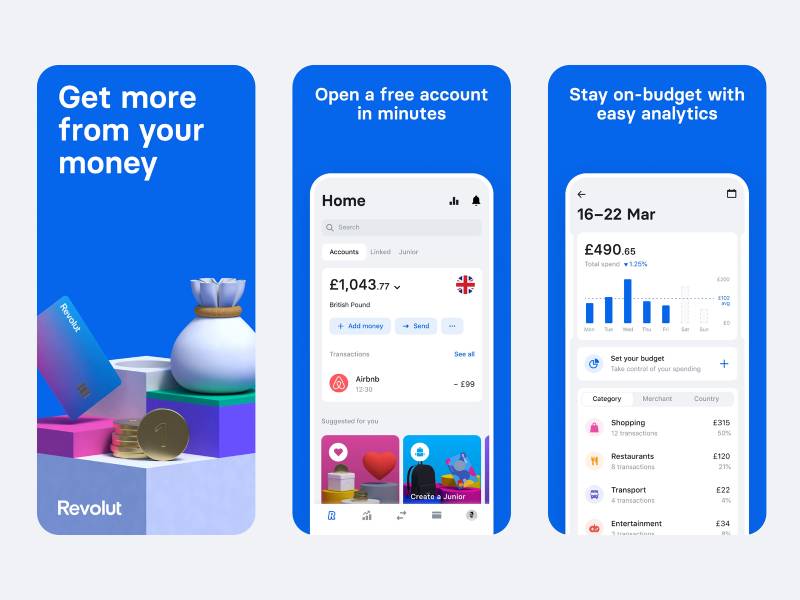
Revolut is a fintech banking app that combines personal accounts, multi-currency exchange, budgeting tools, crypto trading, and international transfers in one platform. It supports iOS and Android and serves 60+ million users across 48 countries as of 2025.
What Does Revolut Do?
Revolut lets users hold money in multiple currencies, exchange at competitive rates, send payments internationally, trade crypto, and manage spending with built-in budgeting tools.
How Is Revolut Similar to Cash App?
- Both support crypto buying and selling in-app
- Both offer a linked debit card
- Both allow instant P2P transfers between app users
How Is Revolut Different from Cash App?
Revolut offers a multi-currency account with 30+ currencies, spend tracking, and savings vaults. Cash App has none of these. Revolut’s international transfer fees go up to 5% of the amount (or a $10 minimum), which is higher than Wise.
Revolut also has tiered paid plans that unlock higher limits and lower fees, while Cash App stays mostly flat in pricing.
Who Is Revolut Best For?
Revolut suits frequent travelers and users who want an all-in-one digital finance app with budgeting, multi-currency spending, and crypto, without needing a traditional bank account.
Key Features of Revolut
- Multi-currency account: Hold and exchange 30+ currencies
- Virtual disposable cards: One-use card numbers for online security
- Savings vaults: Round-up savings and interest-bearing pockets
- Crypto trading: Buy, sell, and hold crypto in-app
Pricing
- Free plan: Yes – Standard plan with basic features
- Paid plans: Plus, Premium, Metal tiers (pricing varies by country)
- Transfer fees: Up to 5% or $10 minimum for international sends
- Free trial: No
Chime
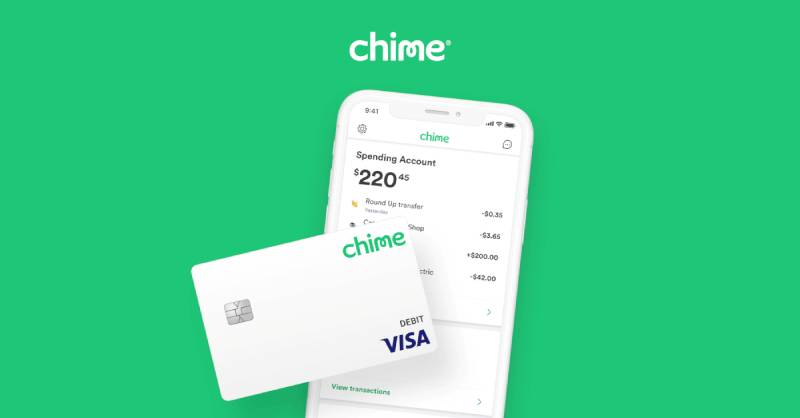
Chime is a mobile banking app that offers checking accounts, savings accounts, and a Visa debit card with no monthly fees, backed by FDIC-insured partner banks. It is available on iOS and Android and is US-only.
What Does Chime Do?
Chime provides a full digital banking experience including direct deposit, fee-free overdraft protection (SpotMe, up to $200 for eligible users), and free transfers between Chime users.
How Is Chime Similar to Cash App?
Both offer direct deposit and a linked debit card. Both are free to use for standard transfers. Cash App Borrow and Chime SpotMe both give users small short-term cash advances without traditional credit checks.
How Is Chime Different from Cash App?
Chime is a full bank substitute. It has savings accounts with up to 3.75% APY (Chime+ with qualifying direct deposit), a Credit Builder card, and access to 60,000+ fee-free ATMs. Cash App offers none of these.
Chime does not support crypto trading, stock investing, or international transfers.
Who Is Chime Best For?
Chime suits US users who want a no-fee digital bank replacement with overdraft protection and early direct deposit, without the investing or crypto features of Cash App.
Key Features of Chime
- SpotMe: Fee-free overdraft up to $200 for eligible direct deposit users
- Early direct deposit: Get paid up to 2 days early
- Credit Builder: Secured credit card that reports to all three bureaus
- 60,000+ ATMs: Fee-free withdrawals at MoneyPass and Allpoint networks
Pricing
- Free plan: Yes – no monthly fees, no minimum balance
- Chime+: Paid tier for higher APY and expanded SpotMe limits
- Free trial: N/A
If you use Chime and need short-term cash access, see our roundup of cash advance apps that work with Chime for compatible options.
Skrill

Skrill is a digital wallet focused on international payments, crypto trading, and online commerce, available in 40+ currencies across 120+ countries. It supports iOS and Android and is popular with freelancers and online merchants.
What Does Skrill Do?
Skrill lets users send and receive payments globally, hold a multi-currency balance, buy and sell crypto, and spend via a Skrill Visa Prepaid Card.
How Is Skrill Similar to Cash App?
Free Skrill-to-Skrill transfers (same currency) mirror Cash App’s free standard sends. Both offer a linked prepaid card, crypto support, and a loyalty/rewards program for active users.
How Is Skrill Different from Cash App?
Skrill operates in 120+ countries vs. Cash App’s US/UK-only reach. It charges a 3.99% currency conversion fee, which adds up on international sends. Cash App has no equivalent international feature at all.
Skrill also applies a $5/month inactivity fee after 12 months of no use, which Cash App does not.
Who Is Skrill Best For?
Skrill suits international freelancers and online sellers who need multi-currency transfers, crypto access, and a prepaid card without a traditional bank account.
Key Features of Skrill
- Knect loyalty program: Earn points on every $1 spent
- Crypto trading: Buy and sell multiple cryptocurrencies
- Skrill Visa card: Spend balance at ATMs and in stores ($2.50 ATM fee)
- 100+ local payment methods: For merchants accepting Skrill
Pricing
- Free plan: Yes – free to create and hold an account
- Currency conversion: 3.99% fee
- Inactivity fee: $5/month after 12 months inactive
- Free trial: N/A
Payoneer
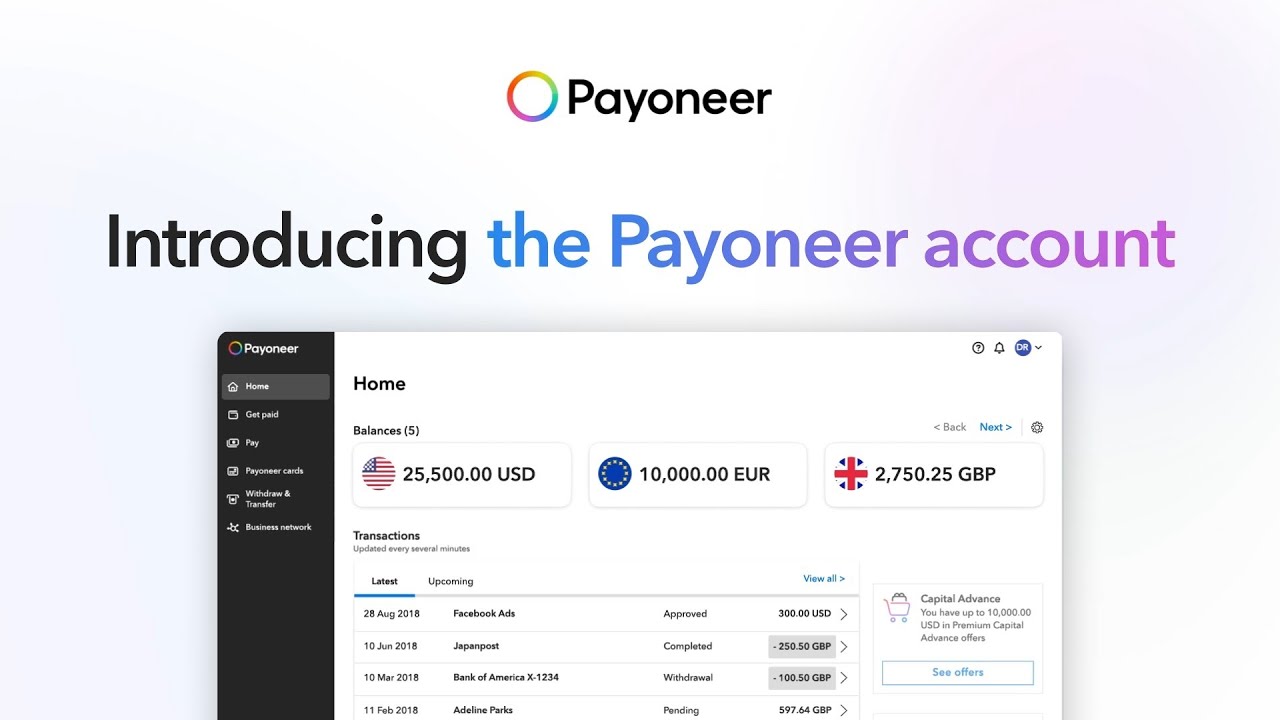
Payoneer is a cross-border payment platform for freelancers, small businesses, and marketplace sellers, supporting transfers in 150+ currencies across 190+ countries. It is available on iOS and Android.
What Does Payoneer Do?
Payoneer gives users local receiving accounts in USD, EUR, GBP, and other major currencies, letting them get paid by clients and platforms worldwide as if they had a local bank account in those regions.
How Is Payoneer Similar to Cash App?
Both offer a linked debit card (Payoneer Mastercard, Cash App Visa). Both allow users to receive payments directly into an in-app balance and withdraw to a bank account. Both are free to download and set up.
How Is Payoneer Different from Cash App?
Payoneer integrates directly with 2,000+ global marketplaces including Amazon, Upwork, and Airbnb. Cash App has no marketplace integrations. Payoneer’s pricing is more complex: credit card payments carry a 3% fee, ACH transfers cost 1%, and currency conversion adds 0.5%+ markup.
Payoneer also charges a $29.95 annual fee if your account receives under $2,000 per year. Cash App has no such fee.
Who Is Payoneer Best For?
Payoneer suits freelancers and e-commerce sellers who receive international payments from clients or platforms like Upwork, Amazon, or Fiverr, and need multi-currency accounts without traditional banking.
Key Features of Payoneer
- Local receiving accounts: USD, EUR, GBP, JPY, AUD, CAD
- 2,000+ marketplace integrations: Direct payouts from platforms
- Payoneer Mastercard: Spend balance globally, ATM withdrawals for $3.15
- Working capital: Access up to $80,000 based on monthly earnings
Pricing
- Free plan: Yes – no setup or monthly fee (above $2,000/year in receives)
- Annual fee: $29.95 if annual receives fall below $2,000
- ACH transfers: 1% fee
- Credit card receives: 3% fee
- Free trial: N/A
Need more fintech alternatives? Our full guide on fintech apps covers a broader range of platforms for digital banking, payments, and financial management.
What Makes Cash App Different from Other Payment Apps?
Cash App had 57 million monthly active users in 2024 and generated $16.2 billion in revenue, according to Business of Apps. That scale puts it in a different category from basic P2P tools, but its feature set also creates distinct gaps that alternatives fill.
The platform runs on a feature stack most mobile payment apps don’t match.
- Free P2P transfers via $Cashtag, phone number, or email
- Cash Card (Visa debit) linked directly to the app balance
- Direct deposit with early paycheck access
- Bitcoin buying, selling, and sending
- Stock investing with fractional shares
- Cash App Borrow: short-term loans from $20 to $200
Where it falls short is equally specific. No international transfers. Unverified users are capped at $1,000 sent per 30 days. There is no multi-currency support, no budgeting layer, and no buyer protection on payments.
Instant deposits cost 1.75% (up to $25). Credit card sends carry a 3% fee. Standard bank transfers take 1-3 business days.
| Feature | Cash App | Typical Gap |
| International transfers | US and UK only | No cross-border sends |
| Buyer protection | None | No dispute resolution |
| Multi-currency | USD/GBP only | No FX support |
| Banking tools | Basic | No savings account |
39% of Cash App users earn under $50,000 per year (CoinLaw, 2025), which reflects the platform’s positioning as an accessible financial tool for everyday spending and transfers.
Which Apps Like Cash App Are Best for Sending Money to Friends?
The core use case is simple: send money to someone you know, fast, with no friction. Four apps dominate this space in the US.
Zelle processed $1 trillion in payments in 2024, up 27% year-over-year, with 151 million enrolled accounts (Early Warning Services, February 2025). That is more transaction value than any other P2P platform in a single year.
| App | Standard fee | Instant transfer | Platform |
| Venmo | Free (bank/balance) | 1.75% (max $25) | iOS + Android |
| Zelle | Free | Always instant, free | Via bank app |
| Google Pay | Free | Free | iOS + Android |
| Apple Pay | Free | 1.7% to bank | Apple only |
Does Chime Work as a Cash App Replacement for Banking?
Short answer: yes, for domestic US banking. Chime does not support international transfers, but it outperforms Cash App on banking features significantly.
- No monthly fees, no minimum balance
- SpotMe: fee-free overdraft up to $200 for eligible users
- Early direct deposit: paychecks up to 2 days early
- Credit Builder card: reports to all three bureaus, no interest
- 60,000+ fee-free ATMs via MoneyPass and Allpoint
Chime earns revenue through interchange fees, not user fees. That model keeps costs at zero for most standard transactions.
Cash App does offer direct deposit. But Chime adds a savings account layer, overdraft protection, and a credit-building product that Cash App does not have.
Is PayPal a Better Option Than Cash App for Online Purchases?
PayPal holds a 47.4% share of web-based payment services and over 85% of Americans have an account (Axis Intelligence, 2026). No other app in this list comes close to that merchant acceptance rate.
For online shopping, PayPal wins on one specific feature Cash App completely lacks: buyer protection covering eligible transactions for up to 180 days.
PayPal also added a 3.80% APY high-yield savings option via partner banks in 2025 and a “Pay in 4” installment plan with zero interest when paid on time.
The tradeoff is fee complexity. Credit card sends cost 2.9% + $0.30. International transfers carry up to a 5% surcharge. Instant transfers run 1.75% (min $0.25, max $25).
If you mostly shop online and want disputes resolved when something goes wrong, PayPal is a better fit than Cash App. For everyday P2P sends, Cash App is simpler.
What Are the Best Cash App Alternatives for International Money Transfers?
Cash App does not support sending money abroad. Full stop. If you have contacts outside the US and UK, you need a different platform.
International wire transfers at traditional US banks average around $45 per transaction, with fees representing about 13.4% of the amount transferred (FXPal research). Services like Wise charge well under 1% for the same send.
For freelancers paid by platforms like Upwork or Amazon, Payoneer integrates directly with 2,000+ global marketplaces. That single feature makes it the go-to for remote workers managing cross-border income.
| App | FX rate | Countries | Best for |
| Wise | Mid-market | 160+ | Low-cost global sends |
| Revolut | Near mid-market | 48 | Frequent travelers |
| Payoneer | +0.5% markup | 190+ | Freelancers, marketplaces |
| Skrill | +3.99% conversion | 120+ | Crypto + international |
Wise reports that 74% of transfers arrive in under 20 seconds, with 95% completing within 24 hours (Wise, 2025). Transfer fees start at 0.41% of the amount, compared to PayPal’s 4% FX markup on international sends.
Revolut covers 48 countries and 60 million users globally as of 2025. Its international transfer fee can reach 5% of the amount or a $10 minimum, whichever is higher. That makes it more expensive than Wise for single large sends, but Revolut’s paid tiers include discounts: Premium users get 20% off, Metal users get 40% off.
Payoneer’s $29.95 annual fee applies only if your account receives under $2,000 per year. Above that threshold, it is free to hold and maintain.
See the full comparison of the best international money transfer apps for a deeper breakdown by country and currency pair.
How Do Cash App Alternatives Handle Fees and Transfer Limits?
Fees are where most users get surprised. The headline “free” on most payment apps refers only to standard bank-funded domestic sends. Instant transfers, credit card funding, and international sends all carry charges.
Fully free for standard domestic sends: Zelle, Google Pay, Apple Cash (standard), Chime Pay Anyone.
Free standard, paid instant: Venmo (1.75%), Cash App (1.5-1.75%), PayPal (1.75%), Apple Pay (1.5% to bank).
Zelle stands apart because there is no fee category at all. It moves money directly bank-to-bank with no wallet, no held balance, and no per-transaction charge. The 3.6 billion transactions Zelle processed in 2024 (up 25% from 2023) reflect that frictionless model at scale.
Watch for these fees that catch users off guard:
- Skrill inactivity fee: $5/month after 12 months of no use
- Payoneer annual fee: $29.95 if receives fall below $2,000/year
- Revolut international minimum: $10 floor on transfer fees
- PayPal FX markup: Up to 4% above mid-market on international sends
- Cash App credit card sends: 3% fee regardless of amount
| App | Instant fee | International fee | Crypto |
| Zelle | None | Not supported | No |
| Venmo | 1.75% (capped at $25) | 5% (to non-U.S. PayPal) | Yes |
| Wise | N/A (fast by default) | From 0.41% | No |
| Revolut | N/A | Up to 5% or plan-based | Yes |
| PayPal | 1.75% (capped at $25) | 5% ($0.99–$4.99 cap) | Yes |
Cash App’s unverified transfer limit of $1,000 per 30 days is one of the more restrictive caps in this group. Zelle limits vary by bank but are often significantly higher for verified account holders.
If you use Chime and need short-term cash access, the list of cash advance apps that work with Chime covers compatible options that don’t require switching platforms.
Which Cash App Alternative Is Right for You?
Most people end up using two apps: one for domestic P2P sends, one for everything else. The combination depends on your specific situation.
By use case:
- Splitting bills with friends: Venmo (social feed, 83M+ US users) or Zelle (zero fees, instant)
- International sends: Wise (lowest fees, mid-market rate) or Payoneer (marketplace sellers)
- Banking replacement: Chime (no-fee checking, overdraft, credit building)
- Online shopping protection: PayPal (buyer protection up to 180 days, 200+ countries)
- Frequent travel + multi-currency: Revolut (30+ currencies, virtual cards)
By platform constraint:
- iPhone-only: Apple Pay / Apple Cash
- Android-first: Google Pay
- Already use your bank’s app: Zelle (integrated into 2,200+ financial institutions)
Cost-sensitive users have three genuinely free options for all standard domestic transfers: Zelle, Apple Cash, and Chime Pay Anyone. Venmo and Cash App are also free if you avoid credit card funding and instant transfers.
Zelle is forecast to hold 54.6% of total US mobile P2P payment value in 2025, compared to 20.5% for Venmo and 10.6% for Cash App (eMarketer). For purely domestic use, the numbers make Zelle the default choice by transaction volume.
Internationally, Wise’s model is the most transparent. No FX markup. Fees shown upfront before you confirm. 74% of transfers land in under 20 seconds.
For a broader look at related fintech apps covering banking, lending, and payment tools, the full category guide covers platforms outside the P2P space. If you need apps that send earnings directly to your balance, see the list of apps that pay instantly to Cash App for gig work and side hustle options.
Business owners who need point-of-sale features alongside P2P should look at apps like Square, which extend beyond personal transfers into inventory, invoicing, and card-present payments.
For users focused on personal finance and savings alongside payments, apps like Albert combine automatic savings, budgeting, and cash advances in one platform.
FAQ on Apps Like Cash App
What is the best alternative to Cash App?
Venmo and Zelle are the top alternatives for domestic peer-to-peer payments. Zelle is fully free and bank-integrated. Venmo adds a social layer. For international transfers, Wise is the strongest option due to its mid-market exchange rate and low fees.
Which apps like Cash App work internationally?
Cash App only supports US and UK transfers. For cross-border sends, Wise, Revolut, Payoneer, and Skrill all support international money transfers. Wise covers 160+ countries with fees starting at 0.41% of the transfer amount.
Is Venmo safer than Cash App?
Both use encryption and two-factor authentication. Neither offers buyer protection on personal payments. Venmo’s social feed is public by default, which is a privacy risk. Adjust your settings. Cash App keeps all transactions private by default.
What free payment apps work like Cash App?
Zelle, Google Pay, and Apple Pay are completely free for standard domestic transfers. Venmo and Chime Pay Anyone are also free when funded from a bank account or existing balance. None charge monthly fees.
Can I use apps like Cash App without a bank account?
Yes. Venmo and PayPal let you hold a balance without a linked bank account. Cash App itself also works without one. Chime requires a checking account setup but has no minimum balance or credit check requirement.
Which app sends money the fastest?
Zelle is the fastest for domestic transfers, moving money directly between bank accounts in minutes at no cost. Wise completes 74% of international transfers in under 20 seconds. Most instant transfer options on other apps carry a fee.
Are there apps like Cash App that support crypto?
Yes. Venmo, PayPal, Revolut, and Skrill all support cryptocurrency payments, including Bitcoin. Cash App itself focuses on Bitcoin only. Revolut covers the widest range of tradable crypto assets alongside its multi-currency banking features.
What apps work like Cash App for small businesses?
Zelle for Business, Venmo Business Profiles, and PayPal all support small business payments. PayPal offers invoicing, buyer protection, and integration with e-commerce platforms. Square is a stronger option if you also need point-of-sale hardware.
What is the difference between Zelle and Cash App?
Zelle moves money directly bank-to-bank with no held balance, no fees, and no crypto. Cash App holds a spendable balance, offers a debit card, Bitcoin trading, and stock investing. Zelle is simpler. Cash App does more.
Which Cash App alternative is best for freelancers?
Payoneer is the strongest option for freelancers receiving international payments. It integrates with 2,000+ platforms including Upwork, Amazon, and Fiverr. Wise is better for low-fee one-off transfers. Both support multi-currency receiving accounts without traditional banking.
Conclusion
This conclusion is for an article presenting the strongest apps like Cash App across every real use case.
No single platform wins everything. Zelle dominates free domestic transfers. Wise leads on cross-border payments. PayPal holds the edge for online purchase protection. Chime works best as a full banking replacement.
The right choice comes down to what Cash App is missing for you specifically, whether that’s multi-currency support, direct deposit features, marketplace integrations like Payoneer offers, or crypto trading beyond Bitcoin.
Pick one primary app. Add a second if your needs cross categories. Most people need a domestic P2P tool and a separate platform for international money transfers.
The options covered here handle both.

- How to Run a React App in VS Code Step by Step - October 23, 2026
- Transactional or marketing email: which messages your app should send itself - October 23, 2026
- How Software Teams Write SOPs for Releases and Deployments - October 22, 2026