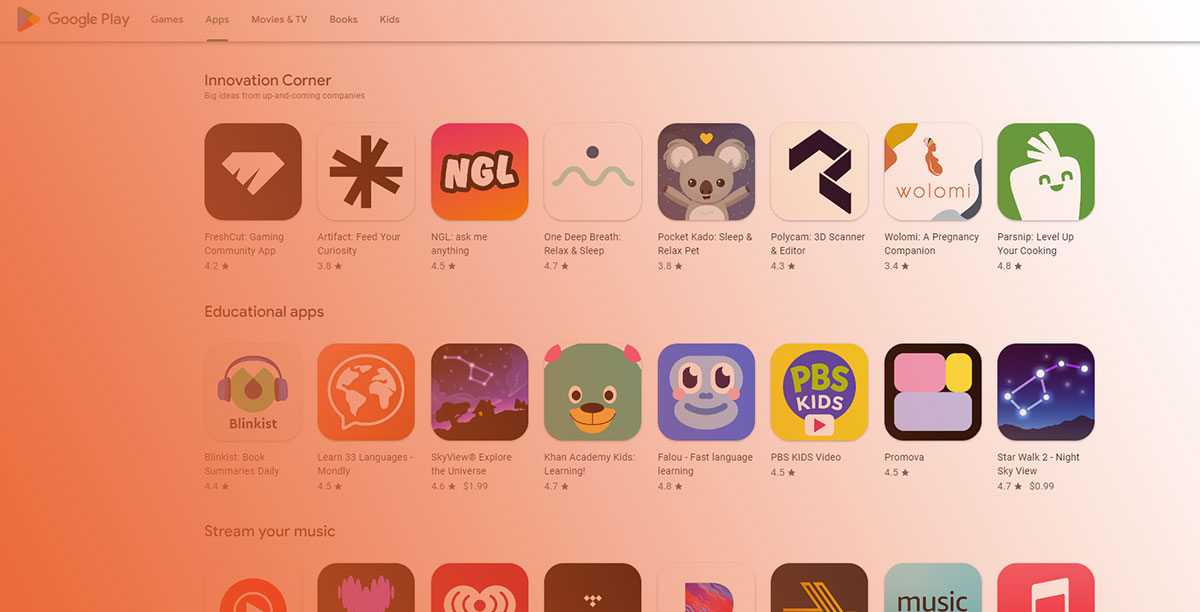
Over 1,200 new Android apps hit the Google Play Store every single day. Most of them disappear without a trace.
The difference between apps that get found and apps that don’t comes down to one thing: the Google Play Store ranking algorithm. It decides what shows up in search results, which apps climb the top charts, and what gets recommended in the Explore tab.
But Google doesn’t publish the formula. So you’re left guessing, unless you know which ranking factors actually carry weight.
This guide breaks down how the algorithm works across every surface, from keyword relevance and app store optimization signals to user retention, Android vitals, and download velocity. You’ll walk away knowing exactly what Google measures, what it ignores, and how to adjust your mobile app visibility strategy based on real data.
What Is the Google Play Store Ranking Algorithm?
The Google Play Store ranking algorithm is Google’s system for deciding which apps show up first in search results, top charts, the Explore tab, and recommendation feeds. It’s not a single formula. It’s a set of interconnected systems that weigh different signals depending on where a user is browsing.
About 1,200 new apps launch on the Play Store every day, according to Appinventiv’s 2025 data. That’s roughly 40,000 fresh listings per month competing for the same users.
With that kind of volume, Google can’t rely on basic sorting. The algorithm’s job is to match people with apps they’ll actually keep using. And that last part matters more than most developers think.
Unlike Apple’s App Store, which limits keyword targeting to a 100-character field, the Play Store indexes keywords from the full app description (up to 4,000 characters). Google also factors in external signals like backlinks, which Apple ignores. If you’re coming from an iOS-first background, some of your assumptions about how app ranking works will need adjusting.
How the Algorithm Differs Across Surfaces
The algorithm doesn’t behave the same way on every screen inside Google Play.
Search results lean heavily on keyword relevance in your metadata, then layer in quality signals like ratings, download velocity, and engagement.
Explore and recommendations care less about specific keywords. They prioritize user behavior data, personalization, and how closely your app matches what similar users have installed.
Top charts focus on install velocity over a recent time window, weighted by region and category. A burst of downloads matters more here than cumulative totals.
MobileAction research from 2025 confirms that about 40% of app users discover apps by browsing or searching inside the store. The rest come from external sources like web referrals, ads, and social links.
Why the Algorithm Keeps Changing
Google updates the Play Store ranking algorithm regularly. These aren’t always announced.
The February 2025 update, for example, put more weight on 60-day retention metrics. Apps that kept users coming back past the 30-day mark started getting a noticeable ranking boost, according to AppSamurai’s analysis.
That same update added semantic search capabilities. The Play Store can now understand user intent beyond exact keyword matches, similar to how Google web search evolved with BERT and later NLP models.
The pattern is clear: Google keeps shifting weight from surface-level signals (like raw download counts) toward deeper engagement data. Apps that people actually use keep climbing. Apps that people install and forget keep dropping.
How Search Works Inside the Google Play Store

Search is the single biggest traffic source for most apps on Google Play. Apple has claimed that 65% of App Store downloads come from search. On Google Play, Phiture’s research found that 53% of Android users discover apps through the Play Store’s search engine.
That percentage alone should dictate where you spend your optimization time.
How Google Play Processes a Search Query
When someone types a query into the Play Store search bar, the algorithm runs through a sequence:
- It checks app metadata (title, short description, long description) for keyword matches
- It filters by relevance, removing apps that don’t fit the query’s intent
- It ranks remaining apps using quality signals like ratings, installs, engagement, and technical performance
The title carries the most weight for keyword indexing. The short description (80 characters) ranks second. The long description (4,000 characters) ranks third but still gets indexed, unlike Apple’s App Store which ignores it.
Google Play Console now shows developers their top 1,000 search terms, along with individual conversion rates per keyword. This data was unavailable before 2024, and it changed how serious ASO professionals approach their keyword research.
Search Versus Browse Traffic
Not all Play Store discovery happens through search. The Explore tab generates what Google calls “Browse” traffic, which is driven by algorithmic recommendations and editorial picks.
Sensor Tower’s data shows that games and non-game apps behave very differently here. About 70% of non-game app installs come from search, while games rely more on app referrals and Browse recommendations.
If you’re building a utility or productivity app, search optimization is your primary growth lever. If you’re in gaming, the Explore tab and promotional content cards carry more weight for discovery.
The Role of Semantic Search
Google Play’s algorithm no longer requires exact keyword matches to surface relevant results.
AppTweak’s 2024 ASO study found that apps using semantic keyword clusters outperformed isolated keyword approaches by 43% in visibility scores. Instead of just targeting “fitness tracker,” top-performing fitness apps built clusters around phrases like “weight loss journey tracking” and “strength training progress app.”
This mirrors how Google web search handles queries. The Play Store algorithm interprets meaning, not just matching characters.
Direct Ranking Factors in Google Play

Direct ranking factors are the signals you control through your app listing. These are the elements the algorithm reads and indexes to determine what your app is and which searches it should appear in.
App Title
The most powerful metadata field. Google limits titles to 30 characters, so every word counts.
Keywords placed in the title carry more indexing weight than anywhere else in your listing. App Radar’s research confirms that placing keywords at the beginning of the title gives them slightly more influence, but your brand name still needs to be recognizable.
Spotify doesn’t title itself “Music Streaming Free Songs Player.” It leads with the brand and adds a concise descriptor. That’s the balance you’re aiming for.
Short Description
80 characters. This field gets indexed for keyword ranking and also shows up directly in search results on some surfaces.
It’s a dual-purpose field. You’re writing for both the algorithm and the human scanning results. Stuffing it with keywords makes it unreadable. Writing pure marketing copy wastes indexing potential.
Long Description
Up to 4,000 characters of indexed text. This is where Google Play differs most from the Apple App Store.
The algorithm scans for keyword density and placement here, but keyword stuffing triggers penalties. ASO Mobile’s research notes that keywords should appear naturally throughout, roughly 2-5 times each depending on relevance.
Google also tracks where keywords sit. Mentions in the first few sentences carry more weight than mentions buried at the end.
Developer Name and Package ID
Developer name: displayed under the app title in search results and gets indexed by the algorithm. Some developers include keywords in their developer name for extra visibility.
Package ID: set at launch and cannot be changed. It has a minor indexing effect, so picking a relevant package name at release is worth the few minutes of thought.
Google Play Tags
Tags have existed since 2020. They’re predefined words that describe your app’s content and functionality.
Think of them as Google’s way of categorizing your app beyond the single category you choose. Picking relevant tags improves how the algorithm classifies your app for Browse and Explore surfaces.
Indirect Ranking Factors in Google Play
These are the signals you can’t directly edit in a text field. They come from how users interact with your app after they find it. And in 2025, these carry more weight than metadata alone.
Download Volume and Install Velocity
Total installs still matter. But what the algorithm cares about more is how fast those installs are growing.
A sudden spike in downloads tells the algorithm something is happening. Maybe you ran a campaign, got press coverage, or your app went viral. Either way, download velocity is what pushes apps onto the top charts.
Statista data shows that Google Play hosted over 2.26 million apps as of Q2 2024. Standing out in that pool requires consistent install momentum, not a one-time launch burst.
User Retention Rate

This is where most apps fail, and it’s where the algorithm has been tightening the screws.
Statista reported that Android app retention after 30 days dropped to just 2.6% as of Q3 2023. That number is brutal. And it means that any app holding users beyond day 30 is already outperforming most of its competitors in the eyes of the algorithm.
The February 2025 algorithm update pushed this even further. Apps with strong 60-day retention now receive ranking boosts, according to AppSamurai’s analysis of reverse-engineering studies.
Engagement Metrics
Session duration, frequency of use, and in-app actions all feed into Google’s quality assessment.
An app that gets opened once and never touched again sends a negative signal. An app that users return to daily, spend time in, and interact with tells the algorithm this app delivers value.
MobileAction’s 2025 research highlights that nearly 80% of users abandon a new app within the first 3 days. Surviving that window is where engagement-focused design pays off.
Uninstall Rate
High uninstall rates hurt. If users install your app and remove it quickly, that’s a clear signal to the algorithm that something is wrong.
Google tracks the ratio of installs to uninstalls. A healthy app has a low churn rate. An app that loses half its users within a week is going to see ranking pressure regardless of how well its metadata is optimized.
Conversion Rate
The connection between a keyword search, a visit to your store listing, and an actual install matters to the algorithm.
A high conversion rate tells Google that your listing (icon, screenshots, description, ratings) is convincing people to download. This makes the algorithm more likely to show your app for related searches, since it has proof that users respond well to it.
| Signal | What It Measures | Impact Level |
|---|---|---|
| Download velocity | Speed of new installs over time | High |
| Retention rate | Users still active after 30/60 days | High |
| Session duration | Time spent per app session | Medium |
| Uninstall rate | How quickly users remove the app | Medium |
| Conversion rate | Listing views to install ratio | Medium |
How Ratings and Reviews Affect Google Play Rankings

Ratings and reviews sit right at the intersection of user trust and algorithmic weight. They affect both whether the algorithm surfaces your app and whether users actually install it once they see it.
The Rating Threshold That Matters
AppTweak’s 2025 ASO benchmarks report found that 90% of featured apps on the App Store and 85% on Google Play had ratings of 4.0 or higher.
Apps rated below 3.0 stars receive significant penalties. AppSamurai’s research shows they appear on average 27% lower in search results compared to higher-rated competitors.
The jump from 3.5 to 4.5 stars is where the real conversion impact kicks in. That range can increase conversion rates by up to 89%, according to SplitMetrics data cited by AppSamurai.
How Google Weighs Review Signals
Google’s algorithm doesn’t just count reviews. It evaluates several dimensions:
- Recency: newer reviews carry more weight than old ones. Google overhauled its rating system in 2022 to prioritize recent feedback
- Sentiment distribution: a mix of 5-star and 1-star reviews with nothing in between raises flags
- Keyword content: positive mentions of specific features boost ranking for related search terms
- Developer responses: apps that respond to over 40% of reviews rank approximately 23% higher on average, per AppSamurai’s data
Duolingo is a good example here. Their team responds to user reviews in multiple languages, addresses bugs mentioned in feedback, and regularly updates the app based on review themes. That loop between reviews, responses, and updates creates a compounding positive signal.
Star Rating Versus Review Volume
A 4.8-star rating from 50 reviews doesn’t carry the same weight as a 4.3-star rating from 50,000 reviews.
The algorithm weighs both quality and quantity. Apptentive’s 2024 benchmark report found that each 0.1-star improvement correlates with roughly a 4% increase in conversion rates. But that lift only compounds when backed by sufficient review volume.
For apps in competitive categories like finance or health (what Google classifies as “Your Money or Your Life” topics), review signals carry even more weight because trust is a bigger factor.
How Android Vitals and App Performance Affect Rankings
Google doesn’t just look at your marketing. It looks at whether your app actually works.
Android vitals is the performance monitoring system built into the Google Play Console. It tracks crashes, freezes, battery drain, and startup times. And these metrics directly affect whether Google will recommend your app or bury it.
Core Vitals Thresholds

Google publishes specific thresholds. Cross them, and your app loses visibility.
| Core Vital | Bad Behavior Threshold (Overall) | Per-Device Threshold |
|---|---|---|
| User-perceived crash rate | 1.09% of daily sessions | 8% per phone model |
| User-perceived ANR rate | 0.47% of daily sessions | 8% per phone model |
These numbers come directly from the Android Developers documentation. Apps exceeding these limits may see reduced visibility across search and recommendations. In some cases, Google displays a warning on your store listing telling users the app may not work properly on their device.
That warning alone can tank conversion rates overnight.
What Happens When Vitals Go Bad
App Radar documented a case where one of their client’s apps saw a sudden spike in ANR rates. Once the rate crossed Google’s bad behavior threshold on August 20, keyword rankings dropped across the board within days.
The damage was fast and measurable. And it didn’t recover until the technical issues were fixed and the 28-day rolling window cleared the bad data.
Google uses the last 28 days of data to evaluate app quality. That means a single bad update can drag your rankings for nearly a month, even after you push a fix.
Beyond Crashes: Other Performance Signals
The core vitals (crash rate and ANR rate) get the most attention, but Google tracks more than just those two:
- Excessive wake locks: draining battery in the background. Google has announced that apps with excessive partial wake locks may see visibility impact starting March 2026
- App startup time: cold start, warm start, and hot start latency
- Rendering speed: slow frame rates and frozen screens
- Permission denials: how often users deny data access requests
SplitMetrics found that improving technical performance metrics correlates with a 23% average improvement in conversion rates. Better performance leads to better reviews, which leads to better rankings. It’s a cycle that feeds itself.
App Size and Format
Google has pushed developers toward using Android App Bundles (AAB) instead of traditional APKs. AABs let Google deliver only the code and resources each device needs, cutting download sizes by an average of 15%.
Smaller downloads mean higher install completion rates, especially in markets with slower connections. That directly feeds into conversion rate and download velocity, both of which the algorithm tracks.
Target SDK requirements also affect visibility. Google periodically raises the minimum target SDK level for new apps and updates. Apps targeting outdated SDK versions can lose access to Play Store features and may see lower visibility. Staying current isn’t a competitive edge. It’s table stakes.
Google Play Store Ranking Factors by Weight

Not all ranking factors hit equally. Some move the needle fast. Others act as background signals that compound over time.
Google has never published an official weighting formula. But reverse-engineering studies and years of ASO testing from tools like AppTweak, Sensor Tower, and Mobile Action have made the picture pretty clear.
Tier One Factors
These carry the most influence on where your app shows up in Play Store search results and recommendations.
Keyword relevance in metadata (title, short description, long description) determines whether the algorithm even considers your app for a query. Without the right keywords in the right places, nothing else matters.
Download velocity tells the algorithm your app is gaining traction. A spike of 10,000 installs in a day carries more weight than 10,000 installs spread over six months.
User engagement metrics account for roughly 35% of the algorithm’s weight, according to MobileDevHQ’s reverse-engineering analysis cited by AppSamurai. Session frequency, time in app, and active user ratios all feed into this.
Star rating acts as both a ranking signal and a conversion gate. Apps below 4.0 stars lose visibility. Apps below 3.0 stars get buried.
Tier Two Factors
Retention rate: how many users stick around past day 7, day 30, and now day 60. Google’s 2025 algorithm update made 60-day retention a ranking boost signal.
Android vitals: crash rates and ANR rates above the bad behavior thresholds (1.09% and 0.47% respectively) trigger visibility penalties.
Update frequency: apps that release regular updates with bug fixes and new features get a small ranking preference. AppTweak’s 2025 benchmarks show top 200 apps update screenshots 2-4 times per year.
Review volume and sentiment: the algorithm reads review content for keyword signals and sentiment patterns, not just the star count.
Tier Three Factors
These have a smaller but measurable effect on app ranking optimization.
- Backlinks to the Play Store listing from external websites
- Developer account history and reputation score
- Social proof signals from app referrals
How Weights Shift by Surface
The balance changes depending on where a user finds your app.
| Surface | Primary Signal | Secondary Signal |
|---|---|---|
| Search results | Keyword relevance | Rating + engagement |
| Explore / Browse | Personalization + engagement | Retention + vitals |
| Top charts | Download velocity | Recent install volume |
| Similar apps | Category + user overlap | Rating + reviews |
Google hasn’t confirmed these exact distributions. But consistent testing across thousands of apps points to this pattern. The algorithm doesn’t use one static formula. It shifts based on context.
How Google Detects and Penalizes Manipulation
Google takes manipulation seriously. And they’ve gotten significantly better at catching it.
In 2025, Google blocked 160 million fake ratings and reviews on the Play Store, according to their annual Android security report. That same year, they banned over 80,000 developer accounts and rejected 1.75 million policy-violating apps.
Fake Review Detection
Google uses machine learning combined with human reviewers to spot patterns that real users don’t produce.
- Sudden spikes in ratings from accounts with no install history
- Identical or near-identical review text across multiple apps
- Geographic clusters that don’t match the app’s target market
- Ratings given in exchange for money or rewards
Genshin Impact became a well-known example of review bombing. After a controversial gameplay update, the app got flooded with spam reviews using identical phrasing, sometimes in the wrong language entirely. Google’s systems eventually filtered most of them, but the damage to perception was immediate.
Incentivized Install Detection
Buying installs used to be a gray area. Not anymore.
Google tracks device fingerprints, install timing patterns, and post-install behavior. If 5,000 users install your app from the same IP range within two hours and none of them open it again, the algorithm flags it.
The consequences range from ranking suppression to full app removal. In severe cases, Google terminates the developer account entirely, which blocks all apps under that account.
Keyword Stuffing Penalties

Cramming keywords into your long description without context triggers penalties rather than boosts. Google’s algorithm can tell the difference between natural keyword placement and a wall of search terms.
The FTC added teeth to this space in October 2024 with revised guidelines making fake or incentivized reviews a federal offense in the US. So the risk isn’t just losing Play Store visibility. It’s legal liability.
Account-Level Versus App-Level Penalties
| Penalty Type | Trigger | Impact |
|---|---|---|
| App-level | Single app policy violation | Ranking drop or app removal |
| Account-level | Repeated violations or severe abuse | All apps removed, account banned |
| Rating recalculation | Detected fake reviews | Star rating drops, reviews purged |
In 2024, Google blocked 2.36 million suspected fake apps from the store, according to Appknox’s analysis. The number dropped to 1.75 million in 2025, which Google credits to better pre-publication screening, not fewer attempts.
How the Algorithm Changed After Major Google Play Updates
The Play Store ranking algorithm doesn’t stay still. Google pushes updates regularly, some announced, most not. Each one shifts which signals matter most.
The Rating Reweight (2019)
Before Q4 2019, Play Store ratings were a lifetime average. An app could carry bad reviews from three years ago that dragged its score down permanently.
Google changed this at I/O 2019. Milena Nikolic, engineering director for Google Play Console, announced that ratings would be recalculated to weight recent reviews more heavily. Apps that had fixed old bugs and improved user experience saw their ratings climb without needing to reset anything.
This was a big deal. It rewarded developers who actually improved their apps over time instead of punishing them for early mistakes.
Engagement Over Installs (2020-2021)
Around 2020, the algorithm started caring less about raw download numbers and more about what happened after the install.
Retention rate, session duration, and active user ratios became stronger signals. Apps that generated millions of installs through paid campaigns but couldn’t keep users started losing ground to smaller apps with better engagement.
This shift aligned with Google’s broader push toward user satisfaction. An app people actually use is worth more to the ecosystem than an app people download and forget.
Android Vitals Overhaul (2022)
In October 2022, Google introduced user-perceived crash rate and user-perceived ANR rate as the new core vitals metrics, replacing the older, less precise versions.
They also added per-device thresholds. If your app exceeded an 8% crash or ANR rate on a specific phone model, Google could reduce visibility for users on that device and display a warning on your store listing.
This was the first time Google penalized apps on a per-device basis rather than just looking at overall stability.
Data Safety and Privacy Requirements (2023)
Google rolled out mandatory Data Safety sections for all apps. This wasn’t directly a ranking factor, but apps that failed to comply risked removal or reduced visibility.
The requirement forced developers to declare what data they collect, how they use it, and whether they share it. Apps in finance, health, and education categories (YMYL topics) faced extra scrutiny.
Semantic Search and Retention Boost (2025)
The February 2025 update brought two shifts.
First, semantic search capabilities arrived in the Play Store. The algorithm now interprets query meaning rather than just matching keywords, similar to how Google web search handles natural language.
Second, 60-day retention became a ranking boost signal, up from the 30-day window that had been the standard. Apps with strong long-term user retention started outranking competitors with higher install volumes but weaker stickiness.
Ranking Differences Between Play Store Categories

The algorithm applies across all categories, but it doesn’t treat them equally. What gets you to the top in Games looks very different from what works in Finance or Productivity.
Games Versus Utility Apps
Gaming apps live and die by different metrics than utility apps. Retention benchmarks, engagement patterns, and even discovery channels vary between these two worlds.
Statista data from Q2 2024 shows gaming apps make up 11.7% of all available apps on Google Play, while education comes in at 11.5%. But gaming generates a disproportionate share of revenue (roughly $31.3 billion in 2022 on Google Play alone).
Sensor Tower’s research found that only 35% of game downloads come from search. The majority come from app referrals and Browse recommendations. For non-game apps, that number flips. About 70% of installs come from search.
If you’re building a game, your ASO strategy needs to lean harder on visual assets, promotional content cards, and Browse optimization. Keyword optimization still matters but it’s not the primary growth lever like it is for a productivity or tools app.
Category-Specific Engagement Benchmarks
Google compares your app’s performance against others in the same category, not against every app on the store.
A social media app with 15-minute average sessions is underperforming for its category. A weather app with those same numbers would be crushing it.
| Category | Typical Focus | Key Ranking Signal |
|---|---|---|
| Games | Session depth, IAP revenue | Retention + Browse visibility |
| Finance / Health | Trust, data safety | Rating + review quality |
| Tools / Productivity | Utility, task completion | Search ranking + conversion rate |
| Social / Communication | DAU, session frequency | Engagement + network effects |
AppTweak’s 2025 benchmarks report found that 57% of top games on Google Play A/B tested screenshots at least twice in 2024. Casino games updated screenshots 13 times per year on average. Non-game categories averaged under 4 updates total.
YMYL Categories Face Higher Standards
Apps in finance, health, and safety categories (what Google considers “Your Money or Your Life” topics) face additional scrutiny from both the algorithm and manual review teams.
Rating signals carry more weight here. A 3.8-star finance app gets penalized harder than a 3.8-star casual game. Users making health or financial decisions based on an app need higher trust signals, and Google’s systems reflect that.
Data safety compliance is also stricter. Missing or incomplete Data Safety declarations in YMYL categories can lead to removal, not just ranking drops.
Category Selection Strategy
Choosing the wrong category wastes your competitive position. An app filed under “Entertainment” competes with 84,000+ other apps. The same app filed under a more specific subcategory faces a smaller pool but potentially less traffic.
matters’ analysis of Google Play download trends shows that Tools apps account for nearly 20% of global downloads despite being one of the most crowded categories. The download volume makes it worth the competition for apps that can rank well.
But if your app sits at position 200 in a massive category, moving to a smaller, more specific one where you can reach the top 20 might generate more organic installs. There’s no universal answer here. It depends on your app, your keywords, and where your audience is actually looking.
FAQ on Google Play Store Ranking Algorithm
What is the Google Play Store ranking algorithm?
It’s Google’s system for deciding which apps appear first in search results, top charts, and recommendations. The algorithm weighs keyword relevance, download velocity, user engagement, ratings, and technical performance to rank apps across different Play Store surfaces.
What are the most important Google Play ranking factors?
Keyword relevance in metadata, install velocity, user engagement metrics, and star ratings carry the most weight. Retention rate, Android vitals, update frequency, and review sentiment act as strong secondary signals.
How does app store optimization affect Play Store rankings?
ASO directly affects rankings by optimizing your app title, short description, and long description with relevant keywords. It also improves conversion rates through better screenshots, icons, and review management, which feeds back into the algorithm.
Does Google Play index keywords from the long description?
Yes. Unlike Apple’s App Store, Google Play indexes keywords from the full 4,000-character long description. Keywords placed in the first few sentences carry slightly more weight. Keyword stuffing, however, triggers penalties rather than boosts.
How do ratings and reviews affect Google Play rankings?
Google weighs rating recency, sentiment, and volume. Apps below 4.0 stars lose significant visibility. The algorithm also reads review text for keyword signals, and apps responding to over 40% of reviews rank higher on average.
What are Android vitals and why do they matter for ranking?
Android vitals track crash rates, ANR rates, and performance metrics inside Google Play Console. Apps exceeding the bad behavior thresholds (1.09% crash rate, 0.47% ANR rate) lose visibility. Google may also display warnings on your store listing.
How often does Google update the Play Store algorithm?
Google updates the algorithm regularly, often without announcements. Major confirmed shifts include the 2019 rating reweight, the 2022 Android vitals overhaul, and the 2025 semantic search and 60-day retention update.
Does download velocity still matter for Play Store ranking?
Yes, especially for top charts placement. A burst of installs over a short period signals momentum to the algorithm. But sustained engagement and retention now matter more than raw install numbers for search ranking positions.
Can buying installs or reviews improve Google Play rankings?
No. Google blocked 160 million fake ratings in 2025 and banned 80,000 developer accounts. Purchased installs get flagged through device fingerprinting and behavior analysis. Penalties range from ranking suppression to permanent account termination.
Do ranking factors differ between Play Store app categories?
Yes. Gaming apps rely more on Browse discovery and visual assets. Finance and health apps face stricter rating and trust requirements. The algorithm benchmarks each app against category peers, not the entire store.
Conclusion
The Google Play Store ranking algorithm rewards apps that people genuinely use. Not apps that game the system. Not apps that buy their way to the top charts.
Every signal Google tracks, from app metadata optimization to crash rates in Android vitals, points back to one question: does this app deliver a good experience?
Get your keyword research right in the Google Play Console. Keep your app quality score clean. Respond to user reviews. Push regular updates. Monitor your retention rate past day 30.
None of this is complicated. But most developers skip the basics and wonder why their organic app installs stay flat.
The algorithm isn’t a mystery. It’s a checklist. Work through it, and your app store conversion rate will reflect the effort.

- MongoDB Cheat Sheet - October 20, 2026
- Adding AI Video Generation to a Software Product: Architecture, Cost Guardrails and QA - October 20, 2026
- Show Hidden Characters, Spaces, and Line Endings in Notepad++ - October 19, 2026