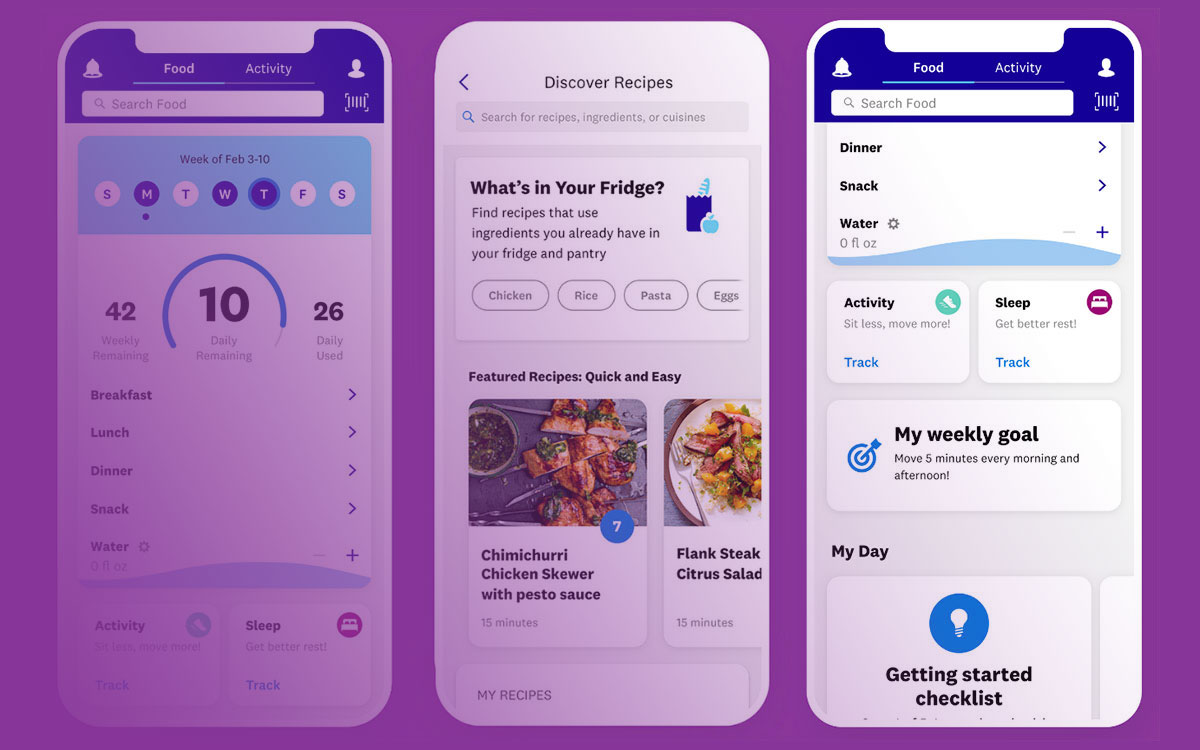
Your website’s first impression happens in milliseconds, and static designs simply don’t cut it anymore. Modern users expect interactive experiences that respond, delight, and guide them through digital journeys with smooth transitions and engaging visual feedback.
CSS animation libraries have revolutionized how developers approach motion design, transforming complex keyframe animations into simple, copy-paste solutions. Instead of spending hours crafting custom animation code, these libraries offer battle-tested effects that work consistently across browsers and devices.
Whether you’re building a progressive web app or enhancing an existing interface, choosing the right animation toolkit directly impacts user engagement and performance. From lightweight CSS-only solutions to powerful JavaScript engines, each library serves specific needs and project requirements.
This guide examines 15 leading animation libraries, comparing their features, performance characteristics, and ideal use cases. You’ll discover which tools excel at scroll-triggered animations, which prioritize file size optimization, and how to select the perfect solution for your next project.
CSS Animation Libraries
Animate.css

Pure CSS animation library delivering cross-browser compatibility and instant implementation.
Core Features
Ready-to-use CSS classes for immediate deployment. Supports attention seekers, entrance/exit effects, and bouncing animations. Zero JavaScript dependency keeps implementations lightweight.
CSS3 transform support ensures hardware acceleration. Animation state control through CSS properties.
Implementation Method
CDN integration via single stylesheet link. 34KB minified file size covers complete animation suite.
NPM installation available for build tool workflows. Custom builds reduce bundle size by selecting specific animation categories.
Animation Types
Attention seekers include bounce, flash, and pulse effects. Entrance animations feature fade-ins, slide-ins, and zoom effects.
Exit animations mirror entrance patterns. Specialized effects include rotating, shaking, and wobbling motions.
Performance Characteristics
Hardware-accelerated CSS3 transforms optimize rendering speed. GPU utilization prevents layout thrashing during complex sequences.
Animation-fill-mode controls pre/post animation states. CSS-only execution avoids JavaScript overhead.
Learning Curve
Beginner-friendly class-based syntax requires minimal CSS knowledge. Implementation involves adding predefined classes to HTML elements.
Documentation provides clear examples. Community tutorials abundant for advanced customization techniques.
Use Cases
Homepage emphasis for call-to-action buttons and important sections. Loading animations and user interaction feedback.
E-commerce product highlighting. Educational content for drawing attention to key concepts.
Browser Compatibility
IE10+ and all modern browsers supported. Cross-platform app development projects benefit from consistent rendering.
Mobile Safari and Chrome deliver smooth performance. Fallback support available for unsupported browsers.
File Size Impact
Core library weighs 34KB compressed. Modular approach allows importing specific animation categories.
Tree-shaking compatible with modern bundlers. Custom builds reduce overhead for production deployments.
Notable Projects
GitHub, Microsoft, and Adobe incorporate Animate.css. Bootstrap themes frequently bundle this library.
CodePen examples showcase advanced implementation patterns.
AOS (Animate On Scroll)

Scroll-triggered animation library enabling progressive content revelation during page navigation.
Core Features
Intersection Observer API powers efficient scroll detection. Data attributes control animation triggers and timing parameters.
Built-in animations include fades, slides, and zoom effects. Custom animation creation through CSS integration.
Implementation Method
NPM installation or CDN linking. 13KB gzipped library size maintains performance standards.
Single JavaScript initialization enables global scroll monitoring. CSS file provides default animation styles.
Animation Types
Fade animations support directional variants (up, down, left, right). Flip effects create 3D transformation illusions.
Zoom animations scale elements during reveal. Slide effects provide smooth directional movement patterns.
Performance Characteristics
Debounced scroll events prevent excessive callback execution. Automatic element cleanup optimizes memory usage.
Hardware acceleration through CSS transforms. Viewport-based triggers reduce unnecessary processing.
Learning Curve
HTML data attributes simplify animation assignments. JavaScript configuration accepts global settings.
Minimal front-end development knowledge required. Documentation includes practical examples.
Use Cases
Landing page storytelling through progressive content revelation. Product showcase pages with staggered element entrances.
Long-form content engagement improvement. Portfolio sites highlighting project sections sequentially.
Browser Compatibility
Modern browser support with IE10+ compatibility. Polyfills available for older browser versions.
Mobile performance optimized for touch devices. Progressive enhancement ensures graceful degradation.
File Size Impact
Small footprint at 13KB compressed. Modular loading prevents unused feature bloat.
External dependencies minimal. Framework-agnostic integration supports various development stacks.
Notable Projects
Medium articles and travel blogs utilize AOS extensively. SaaS landing pages implement scroll animations for feature presentations.
Agency websites showcase portfolio pieces with scroll-triggered reveals.
Framer Motion

React-specific animation library providing declarative syntax and advanced gesture support.
Core Features
Declarative API integrates seamlessly with React component lifecycle. Layout animations handle complex state transitions automatically.
Gesture recognition includes hover, tap, and drag interactions. Variants system orchestrates coordinated animations across components.
Implementation Method
NPM package installation. 34KB full bundle size with tree-shaking optimization available.
LazyMotion reduces initial load to 4.6KB with feature-specific imports. TypeScript support included.
Animation Types
CSS property animations support transforms, opacity, and dimensional changes. SVG path morphing creates complex vector animations.
Layout animations automatically calculate position changes. Exit animations handle component unmounting gracefully.
Performance Characteristics
Hardware acceleration leverages native browser animation APIs. Motion values bypass React re-renders for optimal performance.
Spring physics provide natural movement patterns. 120fps animations possible through GPU optimization.
Learning Curve
React familiarity required for effective implementation. JSX-based syntax feels natural to React developers.
Advanced features like layout animations require animation understanding. Comprehensive documentation with interactive examples.
Use Cases
Modern web applications requiring sophisticated user interactions. E-commerce sites with animated product galleries.
Dashboard interfaces with smooth state transitions. Mobile-first progressive web apps requiring native-like gestures.
Browser Compatibility
Modern browser targeting with Chrome, Firefox, Safari, and Edge support. Mobile browser optimization prioritized.
Feature detection enables progressive enhancement. Fallbacks available for unsupported animation properties.
File Size Impact
Bundle optimization through LazyMotion and selective imports. Production builds eliminate unused animation features.
Minified versions available. Development tools add debugging overhead removed in production.
Notable Projects
Framer websites and Figma interfaces powered by this library. Design tool prototypes demonstrate advanced capabilities.
Agency portfolios showcase complex interaction patterns.
GSAP

Professional-grade animation platform offering maximum performance and comprehensive feature coverage.
Core Features
Timeline system enables complex sequence choreography. Plugin architecture extends capabilities for specialized effects.
ScrollTrigger integration creates scroll-based animation experiences. Morphing capabilities handle complex shape transformations.
Implementation Method
CDN or NPM installation options. Core library 46KB with additional plugins loaded separately.
Commercial license required for certain use cases. Build tools integration supports modern development workflows.
Animation Types
CSS properties, transforms, and SVG attributes fully supported. Timeline-based sequencing handles complex animation orchestration.
Motion path following enables curved element movement. 3D transforms create depth and perspective effects.
Performance Characteristics
Up to 20x faster than jQuery animations. Advanced batching optimizes DOM manipulation cycles.
GPU acceleration through CSS3 transforms. Memory management prevents leaks during complex sequences.
Learning Curve
Moderate to steep learning curve depending on feature usage. Professional documentation with extensive examples.
Advanced features require animation theory knowledge. Community tutorials cover common implementation patterns.
Use Cases
Professional websites requiring sophisticated animation experiences. Advertising campaigns with complex timeline coordination.
Data visualization requiring smooth transitions. Interactive storytelling experiences with coordinated media elements.
Browser Compatibility
Comprehensive browser support including legacy versions. Automatic vendor prefix handling.
Mobile optimization ensures consistent performance. Framework agnostic implementation works with any technology stack.
File Size Impact
Modular architecture allows selective feature imports. Core functionality remains compact.
Plugin system prevents bloat. Production optimization removes unused features automatically.
Notable Projects
Major advertising networks exclude GSAP from file size calculations. Nike, Google, and Samsung utilize GSAP extensively.
Award-winning interactive experiences frequently built with GSAP.
Lottie
JSON-based animation format enabling designer-developer collaboration through After Effects integration.
Core Features
Adobe After Effects export compatibility enables designer-created animations. Vector-based rendering ensures crisp visuals at any resolution.
Interactive controls allow runtime animation manipulation. Cross-platform support spans web, mobile, and desktop environments.
Implementation Method
Multiple renderer options: SVG, Canvas, and HTML. Runtime library weighs approximately 60KB optimized.
JSON animation files typically smaller than equivalent GIFs. CDN hosting or local file integration supported.
Animation Types
Complex motion graphics exported from professional animation software. Character animations with synchronized movement patterns.
Logo animations and brand elements. Loading indicators and micro-interactions for enhanced user feedback.
Performance Characteristics
Vector rendering scales without quality degradation. Hardware acceleration when browser-supported.
JSON parsing overhead minimal. Memory usage optimized through efficient data structures.
Learning Curve
After Effects knowledge beneficial for animation creation. Developer implementation straightforward with simple API.
LottieFiles platform provides ready-made animations. No animation expertise required for basic implementation.
Use Cases
Brand websites showcasing animated logos and graphics. Mobile applications requiring smooth micro-interactions.
Marketing materials with professional motion graphics. E-learning platforms using engaging visual elements.
Browser Compatibility
Modern browser support with JavaScript rendering. Fallback images recommended for older browsers.
Mobile performance optimized. Framework integrations available for React, Vue, and Angular.
File Size Impact
Significant reduction compared to video files or GIF sequences. JSON compression further reduces file sizes.
Streaming support allows progressive loading. Bandwidth efficiency particularly notable on mobile connections.
Notable Projects
Airbnb mobile apps extensively utilize Lottie animations. Uber, Netflix, and Google implement Lottie across products.
Design agencies showcase capabilities through Lottie implementations.
Velocity.js

High-performance JavaScript animation engine optimizing DOM manipulation for smooth visual effects.
Core Features
jQuery-compatible syntax eases migration from existing codebases. Performance-focused architecture delivers smooth 60fps animations.
SVG animation support handles vector graphics efficiently. Color animation capabilities include complex transitions.
Implementation Method
Standalone JavaScript library with optional jQuery integration. File size approximately 30KB minified.
CDN availability through multiple providers. Build process integration supports concatenation and minification.
Animation Types
CSS property manipulation covers transforms, dimensions, and visual properties. Easing functions include predefined and custom options.
Loop and reverse capabilities for complex patterns. Scroll animations integrate with viewport events.
Performance Characteristics
DOM batching minimizes layout thrashing. Property caching reduces unnecessary style calculations.
Outperforms jQuery animations significantly. Memory management prevents accumulation during extended use.
Learning Curve
Familiar syntax for jQuery developers enables rapid adoption. Documentation provides comprehensive examples.
Advanced features require deeper JavaScript knowledge. Community resources supplement official documentation.
Use Cases
UI animations for interactive elements and state transitions. Form interactions and feedback mechanisms.
Page transition effects. Mobile interfaces requiring smooth gesture responses.
Browser Compatibility
Wide browser support including legacy versions back to IE8. Mobile browser optimization ensures consistent performance.
Feature detection enables progressive enhancement. Polyfill requirements minimal for core functionality.
File Size Impact
Compact library size suitable for performance-conscious projects. Tree-shaking eliminates unused features in modern builds.
No external dependencies reduce complexity. Production builds optimize file delivery.
Notable Projects
Stripe and other payment platforms implement Velocity.js. Enterprise applications leverage performance characteristics for complex interfaces.
Mobile-first projects frequently choose Velocity.js for efficiency.
Bounce.js
Animation generation tool producing CSS keyframes for bouncing and elastic effects.
Core Features
Visual editor enables real-time animation preview and customization. Generated CSS keyframes work without JavaScript dependencies.
Elastic timing functions create natural bouncing motions. Export functionality provides copy-paste CSS code.
Implementation Method
Web-based tool generates static CSS code. No runtime library required once CSS generated.
Exported animations integrate into any CSS workflow. Framework agnostic implementation supports universal usage.
Animation Types
Bouncing effects with customizable amplitude and frequency. Elastic animations simulate spring physics.
Scaling and rotation bounces. Multi-dimensional bouncing combines X/Y movement patterns.
Performance Characteristics
Pure CSS implementation leverages browser optimization. Hardware acceleration through transform properties.
No JavaScript overhead during animation playback. Memory efficiency through CSS-only execution.
Learning Curve
Visual interface requires no coding knowledge. Generated CSS ready for immediate implementation.
Understanding CSS keyframes helpful for customization. Minimal learning investment for basic usage.
Use Cases
Button hover effects and click feedback animations. Loading indicators with playful bouncing elements.
Attention-grabbing micro-interactions. Game interfaces requiring bouncing visual elements.
Browser Compatibility
CSS3 animation support determines compatibility. Modern browsers provide optimal performance.
Graceful degradation for unsupported browsers. Mobile browsers handle CSS animations efficiently.
File Size Impact
Generated CSS only adds minimal overhead. No external library dependencies.
Keyframe compression possible through CSS minification. On-demand generation prevents unused code accumulation.
Notable Projects
Web design agencies utilize Bounce.js for client presentations. Playful brands implement bouncing effects for personality.
Educational interfaces use bouncing animations for engagement.
Magic Animations

Unique CSS animation collection featuring distinctive effects and transformations.
Core Features
Signature animations including magic, foolish, and bomb effects. CSS3-based implementation ensures broad compatibility.
Transform-heavy animations create compelling visual impact. Class-based activation simplifies implementation.
Implementation Method
Single CSS file inclusion enables all animations. File size approximately 20KB for complete collection.
CDN hosting available. Manual class application or JavaScript triggers supported.
Animation Types
Perspective transformations create 3D-like effects. Rotation and scaling combinations produce unique movements.
Disappearing and appearing effects with theatrical flair. Space-themed animations offer science fiction aesthetics.
Performance Characteristics
CSS transforms utilize hardware acceleration. Browser optimization handles rendering efficiently.
Animation complexity may impact older devices. Modern browser targeting recommended for optimal performance.
Learning Curve
Simple class application requires minimal technical knowledge. CSS understanding beneficial for customization.
Effect selection based on visual preview. Quick implementation suitable for rapid prototyping.
Use Cases
Creative portfolios showcasing unique personality. Gaming websites requiring special effects.
Promotional materials with attention-grabbing elements. Art and design projects emphasizing visual impact.
Browser Compatibility
Modern browser focus with CSS3 animation support. Mobile compatibility varies by effect complexity.
Fallback planning recommended for critical animations. Progressive enhancement approach suggested.
File Size Impact
Complete collection in single stylesheet. Unused animations contribute to overhead.
Selective extraction possible for optimization. Production consideration for file size management.
Notable Projects
Creative agencies showcase unique effects in portfolios. Entertainment websites utilize theatrical animations.
Art galleries and museums implement distinctive transitions.
Hover.css
Specialized hover effect library for buttons, links, and interactive elements.
Core Features
2D transitions optimized for user interaction feedback. Button-specific animations enhance interface responsiveness.
Speech bubbles and curls provide distinctive visual effects. Single-element implementation simplifies DOM structure.
Implementation Method
CSS-only library with 19KB minified size. Class-based implementation through stylesheet inclusion.
Modular CSS available for selective imports. Preprocessing support through Sass and LESS versions.
Animation Types
Hover-triggered transitions including grow, shrink, and pulse effects. Background sweep animations in multiple directions.
Border and shadow transitions. Icon-specific animations for user interface elements.
Performance Characteristics
CSS transition optimization ensures smooth hover responses. Hardware acceleration through transform properties.
Minimal performance impact during interaction. Responsive design compatible with touch devices.
Learning Curve
Immediate usability through class application. No JavaScript knowledge required.
CSS modification enables customization. Documentation examples facilitate quick adoption.
Use Cases
Button enhancement for improved user experience. Navigation menu interactions and feedback.
Call-to-action element emphasis. E-commerce interfaces requiring engaging product interactions.
Browser Compatibility
CSS3 transition support determines functionality. Modern browsers provide optimal experience.
Touch device considerations for hover alternatives. Mobile adaptation strategies recommended.
File Size Impact
Compact library size suitable for production use. Modular imports reduce unnecessary overhead.
CSS compression optimizes delivery. Performance budgets easily accommodated.
Notable Projects
Portfolio websites utilize Hover.css for navigation. SaaS applications implement button feedback effects.
Design system implementations include hover states.
FAQ on CSS Animation Libraries
Which CSS animation library is best for beginners?
Animate.css offers the easiest entry point with simple class names and zero JavaScript requirements. Just add CSS classes to HTML elements for instant animations.
Most beginners appreciate the extensive documentation and community tutorials available.
Are CSS animation libraries better than CSS animations?
Animation libraries provide pre-tested, cross-browser solutions that save development time. Writing custom CSS animations offers more control but requires deeper knowledge of keyframes and browser compatibility.
Libraries excel for rapid prototyping and consistent results.
How do CSS animation libraries affect website performance?
Well-optimized libraries like Animate.css (34KB) or AOS (13KB) add minimal overhead. Performance impact depends on animation complexity and frequency.
Hardware-accelerated transforms in modern libraries ensure smooth 60fps animations without blocking the main thread.
Can I use multiple animation libraries together?
Yes, but avoid conflicts by using namespace isolation or selecting complementary libraries. Combining Animate.css with Hover.css works well since they target different interaction types.
Monitor total bundle size to maintain optimal web apps performance.
Do CSS animation libraries work on mobile devices?
Modern libraries prioritize mobile optimization with hardware acceleration and responsive design considerations. AOS and Framer Motion specifically optimize for touch devices.
Test animations on actual devices since mobile browsers handle complex effects differently than desktop.
Which library is best for scroll-triggered animations?
AOS (Animate On Scroll) specializes in viewport-based triggers with minimal setup. GSAP’s ScrollTrigger offers more advanced control for complex scroll-driven experiences.
Both libraries provide smooth performance and extensive customization options for scroll animations.
Are there lightweight alternatives to large animation libraries?
Transition.css and Bounce.js offer minimal file sizes for specific animation types. CSS-only solutions like Hover.css (19KB) provide targeted effects without JavaScript overhead.
Consider on-demand generation tools like Animista for custom lightweight solutions.
How do I choose between CSS and JavaScript animation libraries?
CSS libraries work best for simple transitions and hover effects with minimal performance impact. JavaScript libraries like GSAP handle complex timelines and interactive animations.
Choose based on animation complexity and required browser support for your front-end development project.
Can animation libraries improve user experience?
Strategic animation use enhances user engagement through visual feedback and smooth state transitions. Micro-interactions guide users and provide confirmation of actions.
Avoid overuse as excessive animations can distract users and negatively impact accessibility preferences.
Do animation libraries support accessibility features?
Modern libraries respect prefers-reduced-motion CSS media queries to honor user accessibility settings. Animate.css automatically disables animations when users prefer reduced motion.
Always test with accessibility tools and provide alternative feedback methods for motion-sensitive users.
Conclusion
CSS animation libraries have transformed modern web development by making sophisticated motion design accessible to developers at every skill level. From lightweight solutions like Hover.css to comprehensive platforms like GSAP, these tools eliminate the complexity of manual keyframe creation while ensuring cross-browser compatibility.
The right choice depends on your project’s specific requirements and constraints. Consider Animate.css for quick implementations, AOS for scroll-triggered effects, or Framer Motion for React-based applications requiring advanced gesture support.
Performance optimization remains crucial regardless of your chosen library. Hardware acceleration through CSS transforms, selective feature imports, and respecting user accessibility preferences ensure smooth animations that enhance rather than hinder user experience.
As mobile application development continues evolving, animation libraries will play increasingly important roles in creating engaging, responsive interfaces. The libraries covered in this guide provide solid foundations for building delightful user interactions that perform consistently across devices and browsers.
Start experimenting with these tools to discover which best fits your development workflow and design goals.

- How to Install Plugins in Notepad++ - August 3, 2026
- Best 5 AI Penetration Testing Tools for Web and Mobile Applications - August 2, 2026
- Android App Bundle vs APK - August 1, 2026