


Ever tried building an app?
I mean, seriously. It feels like you need a Ph.D. in coding just to get started! But here’s the thing… in this age of rapid digital transformation, we all want a piece of that app pie. Whether you’re looking to whip up an e-commerce app or a fun mobile game, there’s a secret weapon out there. Drum roll, please… the best app builder.
Okay, let’s set the scene. With the digital boom, more folks are diving into the mobile app development ocean. The big question? How do you swim without drowning in code? Enter: app creation software and no-code platforms. These bad boys are game-changers.
By the end of this article, you’ll be armed with the knowledge to:
- Choose the right DIY app builder for your project.
- Understand the magic behind drag-and-drop app design.
- And harness the power of app development tools.
Table of Contents
- Criteria for Choosing a Mobile App Maker
- Best Mobile App Makers for Beginners
- Best Mobile App Makers for Advanced Users
- Best Mobile App Makers for Gaming
Best Mobile App Builders
| App Builder | Platform Type | Supported Platforms | Pricing Structure | Target Audience | Key Features |
|---|---|---|---|---|---|
| Jotform Apps | No-code | Web, iOS, Android | Free plan + Paid plans | Small businesses, educators | Forms-based app creation, integration with Jotform services |
| AppMySite | No-code | iOS, Android | Monthly/Annual subscription | Bloggers, e-commerce | WooCommerce integration, customization options |
| Appy Pie | No-code | Web, iOS, Android | Free plan + Paid plans | Small businesses, individuals | Drag-and-drop interface, no programming required |
| Shoutem | No-code | iOS, Android | Monthly/Annual subscription | Small to medium businesses | Customizable templates, loyalty program features |
| BuildFire | Low-code | iOS, Android | Quote-based | Businesses, franchises | Extensive plugin library, white label option |
| AppMakr | No-code | iOS, Android, Web | Paid plans | Small businesses, educators | Basic app building, no coding required |
| GoodBarber | No-code | iOS, Android, Web | Monthly/Annual subscription | Influencers, SMEs, agencies | Wide range of templates, PWA option |
| AppMachine | No-code | iOS, Android | Monthly/Annual subscription | Small to medium businesses | Drag-and-drop, pre-coded building blocks |
| iBuildApp | No-code | iOS, Android | Monthly subscription | SMBs, enterprise clients | Customizable templates, app analytics |
| Mobile Roadie | No-code | iOS, Android | Quote-based | Musicians, brands, sports | Geo-targeted content, fan engagement tools |
| AppSheet | Low-code | Web, iOS, Android | Free plan + Paid plans | Enterprises, IT professionals | Data-driven apps, integration with Google Workspace |
| Appery.io | Low-code | Web, iOS, Android | Monthly subscription | Developers, SMEs | Visual development, backend services |
| BiznessApps | No-code | iOS, Android | Monthly/Annual subscription | Marketing agencies, resellers | Industry-specific features, loyalty programs |
| Buildbox | No-code | iOS, Android, Windows | Free plan + Paid licenses | Game developers, hobbyists | Game-specific builder, drag-and-drop |
| GameSalad | No-code | iOS, Android, Web | Monthly/Annual subscription | Educators, game developers | Visual programming, game development focus |
Best Mobile App Makers for Beginners
The right app development tool is crucial if you’re new to the world of mobile app frameworks.
You require a no-code platform that is simple to use, economical, and has a helpful community. The top mobile app developers for beginners are listed below.
Jotform Apps
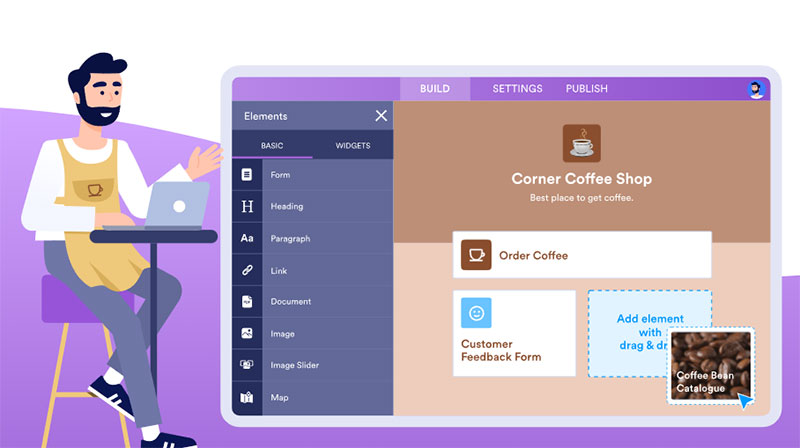

Jotform Apps is a no-code app builder that helps you create fully customizable apps for your business for free. You can download your apps onto any smartphone, computer, or tablet. Use Jotform’s classically easy drag-and-drop app design to quickly publish your app and share it via a link, email, or a QR code. Creating the app sharing QR Code with the help of the best QR Code generator will give you an idea of how many people downloaded your app via the offline medium.
When you use Jotform Apps, you have access to tons of mobile app templates that you can use to customize your app uniquely to your taste and make it stand out from the crowd. If you need to collect payments, you can do so using the many widgets they offer. The integrations alone are too many to count. They make keeping track of your data less of a chore.
Anyone can build an app to suit their needs. Whether you are starting a small business, getting feedback from customers, or creating a company portal, Jotform Apps has all the application development tools you need to reach your goals.
What We Don’t Like
The free plan comes with all of the features they offer but it is limited in terms of form creations and form submissions. You can’t add more collaborating users to your form unless you upgrade to the Enterprise Plan.
Verdict
Jotform Apps has a very easy-to-use interface and is packed with many exciting features users will be able to take advantage of. Having a free plan is great because users will get to experience and try the product before they buy it. The customization options are really what make Jotform Apps a unique app-building experience.
AppMySite
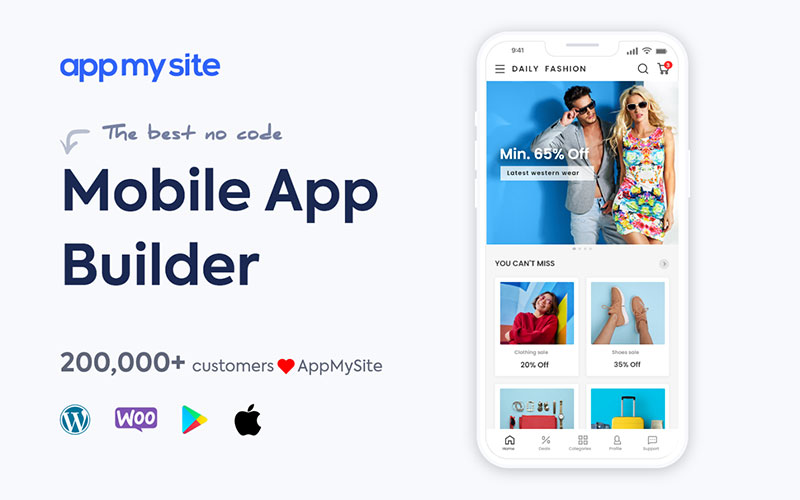

AppMySite is an all-inclusive no-code mobile app development platform and a cutting-edge app maker that enables you to create premium mobile apps within minutes. Anyone, even without a deep dive into mobile app development, can build feature-rich enterprise-grade native and web view apps for any industry. This DIY app builder connects seamlessly to your website, enabling one-click data transfer and automated synchronization. No more spending hours uploading data from scratch.
Unlike other platforms that might just template your ideas, AppMySite offers a powerful app creation software experience that allows you to design and customize your app without limits. The intuitive drag and drop app design tools and point & click options make it easy to give your app a personal touch, and introduce desired features and functionalities. Among its myriad of benefits, it offers:
- Support for all CMS platforms and mobile app frameworks.
- Deep integration, especially with WordPress and WooCommerce, making it a great choice for those familiar with these app development tools.
- Live preview screen ensuring you can monitor every step of app development.
- Features like analytics, push notification, chat, monetization, and more are at your fingertips.
- Catering to a variety of industries including eCommerce, education, travel – essentially serving as a versatile app builder.
- Encouraging team collaboration with built-in team management tools.
AppMySite’s preview plan, true to the no-code platform promise, is free and allows users to create and preview their apps. The pricing structure for their paid plans is highly affordable, offering a spectrum of choices, from monthly and yearly to even lifetime plans.
What We Don’t Like
Currently, only those equipped with a website can harness the power of this app maker with AppMySite. Although they’ve hinted at custom app development solutions being on their product roadmap, for now, this app development platform necessitates having a website. On the bright side, it also makes it simpler for businesses to utilize their existing assets and fetch content directly from their site, which is a commendable feature.
Verdict
AppMySite isn’t just another app creator. It’s a comprehensive tool packed with features to help you create any kind of app. Fast, cost-effective, and truly no-code in essence. Dive into the world of app creation with AppMySite, create in minutes, preview for free, and experience the difference yourself.
Appy Pie
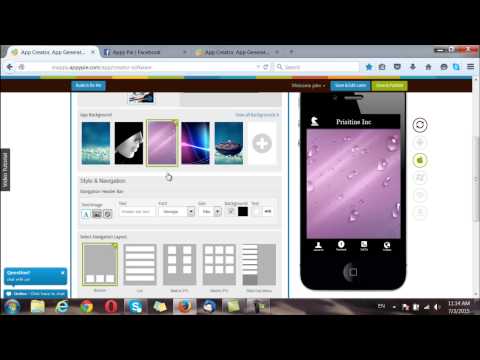
Appy Pie stands tall as one of the most sought-after app builders on the market. It’s not just about its renowned popularity but also its user-friendly appeal, especially to novices. With Appy Pie, even complete newcomers, devoid of any mobile app development experience, get the golden chance to craft their very own mobile app within mere minutes. Not just that, this DIY app builder is enhanced with a plethora of unique features allowing users to incorporate:
- In-app purchases
- Ads – maximizing monetization options
- Easy eBook uploads
- Seamless integration of instant messaging apps
This app creation software has managed to carve its niche especially among small and medium-sized businesses. The flexibility it offers, through a range of pricing structures and plans, ensures users can kick off their app development journey for free. As users become more acquainted with the nuances of app building, Appy Pie unveils subscription plans tailored to cater to various budget constraints.
The hallmark of Appy Pie is undeniably its dedication to impeccable customer service. This no-code platform doesn’t leave its users in a lurch; instead, it equips them with a comprehensive list of tutorials. These guides meticulously address any conceivable obstacle a user might face during their app creation process. And if that wasn’t enough, there’s always a live chat to handhold you, ensuring every hiccup faced during app development is swiftly addressed.
Given its features and support, this platform emerges as an optimal app maker choice for startups, entrepreneurs, and blooming businesses.
What We Don’t Like
A glaring hiccup with Appy Pie is the striking similarity across all its templates. While there’s a sprinkle of options enabling you to toy with layout dimensions and infuse background images, it barely scratches the surface. There’s a pressing need for a broader spectrum of customization options.
Verdict
While Appy Pie might not pave the path for you to construct the next global sensation akin to Airbnb, it unquestionably equips you with the arsenal to design a basic app encapsulating all pivotal functionalities.
Shoutem
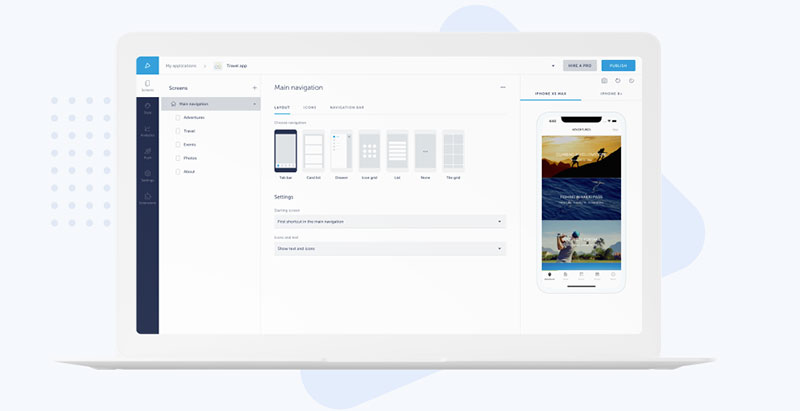

This platform, Shoutem, is more than just a typical app builder; it’s a foray into the realm of aesthetic brilliance. The platform lays immense emphasis on design, ensuring that every app crafted here resonates with elegance and refinement. If your priority aligns with creating visually enticing apps, then Shoutem should undoubtedly be on your radar.
A distinctive feature we can’t help but laud is Shoutem’s editor. It’s not just a tool; it’s a delightful experience. Packed with lucid instructions and a beautifully orchestrated layout, it provides a real-time glimpse of your app’s functionality, ensuring you achieve the best app design.
Diving deeper into customization, Shoutem isn’t one to lag. The platform unfurls a multitude of options ensuring every mobile app birthed here carries its unique design stamp. With Shoutem, personalizing themes, layouts, colors, and typography isn’t just an option; it’s an expedition. The result? Apps that aren’t just visually stunning but are also powerhouses of features.
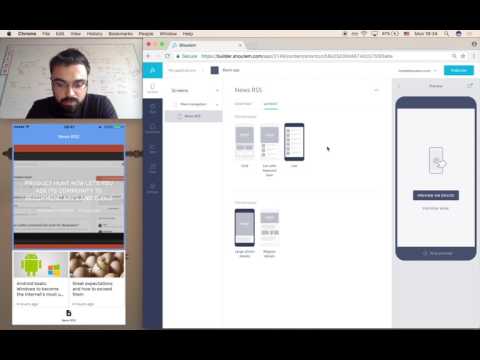
Primarily, Shoutem emerges as the go-to choice for Event apps, thanks to its Social Wall—a vibrant space where users can splash their memories through pictures and weave narratives via comments.
The versatility doesn’t end there. Shoutem seamlessly dovetails with retail businesses, enhancing their digital footprint.
Moreover, the allure of Shoutem intensifies with its robust monetization arsenals like mobile advertising support, granting you avenues to recoup your investment. And let’s not forget one of its most enticing offerings: an unparalleled integration with social media stalwarts like Facebook, Twitter, Foursquare, and the omnipresent platform, WordPress.
What We Don’t Like
It’s quite a challenge to pin down a shortcoming for Shoutem. While I’d have preferred to highlight a flaw or two for a balanced perspective, the platform leaves little room for complaints. Yes, there was a hiccup with its pricing model during its initial days, but Shoutem swiftly navigated through it, making its offerings more accessible to a broader audience.
Verdict
For those who tread in the domain of small businesses and yearn for a robust digital presence, Shoutem is the beacon. Its immaculate integration with the WordPress blog and Shopify store ensures that businesses not only establish a footprint but also dominate in their niche.
BuildFire
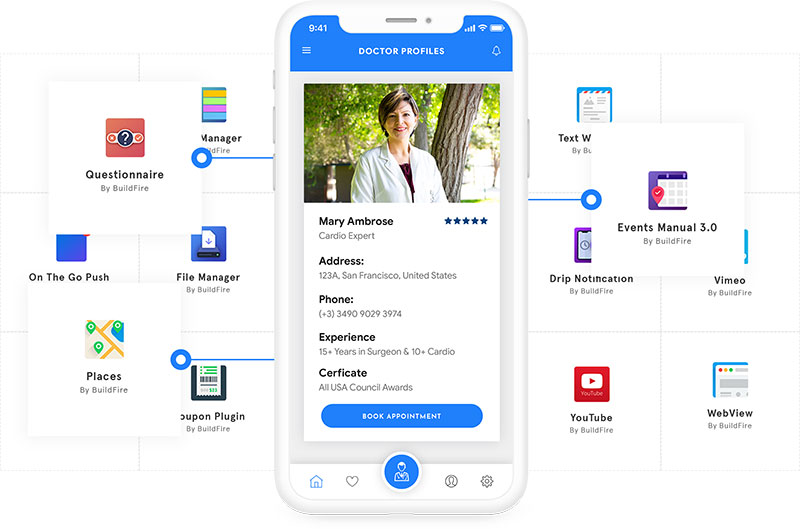

This premier platform, BuildFire, stands tall as one of the most dependable app builders in the digital domain. An impressive tally of over 30,000 businesses have entrusted BuildFire to weave their mobile app dreams.
The platform enjoys a massive fan-following among brands, digital influencers, and businesses spanning from startups to mid-sized entities. In a mere couple of days, you can roll out an app, bridging your audience with your offerings, and solidifying your digital footprint.
BuildFire’s immense popularity stems from its amalgamation of a user-centric interface, swift reconfigurability, and an expansive canvas for customization. Its immaculate and sleek UI transforms the herculean task of app design for iOS or Android into a delightful endeavor. The platform accords you the liberty to institute rapid changes and review them in real-time.
What We Don’t Like
Navigating through BuildFire’s billing architecture can be akin to deciphering a maze; retrieving past invoices turns into an arduous task.
The editor, while potent, demands a tad more simplicity. For novices gravitating towards the world of app builders, like BuildFire, the learning curve may appear steep. Infusing more tutorials, especially centered around the editor, would’ve been an admirable inclusion.
Verdict
Notwithstanding the initial hiccups with the editor, you’re poised to craft an industry-standard app in record time, even if you’re unversed in coding.
AppMakr
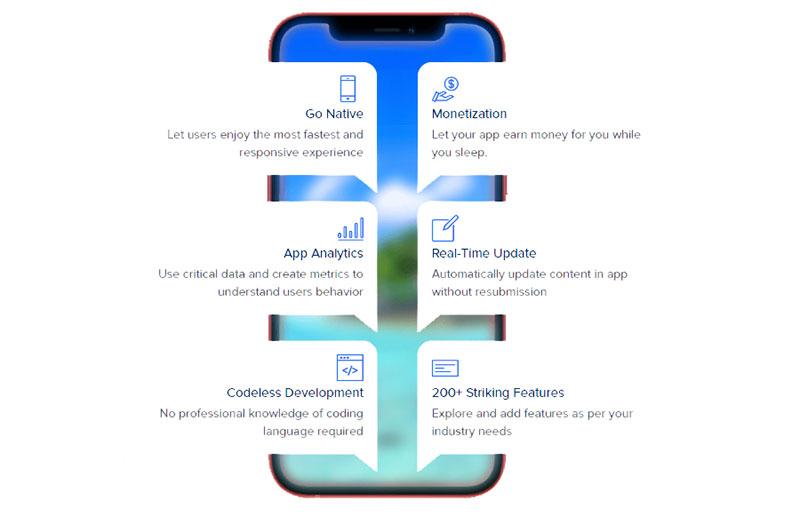

AppMakr, this app builder platform, truly dazzled us! Commanding a vast user base, AppMakr positions itself as one of the leading DIY mobile app builders catering predominantly to small businesses, non-profits, and individual enthusiasts. A staggering 2 million apps bear the stamp of AppMakr’s craftsmanship.
The platform extends both free and monetized plans, ensuring inclusivity. The free version empowers users to craft commendable basic apps. What truly caught our eye was the empowerment it grants to even a novice—a user sans any coding background can breathe life into a fully operational app in a mere 20 minutes. The creation journey involves weaving text, audio to text, video, and the essential HTML components. Upon culmination, AppMakr ensures a seamless transition to publish your creation on online stores.
AppMakr doesn’t just stop at app creation; it extends a robust suite of QA tools ensuring your app remains a paragon of perfection. Post-launch updates? They have you covered!
The pricing model of AppMakr is another feather in its cap. An annual commitment of just $99 opens the portals to both iOS and Android app creation, making it one of the most cost-effective app builders available.
One standout feature of AppMakr that deserves applause is the real-time simulator, offering you a live preview as your app takes shape.
What We Don’t Like
The editor, while laden with features, severely needs an overhaul. Its responsiveness, or the lack of it, coupled with heightened sensitivity can sometimes mar the user experience. Minute tasks, like moving an icon, are met with lags or misplacements due to editor loads. Encounters with frozen screens were not isolated incidents. The editor demands a comprehensive revamp!
Verdict
If AppMakr addresses the performance quirks of the editor, it’s poised to emerge as the go-to platform for budding individuals and businesses to embark on their mobile app development journey, delivering apps that conform to industry standards.
GoodBarber
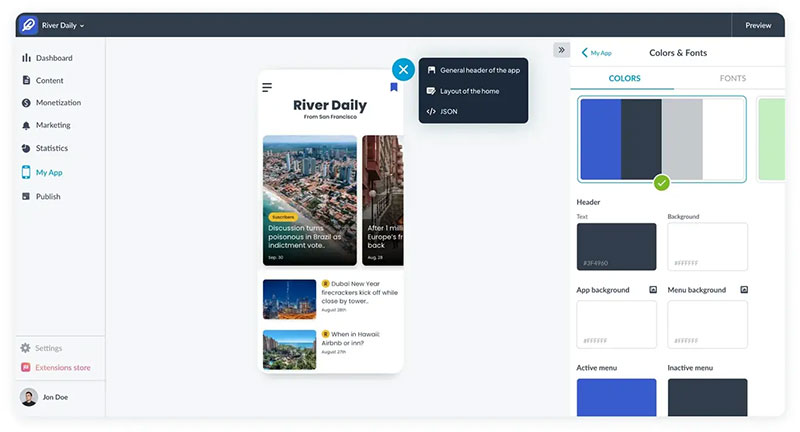

This app builder platform, christened with a distinctive name, finds its roots in the picturesque French island of Corsica and proudly flaunts some of the most visually captivating themes. GoodBarber provides users an immersive, intuitive, and adaptive journey in the realm of mobile app design.
The platform’s charm lies in its user-centric approach. Whether you’re an expert coder or a novice just starting your digital footprint, the experience is undeniably seamless. Immediately after registration, you’re all set to dive into your app creation journey. The beauty of GoodBarber is its cloud-based nature, permitting users to craft their app across diverse devices, optimizing for a universal experience.
What truly propels GoodBarber to a pedestal in the crowded app builder landscape is the extensive suite of features it bestows upon its users, encompassing:
- Chat
- Social Networking
- Geofencing
- Push notifications
- iBeacons
The platform’s architecture is meticulously curated, ensuring every feature, option, and add-on is effortlessly accessible, optimizing the app development experience.
Users are presented with a choice: opt for a plan exclusively tailored for native Android apps at $32 per month or embrace a more holistic plan encompassing both Android and iOS app ecosystems for $96. Irrespective of your choice, you’re guaranteed a sophisticated web app that mirrors the prowess of leading mobile app designs.
What We Don’t Like
The platform, while brimming with features, falls short in one crucial domain: e-commerce support. It would’ve been a commendable addition had GoodBarber integrated its own e-commerce ecosystem. However, users aren’t left high and dry; there’s always the avenue to weave content from prominent third-party e-commerce giants like Amazon or Shopify, and video-sharing titans like Youtube, Vimeo, or DailyMotion.
October 2019 saw GoodBarber unveiling a “Shopping App” product, a foray into eCommerce.
Tailored for iOS, Android, and the mobile web through Progressive Web Apps, GoodBarber’s Shopping Apps stand toe-to-toe with the vanguards in the app builder domain. With striking designs coupled with inherent e-commerce functionalities, they’re primed to elevate sales conversions.
Verdict
GoodBarber stands out as a beacon in the app builder ecosystem, offering arguably one of the most user-friendly avenues to bring an app to life. Its simplistic yet powerful design ethos ensures that even those with rudimentary computer skills can embark on their mobile app development journey with confidence.
AppMachine
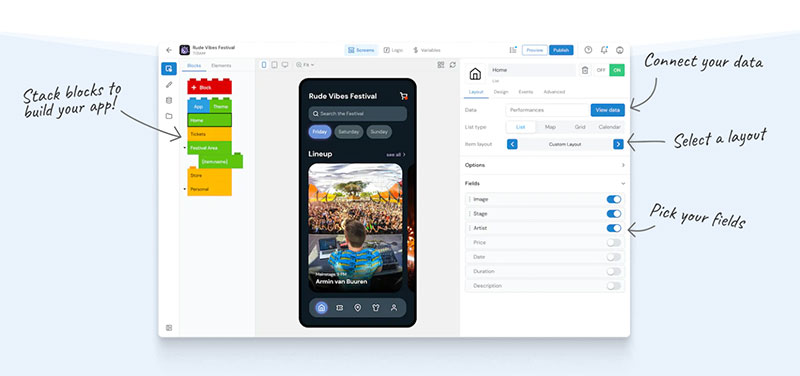

AppMachine emerges as a front-runner in the app builder ecosystem, ensuring that app creation is not just a task but an enjoyable experience. For rookies venturing into the world of mobile app design, the journey with AppMachine promises to be smooth and intuitive.
Originating from the culturally rich Netherlands, this innovative platform introduces users to a lego-style editor, infusing a touch of playfulness in app development. A testament to its robust capabilities, over 200,000 apps have been brought to life using AppMachine. Currently, it offers two pricing tiers: Plus at $49 a month and Pro at $69 a month.
Distinguishing itself in the saturated app builder landscape, AppMachine shines by automating numerous cumbersome procedures, streamlining the app creation process.
To illustrate, say you aim to replicate pertinent data from your website into the app builder; with AppMachine, it’s as straightforward as inputting your URL. Moreover, you can effortlessly port over information and imagery from your social media channels, enhancing the digital footprint of your app.
Its editor, characterized by its minimalist aesthetic, strikes a chord by being visually appealing and user-centric. The platform is equipped with a gamut of chic and adaptive templates, ready to be tailored to your vision. Furthermore, with an array of fonts at your disposal, personalizing your mobile app to stand out becomes a cinch.
AppMachine comes with a robust feature set, catering to varied needs:
- Ad support
- Push notifications
- Location-based services
- E-commerce functionalities
- RSS feed options
- Social Media Integration
- Loyalty Features
What We Don’t Like
A few offerings encapsulated in the Pro pricing tier remain in their nascent stages. Their inclusion, prior to achieving full functionality, seems premature.
Additionally, it’s our belief that some effort could be channeled towards refining the performance of the user interface, optimizing the app development experience.
Verdict
AppMachine is an exemplary mobile app builder; its ease of use combined with its capability to produce stellar apps is commendable. Despite a couple of features awaiting full-scale deployment, on the whole, AppMachine establishes itself as an indispensable tool for crafting interactive and contemporary apps.
iBuildApp
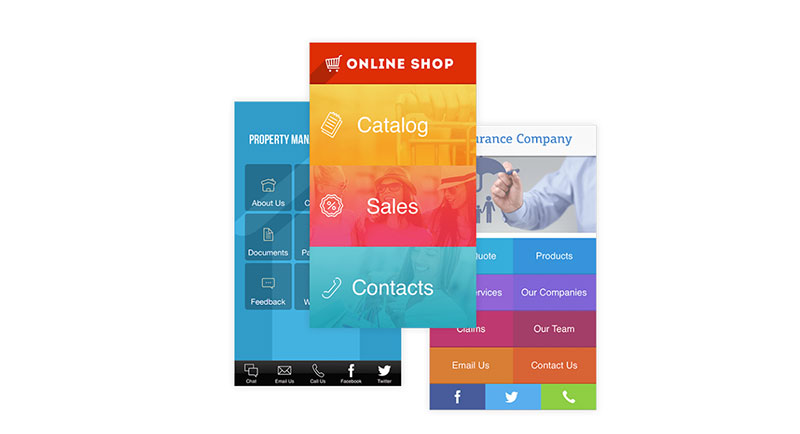

Amid the plethora of app builders out there, this platform stands tall, boasting one of the most straightforward drag and drop editors. With an arsenal of over a thousand distinctive templates tailored for mobile app design, paired with an in-built Content Management System, iBuildApp emerges as a contender in the app builder ecosystem.
Its comprehensive suite of tools and marketing attributes ensures that your app isn’t just functional but aesthetically appealing and professional, cementing a strong digital footprint in the app landscape.
Designed with user-centricity at its core, the intuitive interface promises to guide even the most novice user to weave a fully functional app in a mere 5 minutes. The end users, your customers, will be treated to an immersive experience, marked by the app’s elegant layout, simplicity, and swift loading times.
In the realm of mobile app design and development, iBuildApp carves a niche by offering unparalleled versatility. Regardless of whether you’re a seasoned programmer or someone making a debut in app creation, this builder is your ally. The icing on the cake? A complimentary trial to dip your toes and gauge the platform’s offerings before making any tangible commitments.
What We Don’t Like
Occasionally, in those sparse instances when the app hits a snag and turns unresponsive, the user is compelled to liaise with customer service through Zendesk. This process, unfortunately, isn’t always swift, posing delays in troubleshooting.
Verdict
Empower yourself to commence the publishing of multifaceted mobile apps posthaste. With accolades of being employed over a million times, this celebrated mobile app builder ensures you can foster your mobile visibility and captivate both existing customers and potential clientele.
For burgeoning enterprises making strides in the mobile realm, this platform stands as a beacon. What truly resonates with us is its duality; while its intuitive interface ensures novices feel right at home, its expansive feature set ensures seasoned app developers find it equally compelling.
Mobile Roadie
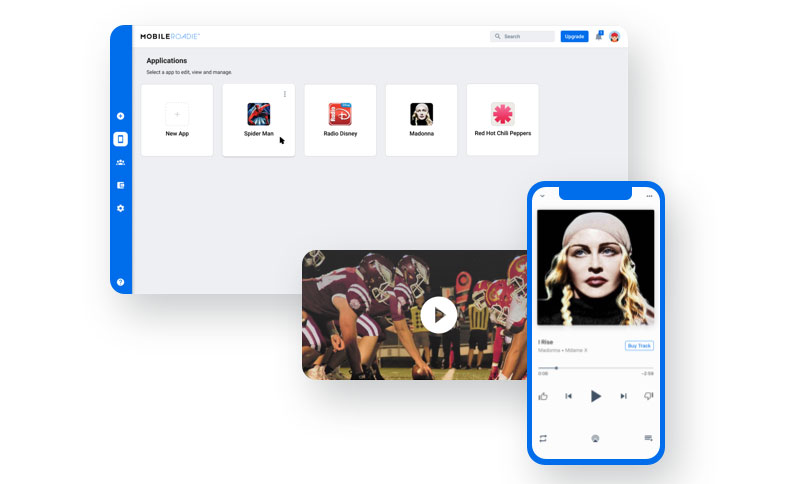

Navigating the app creation landscape, this platform emerges as one of the titans in the mobile app building arena. With a clientele boasting names like Universal, Disney, and TED.org, it’s evident that their pedigree in the app builder ecosystem is top-tier. Reflecting their elite client list, the pricing strategy is premium: the entry-level package kicks off at $149 a month, while their comprehensive PRO plan demands a hefty $799 monthly!
For artists and bands, Mobile Roadie unfurls as an unparalleled builder, brimming with engaging community app attributes such as chat and fan wall, fortifying the digital footprint of artists. Moreover, the music player’s integration is buttery smooth, ensuring fans stay immersed. In the labyrinth of mobile app design and development, this platform stands out with advanced offerings, like Geo-targeting—curating content based on the user’s locale. The template repertoire is expansive, ensuring ample design avenues, and room to mold them to resonate with your unique style.
What We Don’t Like
While its gamut of features is exhaustive, it translates to a more time-consuming app creation journey on this platform.
Furthermore, Mobile Roadie’s design misses the mark when it comes to allowing real-time previews during the app development phase. While not a deal-breaker, having this feature would amplify the user experience. The platform should prioritize refining its user interface to be more intuitive in the ever-evolving app builder ecosystem.
Verdict
Navigating the app builder landscape, it’s apparent that Mobile Roadie is among the crème de la crème of mobile app builders. Few can vaunt features like Geo-fencing, intricate mapping tools, and precision-focused Geo-targeting. However, such finesse and capability come with a matching price tag. If budget constraints aren’t on your radar, then this platform should be your go-to for your forthcoming project.
Best Mobile App Makers for Advanced Users
For adept users, pinpointing a mobile app developer armed with multifaceted functionality is imperative. Such platforms unfurl access to underlying code, intricate customization avenues, and seamless tool integrations, ensuring a seamless app development journey.
Outlined below are the preeminent mobile app developers tailored for the seasoned user.
AppSheet

Stepping into the app creation landscape, this platform allows you to craft iOS and Android apps, enhancing your digital footprint in the mobile app development world.
The platform furnishes intricate customization possibilities, encompassing the ability to architect complex data models, streamline processes with automation, and overlay unique branding elements.
Catering to the nuanced requirements of advanced users, they can offer a personalized touch to their apps by delving into the app’s source code.
Pros:
- Unfettered access to the app’s underlying code
- Advanced avenues for customization
- Seamless integration with the likes of Google Workspace
Cons:
- Ascending learning trajectory
- Constrained offerings in the free tier
Appery

Navigating the app builder ecosystem, Appery emerges as a cloud-based marvel facilitating the creation of mobile apps. With Appery at your disposal, you can manifest apps for both iOS and Android platforms. The cloud-centric nature negates the need for any downloads or installations, ensuring you embark on your app development journey without any hindrances. Sharing your nascent app projects with stakeholders, be it clients, business users, or fellow developers, is a breeze in real-time.
At the core of Appery’s app design and development philosophy is its intuitive drag and drop UI design feature. Additionally, it empowers you to integrate REST API seamlessly, enhancing the app’s functionality.
Appery resonates with a diverse user base, spanning from budding enthusiasts to seasoned professionals. The former can harness instructive tutorials and pivotal guidelines, ensuring they are equipped to craft basic mobile apps. In contrast, the latter can flex their expertise by directly interacting with the source code.
The platform rolls out a gamut of plans, ranging from complimentary offerings to premium tiers costing $180 monthly.
What We Don’t Like
Appery’s stringent non-refundable policy necessitates potential users to capitalize on the free trial, ensuring the platform aligns with their app creation needs before committing financially.
For those stepping fresh into the app builder landscape, investing time is crucial to familiarize oneself with the platform’s nuances. Furthermore, if your ambition stretches beyond rudimentary app features, a foundational grasp of programming is non-negotiable.
Verdict
Though Appery pitches itself as a versatile platform catering to both neophytes and adept professionals, it’s evident that novices need to be proactive in assimilating the basics.
They can navigate the app builder landscape using Appery, even sans programming acumen. However, to truly harness the platform’s full prowess, a refresher or foundational programming knowledge is paramount.
Opting for Appery is a strategic move for smaller teams keen on synergizing efforts on a singular, expansive project. However, the attached price point might deter those eyeing to develop simplistic mobile apps.
BiznessApps
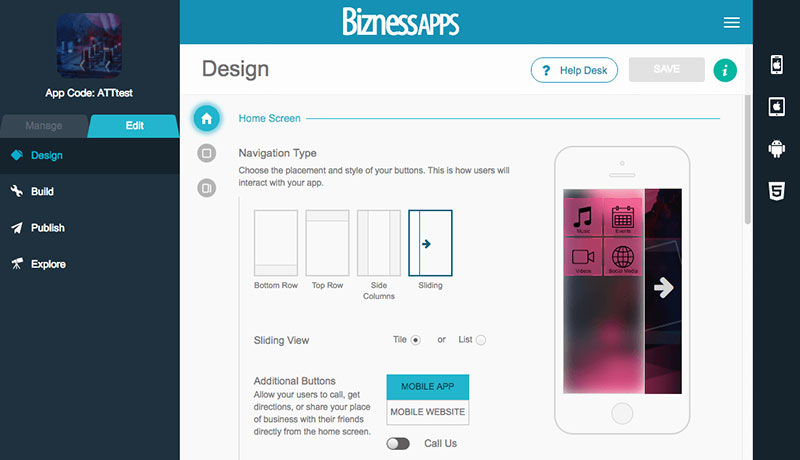

Diving deep into the app creation landscape, BiznessApps stands out as a no-code app builder.
This platform allows you to infuse unique features and gain intimate access to the app’s source code, expanding the horizon of sophisticated customization options. Leveraging the platform’s intuitive drag-and-drop interface, the journey of app design and development becomes a breezy affair.
BiznessApps boasts an array of pre-configured templates catering to diverse domains, be it businesses, e-commerce, or event-centric apps, ensuring you leave a lasting digital footprint.
Pros:
- Unfettered access to the app’s foundational code
- Advanced avenues for customization
- Comprehensive support mechanisms, encompassing both email and telephonic outreach
Cons:
- Confined design customization options
- Hefty price tags attached to the available plans
Best Mobile App Makers for Gaming
Venturing into the realm of game app development demands the incorporation of specific elements, such as immersive 3D visuals, enthralling music effects, and cohesive multiplayer support.
These app developers roll out a suite of gaming-centric components, primed to empower game creators in manifesting visually stunning mobile games. Delving into the app builder ecosystem, here are some luminaries in the domain of mobile gaming app developers.
Buildbox
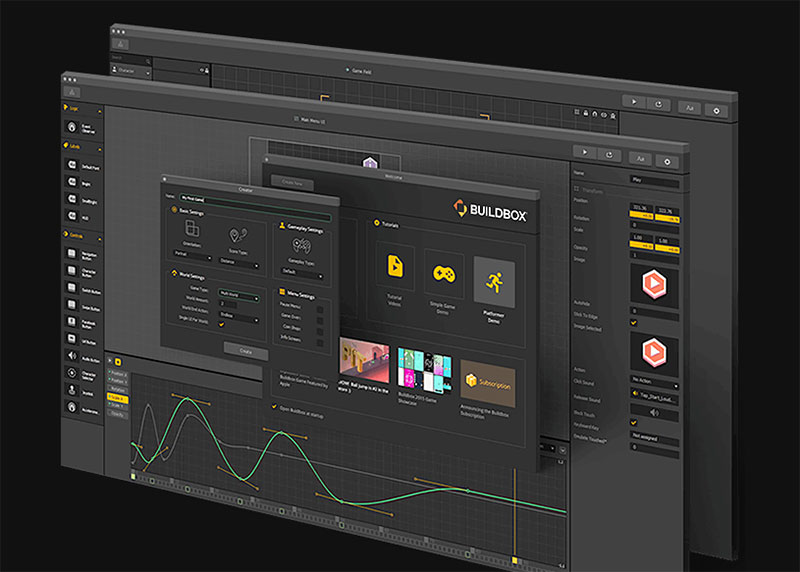

Treading the path of app design and development, Buildbox emerges as a drag-and-drop game crafting tool, democratizing the game creation process by eliminating the need for programming prowess.
This mobile app building platform unfurls features such as modifiable game templates, intuitive visual editing mechanisms, and the ability to publish games across diverse platforms.
The cherry on the cake is the advanced offerings from Buildbox, encompassing a mesmerizing 3D world editor and in-game analytics, ensuring game creators leave a strong digital footprint in the gaming world.
Pros:
- Absence of coding prerequisites
- Tailorable game templates
- Real-time in-game analytics
Cons:
- Ascending learning trajectory
- Constrained integration capabilities
GameSalad
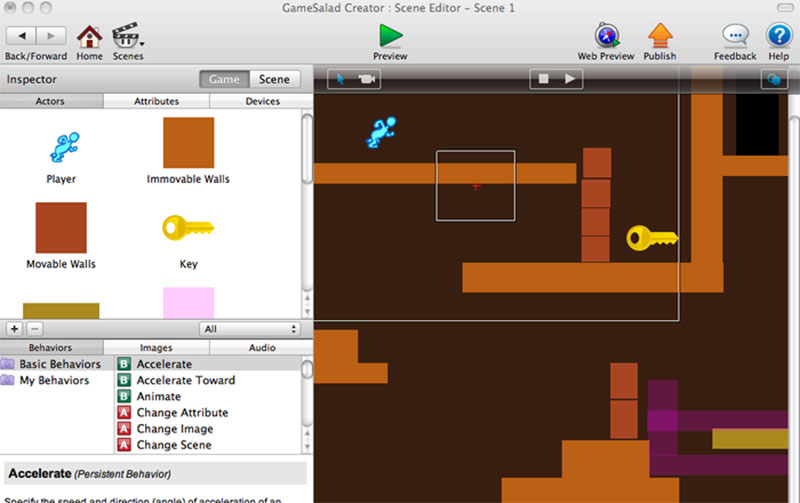

Venturing into the app creation landscape, GameSalad offers a tailored solution for crafting 2D games tailored for diverse platforms including Android, iOS, and even HTML5 and OS X.
Resonating with the DNA of renowned app building platforms, GameSalad simplifies the game creation trajectory with its drag and drop interface, ensuring even those without a programming background can dive deep into app design and development.
Echoing functionalities of tools like the Mario Level Creator for Nintendo gaming systems, the drag and drop feature becomes a pivotal tool in the hands of game creators. With it, designing varied levels, setting up stages, and establishing a unique digital footprint becomes intuitive.
Further enriching the game creation experience, GameSalad rolls out a scene and actor editor. This tool empowers creators to populate their gaming scenes with dynamic actors, integrating visual elements, soundscapes, and distinct attributes.
Moreover, GameSalad’s robust community forum stands as a beacon of support. Here, budding game creators can seek guidance, share insights, and gain expertise from seasoned game designers.
Diving into its pricing dynamics, GameSalad offers plans spanning from complimentary offerings to premium plans pegged at $299 annually.
What We Don’t Like
While GameSalad shines in many aspects, there’s a desire for a richer feature set in this app builder ecosystem. A palpable disconnect exists between support mechanisms for older Mac devices and their contemporary counterparts. The thirst for enhanced customization tools for the game interface is palpable. Moreover, transitioning games to the digital realm, especially the internet, feels a tad sluggish.
Additionally, one has to spring for a pro version to seamlessly publish a project tailored for the Android ecosystem.
Verdict
Navigating the intricacies of app design and development, GameSalad emerges as a formidable tool teeming with functionalities suited for 2D game creation. The pricing structure strikes a chord in terms of affordability and value.
Ergo, for budding game makers desiring to embark on a journey of crafting simplistic yet delightful 2D games, GameSalad emerges as the go-to platform. It’s an instrumental tool, especially for those desirous of imbibing the fundamentals of game design.
Criteria for Choosing a Mobile App Maker
There are a number of things to think about when picking an app creator to make sure the mobile app development platform you choose satisfies the needs of your project.
One of the most important considerations is the ease of usage. The app maker should feature drag-and-drop capabilities, have an intuitive user interface, and be simple to browse. This ensures the app creation software aligns with a DIY app builder approach. Moreover, customization options are crucial since they let you adapt your software to your particular requirements.
Another important aspect to consider is pricing because it has an immediate impact on your project budget. Be sure the app development platform you choose has a pricing structure that fits your budget.
Choosing a quality app development solution is also dependent on their level of customer service. Choose a platform with strong customer support options, such as a huge knowledge base, lively forums, and live chat assistance.
Last but not least, app store compatibility is crucial, especially if you intend to launch your software across several platforms. To prevent any compatibility concerns, make sure the app maker you select supports the app stores you intend to deploy your app on.
FAQ on App Builders
What are app builders?
An app builder is a nifty piece of software or a platform that lets you create mobile or web apps without diving deep into coding.
Picture it as a Lego set for apps. Instead of building from scratch, you’re using blocks (or tools and features) to create your digital masterpiece. It’s all about simplifying that app design and development process!
Why would someone use an app builder?
Imagine wanting to build a digital space, but coding sounds as complex as rocket science. That’s where app builders come into play!
They’re super useful for those who might not have the time or the expertise to code an app from the ground up. Plus, with these, you can craft apps rapidly, giving you that sweet digital footprint in no time. Pretty cool, huh?
Are apps from app builders as good as custom-developed ones?
Ah, the age-old debate. Look, apps from app builder platforms can be brilliant for many use-cases. But sometimes, you might need that bespoke touch a custom-developed app offers.
If you’re aiming for more intricate features or have very specific needs, you might lean towards custom development. But for most general purposes? App builders do the trick, and they do it well!
How much do these app builders typically cost?
Well, it’s a mixed bag. Some app builders won’t cost you a dime (though they might have limitations), while others might have you digging a bit deeper into your pockets.
Price usually hinges on features, complexity, and, of course, the brand’s reputation. But remember, sometimes you get what you pay for in the app creation landscape.
Can I switch from one app builder to another?
Ah, the old switcheroo. It’s a bit tricky. While the core content – like your text and images – can be moved, the actual app design, the structure, and specific features might not transfer over smoothly.
It’s a bit like trying to fit a square peg in a round hole. So, if you’re thinking of hopping between app building platforms, tread with caution!
How long does it take to create an app with an app builder?
Look, it ain’t a race! Some folks can whip up a basic app in hours, while others might take days to perfect their vision.
It boils down to the complexity of the app and how familiar you are with the app design and development tools of the builder. The beauty? You get to set the pace!
Do app builders offer support or tutorials?
Most do, and thank goodness for that! Many app builder platforms come with a treasure trove of tutorials, FAQs, and sometimes even dedicated support teams.
So, if you find yourself scratching your head, there’s usually some help around the corner. Remember, everyone starts somewhere. Dive into those resources and get your learn on!
Can I monetize apps created with app builders?
Why not make a little moolah, right? The good news is: yes, you usually can. Whether it’s through in-app purchases, ads, or premium versions, there are ways to see some green.
But make sure to check the builder’s policies. You don’t want any unexpected hiccups in your app creation journey.
Are apps made with app builders secure?
Security is the name of the game! Most top-tier app building platforms prioritize security, ensuring data protection and safe user experiences.
However, it’s always wise to do your homework. Check out reviews, read up on their security measures, and make sure you’re comfortable before diving in.
Can I update my app once it’s published?
Absolutely! The digital world is ever-evolving, and being able to tweak and update your app is crucial. Most app builder ecosystems make the updating process relatively straightforward. Whether it’s adding new content or refining features, ensuring your app stays fresh and functional is a piece of cake!
Conclusion
Diving into the digital space, you’d think finding the best app builders is like looking for a needle in a haystack. But hey, with the myriad of options out there, it’s more like searching for your favorite star in a galaxy full of them.
Let me break it down for ya:
If you’ve scrolled through this article, you’ve essentially embarked on a roller coaster ride through the app-building universe. From the super user-friendly to the highly intricate, each platform has its own flavor, much like your favorite ice cream.
At the end of the day, it’s all about finding that perfect fit for your unique needs. Whether you’re building a digital empire or just want a simple app for your side gig, the app design and development scene has something tailored for everyone.
If you liked this article on mobile app makers, you should check out this article with app ideas.

